_811205.png)
_e196d8.png)
_32b3d9.png)
_1c53fe.png)

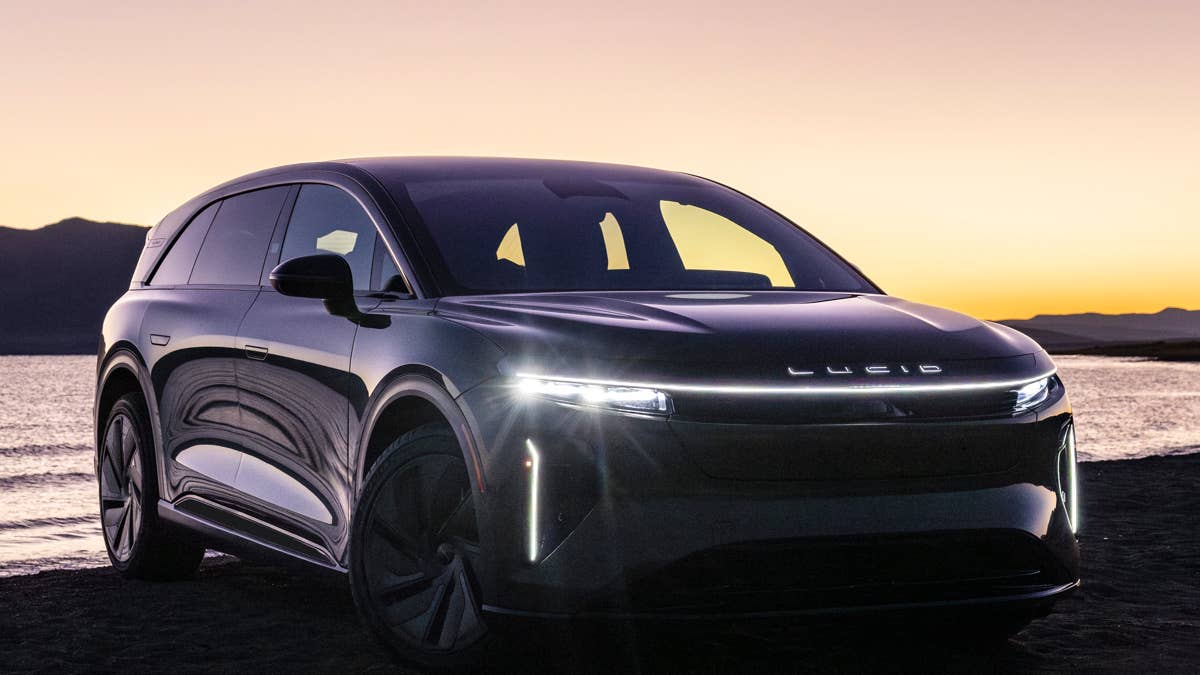
Lucid has detailed a new over-the-air update for the Gravity electric SUV that brings advanced hands-free driving capabilities, Google Maps updates, and more. The update, called Lucid UX 3.6, comes not long after the Gravity’s key rival, the Tesla Model X, was discontinued. Lucid remains under severe financial pressure after a staggering $1-billion net loss in the first quarter of 2026. While the Gravity’s updates are welcome, the company needs to get a cheaper vehicle into showrooms sooner rather than later.
Convenient Hands-Free Driving
Lucid Gravity just got smarter overnight.
— Lucid Motors (@LucidMotors) June 8, 2026
With our latest over-the-air update, you’ll experience hands-free driving assist with automatic lane change on compatible highways when equipped with DreamDrive ™ 2 Pro, smarter navigation, new battery preconditioning insights for more… pic.twitter.com/indmoVBhhV
Vehicles equipped with DreamDrive 2 Pro now benefit from convenient hands-free driving tech. The suite includes the following features:
- Hands-Free Drive Assist
- Hands-Free Lane Change Assist
- Automatic Lane Changes
- Driving Styles
- Enhanced DreamDrive Visualization
Essentially, the Lucid Gravity can now assist with steering, acceleration, and braking, taking some of the strain off the driver on longer journeys. This system only works on compatible highways, though, so it’s not comparable with Tesla’s Full Self-Driving (Supervised) system; in the Tesla, point-to-point driving in urban areas can also be handled by the vehicle.
The Gravity will also be able to change lanes automatically by simply activating the turn signal, and it can independently initiate lane changes to overtake slower vehicles. Using Driving Styles, the driver can decide whether the EV should navigate highway traffic more conservatively or more aggressively, the latter encouraging more frequent lane changes/overtakes. Finally, the Clearview Cockpit now creates a five-lane visualization of surrounding traffic, accurately portraying buses, SUVs, and pickups in the display.
These features still require the driver to remain attentive at all times.
What Else Is New For The Gravity?
Lucid
Hands-free driving isn’t all that’s new for the Gravity. The automaker has also improved connectivity, Google Maps integration, and night-time driving. Here’s an overview of what’s new:
- Google Maps Places API
- Improved visibility over energy status
- Smoother system startup
- Proactive Auto Lock & Unlock
- Mirror tilt control
- Improved videos for drive recorder
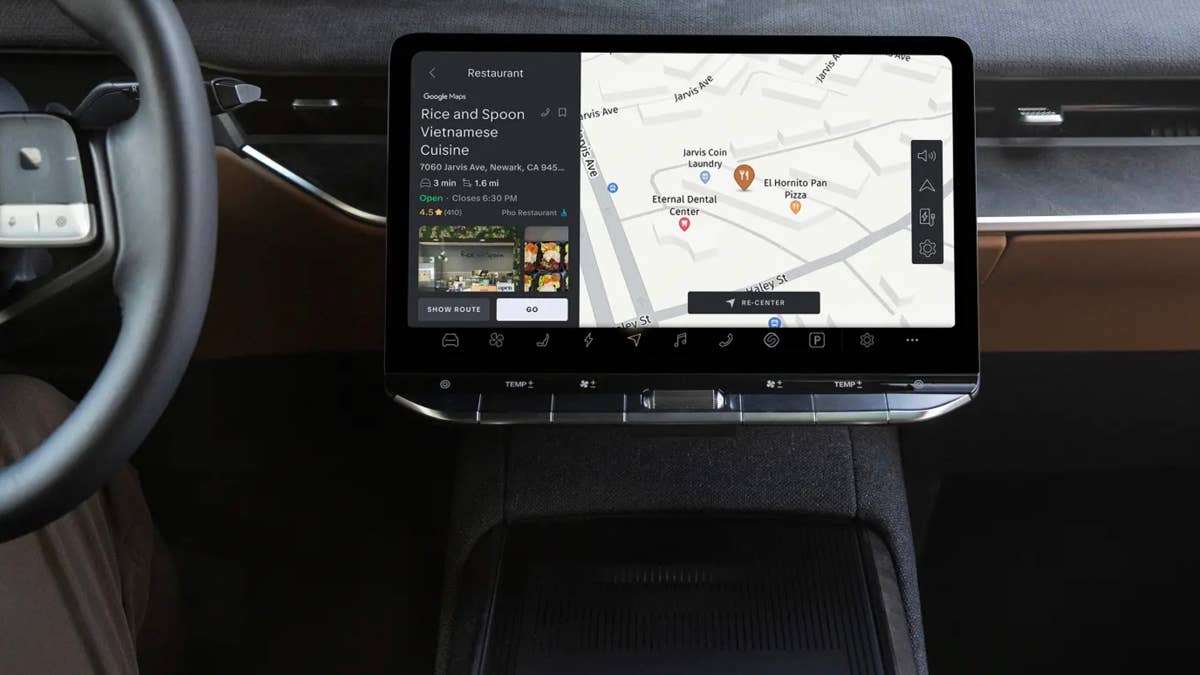
The Google Maps Places API now forms part of the Lucid Navigation system. Benefits include richer search results (like more up-to-date business hours), improved search functionality for specific destinations, and true driving distances instead of estimates. The system also does a better job of showing you charging station availability.
Lucid
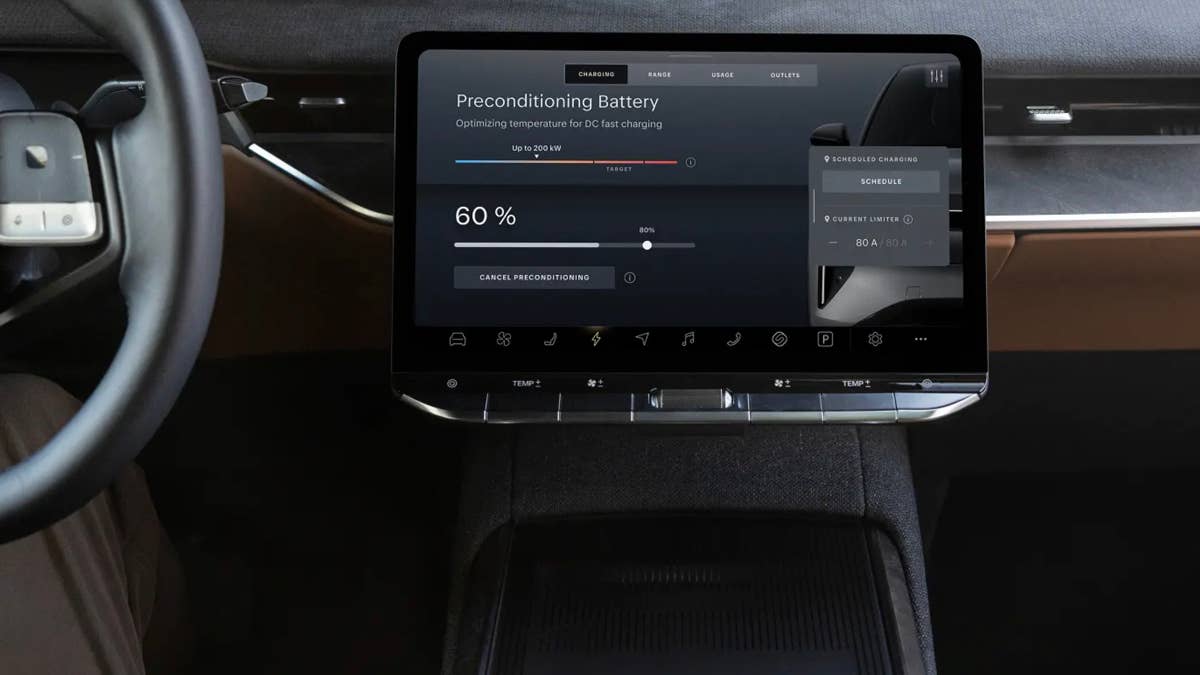
For energy management, Lucid has made a number of improvements. Users can now track preconditioning for DC fast charging more easily, thanks to a new battery readiness indicator. In Energy Saver Mode, it’s now possible to adjust temperature and other HVAC settings without compromising efficiency. Lucid also says efficiency readings are more accurate than before. These changes are for an SUV that’s already a range and efficiency leader; it gets up to 111 MPGe combined and can be driven for up to 450 miles on a single charge.
Lucid
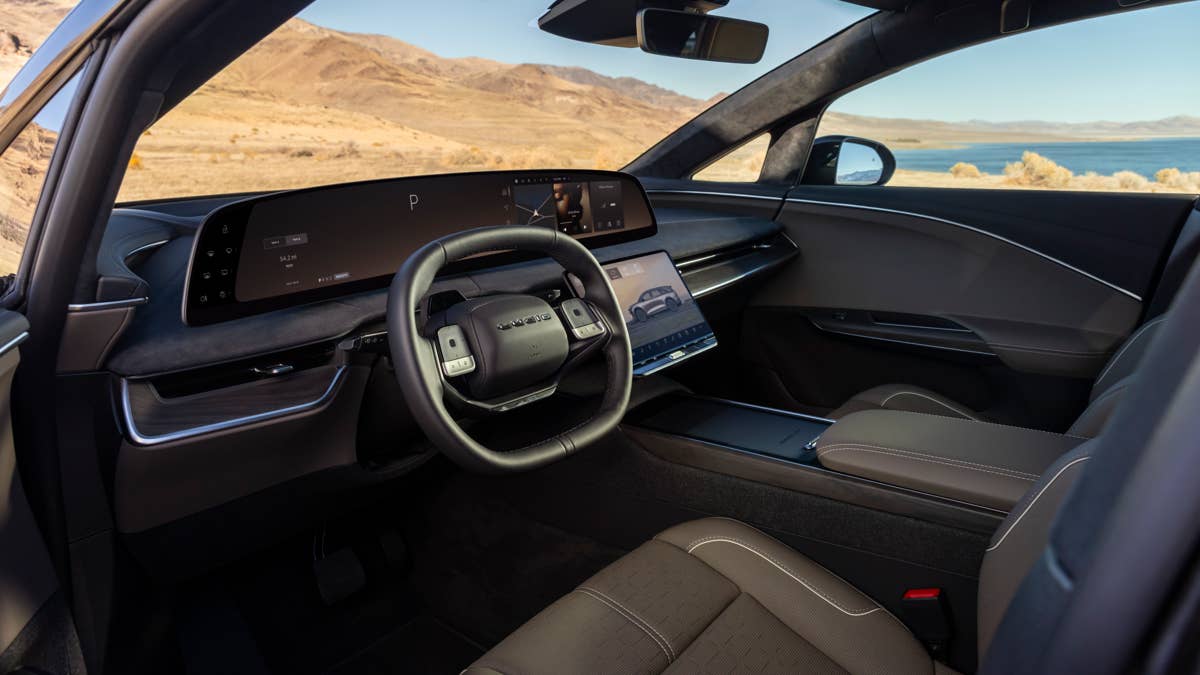
Several smaller updates make the daily experience of interacting with the Gravity more seamless. Displays and driving features now start up more smoothly and are ready as soon as you get into the driver’s seat. Door handles extend sooner and recognize an approaching driver earlier, while both side mirrors can now automatically tilt down when reversing. Finally, the drive recorder now creates videos with corrected edges and automatically straightened curve lines, so they appear more natural.
Final Thoughts
Lucid
The Lucid Gravity impressed us deeply when we drove it. Not only is it stylish, but it’s also quick, rides well, and plays the role of a family SUV brilliantly. It’s now an even better vehicle for long trips, thanks to the various hands-free driving features. It’s little wonder that it was named the 2026 World Luxury Car of the Year.
Unfortunately, this round of updates is unlikely to dramatically spike sales or change the brand’s short-term prospects. This is still an expensive SUV that starts at $79,900, so it’s out of reach for many. Lucid’s precarious financial situation, supplier issues, and a recent change of leadership have hit the company’s shares hard this week too. Smaller Lucid EVs are in the pipeline and we have little reason to doubt they’ll be good, but producing capable EVs has never been the company’s problem. It needs to demonstrate profitability and scalability, too.
Related: Lucid’s Cheaper Electric SUV Spied Testing Beside Tesla Model Y
Join the conversation
You can post now and register later. If you have an account, sign in now to post with your account.