_811205.png)
_e196d8.png)
_32b3d9.png)
_1c53fe.png)

First unveiled in 2020, Amazon-backed Zoox robotaxi service is entering a new phase as the self-driving vehicle has been given a makeover in preparation for the start of large-scale production in California.
Zoox’s purpose-built robotaxi has been given a series of design and functional updates based on feedback from half a million passengers who have used the company’s ride-hailing service in Las Vegas and San Francisco, as well as testing and early deployments.
A More Comfortable And Practical Interior
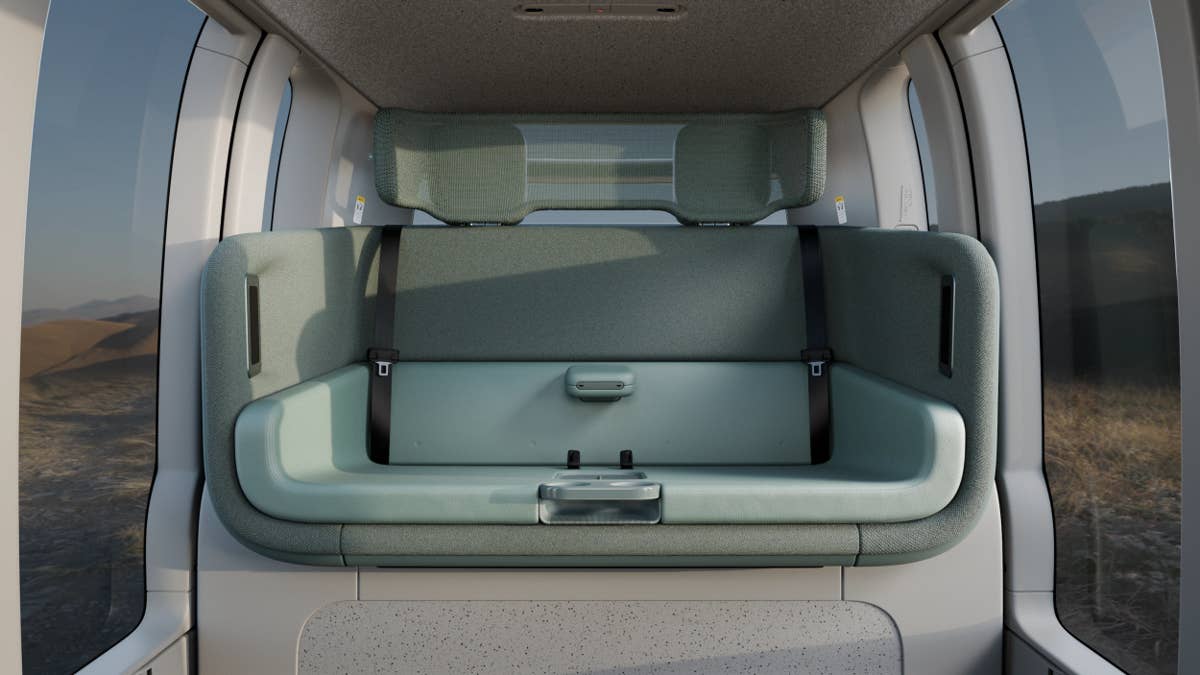
Starting with the interior, which matters the most for passengers, the first thing they will notice is the improved comfort courtesy of additional padding and ergonomic curves on the seats and headrests.
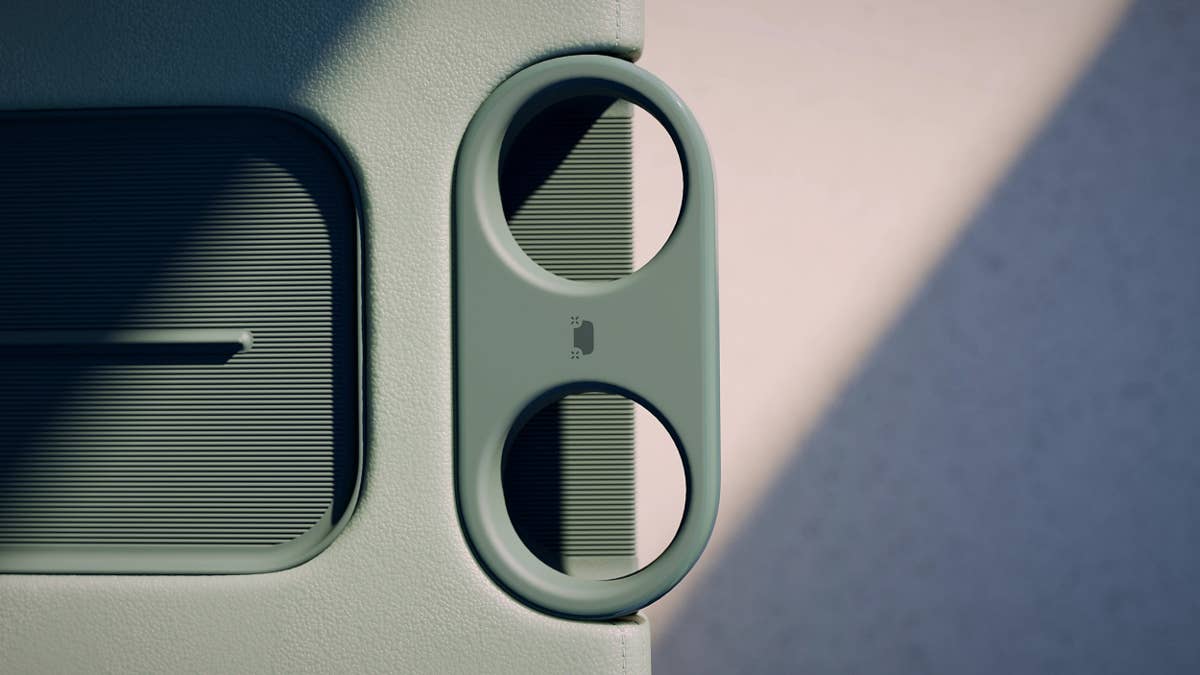
Furthermore, the cupholders are now larger, the touchscreen more vivid, and fluting has been added to the charging pad for stability.
The carriage-style cabin with forward-facing seats has been refined with a lighter color palette featuring monochrome aloe green seating and stone-grey flooring and trim. These changes are said to create a calmer, more inviting environment with the goal of reducing visual distractions so riders “can relax and enjoy the ride.”
Furthermore, the updated color, material and finish (CMF) on the charging pad, cupholders, and flooring makes it easier for passengers to spot everyday items, like bags and phones, so they don’t leave them behind; they’re also said to offer better resistance to the wear and tear of city life.
Easier To Distinguish Between The Front And The Rear
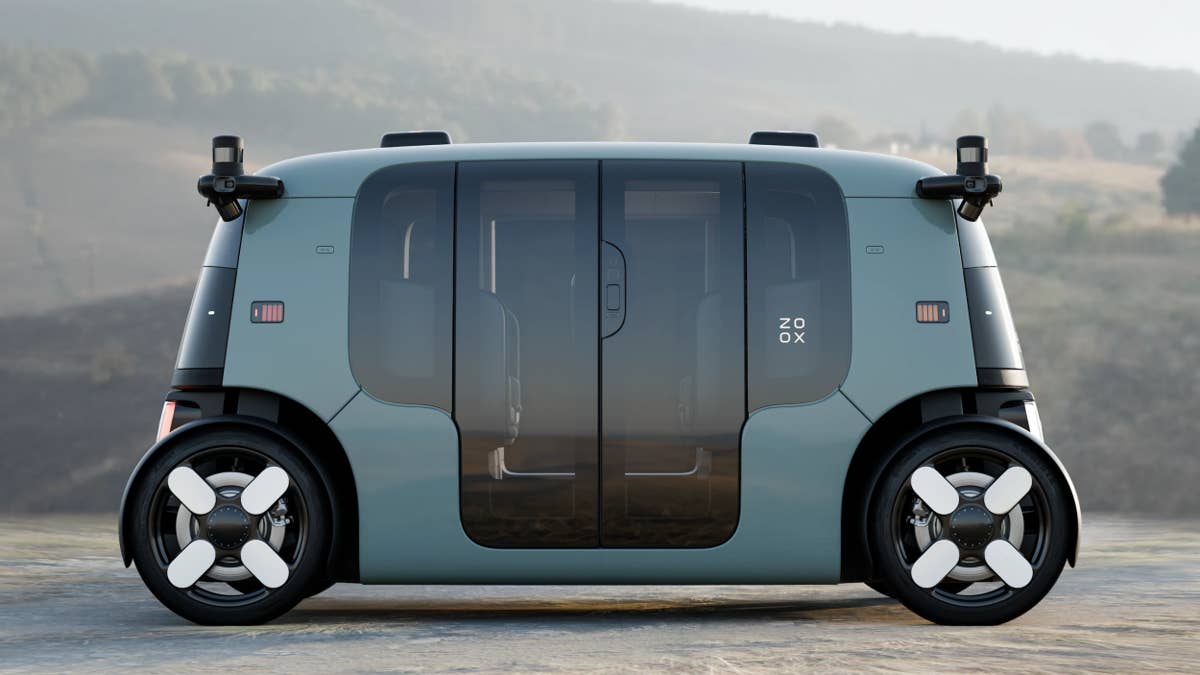
Changes to the exterior are even more subtle, with the Zoox robotaxi boasting refinements designed to make it more intuitive and easier to interact with.
For example, the bidirectional reflectors now rotate color to clearly distinguish the robotaxi’s front from its rear—since the Zoox has a symmetrical shape, it’s hard to do that when the vehicle is static, for example. The reflectors have also been refined and relocated for better visibility and to fit the vehicle exterior better.
The company says it has also fitted a new speaker and microphone to the door interface as well as additional two-way audio capabilities. These improvements enable clearer communication to riders and other road users, as well as between Zoox Support and first responders.
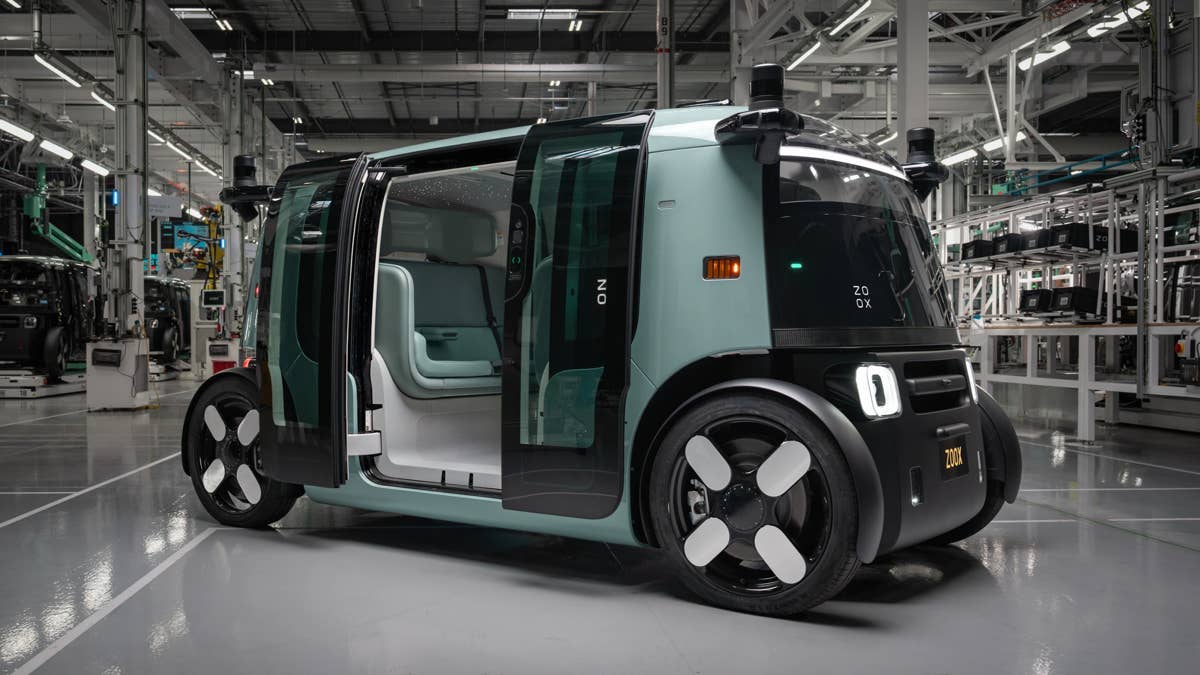
All the upgrades mentioned above will be part of the production-intent Zoox vehicle, which will soon enter large-scale prduction at the company’s production facility in Hayward, California. Zoox says the site has the capability to ramp production up to a rate of 100 vehicles a week.
The increased production will support Zoox’s planned expansion to existing markets (SF and LV), as well as new markets, including Austin and Miami in a first phase, followed by Dallas and Phoenix in a second phase.
The company currently operates under federal research and demonstration exemptions, which allow it to offer only fare-free rides. Zoox is awaiting final safety and regulatory clearances from the NHTSA to be able to introduce paid rides.
Join the conversation
You can post now and register later. If you have an account, sign in now to post with your account.