_811205.png)
_e196d8.png)
_32b3d9.png)
_1c53fe.png)

No Spring Chicken
The Ford Explorer is possibly one of the more seasoned three-row crossovers in the market today. Currently in its sixth generation, this particular model made its world premiere in 2019 for the 2020 model year. However, it was initially met with quality control issues attributed to the lockdowns and supply chain issues at the time.
It received a much-needed 2025 update, largely fixing the issues from before and benefiting from a fresher look inside and out. That said, if we were to count the years since production began, the current Explorer is already 7 years old. Keep in mind that most of its competitors were redesigned this decade, save for the Dodge Durango, which is even older at 16 years.

Ford
Another Refresh
The thing about the 2025 facelift is that it was first seen in China as far back as late 2022. Exterior-wise, it looked the same, though the Chinese market gets a unique interior, with screens as king over there. Now, the Explorer for the People's Republic has received another update, and it could be a preview of what to expect stateside and the rest of the world soon.
Should that be the case, it might take some time for this look to be available outside of China. It could be previewed as early as 2027 for 2028, but could be pushed further away to allow for the Chicago assembly plant to make minor retooling adjustments. Then again, Ford could simply skip this facelift and keep this specific look for China only.

Ford
What's New?
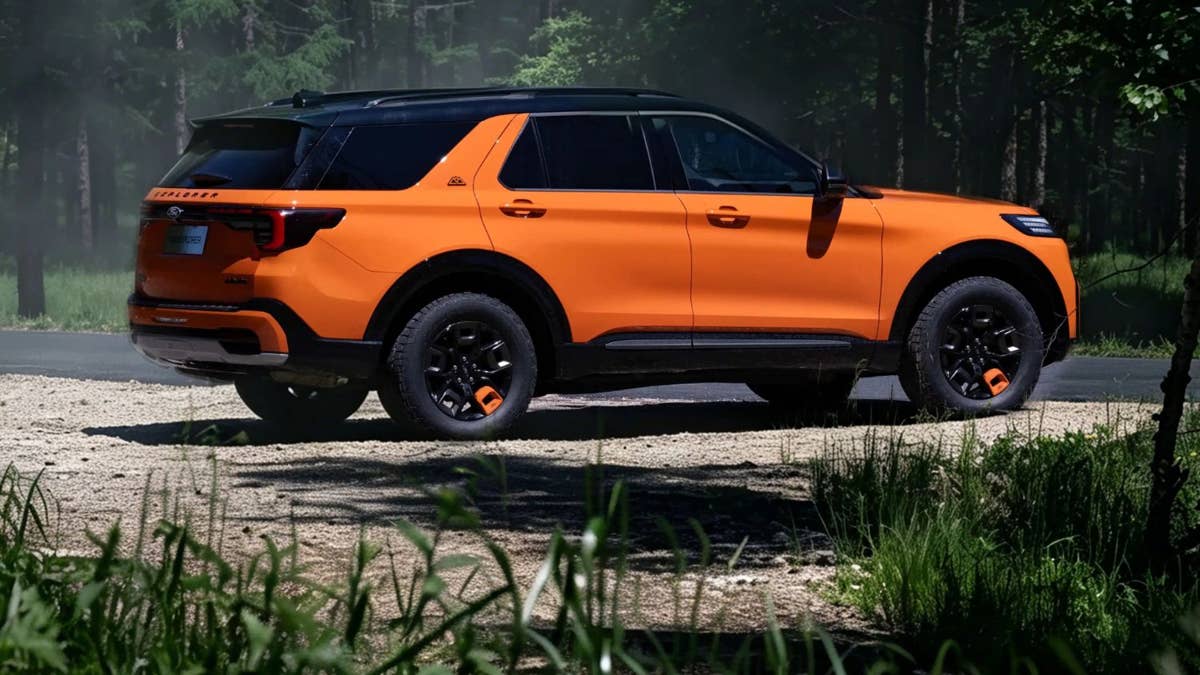
The most obvious changes are at the front. We see new headlights, along with a more squared-off grille, a reshaped bumper, and full-width LED daytime running lights. At the back, the Chinese Explorer has slimmer taillights than the North American version, while the lower half of the bumper also gets some tweaks.
China still calls its Tremor the Timberline, and that one comes with its own set of updates. There are more gloss-black highlights here, and the signature exposed tow hooks remain. It too gets the full-width DRLs, but the grille treatment and bumpers are different in the off-road-oriented version.
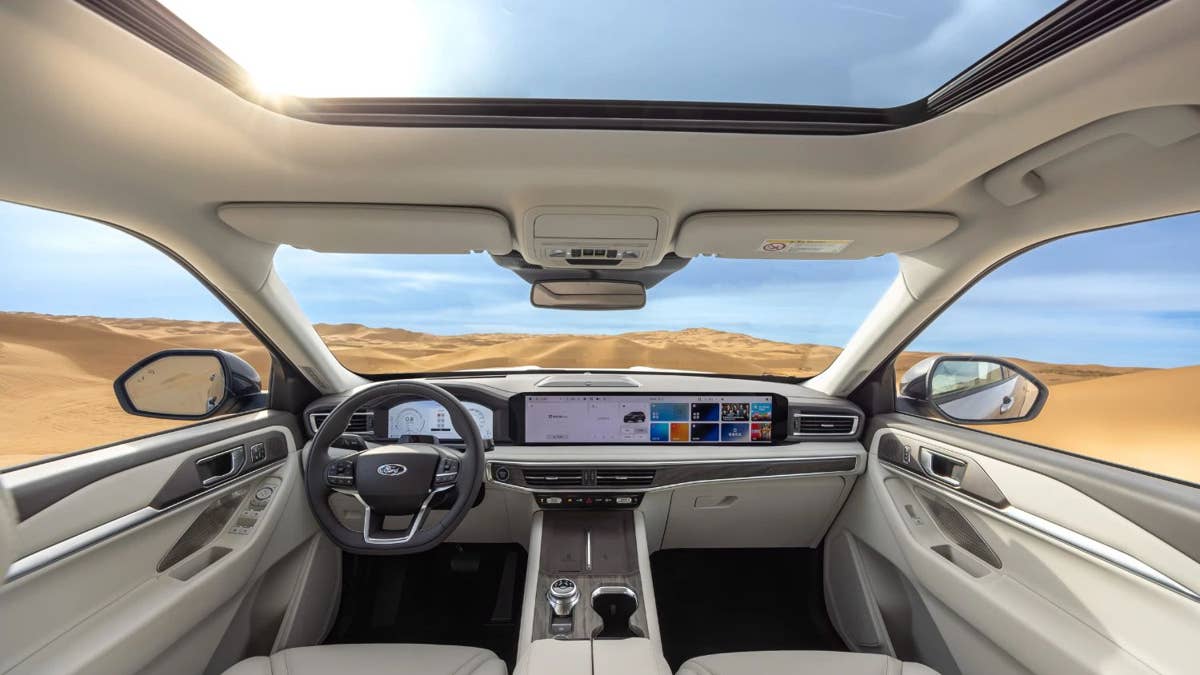
As for the cabin, the Explorer over there is available with a passenger screen and adapts a fully digital layout. The center console is noticeably higher than on Chicago-built models, freeing up space for an extra cubbyhole.
Ford
Mechanically the Same
So, it looks much fresher, but under the skin, it's still the same Explorer from way back in 2019. In China, there is only one engine choice: the 2.3-liter EcoBoost, which sees no upgrades whatsoever. According to Chinese motoring website Autohome, it still makes 286 hp and 328 lb-ft of torque. Unlike the American-made Explorers, V6 power is not offered in China.
You might have noticed that the horsepower is lower than the U.S. version (286 hp vs. 300 hp), but torque is higher (328 lb-ft vs. 310 lb-ft). What is the same is the transmission, which employs the 10-speed automatic used in the rest of the world. Curiously, the hybrid version isn't offered in China, a strange omission in the land of electrified vehicles.
Again, it remains to be seen if this look will be applied to global markets, including the U.S. But one thing is for sure: the Explorer could do with a full model change soon.
Ford
Join the conversation
You can post now and register later. If you have an account, sign in now to post with your account.