_811205.png)
_e196d8.png)
_32b3d9.png)
_1c53fe.png)

A Familiar Name, But a Very Different SUV
The Nissan Pathfinder has been holding down the fort as one of Nissan’s go-to family haulers in North America for years. It slots in just under the Armada, and thanks to its three-row seating, trusty V6, and genuine practicality, it’s still the brand’s second-best seller in the US.
But head on over to China, and the Pathfinder you’ll find there is basically a different species. Dongfeng Nissan rolled out its own Pathfinder concept three years ago, and instead of just tweaking the American version, it went all-in on what Chinese buyers actually want.
Now, for 2026, the Chinese Pathfinder gets another round of updates. It’s not a total overhaul, but the tweaks keep pushing it further into luxury territory – and make the American version look even more buttoned-down by comparison.
Dongfeng China
Fresh Looks Without Reinventing the Formula
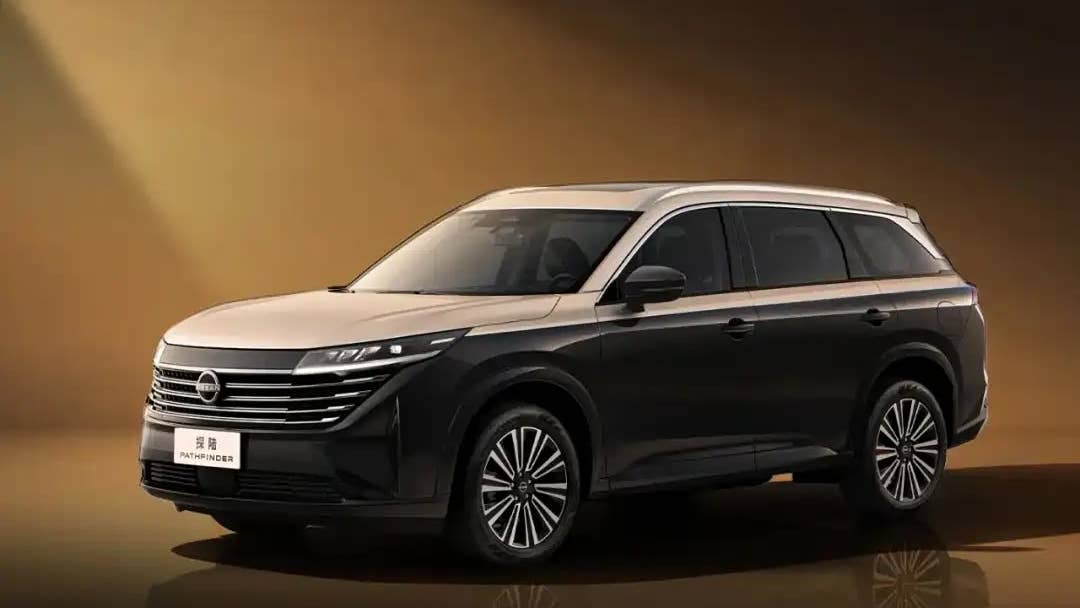
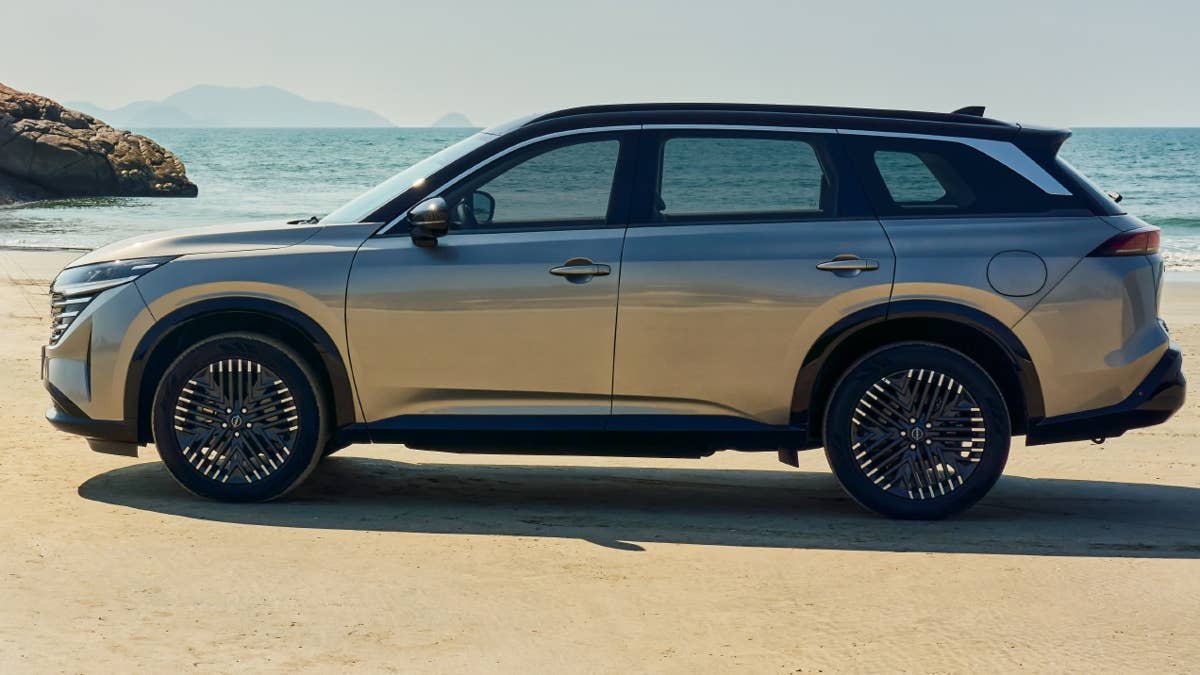
Dongfeng Nissan didn’t mess with the Pathfinder’s basic shape for 2026, but they did add some fresh styling and tech enhancements. There’s a new Obsidian Black Gold two-tone paint job that screams premium. There’s also a new set of 20-inch multi-spoke wheels, which add some flair without going overboard.
Up front, you still get that wide, chrome-heavy grille melting into the headlights. Out back, slim taillights are tied together by a black trim piece with the Nissan badge, and the Pathfinder name is stamped loud and proud underneath. It all helps the rear look a bit cleaner and wider.
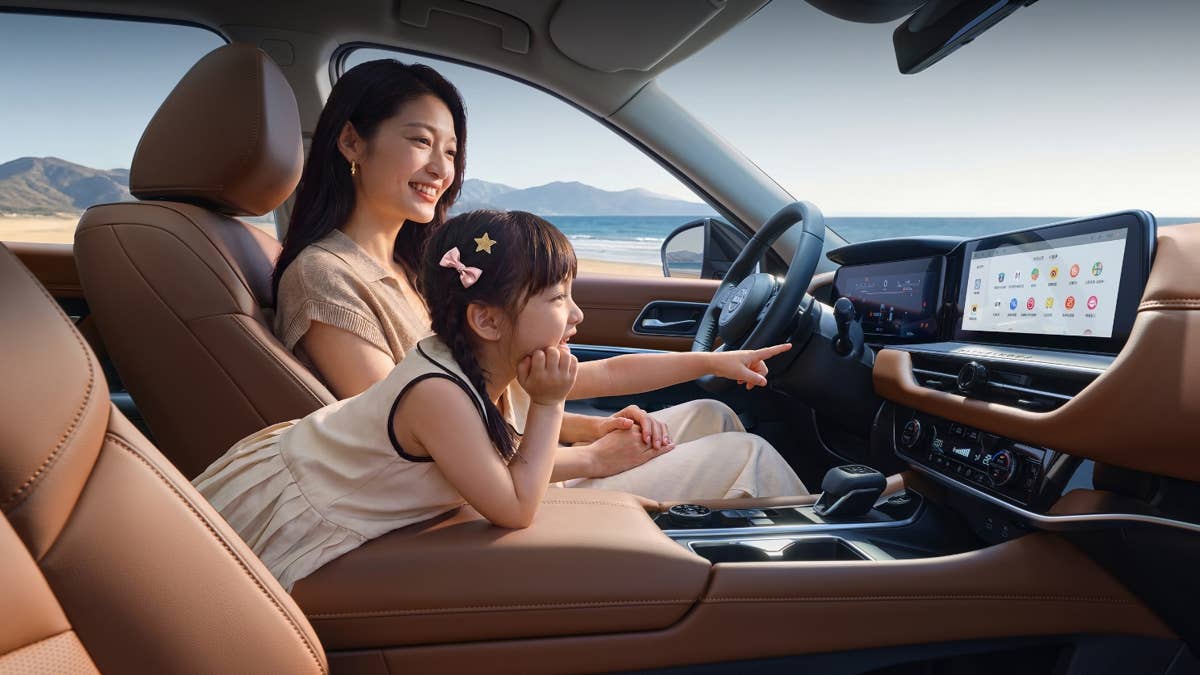
Inside is where things really get interesting. The dashboard now rocks dual digital displays powered by a Qualcomm Snapdragon 8155 chip running Nissan’s latest OS. There’s even AI voice control, so the infotainment finally keeps up with what Chinese SUV buyers expect these days.
Thankfully, Nissan didn’t ditch all the physical buttons – climate and other key controls are still real, so you’re not stuck hunting via screens while driving. You can pick six or seven seats, and the whole cabin is loaded with soft-touch materials from front to back.
Dongfeng China
Same Turbo Power, Different Personality
Under the hood, the Chinese Pathfinder is powered by Nissan’s 2.0-liter VC-Turbo four-cylinder, producing 248 horsepower and 277 lb-ft of torque. It’s mated to a ZF nine-speed automatic with wide gear ratios that are intended to improve both punch and fuel economy.
Pricing kicks off at RMB 219,800 (about $30,500), while the top-spec four-wheel-drive version goes for RMB 249,800 ($34,700).
As cool as the Chinese Pathfinder is, we’d still pick the North American version. There’s just something about its tougher looks and old-school but reliable V6 that’s getting rare in today’s sea of crossovers. Still, we wouldn’t mind stealing the Chinese model’s dual screens, Snapdragon chip, and slick infotainment. If Nissan ever mashes up the US model’s rugged vibe with the Chinese version’s tech, that could be the real sweet spot.
Dongfeng China
Join the conversation
You can post now and register later. If you have an account, sign in now to post with your account.