_811205.png)
_e196d8.png)
_32b3d9.png)
_1c53fe.png)

Car Testing Gone Wild
Car testing is an exact science. Automakers push their vehicles to the limit to ensure durability. We have seen manufacturers practically melt their engines, like when Nissanruns its Frontier powertrain at redline to catch problems early. Furthermore, conquering the Nurburgring has become the ultimate benchmark for demonstrating performance capabilities. Now, Ford has discovered a far more terrifying way to validate its engineering.
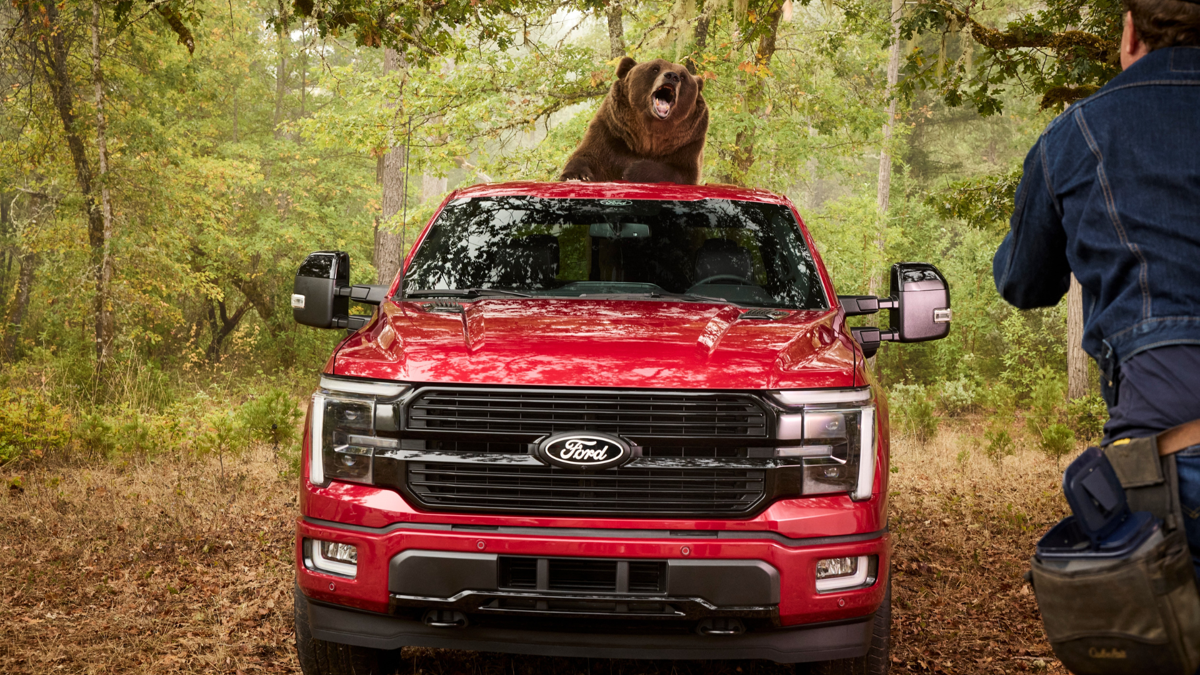
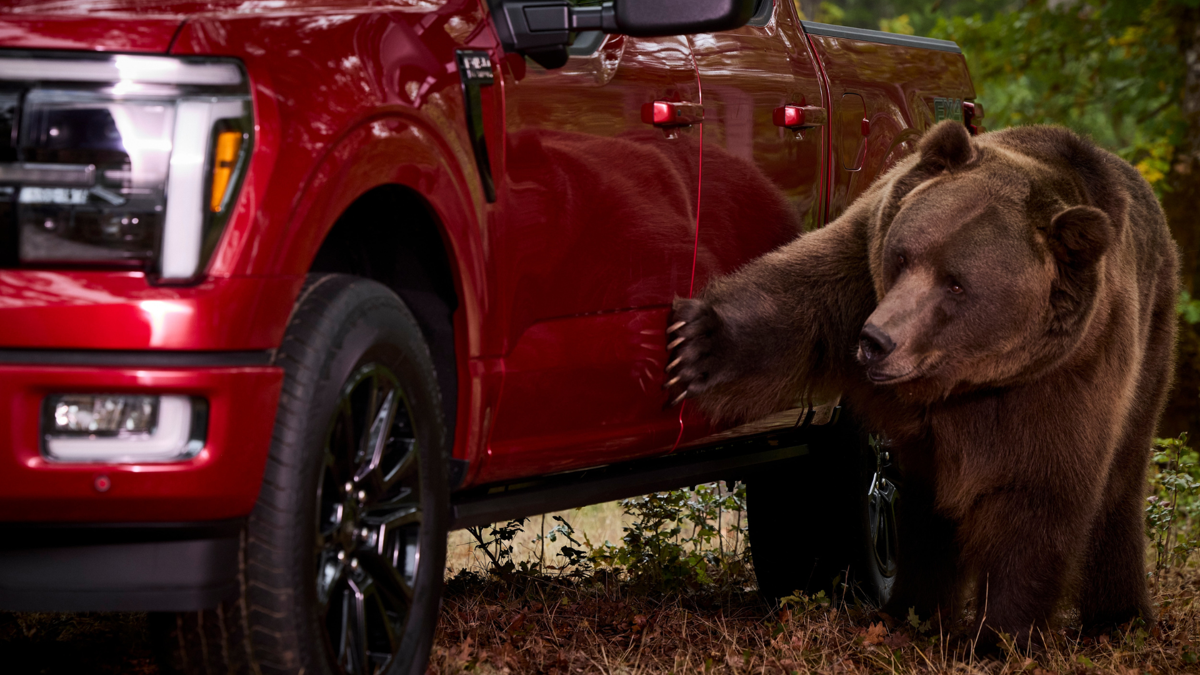
Ford Secure product director Sam Harris hid in the Oregon woods while an 800-pound Kodiak bear attacked a red F-150 Platinum. The celebrity bear, Tag, is a trained actor. Ford hired Tag to properly bash the truck. His trainer built a custom platform so the massive animal could rock the vehicle. The goal was to gather real-world evidence of the security package's resistance to nature's best thieves.
Defending America's Most Targeted Truck
The F-150 is heavily targeted by criminals, consistently ranking among the most stolen cars in America every year. Ford wanted to show its software ecosystem can deter extreme intrusions. Tag certainly tested those defenses. With an animal welfare specialist watching, the bear clawed at panels, smashed a window, and, astonishingly, opened the door. The thick door handles turned out to be perfect for giant bear paws.
During the attack, the truck fired rapid notifications to Harris via the Ford app. Tag triggered the potential intrusion alert multiple times by reaching his claws into the cabin. Harris monitored the chaos through the Ford Truck Bed Camera. This provides a high-definition live stream with cloud storage. That footage gives owners undeniable proof for insurance claims, which is useful when explaining that a Kodiak bear broke into your pickup.
The software extends well beyond bear attacks. Owners can customize notifications to include door-opened alerts and hardware disabled alerts that detect tactics used by organized crime. The package features a start inhibit function to block the engine and provides a direct line to a security center. Engineers know customers use their trucks in unpredictable ways, and these extreme tests ensure the technology is ready.
Ford
If It Can Withstand a Bear...
Automotive history proves wildlife and machinery rarely mix well. Drivers constantly deal with frustrating issues like rodents aggressively chewing through car wiring and brake lines when parked outside. Engineers are actively developing new safety tech designed to spot animals hiding underneath vehicles to prevent accidents. The standard industry approach is to keep wildlife and cars as far apart as possible.
Ford confidently went in the exact opposite direction. By inviting a massive apex predator to thrash its flagship vehicle, the automaker proved the F-150 is a true outdoor beast. This terrifying stunt highlights the truck's physical toughness and sophisticated software. It shows buyers that Ford engineered a security system capable of handling the absolute worst.
Ford
Join the conversation
You can post now and register later. If you have an account, sign in now to post with your account.