_811205.png)
_e196d8.png)
_32b3d9.png)
_1c53fe.png)

Mirrors Are Still One of Driving’s Most Important Safety Tools
Side mirrors have come a long way. Beyond the usual glass, blind-spot warnings have been added, along with heating, auto-dimming, and even cameras. Some brands, like Lexus, have toyed with the idea of swapping traditional mirrors for cameras that display a live feed on small screens inside. US regulations still block this tech for now, but drivers in other countries are already using it.
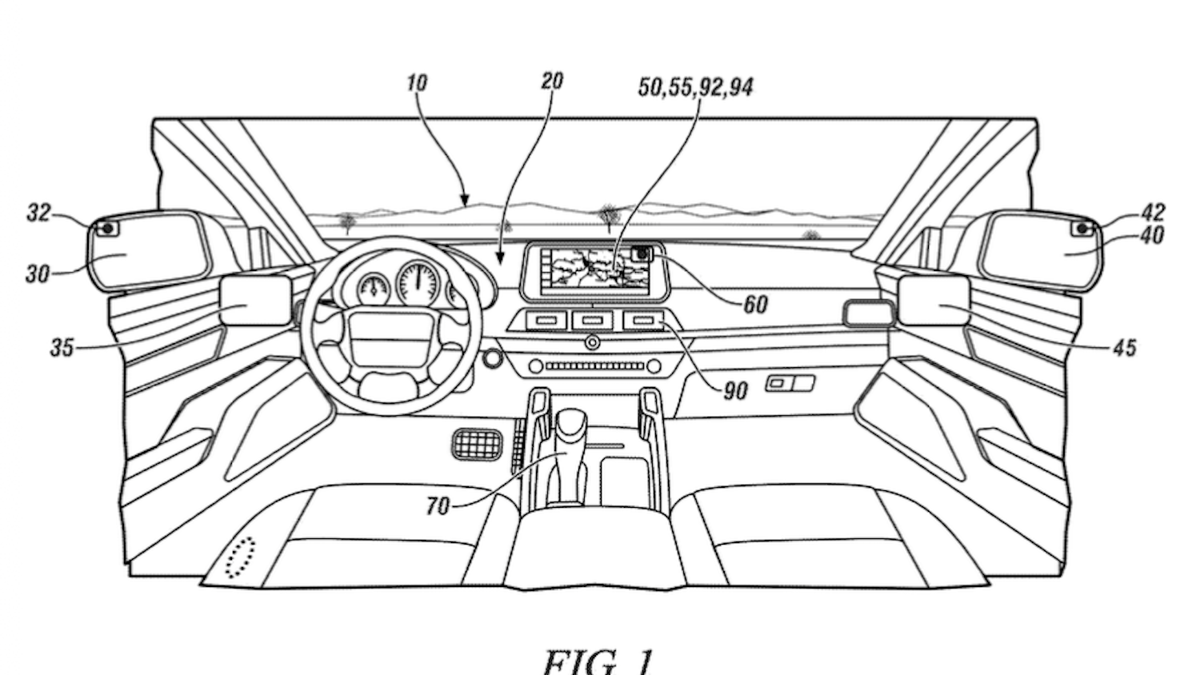
General Motors appears to be thinking one step beyond fixed digital mirrors. The automaker appears to be considering developing an adaptive digital rear-view mirror. First spotted by GM Authority, the patent was submitted to the US Patent and Trademark Office (look it up yourself using patent no. 20260124990) and published earlier this month.
USPTO
A Side Mirror That Changes With You
GM’s patent sounds like any other digital mirror at first glance. Most camera-based mirrors just show a live video feed, like a TV screen. The image stays put unless you move the camera or adjust the display yourself.
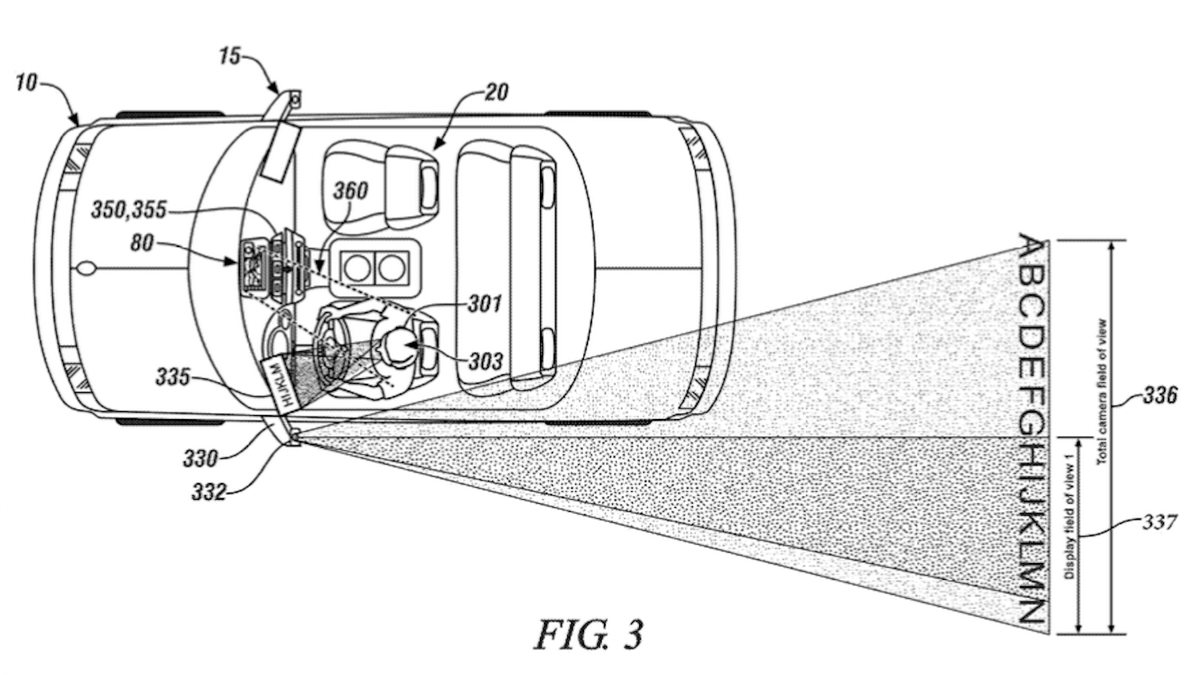
GM’s idea, however, works differently. The system tracks your head position, eye movement, and even what’s happening around the car. It then picks the most useful part of a wide camera view to show you. Instead of making you work around blind spots, the display adapts to you as you drive.
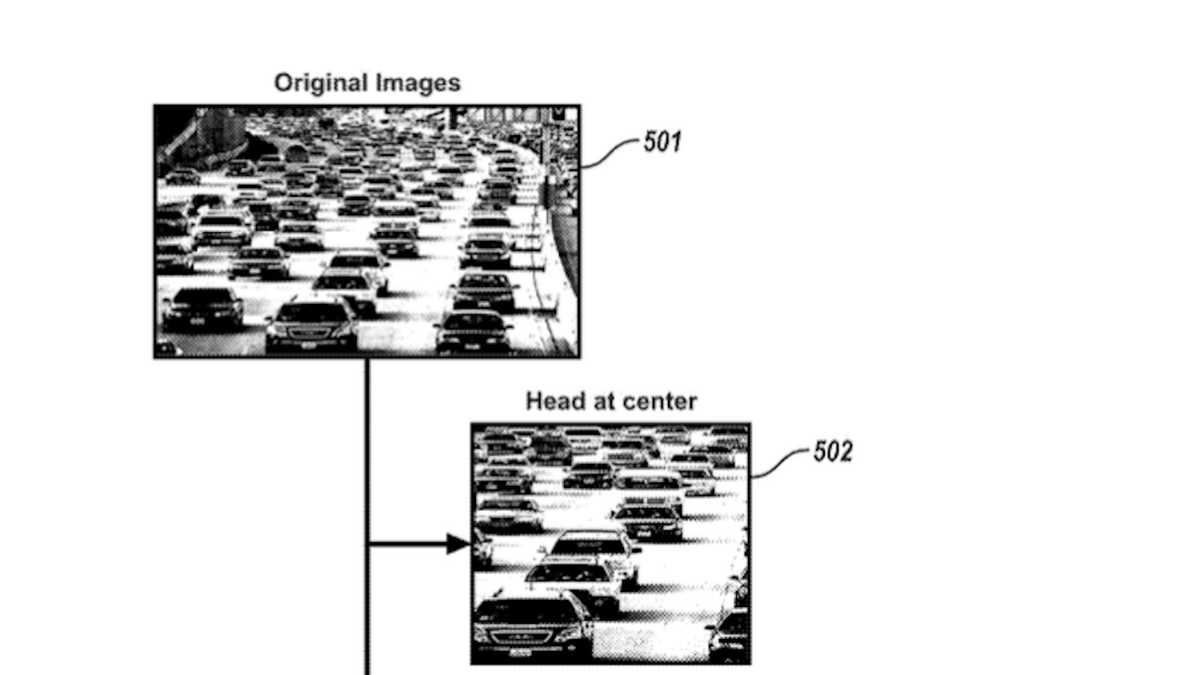
In real-world use, the display could change its focus depending on where you look. If you lean to check traffic or turn your head for a lane change, the image moves to show more of that area. The patent diagrams break the camera view into sections, and the system selects the section you need based on your head and eye movements. Unlike today’s digital mirrors, this setup acts more like a smart assistant than a simple screen.
USPTO
A Smart Idea, But Still Just an Idea
On paper, GM’s adaptive mirror could make blind spots less of a problem, especially as cars rely more on sensors and cameras. It might also help drivers stay aware of traffic around them without having to lean or make big movements to see past obstacles.
Then again, the idea does raise some concerns. Some drivers might like a mirror that follows their eyes, but others may want the predictability of a regular mirror or a fixed digital view. Whether the shifting image will feel natural on the road is something only real-world testing can answer.
Then again, as always, a patent doesn’t mean this will show up in showrooms. Automakers file ideas all the time, and many never make it past the drawing board. For now, GM’s adaptive side mirror is just a glimpse at future tech – no matter how problematic it is for us as users.
USPTO
Join the conversation
You can post now and register later. If you have an account, sign in now to post with your account.