_811205.png)
_e196d8.png)
_32b3d9.png)
_1c53fe.png)

Autoblog aims to feature only the best products and services. If you buy something via one of our links, we may earn a commission.
Walmart has the Goodyear Assurance Finesse in 215/55R18 (95H) marked down to $122.07 per tire, down from its $191 list price. That is $68.93 off, or about 36 percent, and it lands one of Goodyear's mainstream touring all-seasons well under what rival tires in the same size are going for.
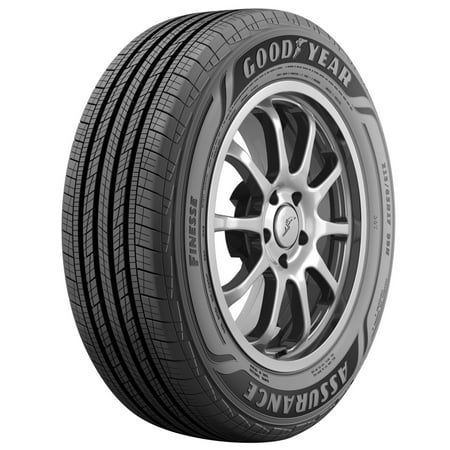
The Finesse is tuned for quiet, comfortable commuting rather than sharp handling. Goodyear leans on a low-rolling-resistance compound for better fuel economy and a tread pattern built to grip in wet, dry, and light winter conditions. Shoppers seem happy: it holds a 4.4-star rating across more than 2,400 reviews, and Walmart notes it is in 25-plus carts right now.
The price covers a single tire, so a full set of four comes to roughly $488 before installation. Shipping is free, pickup is available, and Walmart includes free 90-day returns. Worth a look if you are due for rubber and want a trusted brand without the premium sticker.
Autoblog aims to feature only the best products and services. If you buy something via one of our links, we may earn a commission.
Join the conversation
You can post now and register later. If you have an account, sign in now to post with your account.