_811205.png)
_e196d8.png)
_32b3d9.png)
_1c53fe.png)

A Recall, An Investigation, And A Lawsuit
Calling Honda’s recent J35 V6 saga ‘messy’ barely scratches the surface. It all kicked off in late 2023, when Honda recalled nearly 250,000 cars packing certain versions of the 3.5-liter V6. The list included 2018-2019 Honda Odyssey, plus a handful of Pilots, Ridgelines, Acura TLXs, and MDXs.
However, those weren’t the end of it. NHTSA soon launched a bigger investigation – this time, 1.4 million Honda and Acura vehicles were under the microscope for engine failures. Owners weren’t thrilled with how the recall was handled, either, and that frustration boiled over into a class-action lawsuit.
One of these unlucky engines landed on the bench at I Do Cars, a YouTube channel that loves a good engine autopsy. This one came out of a 2020 Odyssey with about 85,000 miles. It’s a J35, so you’d think the recall would have the owner covered. Not so fast. So, what gives?
Everything Looked Fine Until The Oil Pan Came Off
At first, the Odyssey’s V6 looked like it had plenty of life left. Spark plugs? Healthy. Valve train? Cleaner than you’d expect. Both cylinder heads seemed well cared for, and even the timing bits and original water pump looked decent for an engine with 85,000 miles under its belt.
However, a few red flags popped up. The engine had clearly been left out in the elements after removal – rust and moisture had crept into the combustion chambers. And then there was the gaping hole in the oil pan, which the host figured probably happened after the engine was yanked.
The real story started once the oil pan came off. A mess of copper-colored metallic shrapnel was found inside. Digging deeper, the rod bearings showed the same kind of wear Honda flagged in its recall. But things got uglier: the main bearings were chewed up, the crankshaft’s main journals were worn down, and the thrust bearing looked like it had been through a war.
Oddly enough, the oil pump and upper valvetrain didn’t show the telltale signs of a total oil starvation meltdown. As mentioned in the video, that mismatch could mean that this engine wasn’t just dealing with one problem but two.
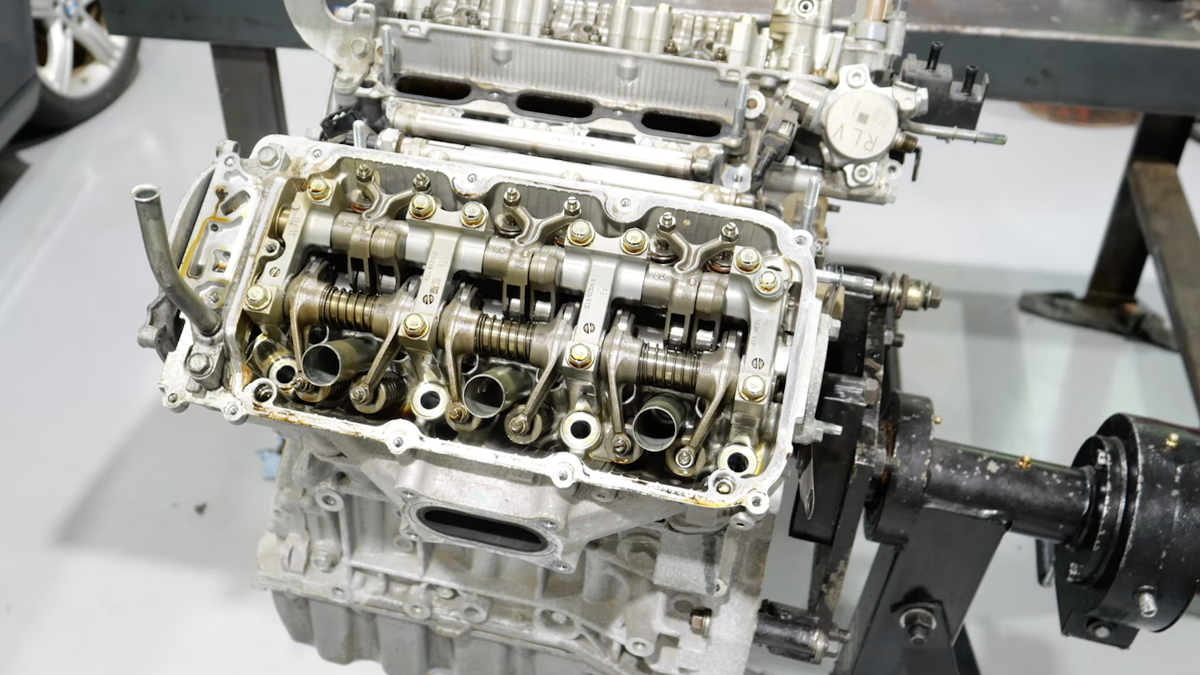
I Do Cars/YouTube
Why This Engine Likely Fell Outside The Recall
By the end of the teardown, it was clear this wasn’t your run-of-the-mill recall bearing failure. The story was a lot messier. Sure, the rod bearings had the kind of wear Honda called out in the recall. But the worst damage was in the main bearings and the thrust bearing. According to I Do Cars, that kind of carnage usually points to a major oil-loss event somewhere along the way.
The theory is that the oil pan got punctured while the engine was still running, dumping oil and wrecking the lower end before anyone could hit the kill switch. If that’s what happened, it explains why this Odyssey needed a new engine – and why Honda’s recall didn’t pick up the tab.

Join the conversation
You can post now and register later. If you have an account, sign in now to post with your account.