_811205.png)
_e196d8.png)
_32b3d9.png)
_1c53fe.png)

Toyota Nearly Took The Same Path As Mazda
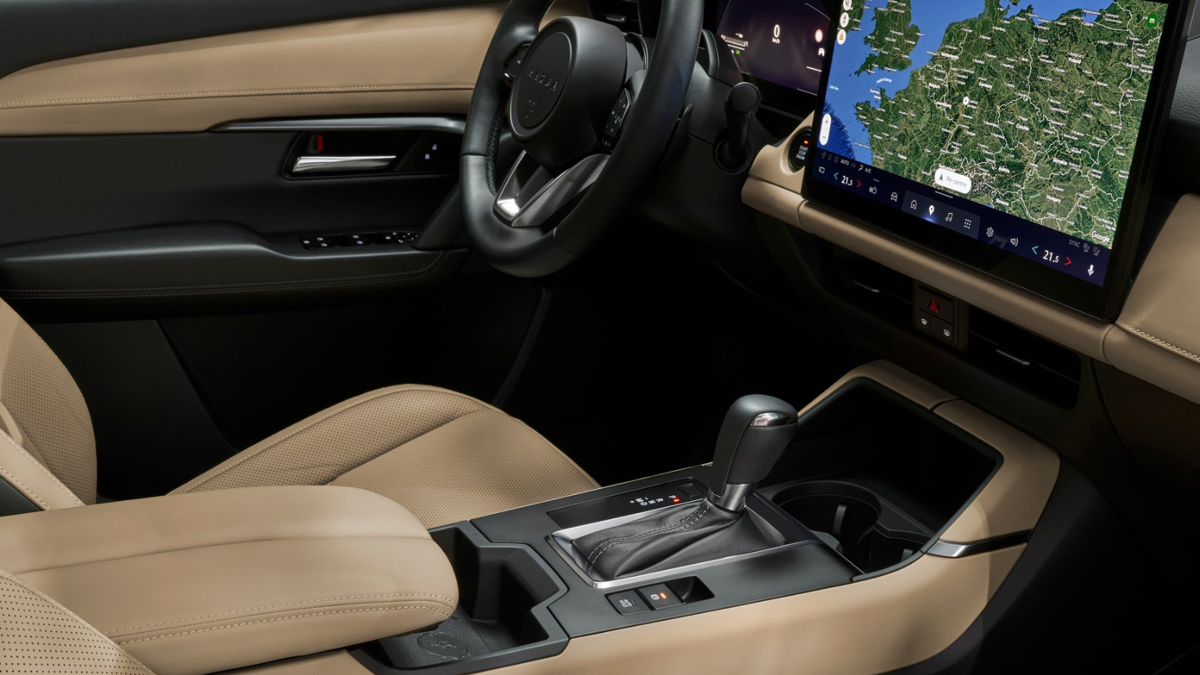
When the latest Mazda CX-5 showed up, nobody was arguing about its looks, platform, or even the hybrid bits. The real controversy was the dashboard. Mazda ditched nearly every button in favor of a giant touchscreen, and drivers who like to actually feel their climate controls have not been shy about voicing their complaints.
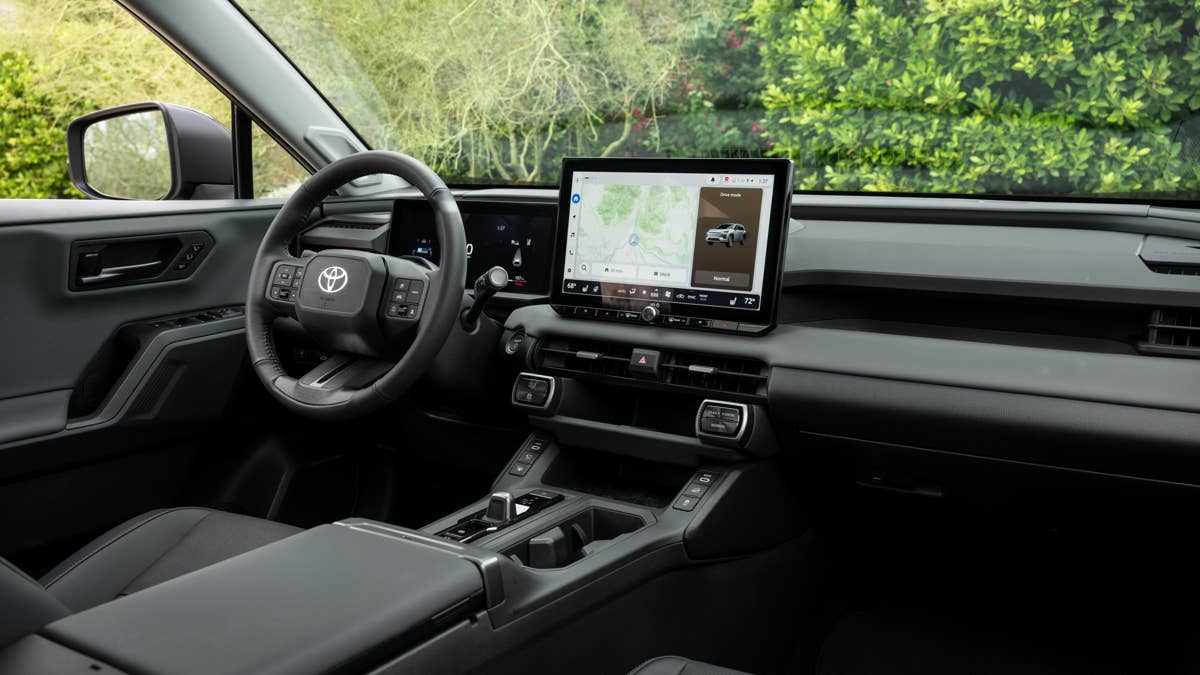
As it turns out, the new Toyota RAV4 was this close to joining the buttonless brigade. Toyota did leave a few physical controls in place, but only after its engineers tried to go full touchscreen before someone pumped the brakes. In other words, the RAV4 barely dodged the same fate that’s earned Mazda so much flak.
Toyota
Toyota Says It Could Still Bring Buttons Back
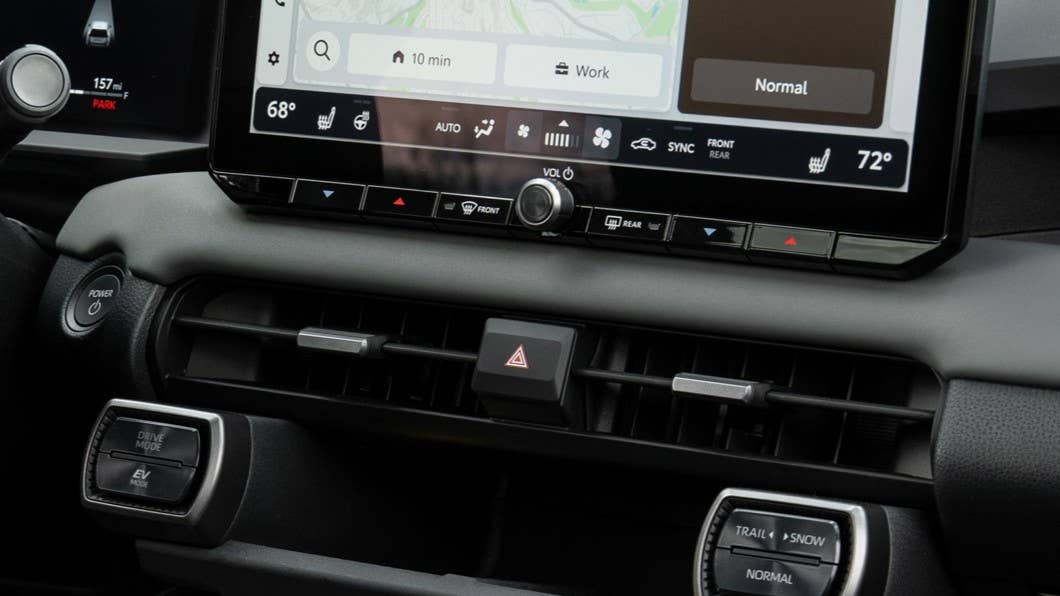
Speaking with Australian publication Drive, Toyota RAV4 chief engineer Yoshinori Futonagane explained that the development team spent considerable time deciding which controls absolutely needed to remain physical. According to him, the version customers see today represents "the minimum" number of switches Toyota believed it could get away with.
So if you want to adjust fan speed, airflow, air recirculation, or your heated and cooled seats, you’ll be poking at the screen. Only the basics – temperature, hazards, drive modes, EV mode, and volume – get their own buttons or knobs.
Interestingly, Futonagane says customers don’t always want what automakers think they do. Even in China, where screens have been all the rage, buyers are suddenly warming back up to good old-fashioned knobs and switches. So Toyota is keeping a close eye on what RAV4 owners have to say. If enough people start missing their buttons, Toyota says it’s ready to rethink things.
"We are reading surveys avidly," Futonagane told Drive, adding that reinstating physical switches remains "an ongoing project." Asked directly whether Toyota would restore buttons if necessary, his answer was simple: "If necessary, yes, we will."
Mazda Still Believes The Touchscreen Is The Better Solution
Mazda, meanwhile, continues to defend its approach. CX-5 program manager Koichiro Yamaguchi said before that old-school climate controls usually end up too low on the dash, making drivers glance away from the road. By sticking the most-used climate functions along the bottom of a high-mounted touchscreen, Mazda thinks you’ll spend more time looking ahead.
Not everyone’s buying it. Volkswagen has already admitted people want their buttons back, and Hyundai is sticking with old-school controls for user-friendliness. Now, even Toyota seems ready to change course if enough customers start making noise. It’s a classic case of Mazda going against the grain, though the company also said that, just like Toyota, it’s willing to revert to buttons if they get enough complaints.
Join the conversation
You can post now and register later. If you have an account, sign in now to post with your account.