_811205.png)
_e196d8.png)
_32b3d9.png)
_1c53fe.png)

Apple has announced that Tap to Pay on iPhone is now available in Singapore, providing a way for independent sellers, small businesses, and larger merchants in the country to use an iPhone as a contactless payment terminal.
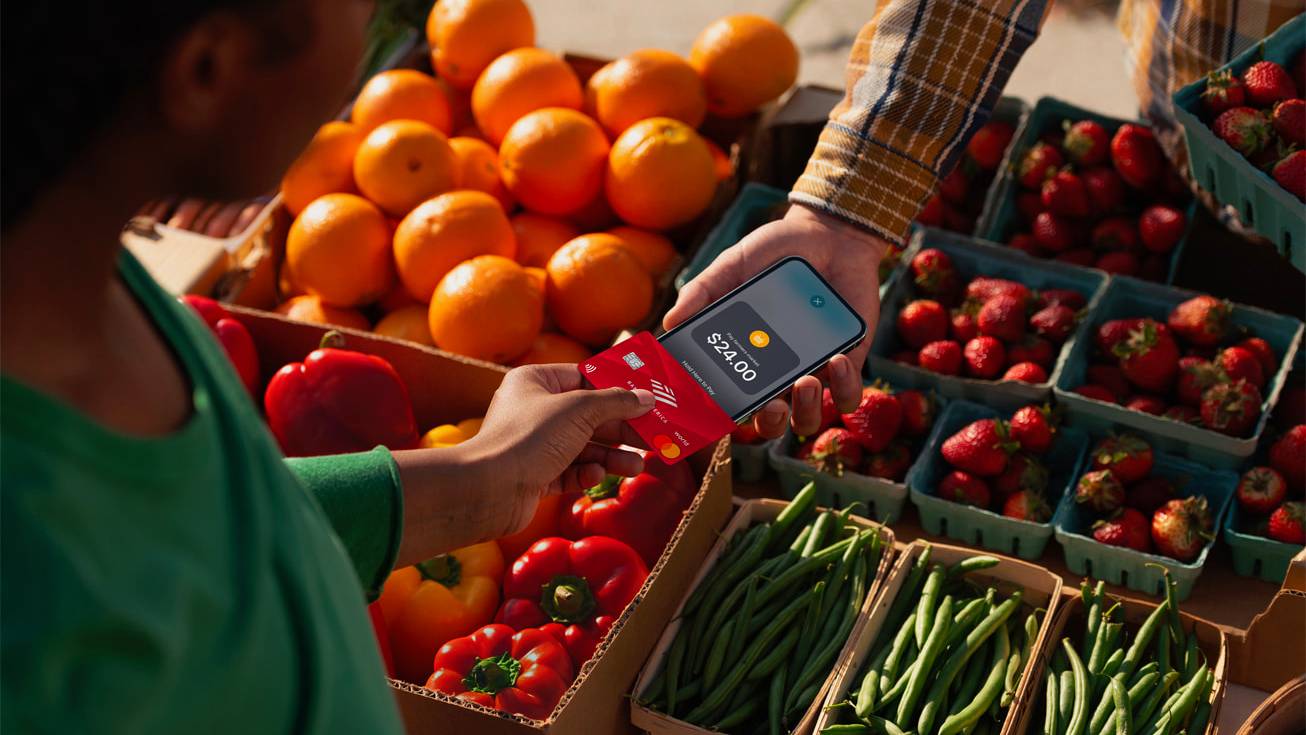
Tap to Pay first arrived in February 2022 in the US, and allows iPhones to accept payments via Apple Pay, contactless credit and debit cards, and other digital wallets. All transactions are encrypted, and Apple has no information about what is purchased or the person who made the purchase.
No additional hardware or credit card machine is required to use Tap to Pay on iPhone. The feature uses NFC technology to securely authenticate the contactless payments, plus the feature also supports PIN entry, which includes accessibility options.
Tap to Pay will initially support Adyen, Fiuu, HitPay, Revolut, Stripe, and Zoho in Singapore. Apple says Grab will offer Tap to Pay on iPhone beginning early next year.
Tap to Pay on iPhone requires iPhone XS or newer models, and works for customers as any normal Apple Pay transaction would. Sellers just need to open up the app, register the sale, and present their iPhone to the buyer, who can then use an appropriate contactless payment method.
Tap to Pay on iPhone is now available in 50 countries and regions around the world. Apple's website maintains a list of countries where it is available.
This article, "Apple Launches Tap to Pay on iPhone in Singapore" first appeared on MacRumors.com
Discuss this article in our forums
Tap to Pay first arrived in February 2022 in the US, and allows iPhones to accept payments via Apple Pay, contactless credit and debit cards, and other digital wallets. All transactions are encrypted, and Apple has no information about what is purchased or the person who made the purchase.
No additional hardware or credit card machine is required to use Tap to Pay on iPhone. The feature uses NFC technology to securely authenticate the contactless payments, plus the feature also supports PIN entry, which includes accessibility options.
Tap to Pay will initially support Adyen, Fiuu, HitPay, Revolut, Stripe, and Zoho in Singapore. Apple says Grab will offer Tap to Pay on iPhone beginning early next year.
Tap to Pay on iPhone requires iPhone XS or newer models, and works for customers as any normal Apple Pay transaction would. Sellers just need to open up the app, register the sale, and present their iPhone to the buyer, who can then use an appropriate contactless payment method.
Tap to Pay on iPhone is now available in 50 countries and regions around the world. Apple's website maintains a list of countries where it is available.
Tags: Singapore, Tap to Pay on iPhone
This article, "Apple Launches Tap to Pay on iPhone in Singapore" first appeared on MacRumors.com
Discuss this article in our forums
Recommended Comments
Join the conversation
You can post now and register later. If you have an account, sign in now to post with your account.