_811205.png)
_e196d8.png)
_32b3d9.png)
_1c53fe.png)

Introduction
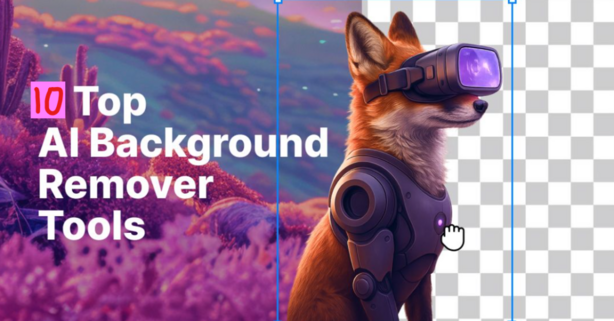
AI background removal tools have revolutionized how images are edited, allowing professionals and casual users alike to easily remove or replace backgrounds in photos. These tools, powered by artificial intelligence and machine learning, automatically detect and remove backgrounds, saving significant time compared to manual editing. Whether you’re an e-commerce seller, photographer, graphic designer, or social media influencer, these tools are essential for creating clean, professional visuals with minimal effort.
In 2026, AI background removal tools are more advanced than ever, offering faster processing, higher accuracy, and user-friendly interfaces. When choosing the right tool for your needs, it’s essential to consider factors such as supported platforms, pricing, and the unique features each tool offers, ensuring it fits your specific workflow.
Top 10 AI Background Removal Tools in 2026
1. Design.com
Short Description: Design.com’s Background Remover quickly removes backgrounds from any image using AI. Just upload a photo and it generates a clean, transparent version in seconds, ready for use in designs or marketing materials.
Key Features
- Instant AI background removal in seconds
- Free to use for basic background removal
- Clean, high-quality cutouts with smooth edges
- Works with common image formats (JPG, PNG, etc.)
- Easy drag-and-drop upload process
- Works with other Design.com tools like logos, flyers, and websites
- Access to 633,000+ templates to reuse your cutout images in designs
Pricing
- Free: Background removal is free to use
- Premium Plans: Unlock access to full template library (633,000+ designs), advanced branding tools, and wider design features across the platform
Pros
- Very fast and beginner-friendly
- No design experience needed
- High-quality transparent cutouts
- Easy integration into other design templates
Cons
- Web-based only
2. Adobe Photoshop (AI-Powered)
- Short Description: Adobe Photoshop now integrates AI-powered background removal, giving users the ability to easily cut out objects from their photos with precision.
- Key Features:
- Adobe Sensei AI for accurate selections
- Seamless background replacement
- Built-in cloud storage
- Advanced editing features beyond background removal
- Multi-device support
- Pros:
- Extremely precise with high customization
- Integrated with Adobe’s suite of tools
- Supports advanced editing for professionals
- Cons:
- Expensive subscription cost
- Steep learning curve for beginners
3. Fotor
- Short Description: Fotor provides a user-friendly interface for removing backgrounds from photos with AI assistance. It is suited for both beginners and professionals.
- Key Features:
- One-click background removal
- AI enhancement tools for photo editing
- Multi-platform support (Windows, macOS, iOS, Android)
- Batch processing support
- Cloud storage options
- Pros:
- Easy to use with a clean interface
- Affordable pricing options
- Quick background removal
- Cons:
- Limited customization for complex images
- Free version lacks some advanced features
4. PhotoScissors
- Short Description: PhotoScissors is an easy-to-use tool that leverages AI to remove backgrounds from photos. It’s designed for users who need a quick, simple solution.
- Key Features:
- Drag-and-drop interface
- AI-based background removal
- No need for advanced editing skills
- Support for various file formats
- Transparent background support
- Pros:
- Ideal for beginners
- No advanced software skills required
- Affordable pricing
- Cons:
- Less suitable for high-quality, detailed images
- Limited editing features
5. Clipping Magic
- Short Description: Clipping Magic is an AI-powered tool focused on providing fast and high-quality background removal with a focus on precision and user control.
- Key Features:
- Real-time background removal with AI
- Precision editing tools for detailed cuts
- Supports various image file types
- Allows for background replacement
- Unlimited image processing with a subscription
- Pros:
- Quick processing with excellent results
- Simple user interface
- Detailed controls for fine adjustments
- Cons:
- Limited to image editing; lacks advanced features
- Subscription required for full functionality
6. Canva
- Short Description: Canva, a popular graphic design tool, offers an AI-powered background remover that allows users to easily edit images for social media, presentations, and marketing.
- Key Features:
- One-click background remover
- Integration with Canva’s design tools
- Customizable templates
- Free and paid plans available
- Image editing features for content creation
- Pros:
- Easy integration with Canva’s design tools
- Great for creating social media posts
- Simple, beginner-friendly interface
- Cons:
- Limited advanced editing tools for professionals
- Some features require a paid subscription
7. Pixlr
- Short Description: Pixlr is a versatile AI background remover that works well for both casual users and professionals, offering robust editing tools alongside background removal features.
- Key Features:
- AI-powered background removal
- Advanced editing tools (adjustments, filters, etc.)
- Support for layers and transparent backgrounds
- Easy-to-use interface
- Cross-platform (web and mobile)
- Pros:
- Great for a mix of casual and advanced users
- Free and premium plans available
- Supports multiple image formats
- Cons:
- More advanced features can be complex for beginners
- Free version contains ads
8. Kapwing
- Short Description: Kapwing is an AI-driven tool for background removal, perfect for creators needing a fast, reliable solution for image and video editing.
- Key Features:
- One-click background removal
- Image and video editing tools
- User-friendly interface
- Cloud-based platform for easy access
- Support for team collaboration
- Pros:
- Supports both image and video background removal
- Free tier with basic functionality
- Simple, intuitive interface
- Cons:
- Limited advanced features for professional users
- Watermark on free version
9. Trace
- Short Description: Trace is an AI background remover that delivers quick and accurate results, making it suitable for e-commerce businesses and photographers.
- Key Features:
- AI-powered, automatic background removal
- Ideal for product photography
- High-quality, transparent background results
- Bulk image processing capabilities
- Easy integration with other platforms via API
- Pros:
- Great for e-commerce users
- Quick processing for bulk images
- Excellent quality results
- Cons:
- Limited creative editing features
- Paid subscription required for full access
10. InPixio
- Short Description: InPixio offers a straightforward AI-powered background removal tool with intuitive features, perfect for casual users looking for fast and accurate edits.
- Key Features:
- Automatic background removal with AI
- Simple, easy-to-use interface
- Customizable background options
- One-click tools for easy editing
- Free and paid versions available
- Pros:
- Beginner-friendly
- Affordable pricing
- Simple, effective tool
- Cons:
- Lacks some advanced features
- Free version has limited functionality
Comparison Table
| Tool Name | Best For | Platform(s) Supported | Standout Feature | Pricing | Rating (G2/Capterra) |
|---|---|---|---|---|---|
| Remove.bg | E-commerce, Designers | Web | Fast background removal | Free / Starts at $0.29 | 4.7/5 |
| Adobe Photoshop | Professionals, Designers | Windows, macOS | Advanced editing tools | Subscription ($20.99/mo) | 4.8/5 |
| Fotor | Social Media Creators | Web, iOS, Android | AI-powered photo editing | Free / Starts at $8.99/mo | 4.5/5 |
| PhotoScissors | Beginners, Casual Users | Web | Drag-and-drop interface | Free / Starts at $9.99 | 4.4/5 |
| Clipping Magic | Product Photography | Web | Precision editing | Starts at $3.99/image | 4.6/5 |
| Canva | Social Media Marketers | Web, iOS, Android | Easy design integration | Free / Starts at $12.99/mo | 4.7/5 |
| Pixlr | Mixed Users (Beginners to Advanced) | Web, iOS, Android | Advanced tools & filters | Free / Starts at $5.99 | 4.3/5 |
| Kapwing | Content Creators | Web | Video & image editing | Free / Starts at $16/mo | 4.5/5 |
| Trace | E-commerce, Product Photography | Web | Bulk image processing | Starts at $5/image | 4.7/5 |
| InPixio | Casual Users | Windows, Mac, Web | Simple, effective tool | Free / Starts at $39.99 | 4.4/5 |
Which AI Background Removal Tool is Right for You?
- Small businesses and e-commerce stores: Remove.bg, Trace
- Designers and professionals: Adobe Photoshop, Clipping Magic
- Content creators and marketers: Canva, Kapwing
- Beginners or casual users: PhotoScissors, InPixio
Conclusion
AI background removal tools are indispensable in 2026, offering a blend of speed, precision, and ease of use for all levels of users. Whether you’re editing product photos, social media content, or professional visuals, the right tool can significantly improve your workflow. Test out these tools through free trials or demos to see which one fits your needs best.
FAQs
Q1: How do AI background removal tools work?
A1: These tools use artificial intelligence algorithms to detect and isolate subjects from the background, then remove or replace the background.
Q2: Are AI background removal tools accurate?
A2: Yes, most tools offer high accuracy, though the results may vary depending on the complexity of the image.
Q3: Do I need any prior editing experience to use these tools?
A3: No, many tools are designed to be user-friendly, even for beginners.
Q4: Is there a free version of these tools?
A4: Most tools offer free versions with limited functionality, but a subscription or one-time fee is often required for full access.
Q5: Can I replace the background with custom images?
A5: Yes, many tools offer background replacement features, allowing you to use custom images or solid colors.
Recommended Comments
Join the conversation
You can post now and register later. If you have an account, sign in now to post with your account.