_811205.png)
_e196d8.png)
_32b3d9.png)
_1c53fe.png)

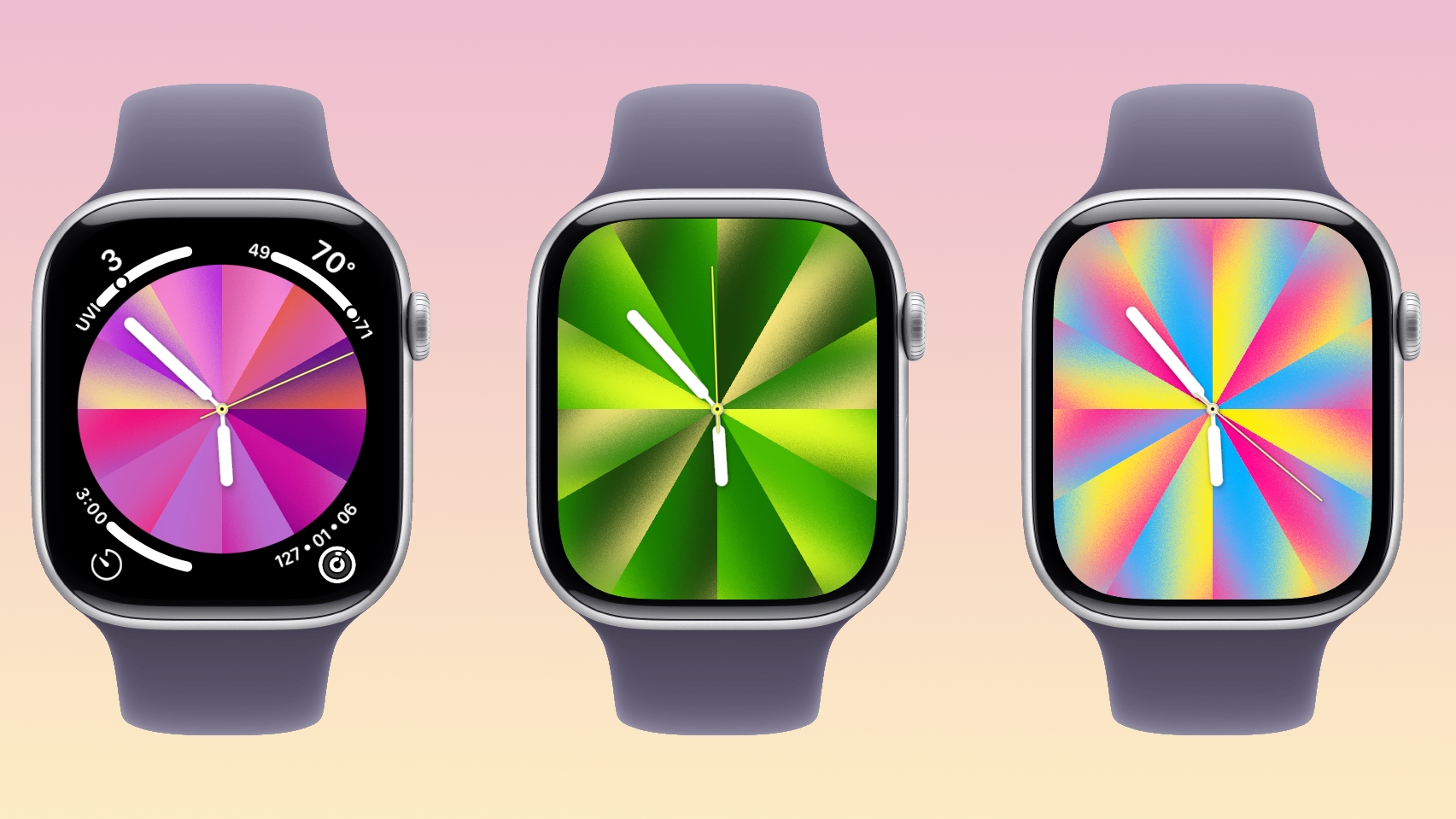
With watchOS 26.5, Apple is introducing a Pride Luminance face, and it's one of the most versatile and customizable watch faces. There are pre-configured color options, but the face also supports custom colors.
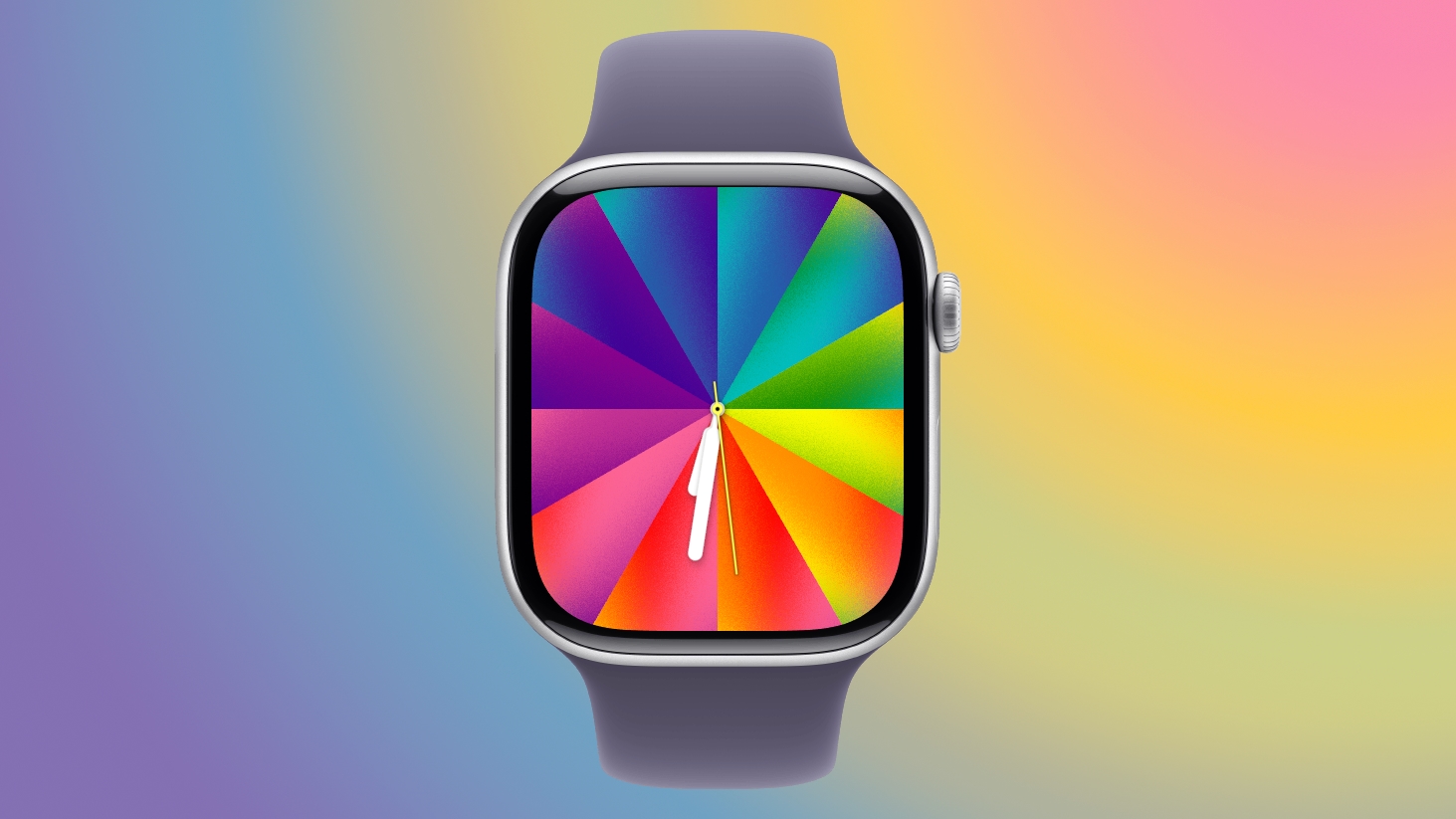
You can select 1 to 12 colors from a palette that has every color of the rainbow, some in-between shades, and black, white, brown, and gray.
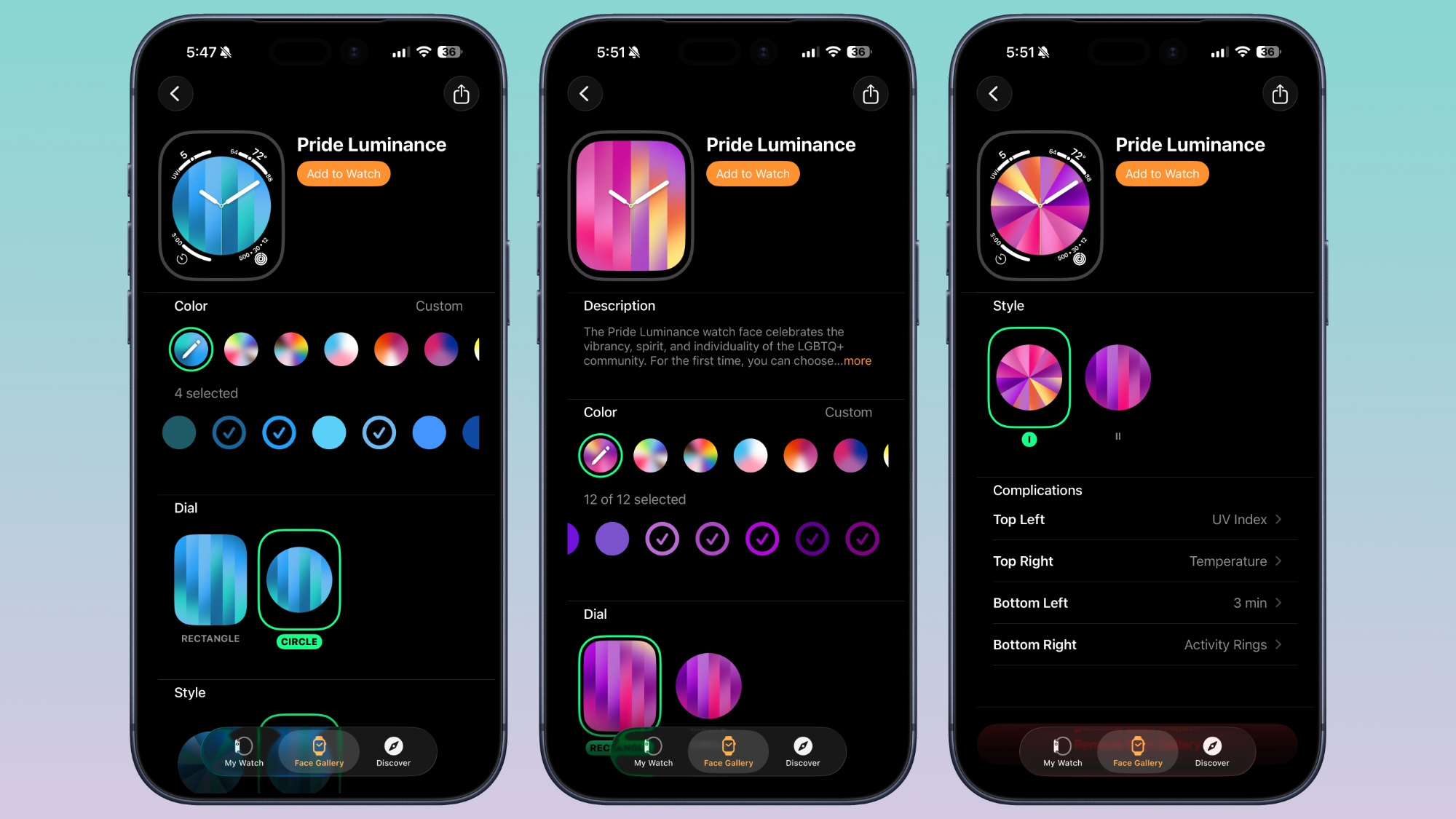
The colors you pick are distributed across the watch face in a gradient, available in either radial or linear styles. The first style looks like a starburst, while the second style is a series of rectangular lines.
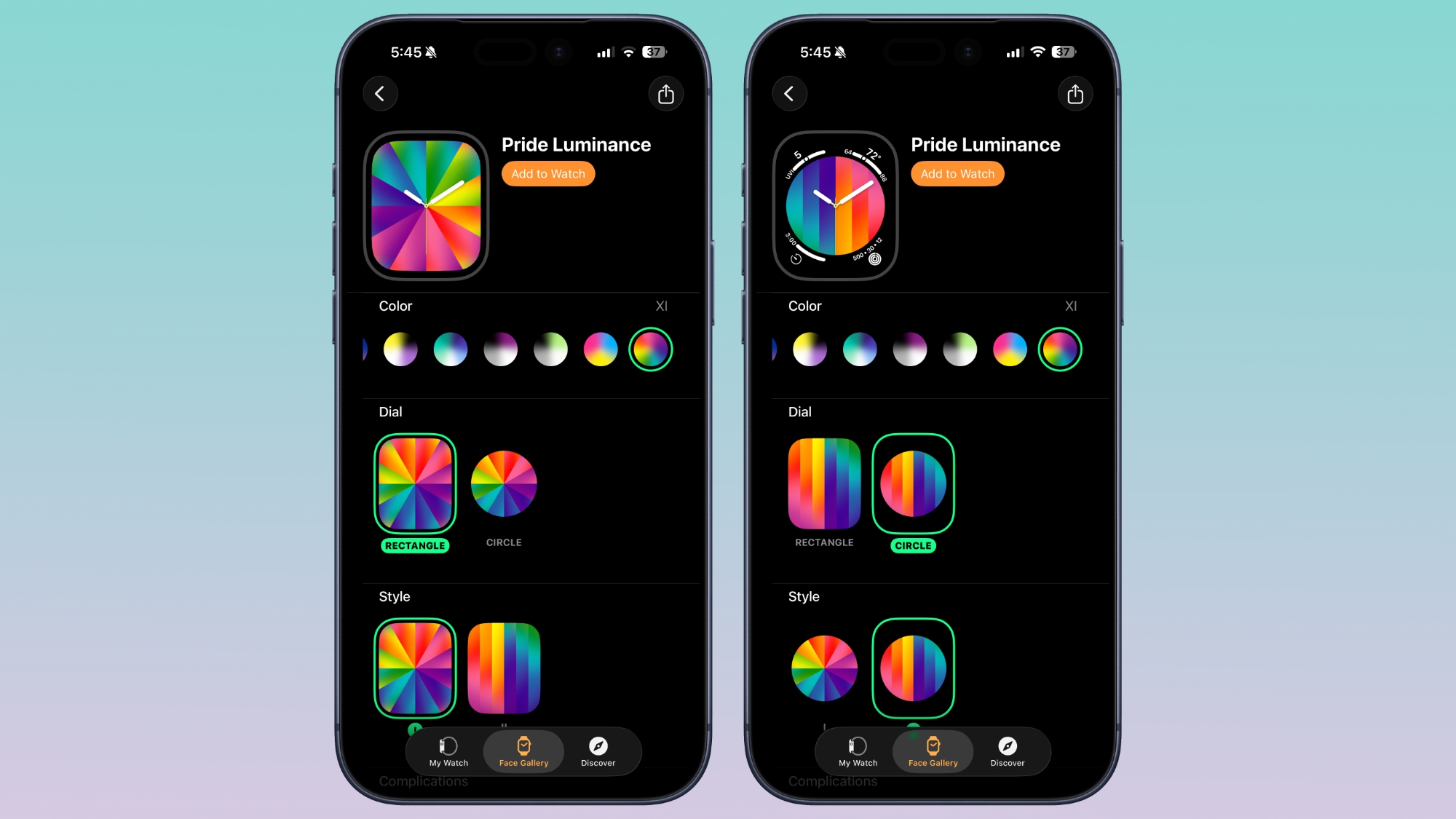
The dial can be set to Rectangle for edge-to-edge color, or Circle for a smaller dial that supports four complications.
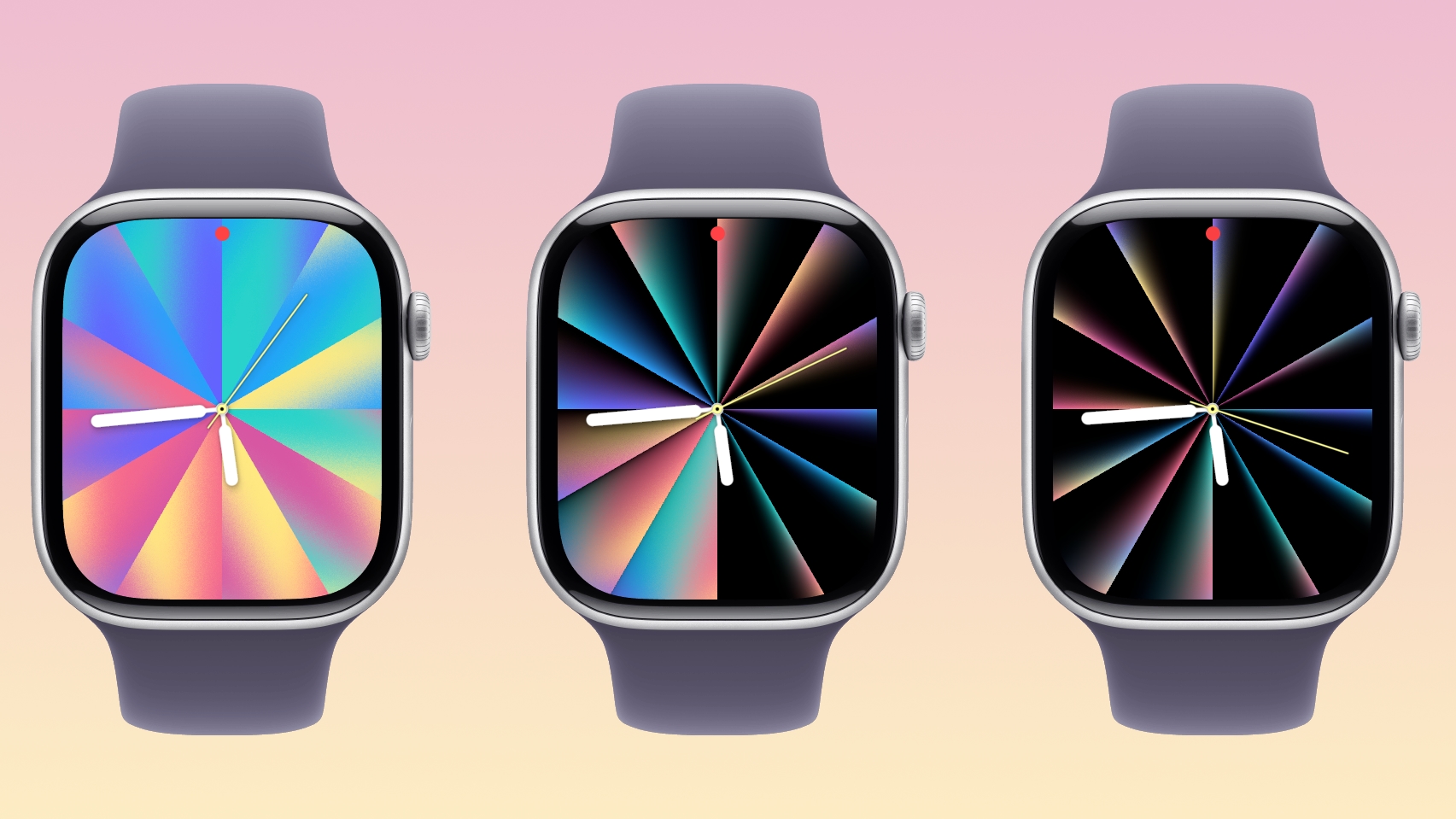
As with most of Apple's faces, the Luminance face is animated. When the wrist is down, it shrinks into slim lines of color on a black background, but when the wrist is raised, the full color palette is displayed. Colors will also shift slowly.
Apple's pre-selected colors represent different Pride flag colors, but with the deep customization options, the Pride Luminance face can match clothing, show off support for sports teams, or just display your favorite colors.
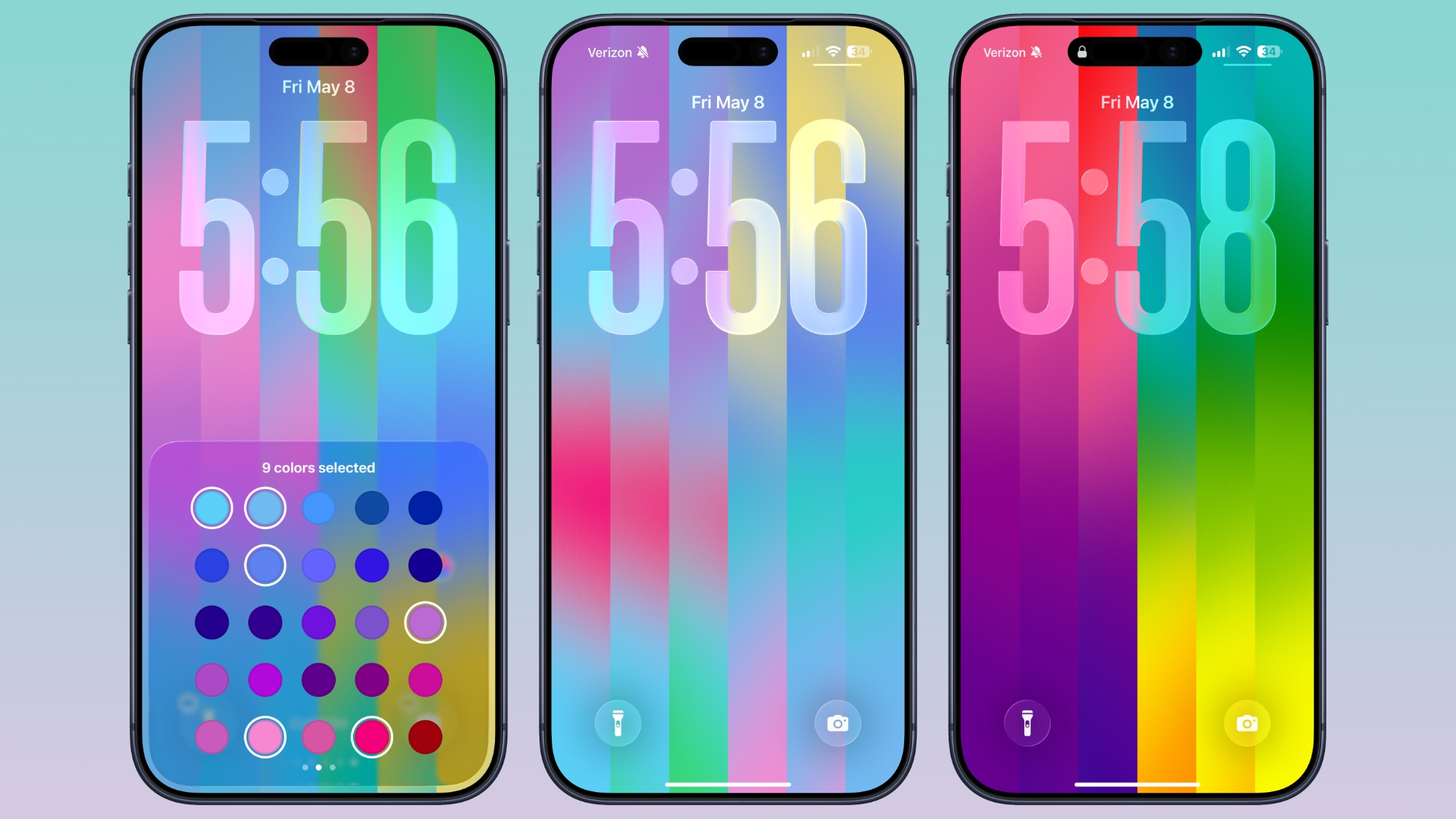
iOS 26.5 also has a matching Pride Luminance Wallpaper option that can be customized in the same way. You can choose up to 12 colors for the Lock Screen and Home Screen. On the Lock Screen, the colors collapse onto a black background when the device is locked.
To get the new watch face, you need iOS 26.5 and watchOS 26.5. Apple has released RCs, and the public versions of the updates are expected as soon as next week.
This article, "A Closer Look at watchOS 26.5's New Luminance Watch Face" first appeared on MacRumors.com
Discuss this article in our forums
You can select 1 to 12 colors from a palette that has every color of the rainbow, some in-between shades, and black, white, brown, and gray.
The colors you pick are distributed across the watch face in a gradient, available in either radial or linear styles. The first style looks like a starburst, while the second style is a series of rectangular lines.
The dial can be set to Rectangle for edge-to-edge color, or Circle for a smaller dial that supports four complications.
As with most of Apple's faces, the Luminance face is animated. When the wrist is down, it shrinks into slim lines of color on a black background, but when the wrist is raised, the full color palette is displayed. Colors will also shift slowly.
Apple's pre-selected colors represent different Pride flag colors, but with the deep customization options, the Pride Luminance face can match clothing, show off support for sports teams, or just display your favorite colors.
iOS 26.5 also has a matching Pride Luminance Wallpaper option that can be customized in the same way. You can choose up to 12 colors for the Lock Screen and Home Screen. On the Lock Screen, the colors collapse onto a black background when the device is locked.
To get the new watch face, you need iOS 26.5 and watchOS 26.5. Apple has released RCs, and the public versions of the updates are expected as soon as next week.
Related Roundup: watchOS 26
Related Forum: Apple Watch
This article, "A Closer Look at watchOS 26.5's New Luminance Watch Face" first appeared on MacRumors.com
Discuss this article in our forums
Recommended Comments
Join the conversation
You can post now and register later. If you have an account, sign in now to post with your account.