_811205.png)
_e196d8.png)
_32b3d9.png)
_1c53fe.png)

Apple has now announced the AirPods Max 2, bringing the first major hardware upgrade to Apple's over-ear headphones since their debut. So how does the new model compare with both earlier versions of AirPods Max?
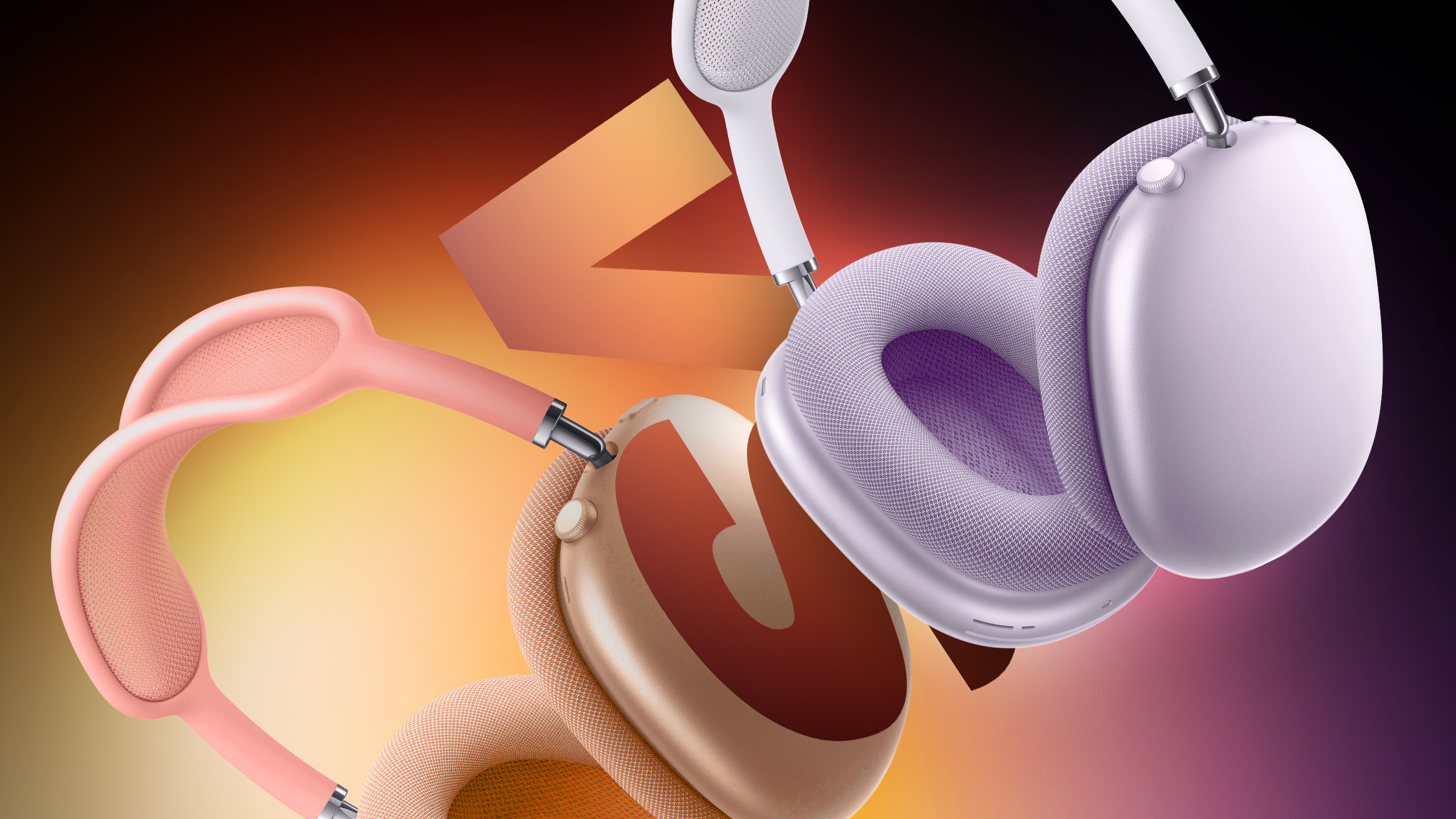
In late 2020, Apple announced the AirPods Max, a whole new AirPods variant with an over-ear design. In September 2024, the company refreshed the AirPods Max's selection of color options and swapped the Lightning port for USB-C, enabling 24-bit, 48 kHz lossless audio over a wired connection.
Now, with the arrival of the AirPods Max 2, Apple has introduced a far more substantial upgrade than the 2024 refresh. The new model adds the H2 chip, more powerful Active Noise Cancellation, improved Transparency Mode, Adaptive Audio features such as Conversation Awareness and Personalized Volume, updated Bluetooth 5.3 connectivity with reduced latency, and enhancements to Spatial Audio and sound quality.
Following the announcement, the full range of differences between the original Lightning model, the USB-C refresh, and AirPods Max 2 are outlined below:
AirPods Max
(2020, Lightning)
AirPods Max
(2024, USB-C)
AirPods Max 2
(2026)
H1 chip
H1 chip
H2 chip
Active Noise Cancellation
Active Noise Cancellation
Improved Active Noise Cancellation (1.5x stronger)
Transparency Mode
Transparency Mode
Improved Transparency Mode
Adaptive Audio
Conversation Awareness
Voice Isolation
Personalized Volume
Loud Sound Reduction
Camera Remote
Live Translation
"Hey Siri" commands
"Hey Siri" commands
"Hey Siri" and "Siri" commands
Siri Interactions (privately respond to Siri announcements by simply nodding their head yes or gently shaking their head no)
Custom high dynamic range amplifier
New digital signal processing algorithm
Spatial Audio
Spatial Audio
Improved Spatial Audio (improved localization of instruments, more accurate and consistent bass response, and more natural-sounding mids and highs)
Lossless Personalized Spatial Audio via USB-C to USB-C cable
Lossless Personalized Spatial Audio via USB-C to USB-C cable
Enhanced audio via Lightning to 3.5mm audio cable
"24-bit, 48 kHz lossless audio" via USB-C to USB-C cable
"24-bit, 48 kHz lossless audio" via USB-C to USB-C cable
Audio recording
Audio recording
"Studio-quality" audio recording
Create and mix audio in Personalized Spatial Audio with head tracking via USB-C to USB-C cable
Create and mix audio in Personalized Spatial Audio with head tracking via USB-C to USB-C cable
Bluetooth 5.0
Bluetooth 5.0
Bluetooth 5.3
Reduced wireless audio latency
Reduced latency audio via Lightning to 3.5mm audio cable
"Ultra-low" latency audio via USB-C to USB-C cable or USB-C to 3.5mm audio cable
"Ultra-low" latency audio via USB-C to USB-C cable or USB-C to 3.5mm audio cable
Lightning port
USB-C port
USB-C port
Available in Silver, Space Gray, Sky Blue, Pink, and Green
Available in Starlight, Midnight, Blue, Purple, and Orange
Available in Starlight, Midnight, Blue, Purple, and Orange
Released December 2020
Released September 2024
Release in April 2026
Now discontinued
Now discontinued
$549
The original AirPods Max with Lightning are becoming increasingly difficult to find as remaining inventory has gradually dried up over the past two years. While some third-party retailers may still have limited stock or refurbished units available, the model is no longer widely sold. For buyers who can still locate a pair at a substantial discount, the Lightning version can remain an appealing option. It offers the same distinctive design, premium build quality, Active Noise Cancellation, Transparency mode, and Spatial Audio support that defined the product when it launched in 2020. If you primarily use AirPods Max wirelessly for casual listenin, have no interest in the newer software capabilities, or have other Lightning devices, the original model still delivers a good core experience.
The AirPods Max with USB-C, introduced in 2024, remain widely available and until today represented Apple's current version of the headphones. Aside from the switch from Lightning to USB-C and a new set of color options, the hardware is largely identical to the original model. A firmware update alongside iOS 18.4 restored wired audio input and enabled 24-bit, 48 kHz lossless audio over a USB-C connection when used with a USB-C to USB-C cable. This gives the USB-C model a clear advantage over the Lightning version for users who want the best possible wired audio quality. It also enables creator-focused capabilities such as Lossless Personalized Spatial Audio and the ability to create or mix content in Spatial Audio with head tracking. For most users listening wirelessly, however, the overall experience remains very similar to the original model.
The newly announced AirPods Max 2 represent the first meaningful upgrade to the product since its debut. The new model introduces Apple's H2 chip, enabling significantly improved Active Noise Cancellation, enhanced Transparency Mode, and Adaptive Audio features such as Conversation Awareness, Personalized Volume, and Voice Isolation. Apple has also improved Spatial Audio performance and added Bluetooth 5.3 with reduced wireless latency. Together, these upgrades bring the over-ear AirPods much closer to the capabilities offered by Apple's latest in-ear AirPods models.
For buyers deciding between generations, the choice largely comes down to how important the new features are. The original AirPods Max still deliver the premium design, sound quality, and wireless listening experience that made them popular. However, for those who want stronger noise cancellation, new features like Live Translation, and the most future-proof option, AirPods Max 2 are clearly the model to choose.
Existing owners of the original AirPods Max may want to weigh the benefits of the H2 chip, improved Active Noise Cancellation, Adaptive Audio features such as Conversation Awareness and Personalized Volume, and reduced wireless latency. Users with the Lightning version may be more inclined to upgrade given their device's age, while those with the newer USB-C variant may find the improvements less essential if they are satisfied with the current feature set. For frequent travelers, people who regularly listen in noisy environments, or anyone who simply wants the most advanced version of Apple's over-ear headphones, the upgrade may still be worthwhile.
AirPods frequently see hefty discounts on Amazon and other third-party retailers, so stepping up to the AirPods Max 2 may be more worth it if you can take advantage of one of those deals. The AirPods Max often see solid discounts, so it is always worth seeking the best price using our Deals roundup.
This article, "AirPods Max 1 vs. AirPods Max 2 Buyer's Guide: 25+ Differences Compared" first appeared on MacRumors.com
Discuss this article in our forums
In late 2020, Apple announced the AirPods Max, a whole new AirPods variant with an over-ear design. In September 2024, the company refreshed the AirPods Max's selection of color options and swapped the Lightning port for USB-C, enabling 24-bit, 48 kHz lossless audio over a wired connection.
Now, with the arrival of the AirPods Max 2, Apple has introduced a far more substantial upgrade than the 2024 refresh. The new model adds the H2 chip, more powerful Active Noise Cancellation, improved Transparency Mode, Adaptive Audio features such as Conversation Awareness and Personalized Volume, updated Bluetooth 5.3 connectivity with reduced latency, and enhancements to Spatial Audio and sound quality.
Following the announcement, the full range of differences between the original Lightning model, the USB-C refresh, and AirPods Max 2 are outlined below:
AirPods Max
(2020, Lightning)
AirPods Max
(2024, USB-C)
AirPods Max 2
(2026)
H1 chip
H1 chip
H2 chip
Active Noise Cancellation
Active Noise Cancellation
Improved Active Noise Cancellation (1.5x stronger)
Transparency Mode
Transparency Mode
Improved Transparency Mode
Adaptive Audio
Conversation Awareness
Voice Isolation
Personalized Volume
Loud Sound Reduction
Camera Remote
Live Translation
"Hey Siri" commands
"Hey Siri" commands
"Hey Siri" and "Siri" commands
Siri Interactions (privately respond to Siri announcements by simply nodding their head yes or gently shaking their head no)
Custom high dynamic range amplifier
New digital signal processing algorithm
Spatial Audio
Spatial Audio
Improved Spatial Audio (improved localization of instruments, more accurate and consistent bass response, and more natural-sounding mids and highs)
Lossless Personalized Spatial Audio via USB-C to USB-C cable
Lossless Personalized Spatial Audio via USB-C to USB-C cable
Enhanced audio via Lightning to 3.5mm audio cable
"24-bit, 48 kHz lossless audio" via USB-C to USB-C cable
"24-bit, 48 kHz lossless audio" via USB-C to USB-C cable
Audio recording
Audio recording
"Studio-quality" audio recording
Create and mix audio in Personalized Spatial Audio with head tracking via USB-C to USB-C cable
Create and mix audio in Personalized Spatial Audio with head tracking via USB-C to USB-C cable
Bluetooth 5.0
Bluetooth 5.0
Bluetooth 5.3
Reduced wireless audio latency
Reduced latency audio via Lightning to 3.5mm audio cable
"Ultra-low" latency audio via USB-C to USB-C cable or USB-C to 3.5mm audio cable
"Ultra-low" latency audio via USB-C to USB-C cable or USB-C to 3.5mm audio cable
Lightning port
USB-C port
USB-C port
Available in Silver, Space Gray, Sky Blue, Pink, and Green
Available in Starlight, Midnight, Blue, Purple, and Orange
Available in Starlight, Midnight, Blue, Purple, and Orange
Released December 2020
Released September 2024
Release in April 2026
Now discontinued
Now discontinued
$549
The original AirPods Max with Lightning are becoming increasingly difficult to find as remaining inventory has gradually dried up over the past two years. While some third-party retailers may still have limited stock or refurbished units available, the model is no longer widely sold. For buyers who can still locate a pair at a substantial discount, the Lightning version can remain an appealing option. It offers the same distinctive design, premium build quality, Active Noise Cancellation, Transparency mode, and Spatial Audio support that defined the product when it launched in 2020. If you primarily use AirPods Max wirelessly for casual listenin, have no interest in the newer software capabilities, or have other Lightning devices, the original model still delivers a good core experience.
The AirPods Max with USB-C, introduced in 2024, remain widely available and until today represented Apple's current version of the headphones. Aside from the switch from Lightning to USB-C and a new set of color options, the hardware is largely identical to the original model. A firmware update alongside iOS 18.4 restored wired audio input and enabled 24-bit, 48 kHz lossless audio over a USB-C connection when used with a USB-C to USB-C cable. This gives the USB-C model a clear advantage over the Lightning version for users who want the best possible wired audio quality. It also enables creator-focused capabilities such as Lossless Personalized Spatial Audio and the ability to create or mix content in Spatial Audio with head tracking. For most users listening wirelessly, however, the overall experience remains very similar to the original model.
The newly announced AirPods Max 2 represent the first meaningful upgrade to the product since its debut. The new model introduces Apple's H2 chip, enabling significantly improved Active Noise Cancellation, enhanced Transparency Mode, and Adaptive Audio features such as Conversation Awareness, Personalized Volume, and Voice Isolation. Apple has also improved Spatial Audio performance and added Bluetooth 5.3 with reduced wireless latency. Together, these upgrades bring the over-ear AirPods much closer to the capabilities offered by Apple's latest in-ear AirPods models.
For buyers deciding between generations, the choice largely comes down to how important the new features are. The original AirPods Max still deliver the premium design, sound quality, and wireless listening experience that made them popular. However, for those who want stronger noise cancellation, new features like Live Translation, and the most future-proof option, AirPods Max 2 are clearly the model to choose.
Existing owners of the original AirPods Max may want to weigh the benefits of the H2 chip, improved Active Noise Cancellation, Adaptive Audio features such as Conversation Awareness and Personalized Volume, and reduced wireless latency. Users with the Lightning version may be more inclined to upgrade given their device's age, while those with the newer USB-C variant may find the improvements less essential if they are satisfied with the current feature set. For frequent travelers, people who regularly listen in noisy environments, or anyone who simply wants the most advanced version of Apple's over-ear headphones, the upgrade may still be worthwhile.
AirPods frequently see hefty discounts on Amazon and other third-party retailers, so stepping up to the AirPods Max 2 may be more worth it if you can take advantage of one of those deals. The AirPods Max often see solid discounts, so it is always worth seeking the best price using our Deals roundup.
Related Roundup: AirPods Max
Buyer's Guide: AirPods Max (Buy Now)
Related Forum: AirPods
This article, "AirPods Max 1 vs. AirPods Max 2 Buyer's Guide: 25+ Differences Compared" first appeared on MacRumors.com
Discuss this article in our forums
Recommended Comments
Join the conversation
You can post now and register later. If you have an account, sign in now to post with your account.