_811205.png)
_e196d8.png)
_32b3d9.png)
_1c53fe.png)

Anthropic is updating Claude with a new "Reflect" feature that's akin to Spotify Wrapped. Reflect lets you look back on how you've been using Claude, and for how long.
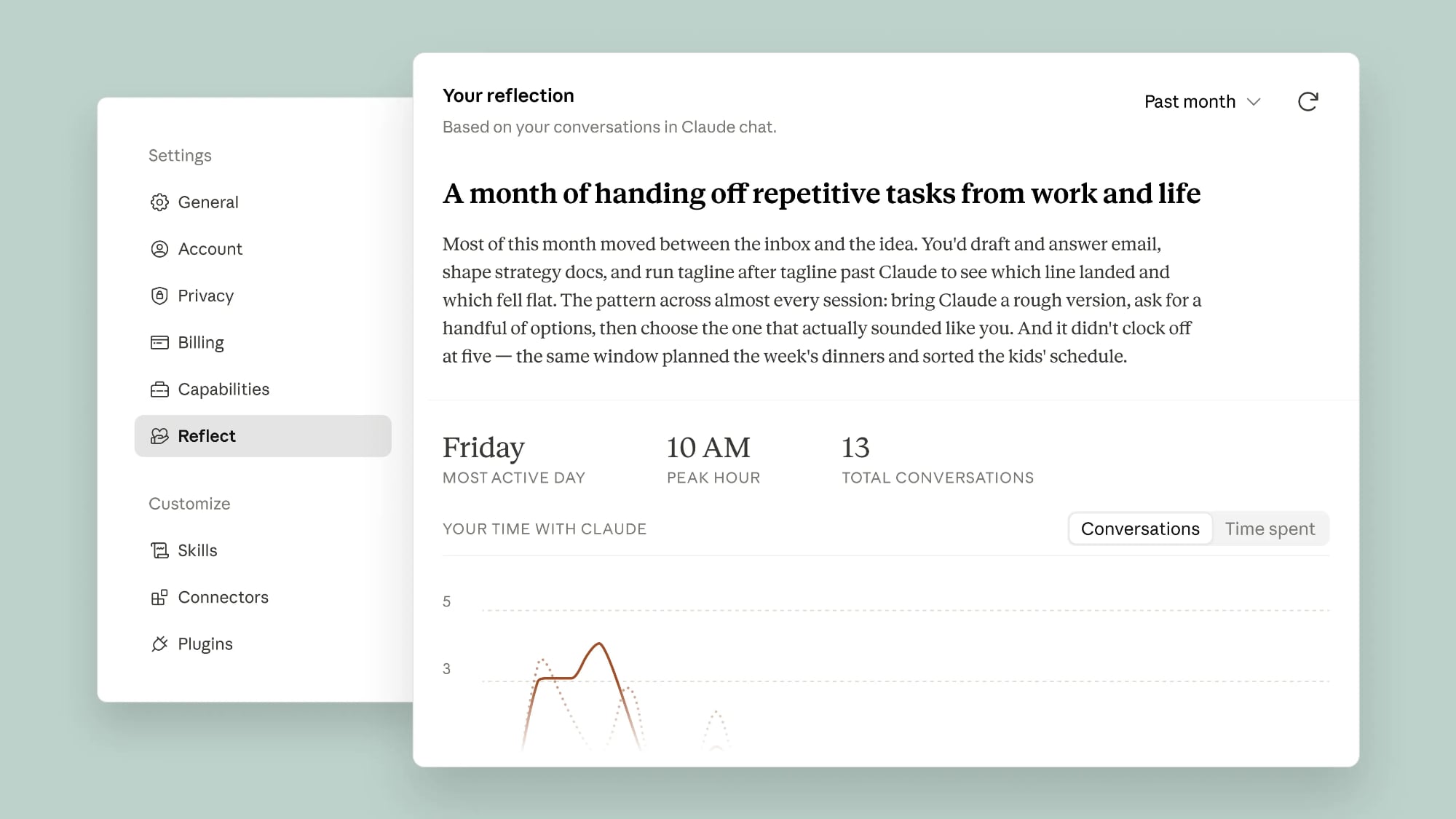
Reflect includes a summary of Claude usage, incorporating key topics, usage patterns, and the type of tasks you work through using Claude.
You can look back at Claude activity over the past 1, 3, 6, or 12 months, and in the near future, Anthropic plans to add a view of how much time you've spent using Claude. Anthropic says the Reflect feature invites users to step back and look at the role Claude plays in their lives. It will surface questions for you to consider, like "What's one thing you want to keep doing yourself, even if Claude could do it faster?"
There are new settings for quiet hours or scheduling a nudge to remind you to take a break from using Claude after a certain amount of time. Anthropic says you can also use the information with the 4D AI Fluency Framework to expand how you work with Claude across four categories: Delegation, Description, Discernment, and Diligence. It offers examples of how you collaborate with Claude, and it has practical suggestions for areas of improvement.
Reflect does not draw information from incognito chats, and it doesn't use underlying files from connected tools. Conversations connected to health integration tools are also left out of insights, and the information shown in the Reflect option isn't used for other purposes.
Reflect is available in beta for Free, Pro, and Max users who have memory turned on. It can be accessed through the Settings section of Claude on the web or in the desktop app. Select the Reflect tab to generate a report.
This article, "Anthropic Adds 'Reflect' Feature to Claude for Tracking Your Usage" first appeared on MacRumors.com
Discuss this article in our forums
Reflect includes a summary of Claude usage, incorporating key topics, usage patterns, and the type of tasks you work through using Claude.
You can look back at Claude activity over the past 1, 3, 6, or 12 months, and in the near future, Anthropic plans to add a view of how much time you've spent using Claude. Anthropic says the Reflect feature invites users to step back and look at the role Claude plays in their lives. It will surface questions for you to consider, like "What's one thing you want to keep doing yourself, even if Claude could do it faster?"
There are new settings for quiet hours or scheduling a nudge to remind you to take a break from using Claude after a certain amount of time. Anthropic says you can also use the information with the 4D AI Fluency Framework to expand how you work with Claude across four categories: Delegation, Description, Discernment, and Diligence. It offers examples of how you collaborate with Claude, and it has practical suggestions for areas of improvement.
Reflect does not draw information from incognito chats, and it doesn't use underlying files from connected tools. Conversations connected to health integration tools are also left out of insights, and the information shown in the Reflect option isn't used for other purposes.
Reflect is available in beta for Free, Pro, and Max users who have memory turned on. It can be accessed through the Settings section of Claude on the web or in the desktop app. Select the Reflect tab to generate a report.
Tag: Anthropic
This article, "Anthropic Adds 'Reflect' Feature to Claude for Tracking Your Usage" first appeared on MacRumors.com
Discuss this article in our forums
Recommended Comments
Join the conversation
You can post now and register later. If you have an account, sign in now to post with your account.