_811205.png)
_e196d8.png)
_32b3d9.png)
_1c53fe.png)

Several players involved in the World Cup have been spotted wearing unreleased Beats over-ear headphones over the past couple of weeks, and U.S. men's national soccer team star Antonee Robinson is the latest to be spotted with them. Robinson was captured in a photo on his Instagram account wearing a two-tone version that appears to feature a white headband and housings but with royal blue ear cups.
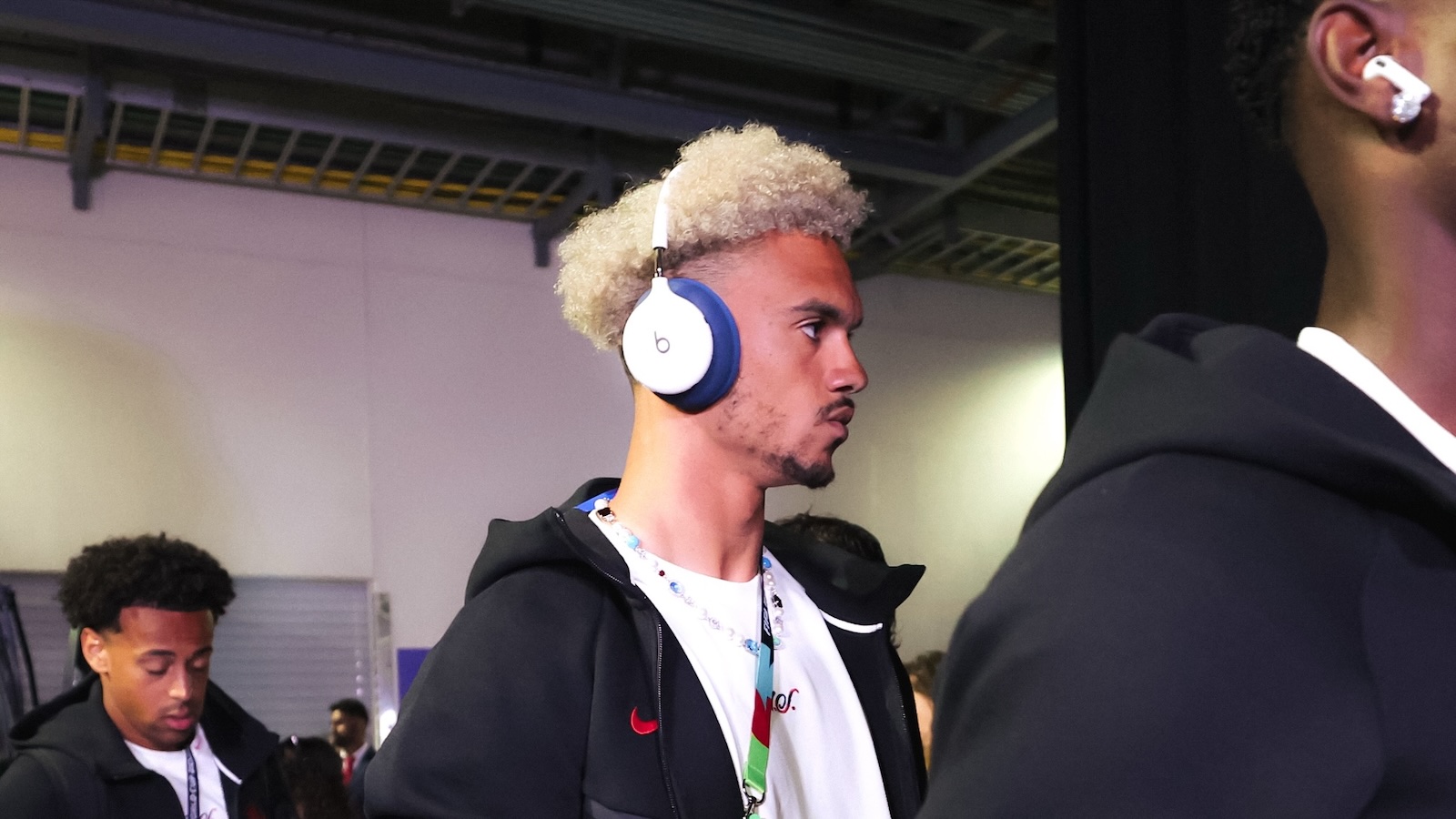
Previous versions of the headphones seen in photos of Yamine Lamal have featured only a single color, and it's unclear which color options are going to be available to the public, whether ear cups will be swappable to customize your own set, or if Robinson's set is a custom version produced only for him or a limited number of influencers.
The unreleased headphones first appeared in a U.S. Federal Communications Commission database last month, and it's clear Beats is undertaking a influencer seeding campaign throughout the World Cup to generate anticipation ahead of a public release, but the timing of availability remains unknown. It's also unclear whether these will be a new version of the existing Beats Studio Pro over-ear headphones or if they will be positioned as a new product.
This article, "Antonee Robinson Shows Off Unreleased Two-Tone Beats Over-Ear Headphones at the World Cup" first appeared on MacRumors.com
Discuss this article in our forums
Previous versions of the headphones seen in photos of Yamine Lamal have featured only a single color, and it's unclear which color options are going to be available to the public, whether ear cups will be swappable to customize your own set, or if Robinson's set is a custom version produced only for him or a limited number of influencers.
The unreleased headphones first appeared in a U.S. Federal Communications Commission database last month, and it's clear Beats is undertaking a influencer seeding campaign throughout the World Cup to generate anticipation ahead of a public release, but the timing of availability remains unknown. It's also unclear whether these will be a new version of the existing Beats Studio Pro over-ear headphones or if they will be positioned as a new product.
Tag: Beats
This article, "Antonee Robinson Shows Off Unreleased Two-Tone Beats Over-Ear Headphones at the World Cup" first appeared on MacRumors.com
Discuss this article in our forums
Recommended Comments
Join the conversation
You can post now and register later. If you have an account, sign in now to post with your account.