_811205.png)
_e196d8.png)
_32b3d9.png)
_1c53fe.png)

Apple today announced a significantly revamped Siri at WWDC 2026, rebranding it as "Siri AI" and unveiling out a wave of new capabilities spanning conversational depth, system-wide integration, and a redesigned interface across platforms.

Apple framed the update with the acknowledgment that "there are times when you expect more from Siri." The company is describing the redesigned assistant as "a profoundly more capable assistant" that can now hold multi-turn conversations, draw on real-time world knowledge, and interact with personal data across apps.
Siri is now embedded directly in the Dynamic Island, accessible by swiping down from it, pressing the side button, or saying "Hey Siri." A revamped voice engine makes the assistant sound more expressive, with micro-adjustable voice settings available during initial setup.
During Apple's keynote demo, presenters showed Siri handling chained, multi-step requests with apparent ease. In one sequence, a presenter asked about a Suki Waterhouse concert, was told tickets require a lottery entry, and asked Siri to set a reminder when the lottery opens, which it did. In another, the assistant identified a photo's landmark, pulled up navigation to that location, and surfaced photos from a recent family trip, adding a specific image to a shared family album on request.
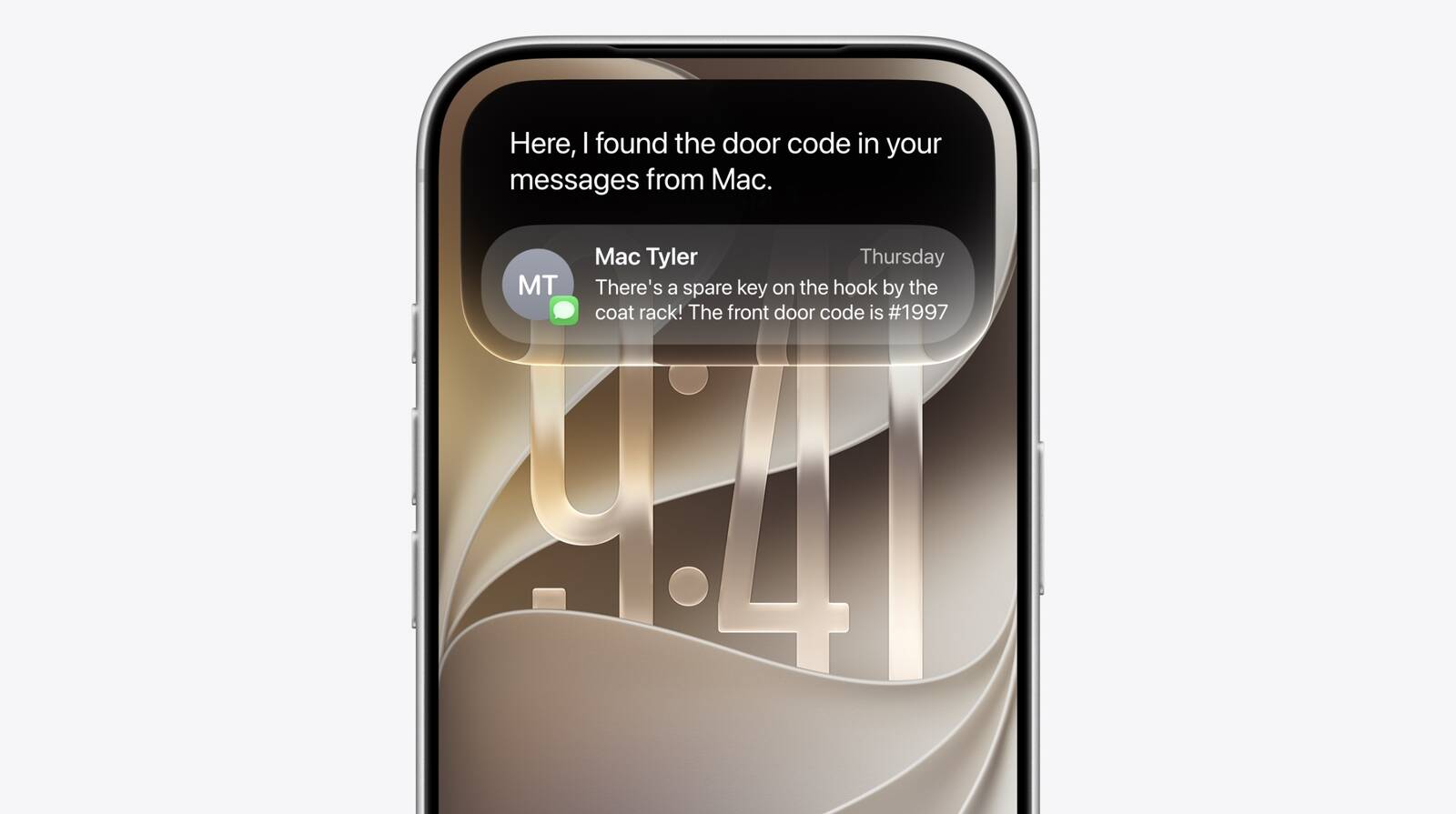
Another demo showcased Siri's ability to synthesize information across apps. A presenter asked about a dessert he had heard about at an event, and Siri located the relevant details from his Messages history. It then compiled the information into a watch-party menu, drafted a message to his contacts with the menu included, and presented send and edit options. In a further demo, a presenter asked about something his son had shared in a message and followed it up by asking Siri to compose an email on the subject.
A new dedicated Siri app lets users scroll back through prior conversations and kick off new ones, with conversation history synced via iCloud so sessions carry seamlessly between devices. The app is also coming to watchOS. On the Mac, Siri is now also integrated into Spotlight and available via right-click context menus on any file or window. On visionOS, Siri AI gains a 3D visualization that users can place anywhere in their space.
This article, "Apple Announces 'Siri AI' at WWDC 2026" first appeared on MacRumors.com
Discuss this article in our forums
Apple framed the update with the acknowledgment that "there are times when you expect more from Siri." The company is describing the redesigned assistant as "a profoundly more capable assistant" that can now hold multi-turn conversations, draw on real-time world knowledge, and interact with personal data across apps.
Siri is now embedded directly in the Dynamic Island, accessible by swiping down from it, pressing the side button, or saying "Hey Siri." A revamped voice engine makes the assistant sound more expressive, with micro-adjustable voice settings available during initial setup.
During Apple's keynote demo, presenters showed Siri handling chained, multi-step requests with apparent ease. In one sequence, a presenter asked about a Suki Waterhouse concert, was told tickets require a lottery entry, and asked Siri to set a reminder when the lottery opens, which it did. In another, the assistant identified a photo's landmark, pulled up navigation to that location, and surfaced photos from a recent family trip, adding a specific image to a shared family album on request.
Another demo showcased Siri's ability to synthesize information across apps. A presenter asked about a dessert he had heard about at an event, and Siri located the relevant details from his Messages history. It then compiled the information into a watch-party menu, drafted a message to his contacts with the menu included, and presented send and edit options. In a further demo, a presenter asked about something his son had shared in a message and followed it up by asking Siri to compose an email on the subject.
A new dedicated Siri app lets users scroll back through prior conversations and kick off new ones, with conversation history synced via iCloud so sessions carry seamlessly between devices. The app is also coming to watchOS. On the Mac, Siri is now also integrated into Spotlight and available via right-click context menus on any file or window. On visionOS, Siri AI gains a 3D visualization that users can place anywhere in their space.
This article, "Apple Announces 'Siri AI' at WWDC 2026" first appeared on MacRumors.com
Discuss this article in our forums
Recommended Comments
Join the conversation
You can post now and register later. If you have an account, sign in now to post with your account.