_811205.png)
_e196d8.png)
_32b3d9.png)
_1c53fe.png)

Apple's CarPlay system for accessing iPhone apps on a vehicle's dashboard screen received three popular apps this week: ChatGPT, Google Meet, and Audiomack.
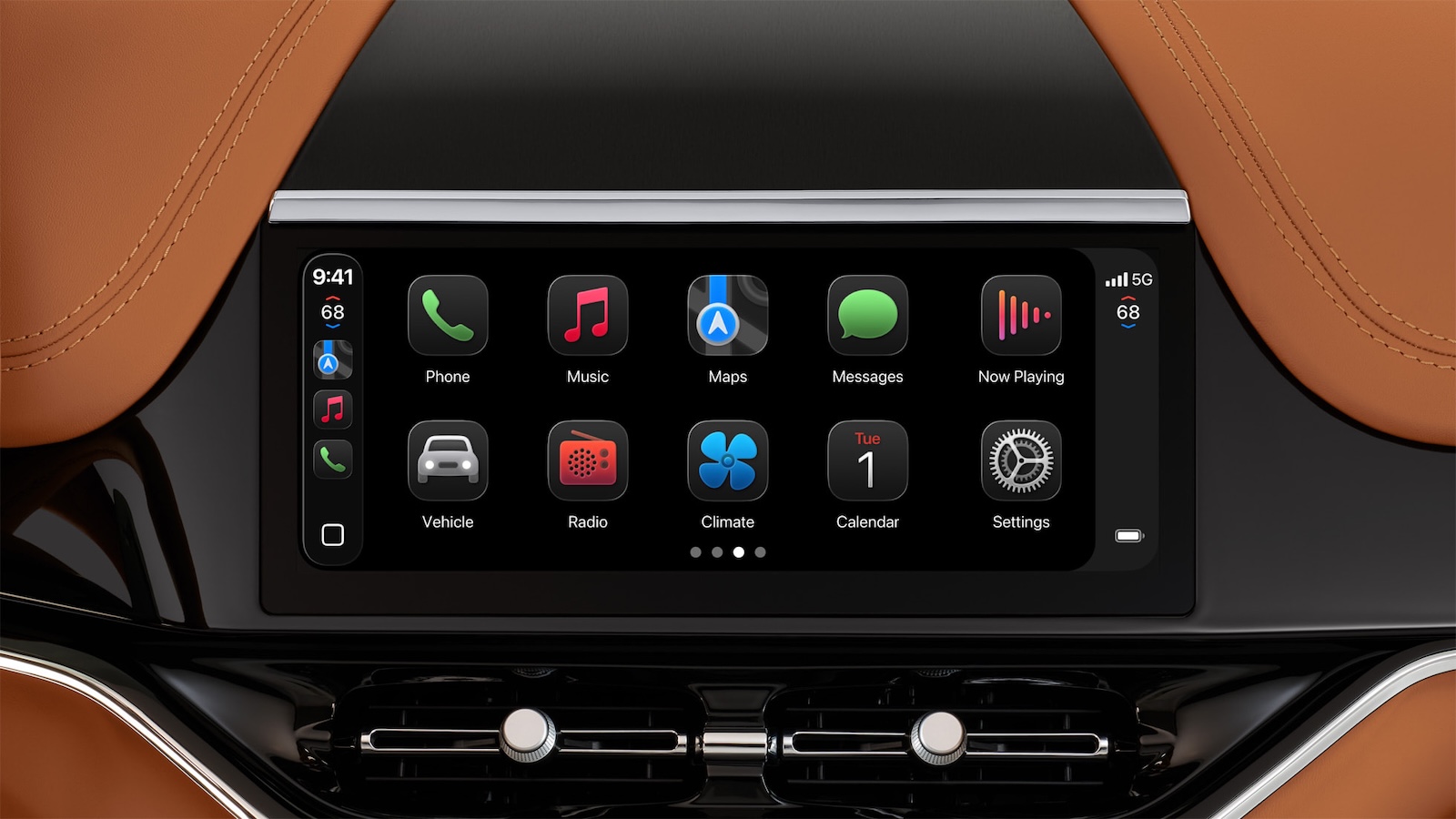 CarPlay Ultra in an Aston Martin
In addition, WhatsApp is beta testing a revamped CarPlay app that will improve upon the basic Siri-based functionality that was previously available.
Make sure you have the latest version of each app and they will automatically appear on CarPlay.
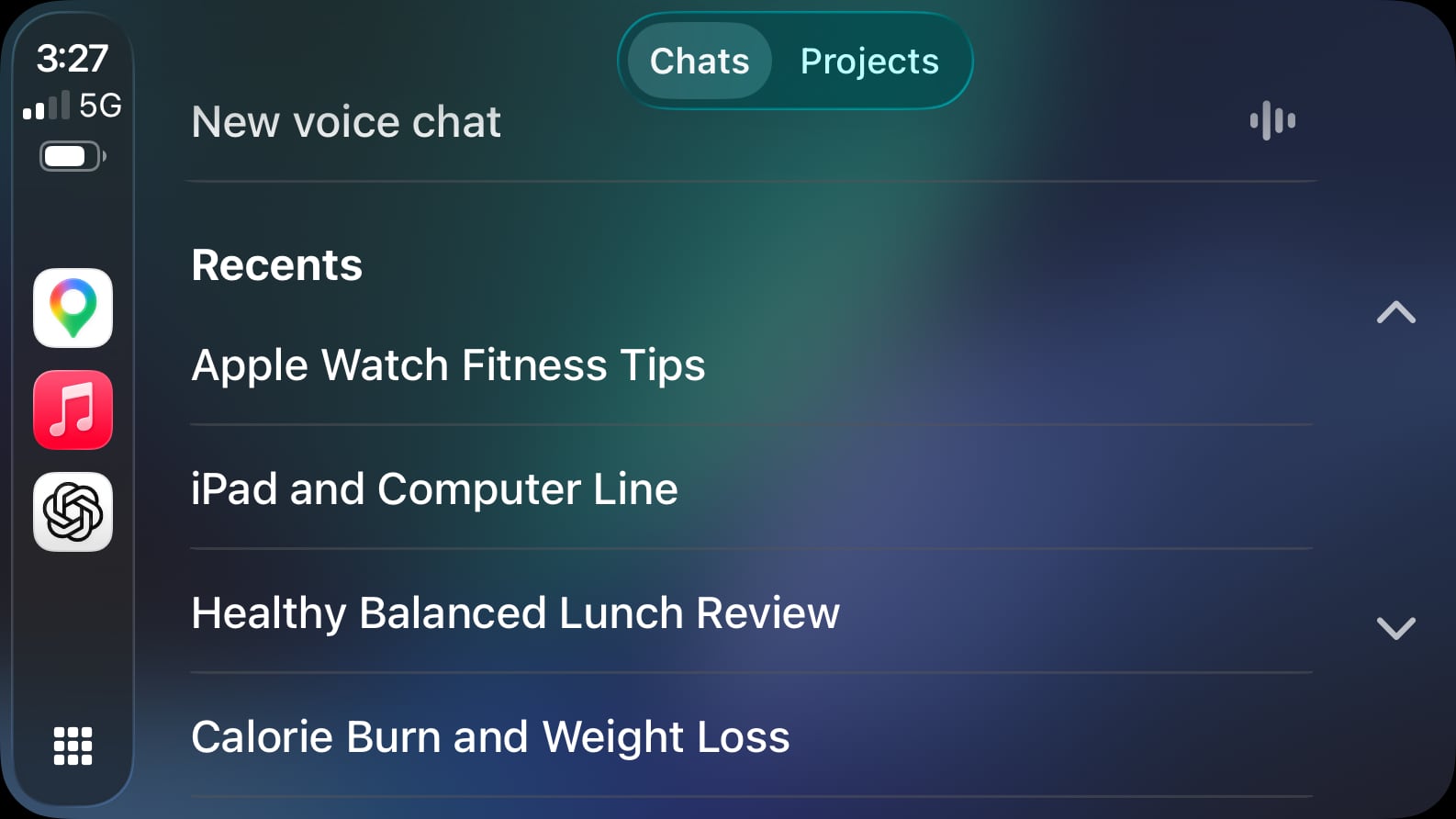
Starting with iOS 26.4, CarPlay supports voice-based conversational apps. This means that chatbots can extend their iPhone apps to CarPlay for voice-based conversations, and OpenAI's ChatGPT is one of the first options available.
With the ChatGPT app on CarPlay, you can have voice conversations with ChatGPT while the app is open, and view the titles of your past conversations. For safety reasons, the app does not show the text or images within conversations.
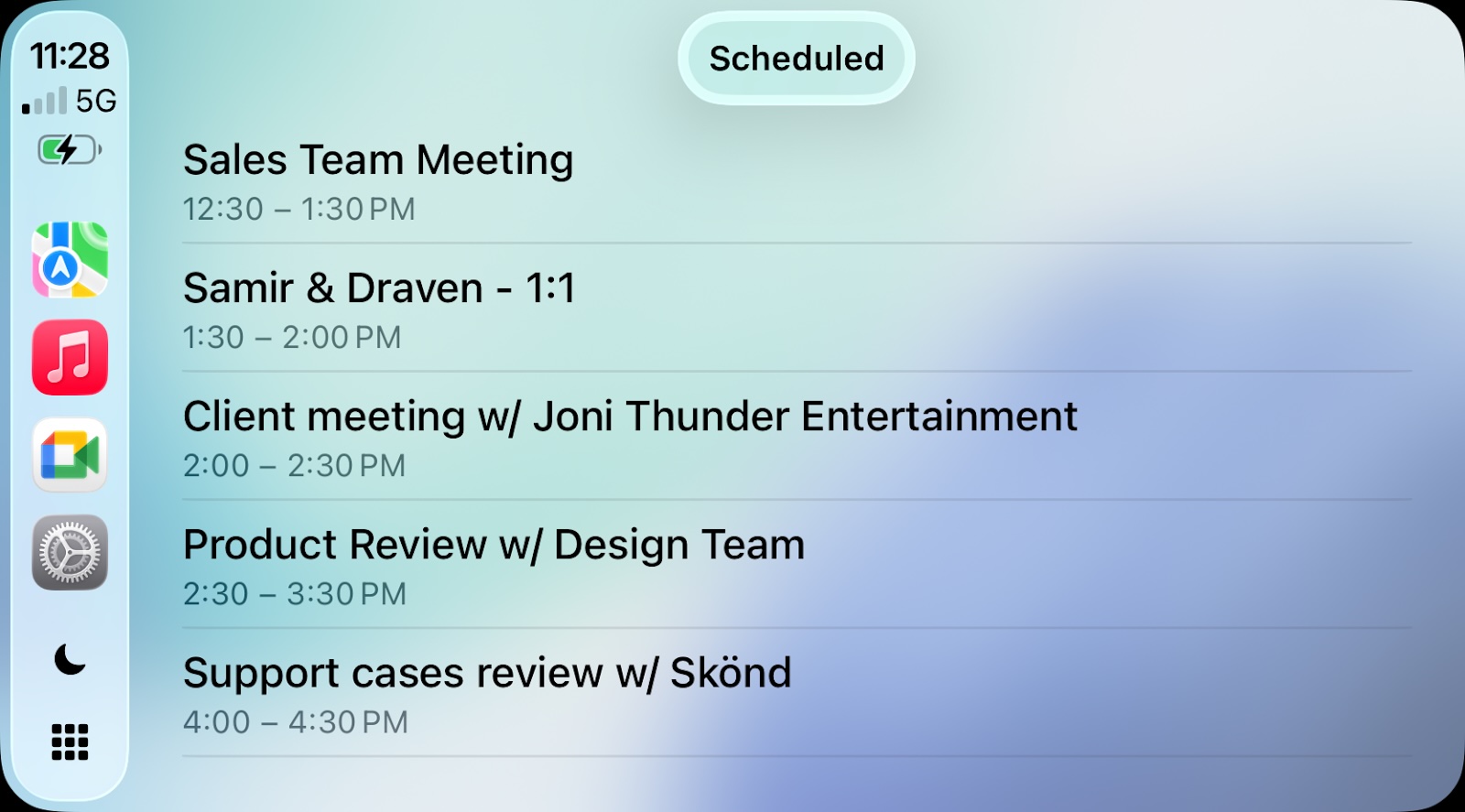
Google Meet is now available on CarPlay as well, allowing you to join meetings with a single tap, view your upcoming schedule, and participate in audio calls. For safety reasons, you cannot view video calls on the CarPlay interface.
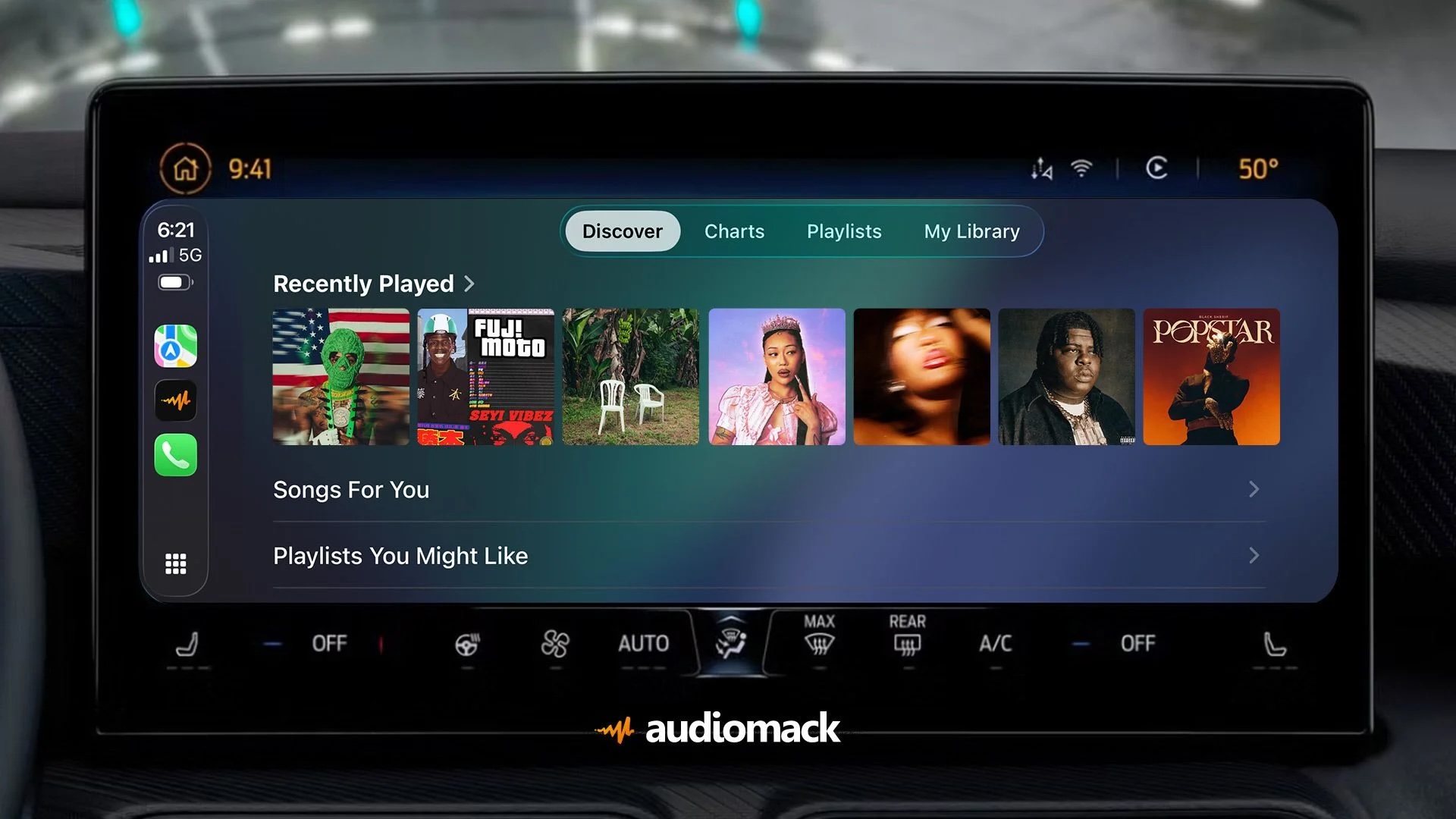
Audiomack expanded to CarPlay this week. The 11th-most downloaded app in the App Store's Music category in the U.S. lets you stream and download songs, with a focus on independent artists and especially the Afrobeats and hip-hop genres.
Audiomack's CarPlay app has Discover, Charts, Playlists, and My Library tabs, allowing you to listen to your existing songs and discover new ones.
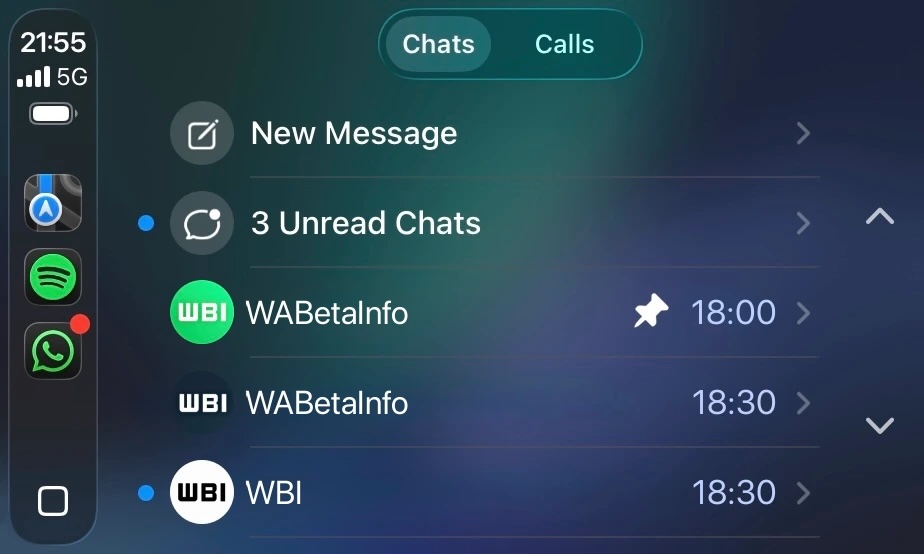
A revamped WhatsApp app for CarPlay is currently in beta testing.
WhatsApp is already available on CarPlay, but the app has limited Siri-based functionality. The revamped app displays lists of recent chats and phone calls, and there is also a tab that displays a list of your favorite contacts.
This article, "Apple CarPlay Just Got Three Popular iPhone Apps" first appeared on MacRumors.com
Discuss this article in our forums
CarPlay Ultra in an Aston MartinIn addition, WhatsApp is beta testing a revamped CarPlay app that will improve upon the basic Siri-based functionality that was previously available.
Make sure you have the latest version of each app and they will automatically appear on CarPlay.
ChatGPT
Starting with iOS 26.4, CarPlay supports voice-based conversational apps. This means that chatbots can extend their iPhone apps to CarPlay for voice-based conversations, and OpenAI's ChatGPT is one of the first options available.
With the ChatGPT app on CarPlay, you can have voice conversations with ChatGPT while the app is open, and view the titles of your past conversations. For safety reasons, the app does not show the text or images within conversations.
Google Meet
Google Meet is now available on CarPlay as well, allowing you to join meetings with a single tap, view your upcoming schedule, and participate in audio calls. For safety reasons, you cannot view video calls on the CarPlay interface.
Audiomack
Audiomack expanded to CarPlay this week. The 11th-most downloaded app in the App Store's Music category in the U.S. lets you stream and download songs, with a focus on independent artists and especially the Afrobeats and hip-hop genres.
Audiomack's CarPlay app has Discover, Charts, Playlists, and My Library tabs, allowing you to listen to your existing songs and discover new ones.
Coming Soon: Revamped WhatsApp
A revamped WhatsApp app for CarPlay is currently in beta testing.
WhatsApp is already available on CarPlay, but the app has limited Siri-based functionality. The revamped app displays lists of recent chats and phone calls, and there is also a tab that displays a list of your favorite contacts.
Related Roundup: CarPlay
Related Forum: HomePod, HomeKit, CarPlay, Home & Auto Technology
This article, "Apple CarPlay Just Got Three Popular iPhone Apps" first appeared on MacRumors.com
Discuss this article in our forums
Recommended Comments
Join the conversation
You can post now and register later. If you have an account, sign in now to post with your account.