_811205.png)
_e196d8.png)
_32b3d9.png)
_1c53fe.png)

In a video uploaded to its YouTube channel in South Korea today, Apple showed off a handful of iPhone 17 Pro devices decorated with tiny stickers.
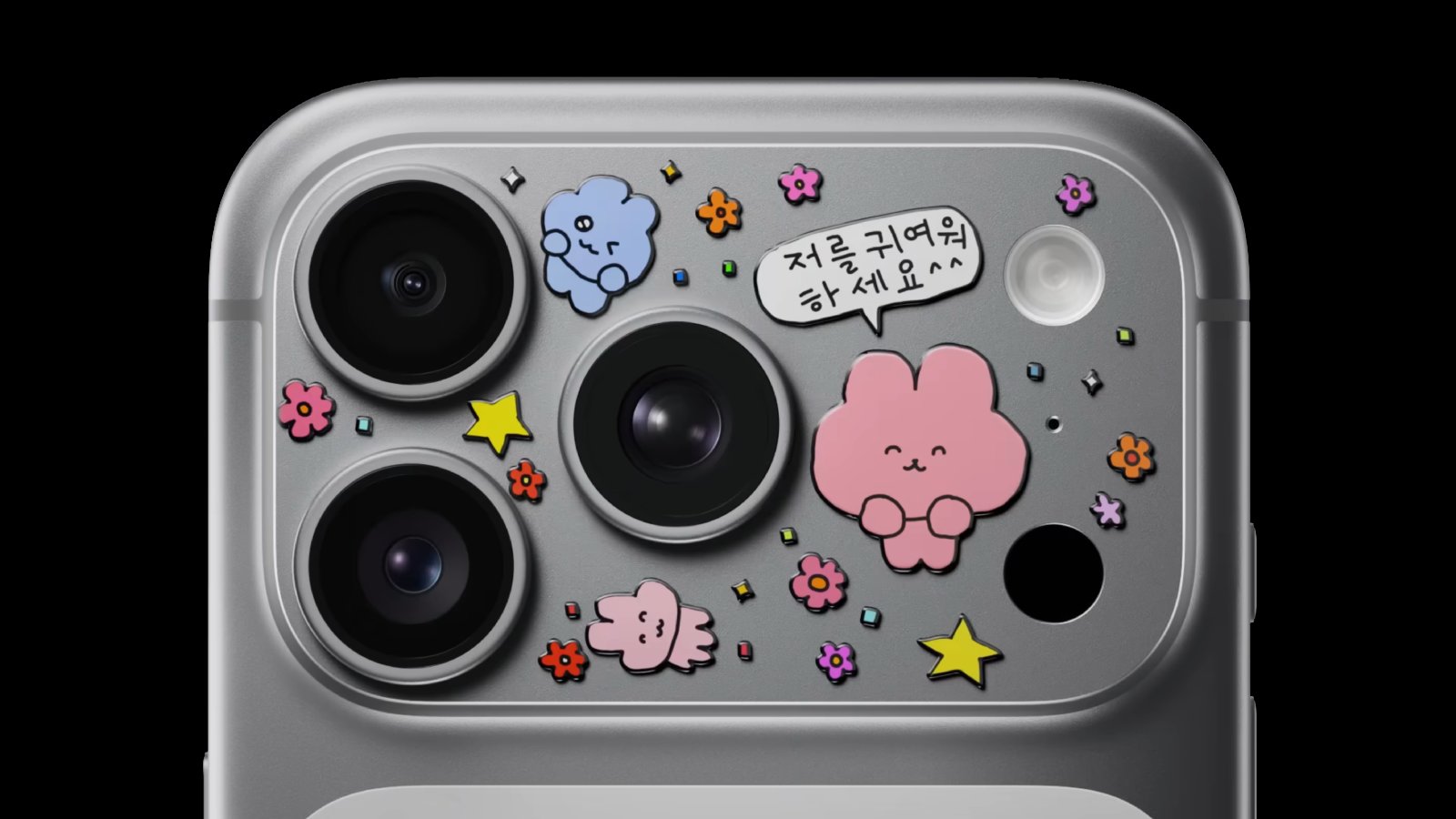
The stickers are placed on the iPhone 17 Pro's so-called "plateau," the protruding aluminum area housing the rear cameras, an LED flash, a microphone, and the LiDAR Scanner. The video has the hashtags #PhoneDecor and #iPhoneCustomization.
"Stick it here," says Apple.
The ad is accompanied by a pair of YouTube Shorts.
This article, "Apple Covers iPhone 17 Pro in Stickers in New Ad" first appeared on MacRumors.com
Discuss this article in our forums
The stickers are placed on the iPhone 17 Pro's so-called "plateau," the protruding aluminum area housing the rear cameras, an LED flash, a microphone, and the LiDAR Scanner. The video has the hashtags #PhoneDecor and #iPhoneCustomization.
"Stick it here," says Apple.
The ad is accompanied by a pair of YouTube Shorts.
Related Roundup: iPhone 17 Pro
Tags: Apple Ads, South Korea
Buyer's Guide: iPhone 17 Pro (Neutral)
Related Forum: iPhone
This article, "Apple Covers iPhone 17 Pro in Stickers in New Ad" first appeared on MacRumors.com
Discuss this article in our forums
Recommended Comments
Join the conversation
You can post now and register later. If you have an account, sign in now to post with your account.