_811205.png)
_e196d8.png)
_32b3d9.png)
_1c53fe.png)

App developer Clément Sauvage has designed a set of enamel pins for Apple fans who want to commemorate WWDC 2026 and Apple's 50th anniversary. Sauvage is offering the pins on Kickstarter, and plans to start shipments in May ahead of WWDC.
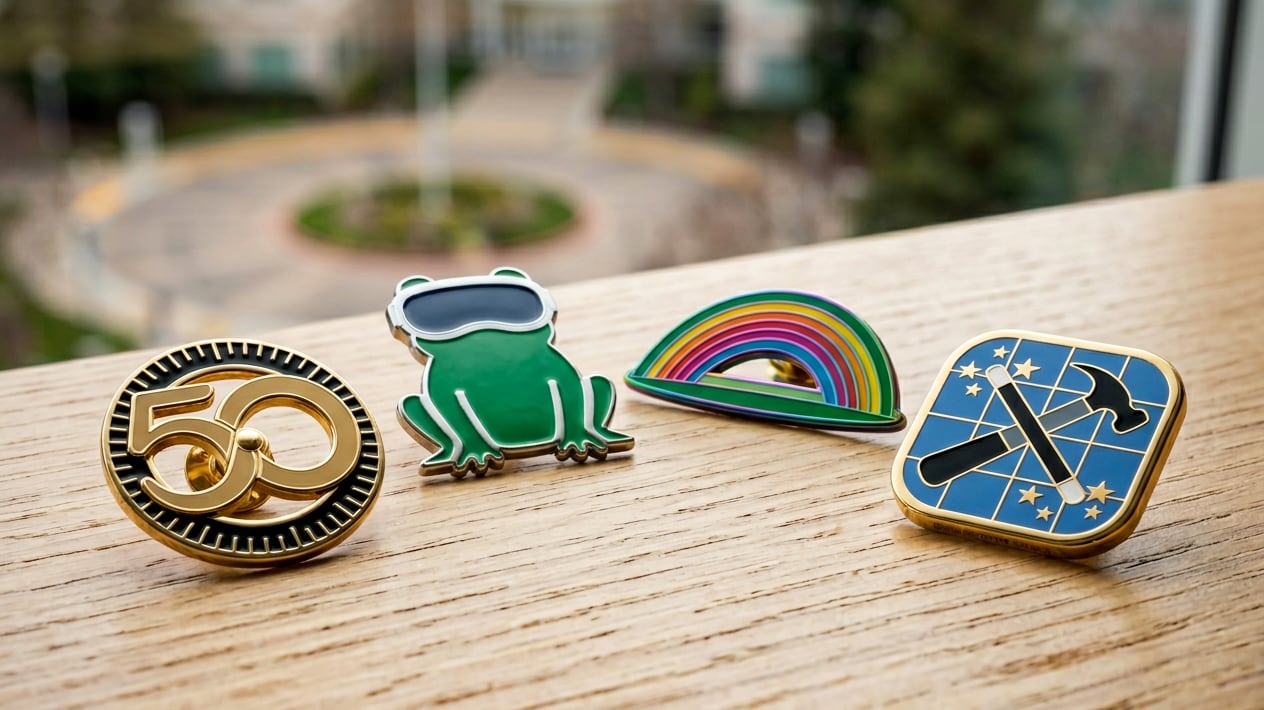
The pins feature the Apple developer logo, the Apple Intelligence icon, Apple's "spaceship" and rainbow at the Apple Park campus, the entrance to Apple's Infinite Loop campus, the Swift logo, and more. A single pin is available for 10 euros, while a full set of eight WWDC-themed pins is priced at 45 euros.
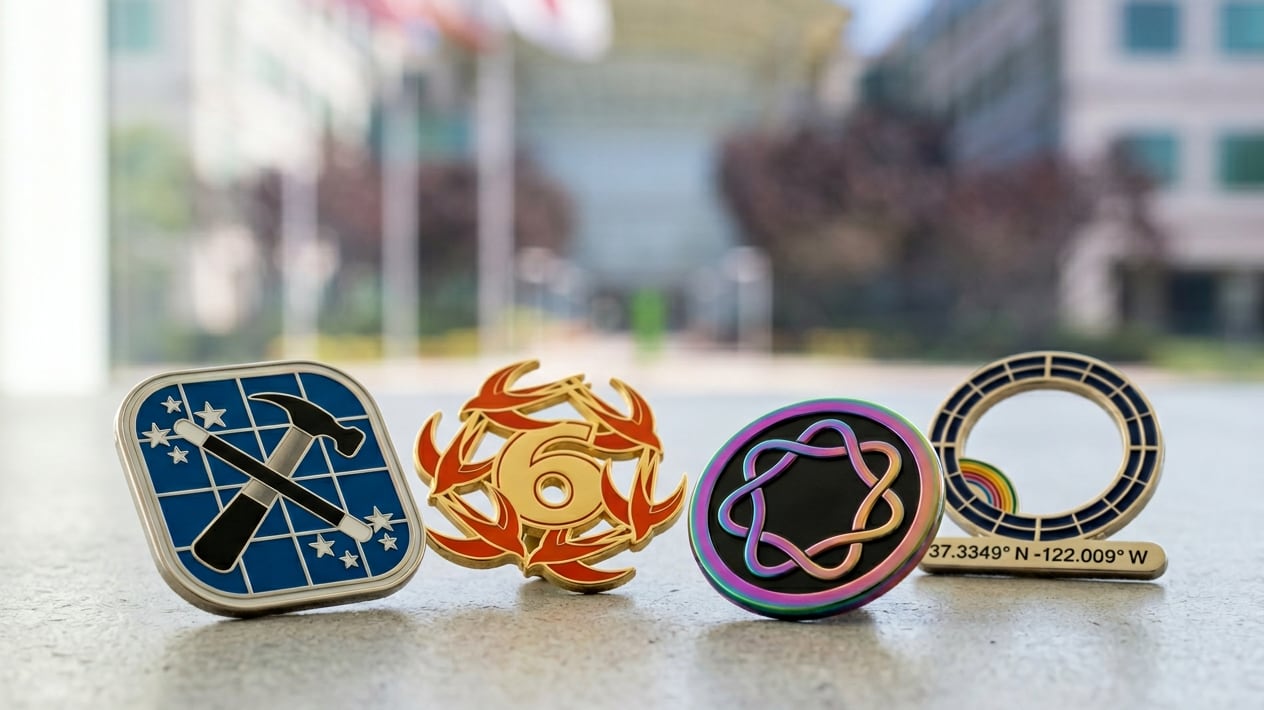
Sauvage has done enamel pin sets in 2021 and 2024, so this is his third offering. There are some add-on pins from prior years available as well.
Apple often designs its own WWDC pins that are given to developers that attend the WWDC Special Event, but the pins are not available for general purchase.
This article, "Apple Fan Creates Unofficial WWDC 2026 and 50th Anniversary Enamel Pins" first appeared on MacRumors.com
Discuss this article in our forums
The pins feature the Apple developer logo, the Apple Intelligence icon, Apple's "spaceship" and rainbow at the Apple Park campus, the entrance to Apple's Infinite Loop campus, the Swift logo, and more. A single pin is available for 10 euros, while a full set of eight WWDC-themed pins is priced at 45 euros.
Sauvage has done enamel pin sets in 2021 and 2024, so this is his third offering. There are some add-on pins from prior years available as well.
Apple often designs its own WWDC pins that are given to developers that attend the WWDC Special Event, but the pins are not available for general purchase.
Related Roundup: WWDC 2026
Related Forum: Apple, Inc and Tech Industry
This article, "Apple Fan Creates Unofficial WWDC 2026 and 50th Anniversary Enamel Pins" first appeared on MacRumors.com
Discuss this article in our forums
Recommended Comments
Join the conversation
You can post now and register later. If you have an account, sign in now to post with your account.