_811205.png)
_e196d8.png)
_32b3d9.png)
_1c53fe.png)

In 2022, Apple introduced a new Apple Home architecture that is "more reliable and efficient," and support for the old architecture has now ended.
As expected, the app is no longer working for some users.
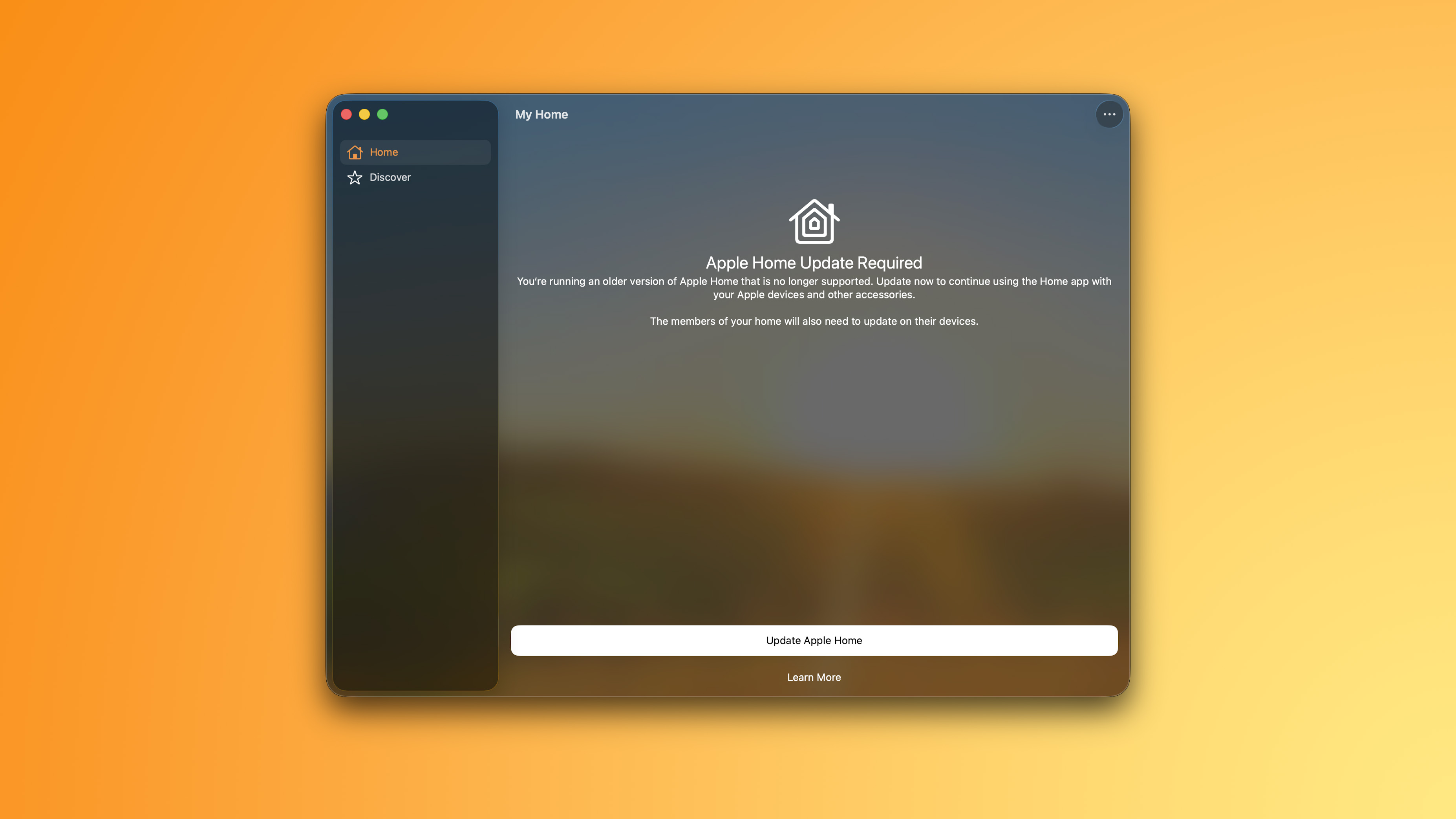
Users who did not update the app by the February 10 deadline now see this message: "You're running an older version of Apple Home that is no longer supported. Update now to continue using the Home app with your Apple devices and other accessories."
"The members of your home will also need to update on their devices," the message adds.
Apple said users who do not upgrade may experience issues with accessories and automations, or lose access to their smart home in the app entirely. In addition, users who do not upgrade will miss out on newer features like robot vacuum cleaner support, and they will not receive important security fixes and performance improvements.
It is still possible to upgrade the app to restore functionality.
Apple explains how to upgrade the Home app on the iPhone, iPad, or Mac:
Open the Home app
Tap or click on the three dots in the upper-right and navigate to Home Settings
Tap or click on Software Update
Tap or click Update Now, then follow the prompts. All of the homes that you own are updated at the same time.
If you see "This home and all accessories are up to date," then you are on the current version of the app and no further action is required.
Notably, the newer Apple Home architecture requires a minimum of iOS 16.2, iPadOS 16.2, macOS 13.1, tvOS 16.2, and watchOS 9.2.
More details are available in an Apple support document.
This article, "Apple Home App Stops Working for Some Users as Update Now Required" first appeared on MacRumors.com
Discuss this article in our forums
As expected, the app is no longer working for some users.
Users who did not update the app by the February 10 deadline now see this message: "You're running an older version of Apple Home that is no longer supported. Update now to continue using the Home app with your Apple devices and other accessories."
"The members of your home will also need to update on their devices," the message adds.
Apple said users who do not upgrade may experience issues with accessories and automations, or lose access to their smart home in the app entirely. In addition, users who do not upgrade will miss out on newer features like robot vacuum cleaner support, and they will not receive important security fixes and performance improvements.
It is still possible to upgrade the app to restore functionality.
Apple explains how to upgrade the Home app on the iPhone, iPad, or Mac:
Open the Home app
Tap or click on the three dots in the upper-right and navigate to Home Settings
Tap or click on Software Update
Tap or click Update Now, then follow the prompts. All of the homes that you own are updated at the same time.
If you see "This home and all accessories are up to date," then you are on the current version of the app and no further action is required.
Notably, the newer Apple Home architecture requires a minimum of iOS 16.2, iPadOS 16.2, macOS 13.1, tvOS 16.2, and watchOS 9.2.
More details are available in an Apple support document.
Tags: Apple Home, HomeKit
This article, "Apple Home App Stops Working for Some Users as Update Now Required" first appeared on MacRumors.com
Discuss this article in our forums
Recommended Comments
Join the conversation
You can post now and register later. If you have an account, sign in now to post with your account.