_811205.png)
_e196d8.png)
_32b3d9.png)
_1c53fe.png)

Apple has sent out invites to select creators for an "Apple Experience" in Los Angeles, California, scheduled for January 27 to 29. The event has sparked speculation that Apple will also announce new MacBook Pro models with M5 Pro and M5 Max chips.
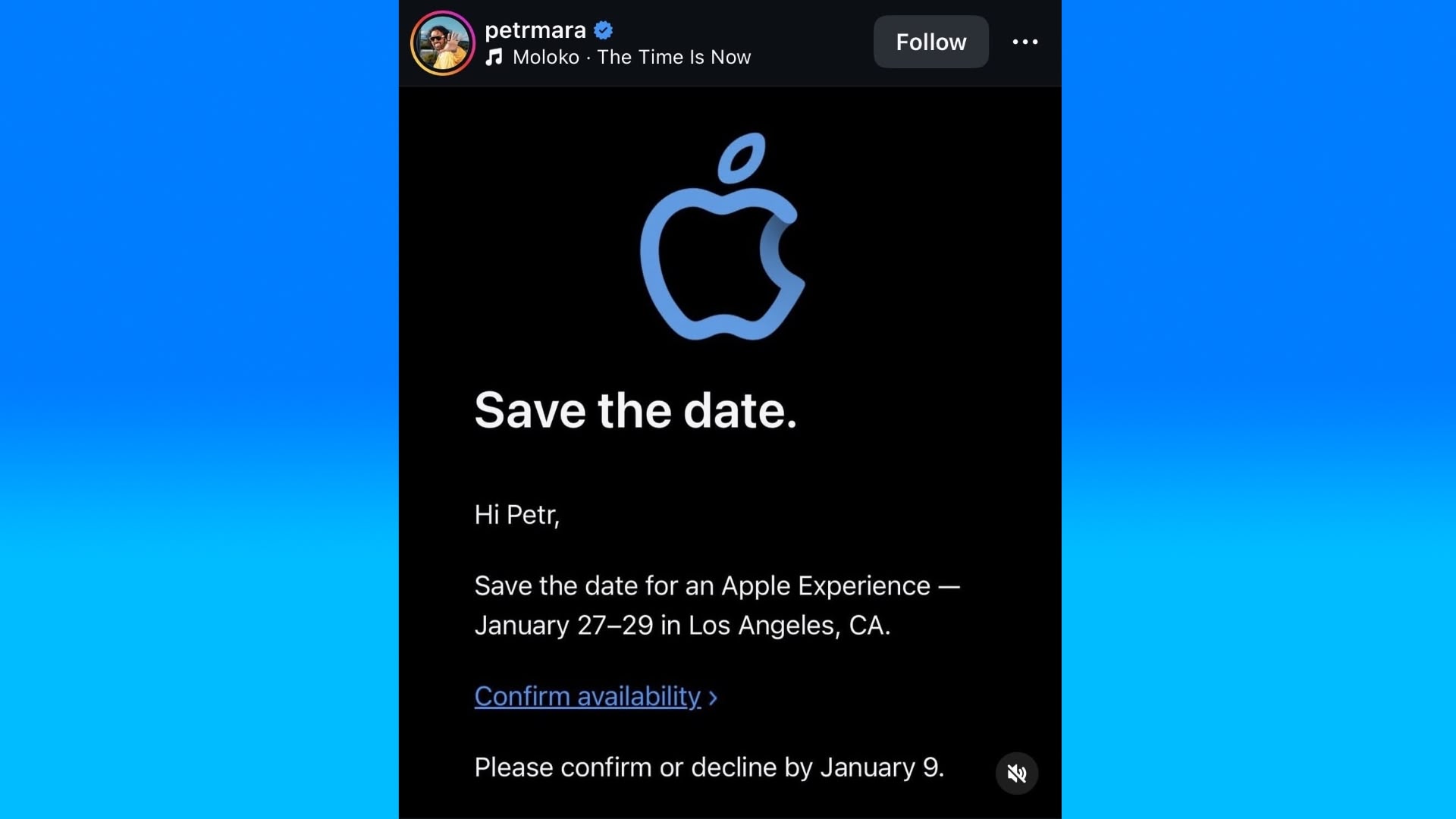
Creator Petr Mara shared an image of his invite on Instagram. Mara was also invited to an Apple event in September to test out the latest iPhone 17 Pro models.
Apple's new Creator Studio bundle of creative apps, announced last week, launches on Wednesday, January 28. Given the bundle includes several professional Mac apps, such Final Cut Pro, Logic Pro, and Pixelmator Pro, there's a good chance that Apple will use the coinciding event as an opportunity to release new MacBook Pro models too.
Also, Apple's next quarterly earnings call is scheduled for Thursday, January 29, and the company has introduced new products shortly before these calls on several occasions.
Apple in October updated the base 14-inch MacBook Pro with an M5 chip, so the higher-end models are due an upgrade. Beyond the processor, the only other notable change to the base model was PCIe 5.0 storage. According to Apple, this delivers up to twice the SSD read and write speeds of the previous generation.
This article, "Apple Invites Creators to LA Event on January 27-29 That Could Coincide With MacBook Pro Announcement" first appeared on MacRumors.com
Discuss this article in our forums
Creator Petr Mara shared an image of his invite on Instagram. Mara was also invited to an Apple event in September to test out the latest iPhone 17 Pro models.
Apple's new Creator Studio bundle of creative apps, announced last week, launches on Wednesday, January 28. Given the bundle includes several professional Mac apps, such Final Cut Pro, Logic Pro, and Pixelmator Pro, there's a good chance that Apple will use the coinciding event as an opportunity to release new MacBook Pro models too.
Also, Apple's next quarterly earnings call is scheduled for Thursday, January 29, and the company has introduced new products shortly before these calls on several occasions.
Apple in October updated the base 14-inch MacBook Pro with an M5 chip, so the higher-end models are due an upgrade. Beyond the processor, the only other notable change to the base model was PCIe 5.0 storage. According to Apple, this delivers up to twice the SSD read and write speeds of the previous generation.
This article, "Apple Invites Creators to LA Event on January 27-29 That Could Coincide With MacBook Pro Announcement" first appeared on MacRumors.com
Discuss this article in our forums
Recommended Comments
Join the conversation
You can post now and register later. If you have an account, sign in now to post with your account.