_811205.png)
_e196d8.png)
_32b3d9.png)
_1c53fe.png)

Apple has designed a limited edition version of the AirPods Pro 3 to celebrate Lunar New Year, and customers in select countries can purchase them starting today. The Year of the Horse Special Edition AirPods Pro 3 feature a unique horse emoji character that's otherwise unavailable.
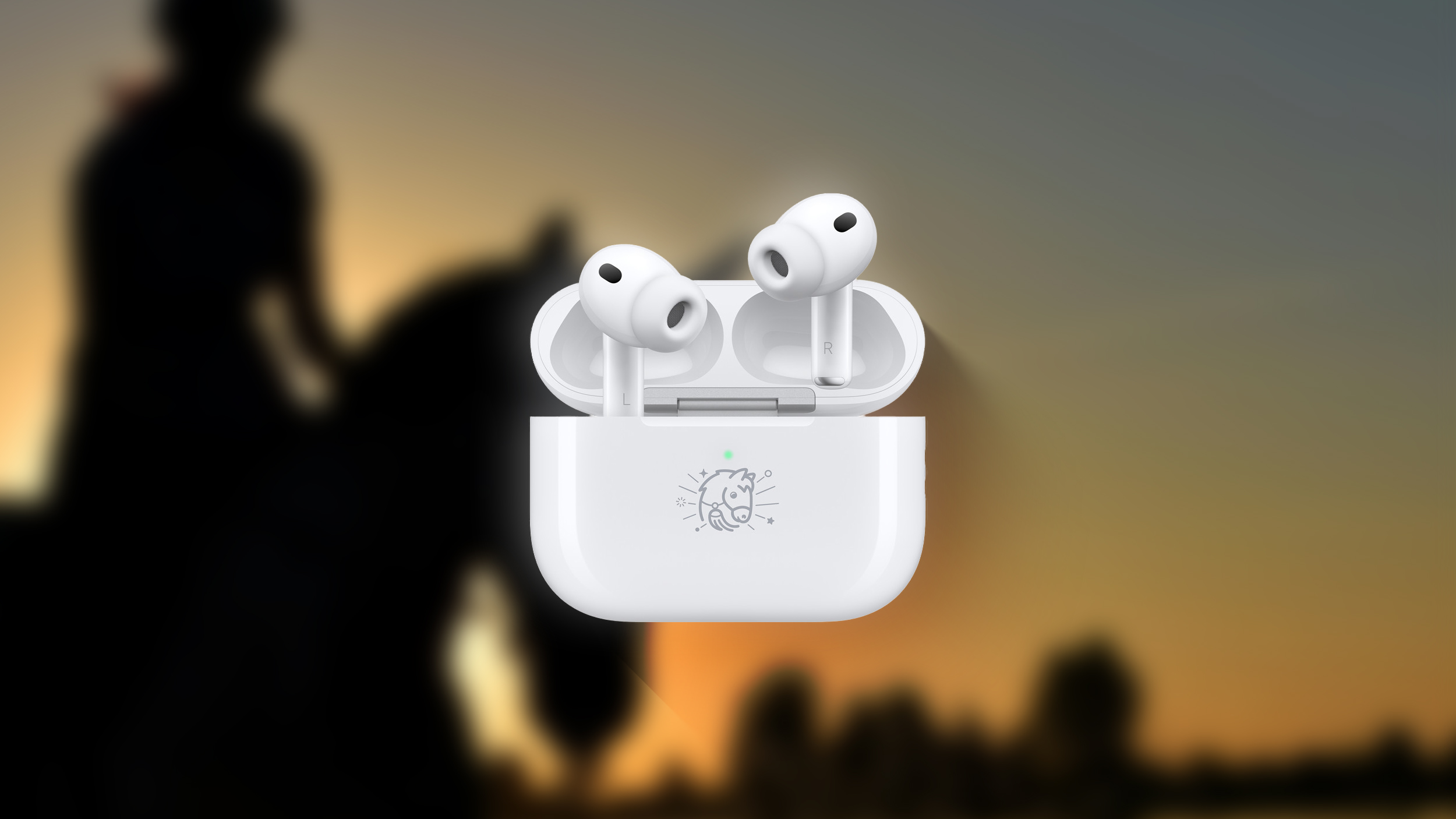
Customers in China, Hong Kong, Taiwan, Malaysia, and Singapore are able to buy the AirPods, and they'll be available as long as supplies last. Lunar New Year begins on Tuesday, February 17 in 2026.
Apple designs special edition AirPods with a custom engraving each year. There have been limited edition AirPods to celebrate the Year of the Dragon, Year of the Ox, Year of the Tiger, Year of the Rabbit, and Year of the Snake.
The special edition AirPods Pro 3 are identical to the standard AirPods Pro 3 and the pricing is the same. The only thing that's different is the engraving. Apple released the AirPods Pro 3 in 2025, introducing improved sound, better Active Noise Cancellation, an updated fit, and heart rate sensing. Orders placed today will begin shipping out to customers on January 8.
Along with special edition AirPods Pro 3, Apple is also selling a selection of Year of the Horse-themed accessories, such as iPhone cases, power banks, AirTag covers, organizers, and travel chargers.
This article, "Apple Launches Year of the Horse AirPods Pro 3 for Lunar New Year" first appeared on MacRumors.com
Discuss this article in our forums
Customers in China, Hong Kong, Taiwan, Malaysia, and Singapore are able to buy the AirPods, and they'll be available as long as supplies last. Lunar New Year begins on Tuesday, February 17 in 2026.
Apple designs special edition AirPods with a custom engraving each year. There have been limited edition AirPods to celebrate the Year of the Dragon, Year of the Ox, Year of the Tiger, Year of the Rabbit, and Year of the Snake.
The special edition AirPods Pro 3 are identical to the standard AirPods Pro 3 and the pricing is the same. The only thing that's different is the engraving. Apple released the AirPods Pro 3 in 2025, introducing improved sound, better Active Noise Cancellation, an updated fit, and heart rate sensing. Orders placed today will begin shipping out to customers on January 8.
Along with special edition AirPods Pro 3, Apple is also selling a selection of Year of the Horse-themed accessories, such as iPhone cases, power banks, AirTag covers, organizers, and travel chargers.
This article, "Apple Launches Year of the Horse AirPods Pro 3 for Lunar New Year" first appeared on MacRumors.com
Discuss this article in our forums
Recommended Comments
Join the conversation
You can post now and register later. If you have an account, sign in now to post with your account.