_811205.png)
_e196d8.png)
_32b3d9.png)
_1c53fe.png)

Apple has launched Apple Music Connect, a new resource for labels, distributors, and partners to manage promotional assets, upload press photos, and help coordinate how artists' music and marketing materials are presented across the streaming service.
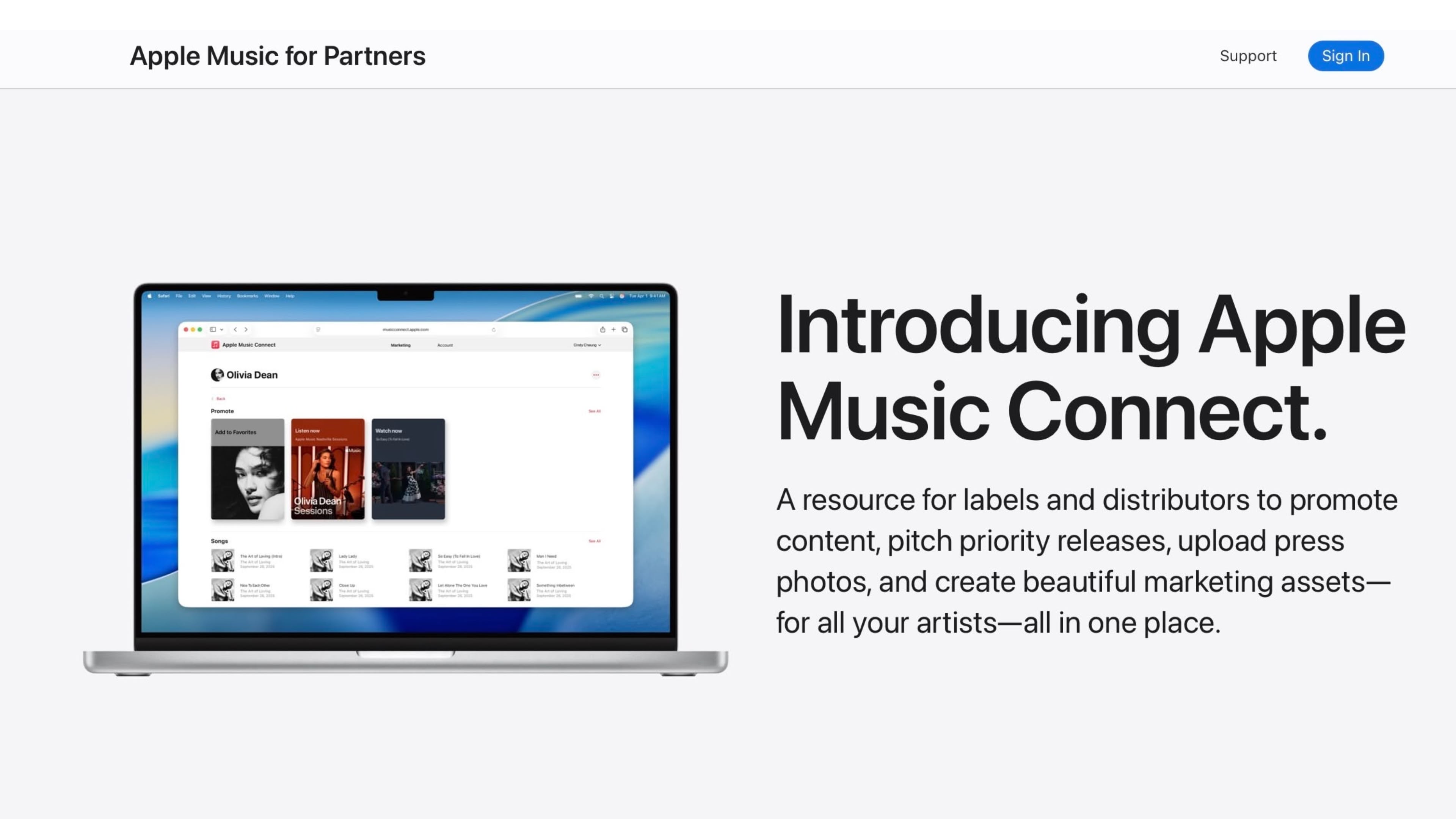
The new online hub includes a range of tools and services for music labels, including:
Promote: Creates promotional artwork and visual assets to support releases across Apple Music surfaces and external channels.
Apple Music Pitch: A way to submit detailed information about upcoming releases for editorial and playlist consideration.
Media Requests: A place for uploading and managing press photos and assets requested by Apple Music for editorial use.
Social Assets: Generates shareable templates for announcing placements, milestones, and releases on social platforms.
Console: A central dashboard to access and manage Apple Music Connect tools and permissions.
Marketing Tools: To generate affiliate links, badges, embeddable players, QR codes, and related promotional materials.
The new Apple Music Connect hub shouldn't be confused with the ill-fated Apple Music Connect social platform, which was shut down in 2018. The social engagement feature let artists directly share content with their fans, but it suffered the same fate as Ping, the company's previous social network for music removed from iTunes in October 2012.
This article, "Apple Music Connect Launches as Promotional Resource for Labels and Distributors" first appeared on MacRumors.com
Discuss this article in our forums
The new online hub includes a range of tools and services for music labels, including:
Promote: Creates promotional artwork and visual assets to support releases across Apple Music surfaces and external channels.
Apple Music Pitch: A way to submit detailed information about upcoming releases for editorial and playlist consideration.
Media Requests: A place for uploading and managing press photos and assets requested by Apple Music for editorial use.
Social Assets: Generates shareable templates for announcing placements, milestones, and releases on social platforms.
Console: A central dashboard to access and manage Apple Music Connect tools and permissions.
Marketing Tools: To generate affiliate links, badges, embeddable players, QR codes, and related promotional materials.
The new Apple Music Connect hub shouldn't be confused with the ill-fated Apple Music Connect social platform, which was shut down in 2018. The social engagement feature let artists directly share content with their fans, but it suffered the same fate as Ping, the company's previous social network for music removed from iTunes in October 2012.
Tag: Apple Music
This article, "Apple Music Connect Launches as Promotional Resource for Labels and Distributors" first appeared on MacRumors.com
Discuss this article in our forums
Recommended Comments
Join the conversation
You can post now and register later. If you have an account, sign in now to post with your account.