_811205.png)
_e196d8.png)
_32b3d9.png)
_1c53fe.png)

The iOS 26.4 update that Apple is beta testing includes a new "Playlist Playground" feature in the Apple Music app that's designed to let users create a playlist with a text-based prompt.
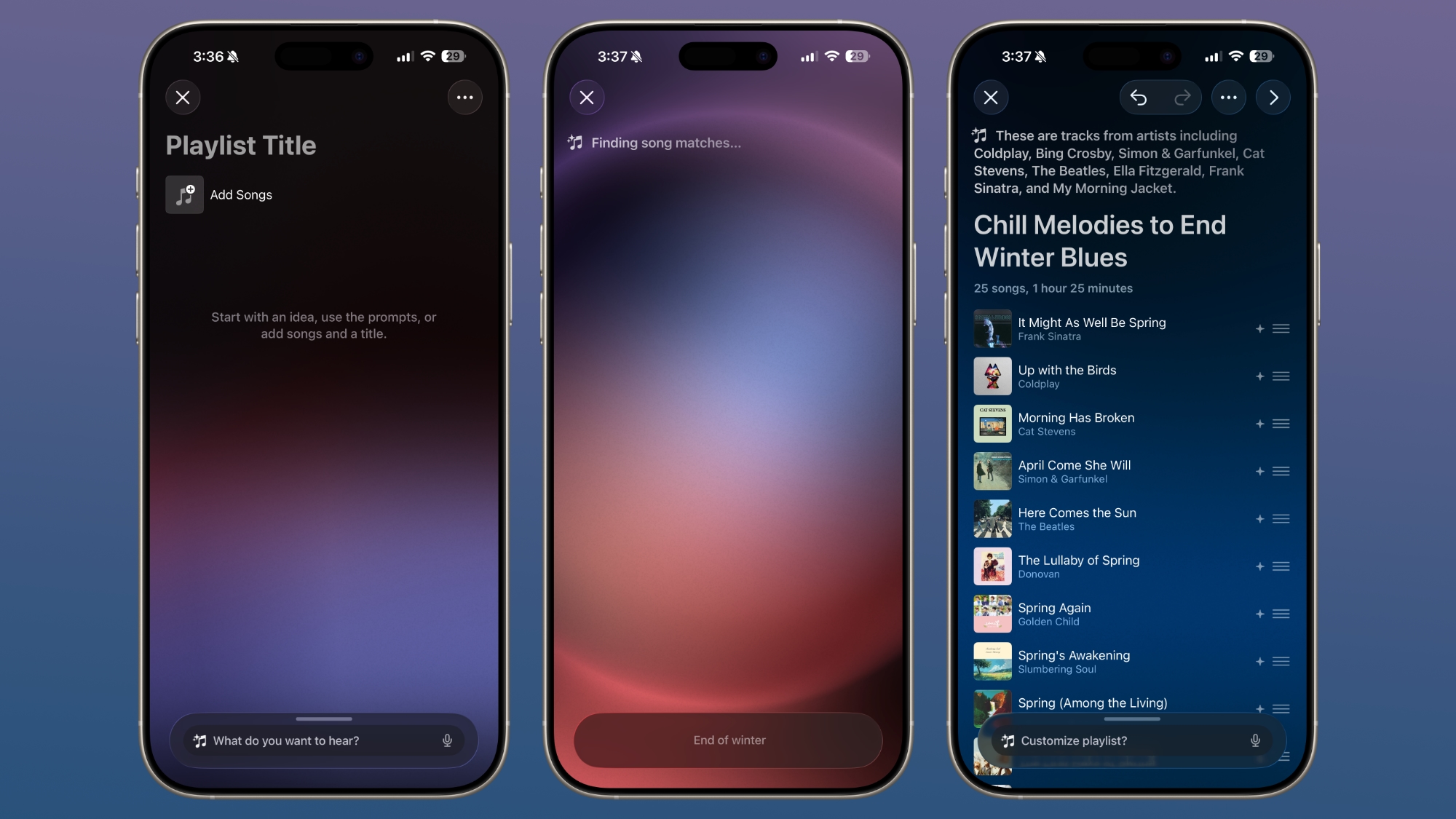
In the Apple Music app, there's an option to type in an idea and get automatic song suggestions for a playlist. Apple has some pre-set suggestions that include "morning coffee music," "hip-hop party songs," and "disco songs that defined the 1970s," but you can type in any idea, mood, or feeling.
From there, the Playlist Playground feature will automatically generate a list of 25 songs, along with a custom title. Playlists that you create can be customized further with additional text prompts, and you can select a cover and a description.
The Playlist Playground is available in the iOS 26.4 beta, and you can get to it by opening up Apple Music, tapping into the Library, and tapping on the "+" button to create a new playlist. If it doesn't show up, you may need to restart your device or the Apple Music app.
Playlists can be shared and displayed on your profile, similar to standard playlists.
iOS 26.4 is limited to developers right now, but Apple will likely release a public beta in the near future. The software will launch in the spring.
This article, "Apple Music 'Playlist Playground' in iOS 26.4 Creates Playlists From Text Prompts" first appeared on MacRumors.com
Discuss this article in our forums
In the Apple Music app, there's an option to type in an idea and get automatic song suggestions for a playlist. Apple has some pre-set suggestions that include "morning coffee music," "hip-hop party songs," and "disco songs that defined the 1970s," but you can type in any idea, mood, or feeling.
From there, the Playlist Playground feature will automatically generate a list of 25 songs, along with a custom title. Playlists that you create can be customized further with additional text prompts, and you can select a cover and a description.
The Playlist Playground is available in the iOS 26.4 beta, and you can get to it by opening up Apple Music, tapping into the Library, and tapping on the "+" button to create a new playlist. If it doesn't show up, you may need to restart your device or the Apple Music app.
Playlists can be shared and displayed on your profile, similar to standard playlists.
iOS 26.4 is limited to developers right now, but Apple will likely release a public beta in the near future. The software will launch in the spring.
Tag: Apple Music
Related Forum: iOS 26
This article, "Apple Music 'Playlist Playground' in iOS 26.4 Creates Playlists From Text Prompts" first appeared on MacRumors.com
Discuss this article in our forums
Recommended Comments
Join the conversation
You can post now and register later. If you have an account, sign in now to post with your account.