_811205.png)
_e196d8.png)
_32b3d9.png)
_1c53fe.png)

Apple Music subscribers can now access their Replay 2026 playlist, which is rolling out to users who meet Apple's minimum listening requirements for the year.
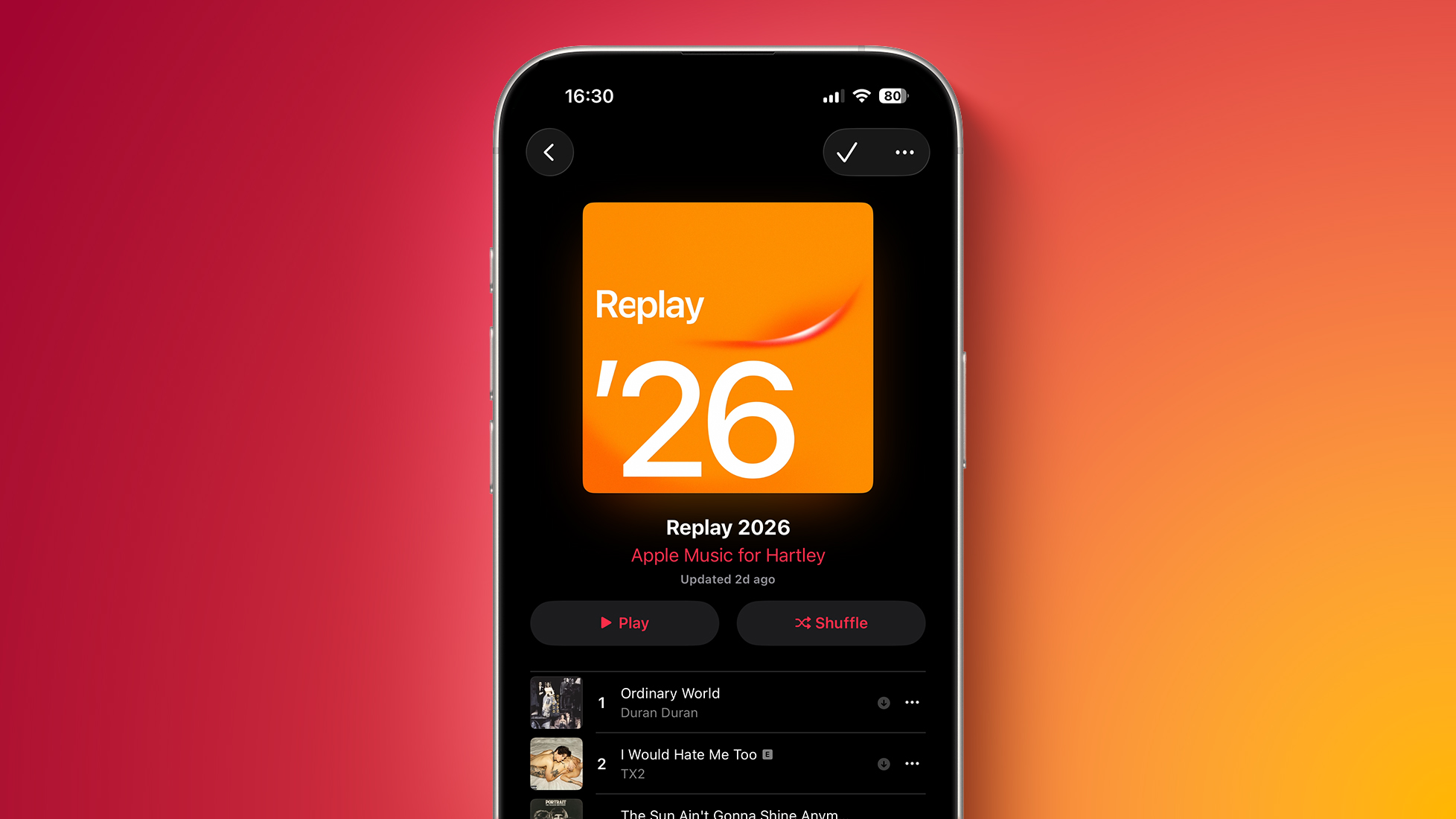
As in previous years, Replay 2026 ranks your most-played songs on Apple Music from 1 to 100, updating weekly as your listening habits evolve throughout 2026. Apple typically activates Replay in early February, once January listening data has finished processing, allowing subscribers to track their music activity well ahead of the traditional year-end recap.
Unlike a static summary released in December, Replay primarilony functions as an evolving playlist. From its first appearance in February, rankings refresh every weekend, gradually building a complete picture of your top songs across the year. By the time December arrives, Replay 2026 becomes a finalized list of your 100 most-streamed tracks.
Replay 2026 can be accessed directly in the Apple Music app by opening the Home tab, scrolling to the "Replay: Your Top Music" section. It is also available through Apple Music for the web, where users can sign in with their Apple ID. Once the Replay 2026 playlist is added to your library, it updates automatically every week.
New generated playlists can sometimes take several hours to appear. If Replay 2026 does not appear after a short while, the most common causes are disabled listening history or insufficient listening activity. Apple requires listening history to be enabled and enough streamed music to generate rankings. Listening history can be checked in Settings under Music, where "Use Listening History" must be turned on. Light or infrequent listening may delay Replay activation, but the playlist should appear automatically once these conditions are met.
Apple Music Replay has been available annually since 2019, originally launching as a web-only experience with an accompanying playlist. Apple gradually expanded Replay's scope in the following years. From 2022 onward, the feature placed greater emphasis on detailed statistics and visual summaries, including structured breakdowns of listening activity across the year. With more recent updates to Apple Music, Replay's detailed views are now available directly inside the Apple Music app, including monthly breakdowns and expanded listening insights alongside the Replay playlist itself.
This article, "Apple Music Replay 2026 Now Available" first appeared on MacRumors.com
Discuss this article in our forums
As in previous years, Replay 2026 ranks your most-played songs on Apple Music from 1 to 100, updating weekly as your listening habits evolve throughout 2026. Apple typically activates Replay in early February, once January listening data has finished processing, allowing subscribers to track their music activity well ahead of the traditional year-end recap.
Unlike a static summary released in December, Replay primarilony functions as an evolving playlist. From its first appearance in February, rankings refresh every weekend, gradually building a complete picture of your top songs across the year. By the time December arrives, Replay 2026 becomes a finalized list of your 100 most-streamed tracks.
Replay 2026 can be accessed directly in the Apple Music app by opening the Home tab, scrolling to the "Replay: Your Top Music" section. It is also available through Apple Music for the web, where users can sign in with their Apple ID. Once the Replay 2026 playlist is added to your library, it updates automatically every week.
New generated playlists can sometimes take several hours to appear. If Replay 2026 does not appear after a short while, the most common causes are disabled listening history or insufficient listening activity. Apple requires listening history to be enabled and enough streamed music to generate rankings. Listening history can be checked in Settings under Music, where "Use Listening History" must be turned on. Light or infrequent listening may delay Replay activation, but the playlist should appear automatically once these conditions are met.
Apple Music Replay has been available annually since 2019, originally launching as a web-only experience with an accompanying playlist. Apple gradually expanded Replay's scope in the following years. From 2022 onward, the feature placed greater emphasis on detailed statistics and visual summaries, including structured breakdowns of listening activity across the year. With more recent updates to Apple Music, Replay's detailed views are now available directly inside the Apple Music app, including monthly breakdowns and expanded listening insights alongside the Replay playlist itself.
Tag: Apple Music
This article, "Apple Music Replay 2026 Now Available" first appeared on MacRumors.com
Discuss this article in our forums
Recommended Comments
Join the conversation
You can post now and register later. If you have an account, sign in now to post with your account.