_811205.png)
_e196d8.png)
_32b3d9.png)
_1c53fe.png)

Apple today re-released the Hikawa Grip & Stand for iPhone in three new colors, after the original version sold out last year. The accessory is available to order on Apple's online store worldwide, with U.S. pricing set at $54.95.
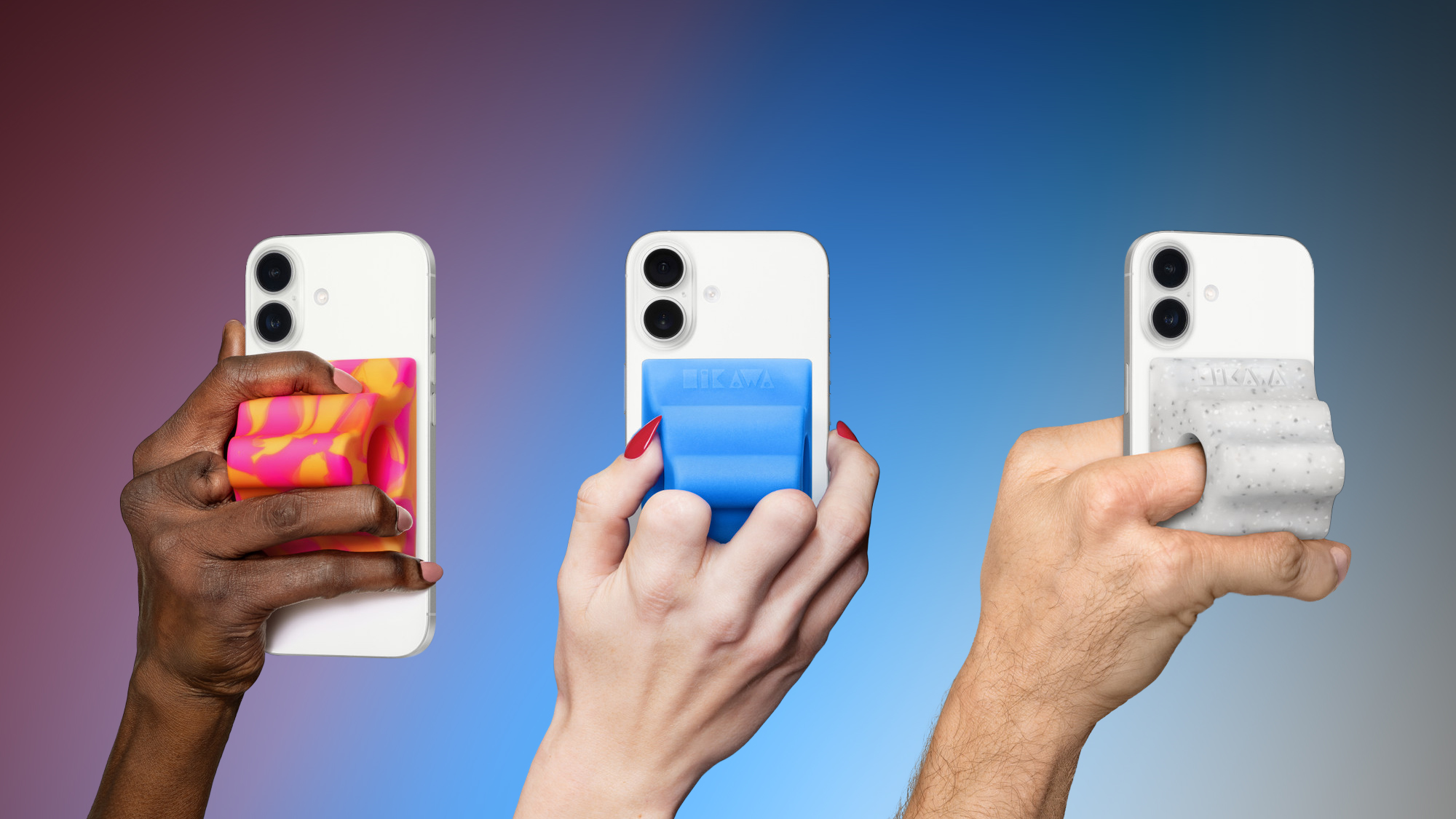
The latest color options include Orange Swirl, Glow Blue, and Speckled Stone.
Designed by Bailey Hikawa and produced by PopSockets, Apple says the accessory was created with accessibility in mind, in close collaboration with individuals with a wide range of disabilities affecting grip, strength, and mobility. The ergonomic grip magnetically attaches to any iPhone with MagSafe, and it doubles as an iPhone stand.
Apple says the grip is made with "premium silicone with a soft touch feel."
Given the accessory is no longer a limited-edition product and is now being mass produced by PopSockets, hopefully supply will be more plentiful this time around. At the time of this writing, Apple's online store in the U.S. is currently showing mid-June delivery estimates for the grip, so there is still a one-month wait.
This article, "Apple Re-Releases a Sold-Out iPhone MagSafe Grip in Three New Colors" first appeared on MacRumors.com
Discuss this article in our forums
The latest color options include Orange Swirl, Glow Blue, and Speckled Stone.
Designed by Bailey Hikawa and produced by PopSockets, Apple says the accessory was created with accessibility in mind, in close collaboration with individuals with a wide range of disabilities affecting grip, strength, and mobility. The ergonomic grip magnetically attaches to any iPhone with MagSafe, and it doubles as an iPhone stand.
Apple says the grip is made with "premium silicone with a soft touch feel."
Given the accessory is no longer a limited-edition product and is now being mass produced by PopSockets, hopefully supply will be more plentiful this time around. At the time of this writing, Apple's online store in the U.S. is currently showing mid-June delivery estimates for the grip, so there is still a one-month wait.
This article, "Apple Re-Releases a Sold-Out iPhone MagSafe Grip in Three New Colors" first appeared on MacRumors.com
Discuss this article in our forums
Recommended Comments
Join the conversation
You can post now and register later. If you have an account, sign in now to post with your account.