_811205.png)
_e196d8.png)
_32b3d9.png)
_1c53fe.png)

Apple today updated its Sports app with weather conditions for F1 Grand Prix races and smaller widget options for both the iPhone's Home Screen and CarPlay.
The widget lets you view scores for your favorite leagues and teams at a glance.
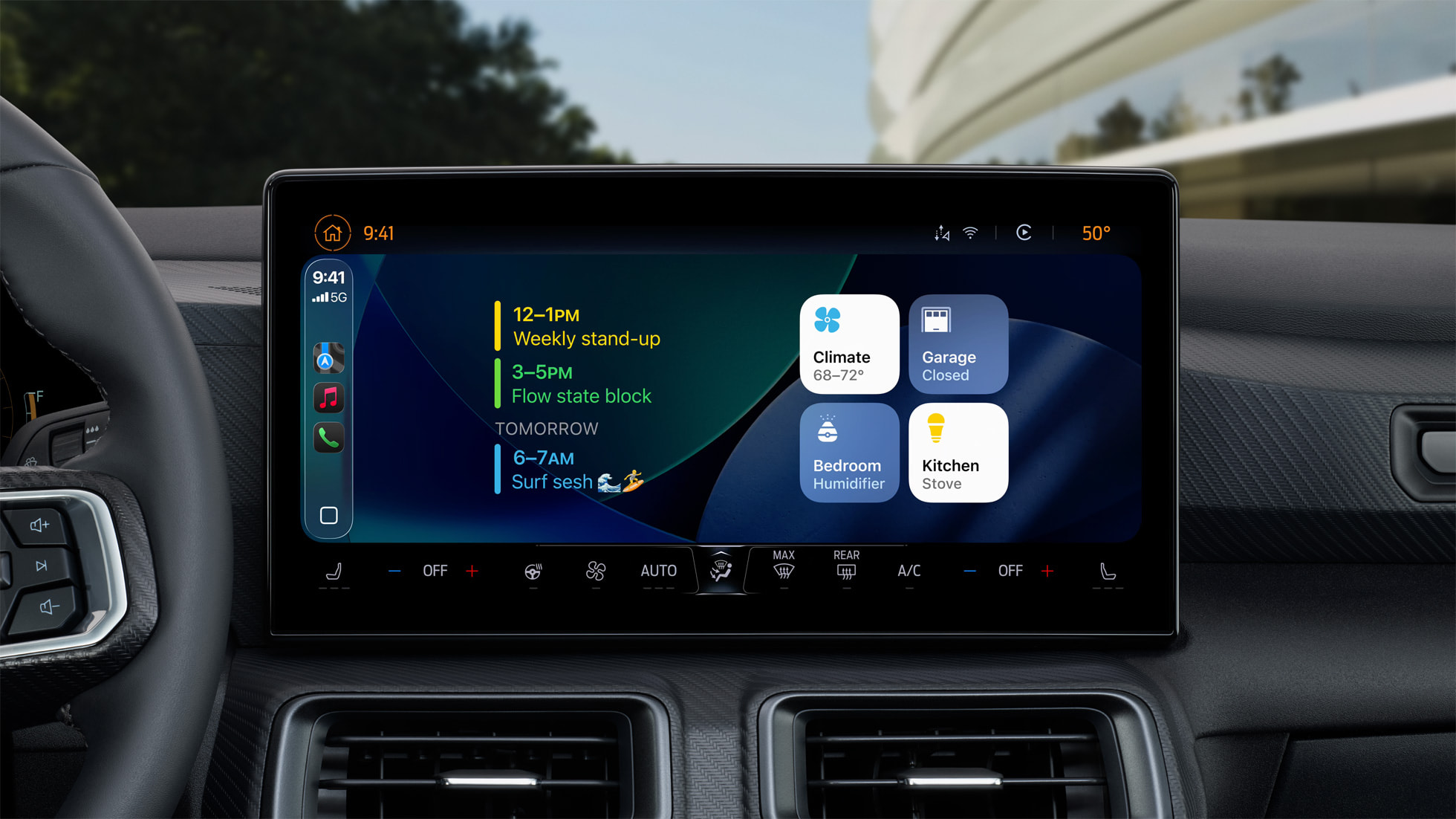
CarPlay gained support for widgets on iOS 26. To view them, swipe right on CarPlay's interface until you reach the Dashboard screen, shown below.
In addition, Apple encourages people to get ready for the 2026 FIFA World Cup by following their favorite teams and exploring the groups of countries in the Apple Sports app before the tournament kicks off on Thursday, June 11.
Here are Apple's release notes for version 3.10 of the app:
This article, "Apple Sports App Receives Two New Features Across iPhone and CarPlay" first appeared on MacRumors.com
Discuss this article in our forums
The widget lets you view scores for your favorite leagues and teams at a glance.
CarPlay gained support for widgets on iOS 26. To view them, swipe right on CarPlay's interface until you reach the Dashboard screen, shown below.
In addition, Apple encourages people to get ready for the 2026 FIFA World Cup by following their favorite teams and exploring the groups of countries in the Apple Sports app before the tournament kicks off on Thursday, June 11.
Here are Apple's release notes for version 3.10 of the app:
• Get ready for World Cup 2026 — follow your favorite teams and explore the groups on Apple Sports before the tournament kicks off in June.Launched in 2024, the Apple Sports app is available on the iPhone in the U.S., Canada, Mexico, and many countries in Europe, the Caribbean, and Latin America. The app shows scores, stats, standings, and more for a variety of leagues and events, including the NFL, MLB, NBA, NHL, NASCAR, F1, Premier League, PGA TOUR, and more.
• Now F1 fans can see weather conditions for each Grand Prix. Check track temperature, wind speed, and more.
• Smaller widgets are now available for Apple Sports, so you can keep up with your favorite teams and leagues in more places, including CarPlay.
Related Roundup: CarPlay
Tag: Apple Sports
Related Forum: HomePod, HomeKit, CarPlay, Home & Auto Technology
This article, "Apple Sports App Receives Two New Features Across iPhone and CarPlay" first appeared on MacRumors.com
Discuss this article in our forums
Recommended Comments
Join the conversation
You can post now and register later. If you have an account, sign in now to post with your account.