_811205.png)
_e196d8.png)
_32b3d9.png)
_1c53fe.png)

Due to regulatory action, Apple has agreed to allow alternative app stores, third-party payment systems for in-app purchases, and in-app links to external offers on iOS in Brazil, according to legal news website MLex and Brazilian blog Tecnoblog.
This means that iPhone users in Brazil would gain access to options beyond Apple's App Store, such as the AltStore from Riley Testut and Shane Gill.
The changes must be implemented within 105 days, so Apple has until early April to roll them out. That timeframe might align with the release of iOS 26.4.
Apple has already allowed alternative app stores and/or third-party payment systems on iOS in the EU, Japan, and South Korea, and it will likely be forced to do so in the UK and Australia too, due to similar regulations across those regions.
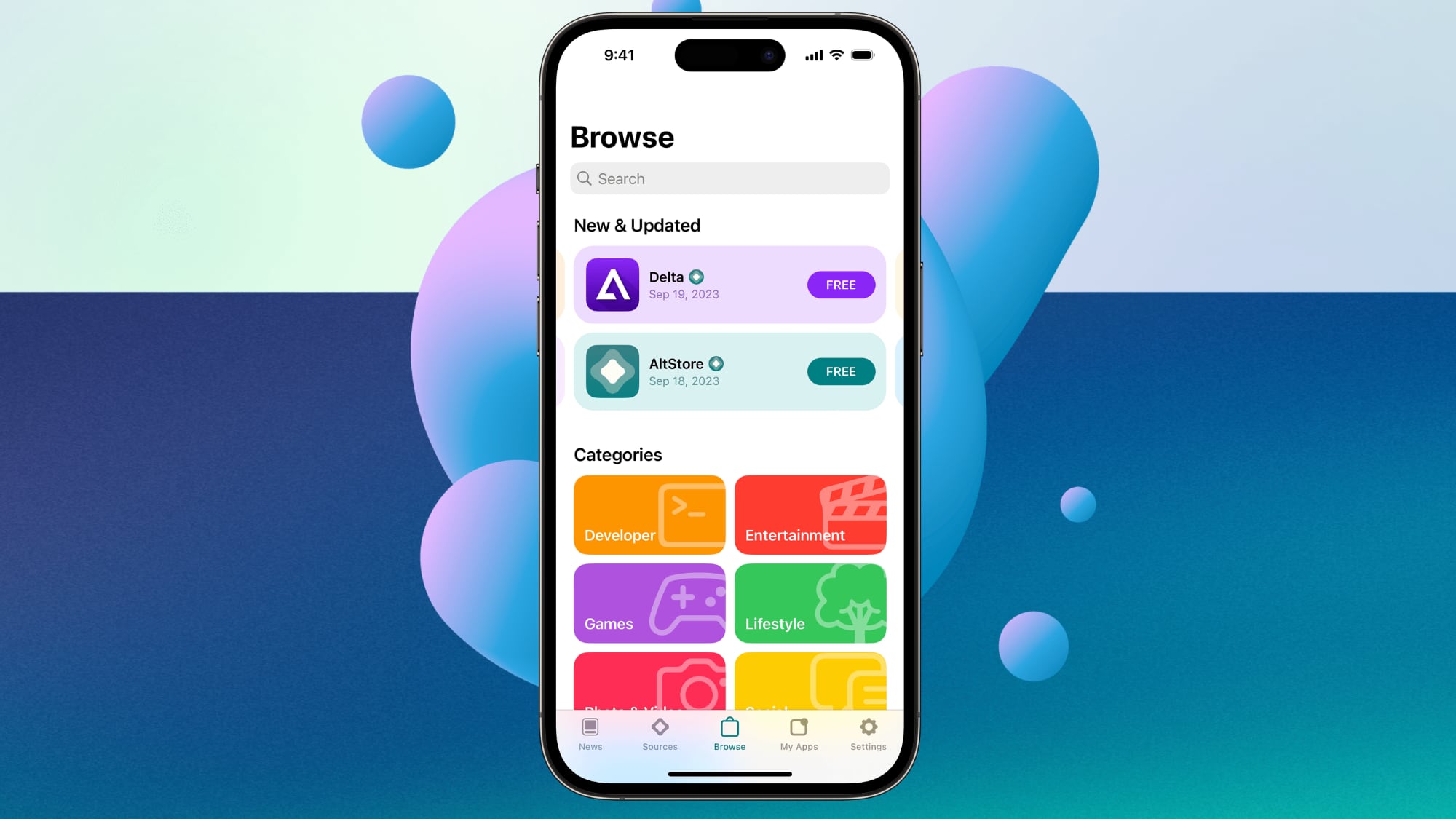 AltStore
Apple has opposed alternative app stores due to privacy and security concerns.
"If you prefer using apps that have met all of Apple's App Review Guidelines, including Apple's standards for privacy, security, and quality, you can use the App Store," says Apple, in a support document about alternative app distribution.
This article, "Apple to Allow Alternative App Stores and More on iOS in Brazil by April" first appeared on MacRumors.com
Discuss this article in our forums
This means that iPhone users in Brazil would gain access to options beyond Apple's App Store, such as the AltStore from Riley Testut and Shane Gill.
The changes must be implemented within 105 days, so Apple has until early April to roll them out. That timeframe might align with the release of iOS 26.4.
Apple has already allowed alternative app stores and/or third-party payment systems on iOS in the EU, Japan, and South Korea, and it will likely be forced to do so in the UK and Australia too, due to similar regulations across those regions.
AltStoreApple has opposed alternative app stores due to privacy and security concerns.
"If you prefer using apps that have met all of Apple's App Review Guidelines, including Apple's standards for privacy, security, and quality, you can use the App Store," says Apple, in a support document about alternative app distribution.
Tag: App Store
Related Forum: iOS 26
This article, "Apple to Allow Alternative App Stores and More on iOS in Brazil by April" first appeared on MacRumors.com
Discuss this article in our forums
Recommended Comments
Join the conversation
You can post now and register later. If you have an account, sign in now to post with your account.