_811205.png)
_e196d8.png)
_32b3d9.png)
_1c53fe.png)

Apple today announced that AirPods will gain a custom EQ (equalizer) feature, allowing users to further personalize how their AirPods sound.
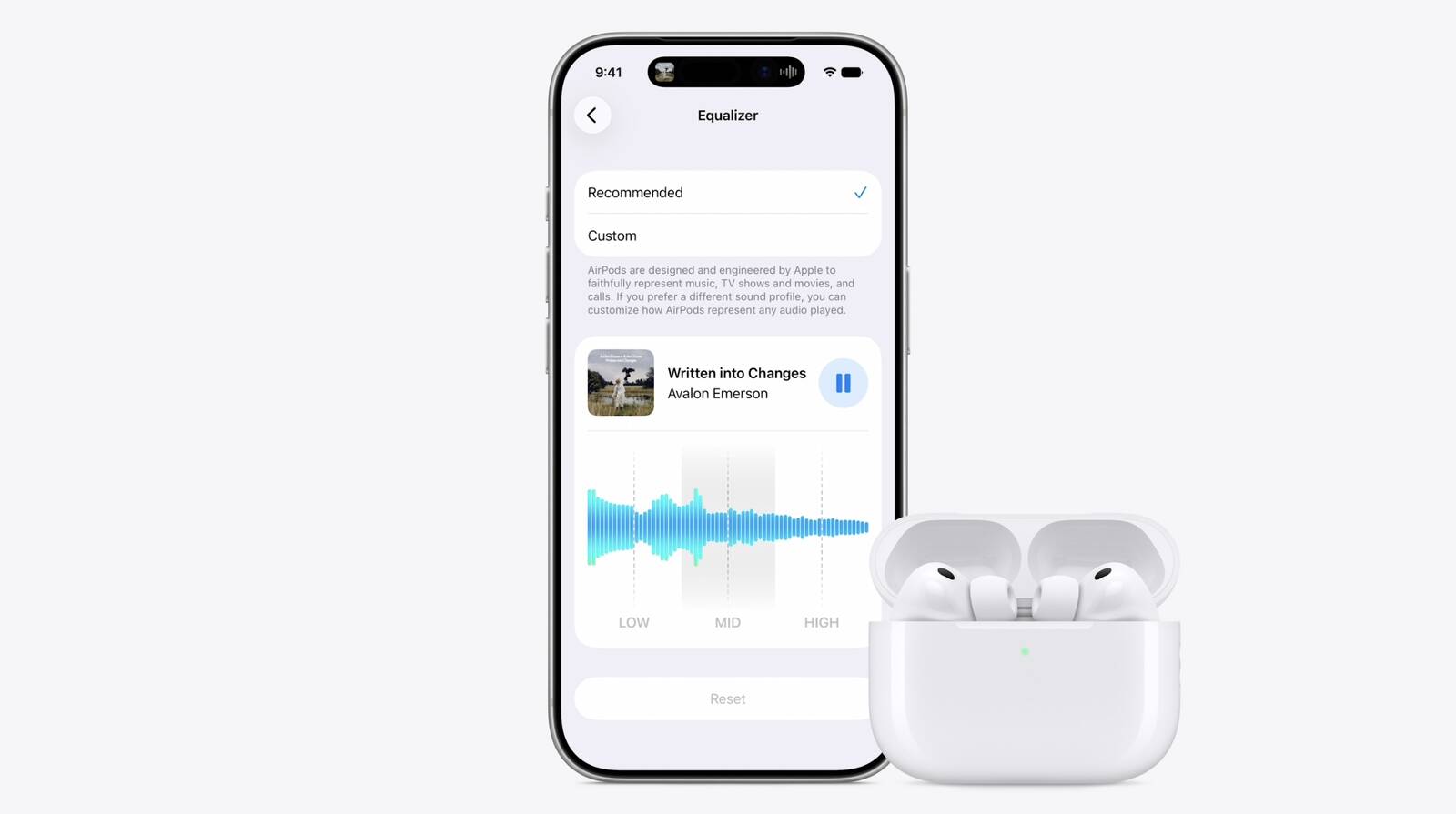
The new capability is part of Apple's next-generation software platform updates, which the company unveiled today. Custom EQ lets listeners adjust audio output to match their personal preferences, going beyond the fixed audio profiles AirPods have offered previously.
Custom EQ lets you adjust the balance of different sound frequencies, including bass, mids, and treble, to tailor audio output to your personal taste. Boosting the bass makes music feel punchier, for example, while lifting the treble adds more clarity to vocals and instruments.
AirPods already support features such as Adaptive Audio, Personalized Spatial Audio, and Conversation Awareness. Custom EQ adds a further layer of tuning on top of those.
This article, "Apple to Bring Custom EQ to AirPods" first appeared on MacRumors.com
Discuss this article in our forums
The new capability is part of Apple's next-generation software platform updates, which the company unveiled today. Custom EQ lets listeners adjust audio output to match their personal preferences, going beyond the fixed audio profiles AirPods have offered previously.
Custom EQ lets you adjust the balance of different sound frequencies, including bass, mids, and treble, to tailor audio output to your personal taste. Boosting the bass makes music feel punchier, for example, while lifting the treble adds more clarity to vocals and instruments.
AirPods already support features such as Adaptive Audio, Personalized Spatial Audio, and Conversation Awareness. Custom EQ adds a further layer of tuning on top of those.
Tag: WWDC 2026
Related Forum: AirPods
This article, "Apple to Bring Custom EQ to AirPods" first appeared on MacRumors.com
Discuss this article in our forums
Recommended Comments
Join the conversation
You can post now and register later. If you have an account, sign in now to post with your account.