_811205.png)
_e196d8.png)
_32b3d9.png)
_1c53fe.png)

Apple at WWDC 2026 today said it has made several responsiveness improvements across its software ecosystem, speeding up system animations, app launching, and much more.
Apple says that launching iPhone and iPad apps is up to 30 percent faster across devices, while new photos taken on iPhone appear in iCloud Photos up to 70 percent faster.
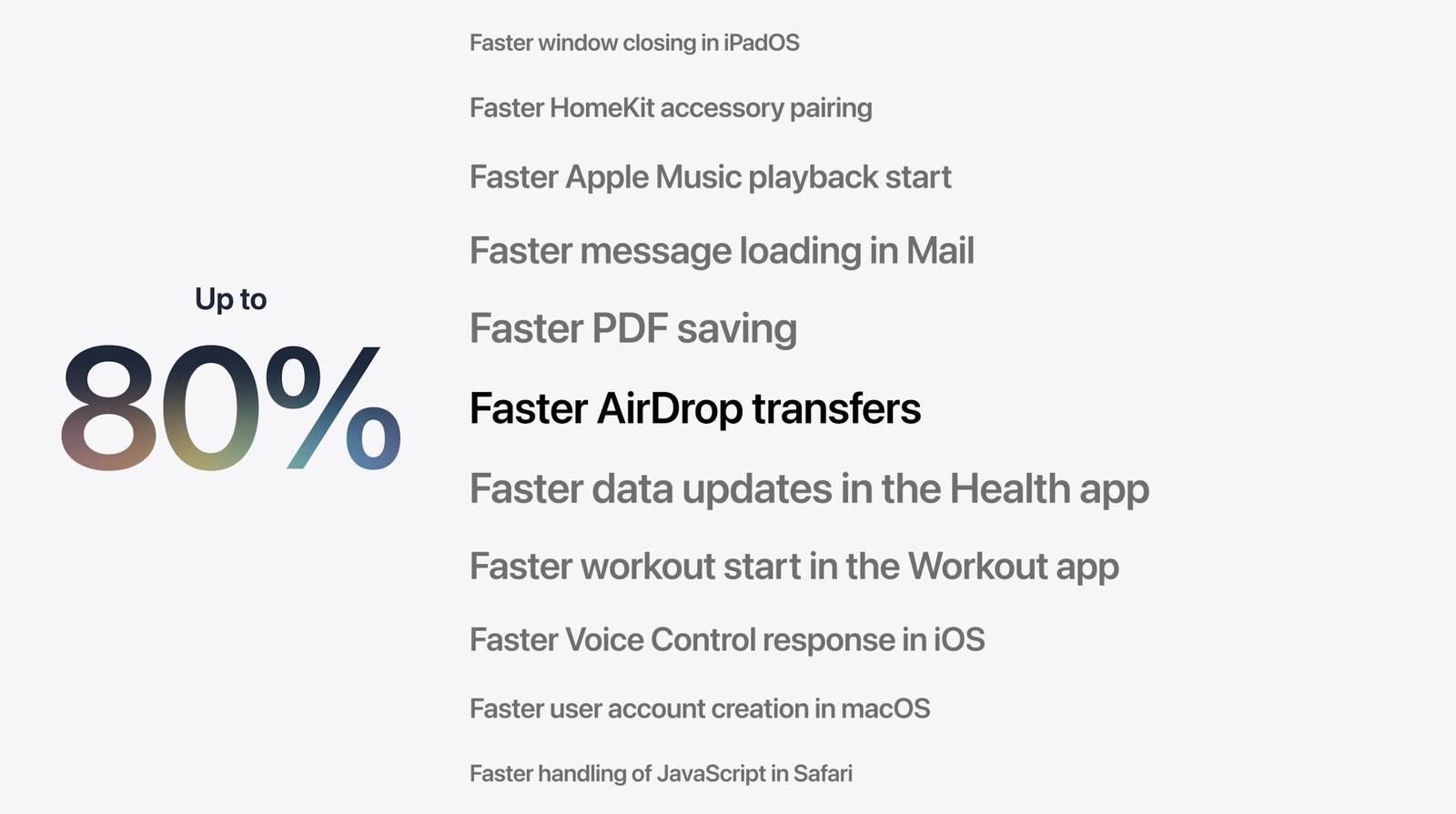
Elsewhere, sharing files between devices over AirDrop is now up to 80 percent faster and transfers in the Files app are up to 50 percent faster. There's also a new CPU scheduler manager that prioritizes jobs and ensures that the right work is executed on time.
Apple also says that network transitions on its mobile devices have been improved, so that switching between cellular data and Wi-Fi when you're out and about feels a lot more seamless.
More details to follow...
This article, "Apple Touts Faster Core Software Features Across Devices" first appeared on MacRumors.com
Discuss this article in our forums
Apple says that launching iPhone and iPad apps is up to 30 percent faster across devices, while new photos taken on iPhone appear in iCloud Photos up to 70 percent faster.
Elsewhere, sharing files between devices over AirDrop is now up to 80 percent faster and transfers in the Files app are up to 50 percent faster. There's also a new CPU scheduler manager that prioritizes jobs and ensures that the right work is executed on time.
Apple also says that network transitions on its mobile devices have been improved, so that switching between cellular data and Wi-Fi when you're out and about feels a lot more seamless.
More details to follow...
Tag: WWDC 2026
This article, "Apple Touts Faster Core Software Features Across Devices" first appeared on MacRumors.com
Discuss this article in our forums
Recommended Comments
Join the conversation
You can post now and register later. If you have an account, sign in now to post with your account.