_811205.png)
_e196d8.png)
_32b3d9.png)
_1c53fe.png)

Apple today introduced a Siri app across iOS 27, iPadOS 27, and macOS Golden Gate, providing users with a dedicated spot to interact with the revamped assistant.
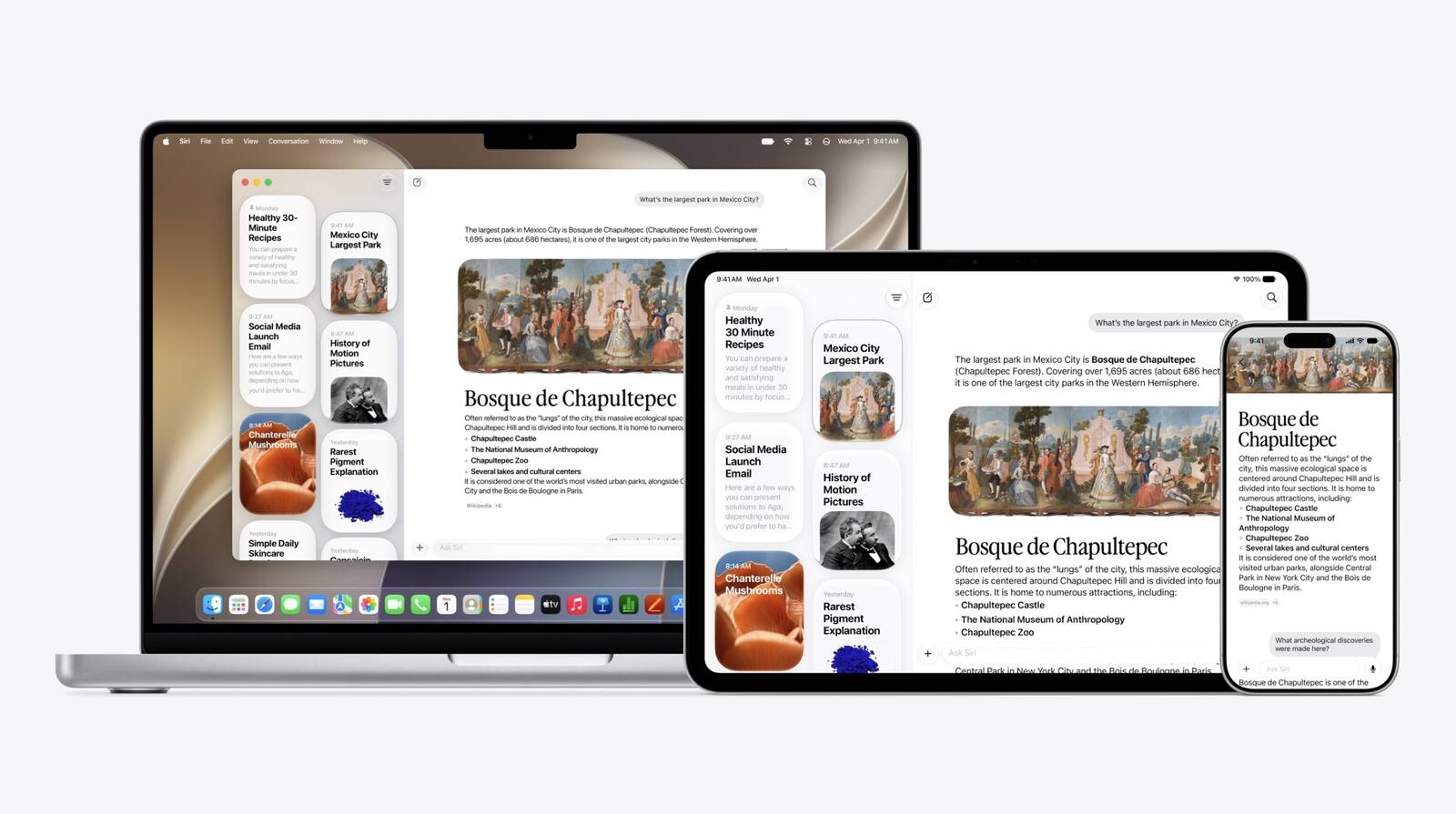
In the Siri app, you can have back-and-forth conversations with Siri in text or voice modes, and your conversation history is synced across your devices via iCloud.
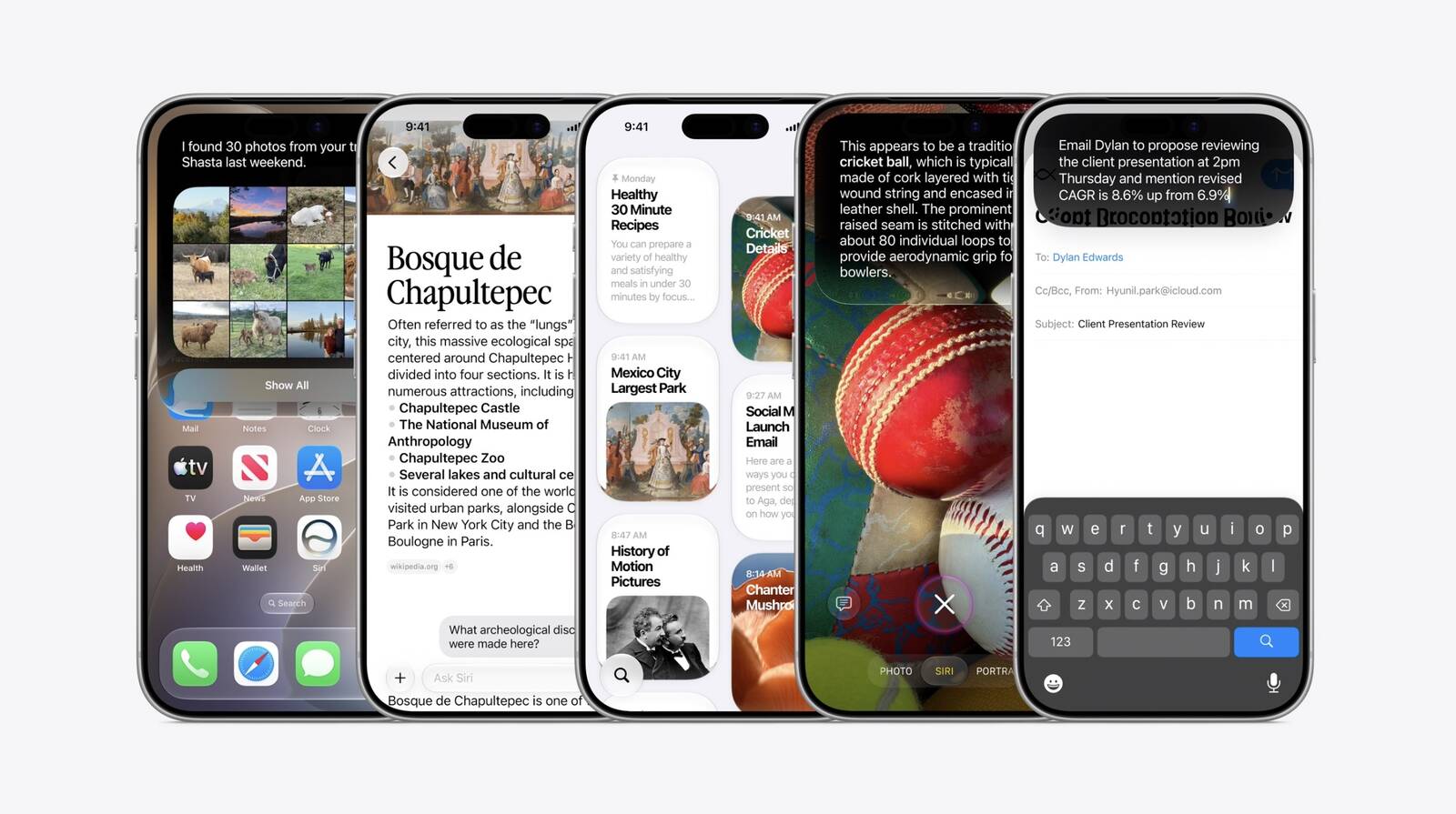
Apple is finally launching its more personalized version of Siri, complete with understanding of your personal context and on-screen awareness. It is called Siri AI, and it will initially be available in English only, according to Apple.
This article, "Apple Unveils All-New Siri App Across iOS 27 and macOS Golden Gate" first appeared on MacRumors.com
Discuss this article in our forums
In the Siri app, you can have back-and-forth conversations with Siri in text or voice modes, and your conversation history is synced across your devices via iCloud.
Apple is finally launching its more personalized version of Siri, complete with understanding of your personal context and on-screen awareness. It is called Siri AI, and it will initially be available in English only, according to Apple.
Tag: Siri
This article, "Apple Unveils All-New Siri App Across iOS 27 and macOS Golden Gate" first appeared on MacRumors.com
Discuss this article in our forums
Recommended Comments
Join the conversation
You can post now and register later. If you have an account, sign in now to post with your account.