_811205.png)
_e196d8.png)
_32b3d9.png)
_1c53fe.png)

While not too much has been reported about the next Apple Watch models, there are a few rumors about potential design changes and watchOS 27 features.
Apple Watch Series 12 and Apple Watch Ultra 4 models are expected to be released in September, and we have outlined some of the key rumored hardware and software changes below. A new Apple Watch SE is not expected this year, as that model was just updated last year and it typically goes two to three years between refreshes.
Apple will unveil watchOS 27 during its WWDC 2026 keynote on Monday, June 8, and a developer beta will likely be available immediately afterwards. A public beta typically follows in July, and the update should be widely released in September.
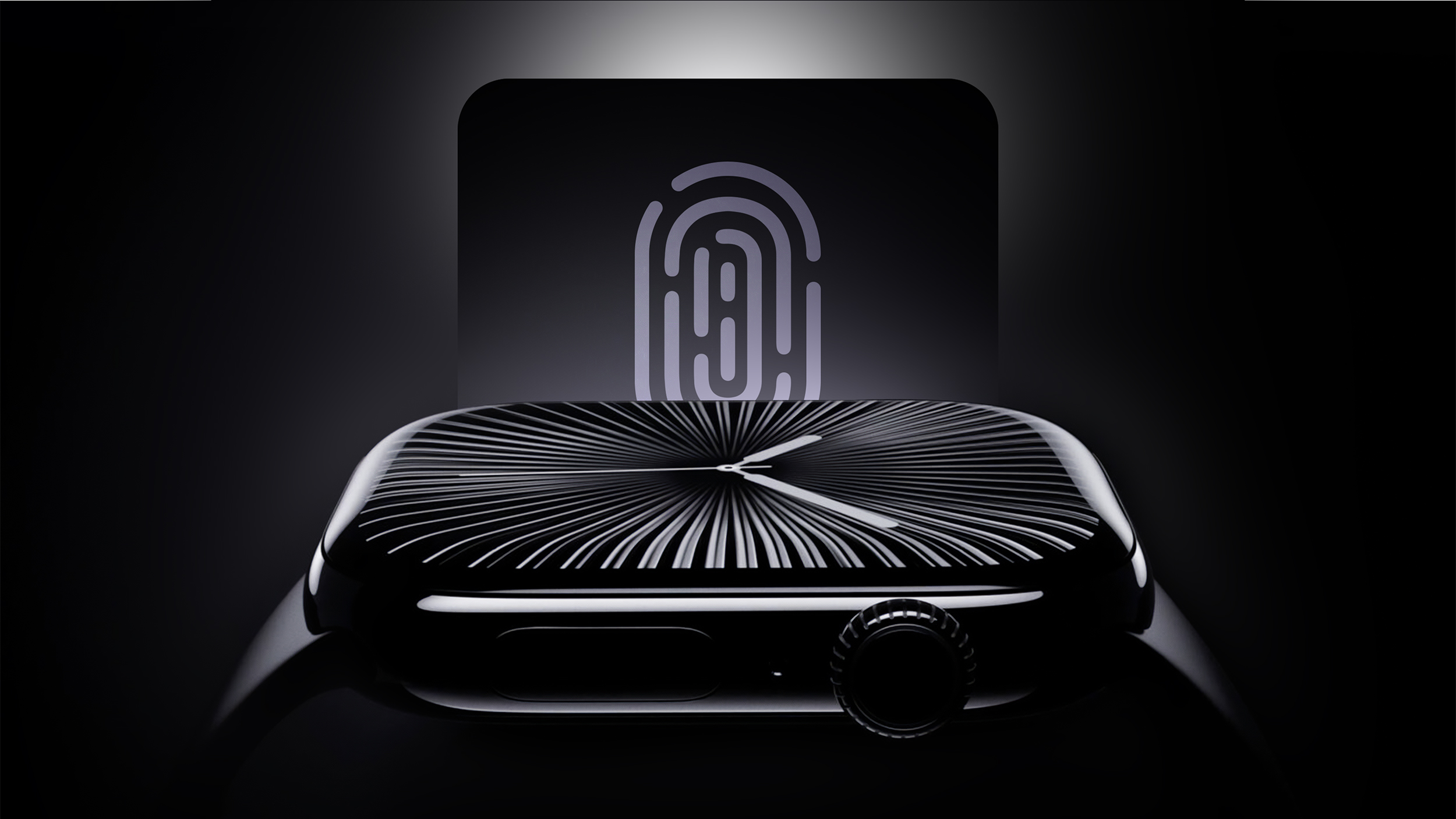
Touch ID may be coming to the Apple Watch Series 12 and Apple Watch Ultra 4, according to internal Apple software code that leaked online last year.
Touch ID would likely be built into the Apple Watch's side button, enabling users to unlock the device with their fingerprint instead of a passcode.
Even though new Touch ID references were discovered within the code, there is no guarantee that Apple will move forward with this plan either this year or ever. In addition, credible sources such as Bloomberg's Mark Gurman and Apple supply chain analyst Ming-Chi Kuo have yet to mention Touch ID coming to the Apple Watch this year.
While the Apple Watch Series 11, Apple Watch Ultra 3, and Apple Watch SE 3 all contain the same S10 chip as the previous year's models, the leaked Apple code indicated that the Series 12 and Ultra 4 will get a new chip. It is unclear if the chip will have S11 or S12 branding, but performance improvements are expected either way.
watchOS 27 will reportedly include new watch faces, including a variant of the "Modular Ultra" watch face that is currently exclusive to the Apple Watch Ultra.
On watchOS 26, the following Apple Intelligence features are available on an Apple Watch when it is paired with an iPhone 15 Pro or newer:
Workout Buddy
Live Translation in Messages
Notification SummariesWhen it announced the dates for WWDC 2026, Apple promised to unveil "AI advancements" across its platforms, and it can be reasonably assumed that watchOS 27 will include some additional Apple Intelligence features powered by the iPhone.
Apple Watch Ultra 3 has built-in satellite connectivity, enabling Emergency SOS, Find My, and Messages via satellite without any reliance on an iPhone.
iOS 27 will reportedly include up to five new satellite features, and the following two would likely extend to watchOS 27:
Photos support for Messages via satelliteAmazon last month announced plans to acquire Globalstar, the satellite company that powers Apple's satellite features on the iPhone 14 and newer and the Apple Watch Ultra 3. In turn, Amazon announced that it has signed an agreement with Apple to provide satellite connectivity for current and future iPhone and Apple Watch features.
This article, "Apple Watch Series 12 and watchOS 27: What to Expect Later This Year" first appeared on MacRumors.com
Discuss this article in our forums
Apple Watch Series 12 and Apple Watch Ultra 4 models are expected to be released in September, and we have outlined some of the key rumored hardware and software changes below. A new Apple Watch SE is not expected this year, as that model was just updated last year and it typically goes two to three years between refreshes.
Apple will unveil watchOS 27 during its WWDC 2026 keynote on Monday, June 8, and a developer beta will likely be available immediately afterwards. A public beta typically follows in July, and the update should be widely released in September.
Touch ID
Touch ID may be coming to the Apple Watch Series 12 and Apple Watch Ultra 4, according to internal Apple software code that leaked online last year.
Touch ID would likely be built into the Apple Watch's side button, enabling users to unlock the device with their fingerprint instead of a passcode.
Even though new Touch ID references were discovered within the code, there is no guarantee that Apple will move forward with this plan either this year or ever. In addition, credible sources such as Bloomberg's Mark Gurman and Apple supply chain analyst Ming-Chi Kuo have yet to mention Touch ID coming to the Apple Watch this year.
New Chips After One-Year Hiatus
While the Apple Watch Series 11, Apple Watch Ultra 3, and Apple Watch SE 3 all contain the same S10 chip as the previous year's models, the leaked Apple code indicated that the Series 12 and Ultra 4 will get a new chip. It is unclear if the chip will have S11 or S12 branding, but performance improvements are expected either way.
New Modular Watch Face
watchOS 27 will reportedly include new watch faces, including a variant of the "Modular Ultra" watch face that is currently exclusive to the Apple Watch Ultra.
New Apple Intelligence Features
On watchOS 26, the following Apple Intelligence features are available on an Apple Watch when it is paired with an iPhone 15 Pro or newer:
Workout Buddy
Live Translation in Messages
Notification SummariesWhen it announced the dates for WWDC 2026, Apple promised to unveil "AI advancements" across its platforms, and it can be reasonably assumed that watchOS 27 will include some additional Apple Intelligence features powered by the iPhone.
New Satellite Features
Apple Watch Ultra 3 has built-in satellite connectivity, enabling Emergency SOS, Find My, and Messages via satellite without any reliance on an iPhone.
iOS 27 will reportedly include up to five new satellite features, and the following two would likely extend to watchOS 27:
- Apple Maps via satellite
Photos support for Messages via satelliteAmazon last month announced plans to acquire Globalstar, the satellite company that powers Apple's satellite features on the iPhone 14 and newer and the Apple Watch Ultra 3. In turn, Amazon announced that it has signed an agreement with Apple to provide satellite connectivity for current and future iPhone and Apple Watch features.
Buyer's Guide: Apple Watch (Caution), Apple Watch Ultra (Neutral)
Related Forum: Apple Watch
This article, "Apple Watch Series 12 and watchOS 27: What to Expect Later This Year" first appeared on MacRumors.com
Discuss this article in our forums
Recommended Comments
Join the conversation
You can post now and register later. If you have an account, sign in now to post with your account.