_811205.png)
_e196d8.png)
_32b3d9.png)
_1c53fe.png)

As part of its environmental efforts, Apple says its new Studio Display and Studio Display XDR boxes feature a collapsible design.
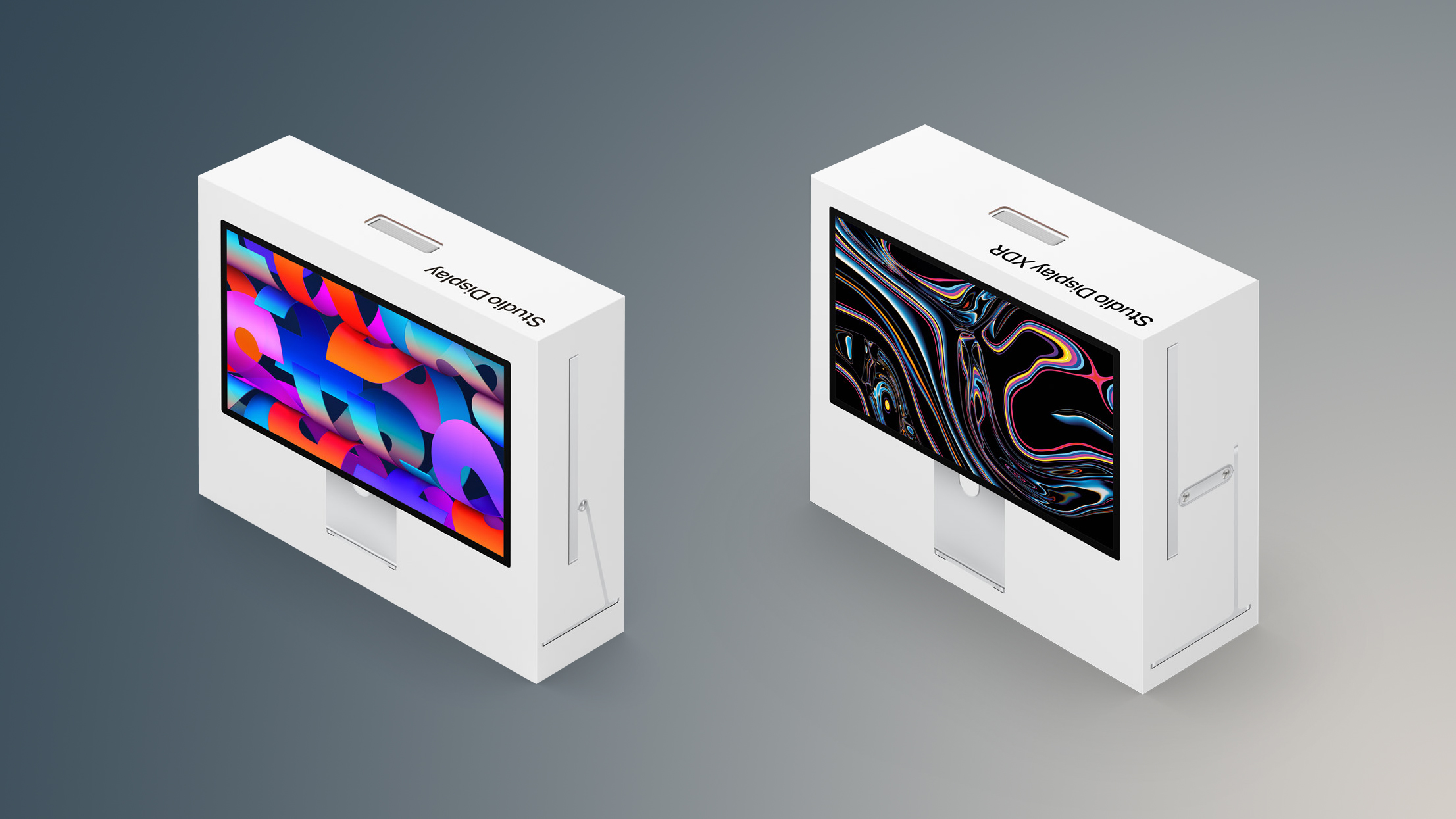
Apple says the boxes can be broken down into smaller pieces that fit in most recycling bins:
To learn more about the new Studio Displays, read our coverage of each model:
Apple Introduces All-New Studio Display XDRThe new Studio Displays are available to pre-order starting Wednesday at 6:15 a.m. Pacific Time.
This article, "Apple's New Studio Display Boxes Designed to Fit in Your Recycling Bin" first appeared on MacRumors.com
Discuss this article in our forums
Apple says the boxes can be broken down into smaller pieces that fit in most recycling bins:
Studio Display has been engineered to reduce its environmental impact. The stand is made with 100 percent recycled aluminum. The standard glass display contains 80 percent recycled glass — an Apple first. And the 100 percent fiber-based box has been extensively redesigned for collapsibility, allowing it to be broken down into smaller pieces that will fit in most household recycling bins.Apple also says both of the new Studio Display models contain 80% recycled glass, which is described as an "Apple first." This feat applies to models with standard glass, not the upgraded anti-reflective, nano-texture glass.
To learn more about the new Studio Displays, read our coverage of each model:
Apple Introduces All-New Studio Display XDRThe new Studio Displays are available to pre-order starting Wednesday at 6:15 a.m. Pacific Time.
Related Roundups: Apple Pro Display XDR, Apple Studio Display
Related Forum: Mac Accessories
This article, "Apple's New Studio Display Boxes Designed to Fit in Your Recycling Bin" first appeared on MacRumors.com
Discuss this article in our forums
Recommended Comments
Join the conversation
You can post now and register later. If you have an account, sign in now to post with your account.