_811205.png)
_e196d8.png)
_32b3d9.png)
_1c53fe.png)

The special-edition Nike Powerbeats Pro 2 are now available to order on Apple.com in the U.S., Canada, Australia, the U.K., and a handful of other countries. These headphones are the same as the regular Powerbeats Pro 2, except they have a two-tone design consisting of black and Nike's signature Volt neon green-yellow color.
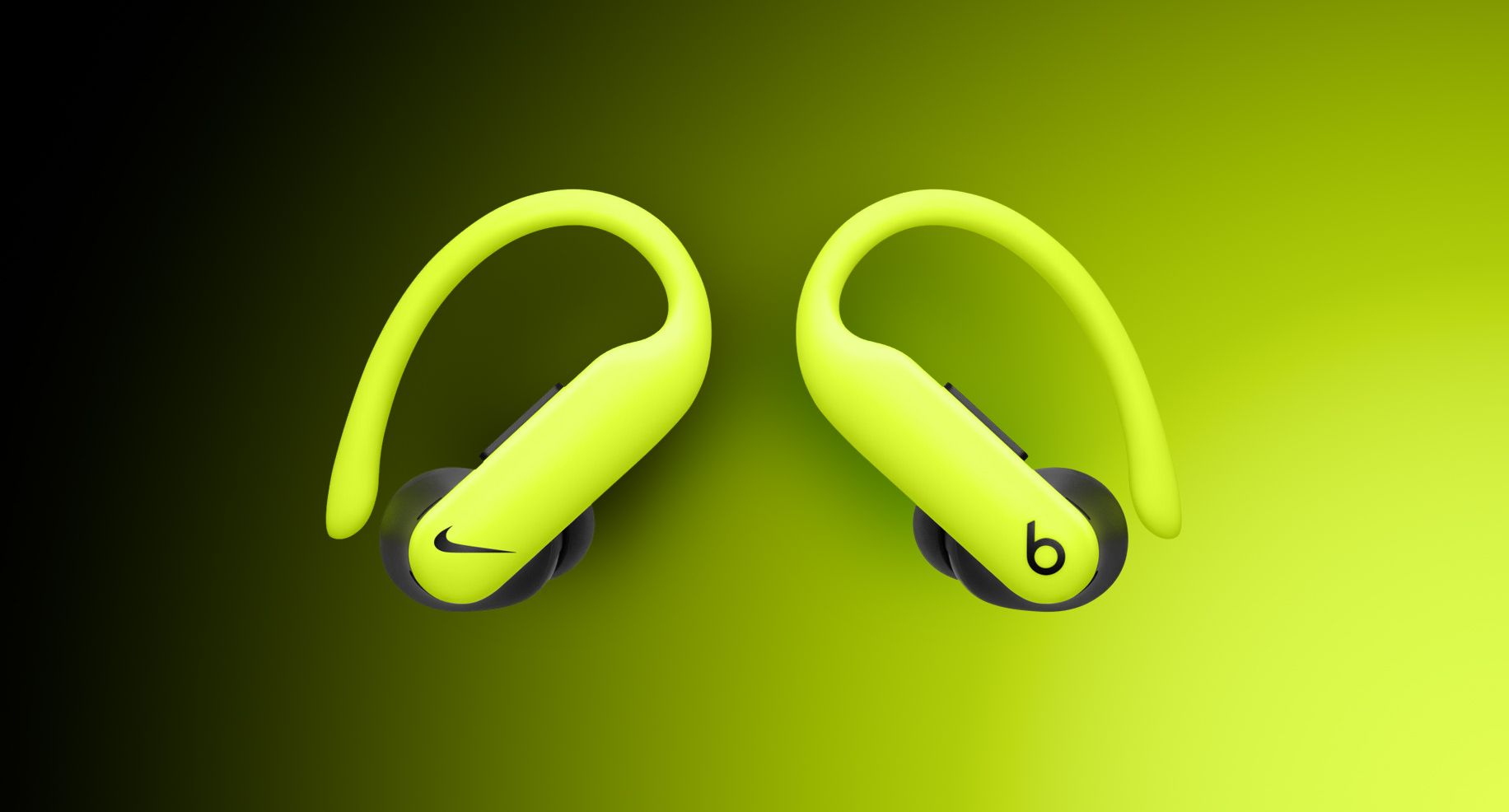
Aside from the Nike-focused design, these are the same Powerbeats Pro 2 that were introduced last year, with the signature Powerbeats wraparound earhooks for stability, Active Noise Cancelling with Transparency mode, built-in heart rate monitoring, and up to 45 hours of battery life when tapping into the charging case to recharge.
Powerbeats Pro 2 are essentially a fitness-focused alternative to the AirPods Pro 3.
Nike showed off the headphones in an ad starring NBA superstar LeBron James.
In the U.S., pricing is set at $249.99, in line with the regular Powerbeats Pro 2. Apple is currently showing a March 24 delivery date.
This article, "Apple's Special-Edition Nike Powerbeats Pro 2 Now Available" first appeared on MacRumors.com
Discuss this article in our forums
Aside from the Nike-focused design, these are the same Powerbeats Pro 2 that were introduced last year, with the signature Powerbeats wraparound earhooks for stability, Active Noise Cancelling with Transparency mode, built-in heart rate monitoring, and up to 45 hours of battery life when tapping into the charging case to recharge.
Powerbeats Pro 2 are essentially a fitness-focused alternative to the AirPods Pro 3.
Nike showed off the headphones in an ad starring NBA superstar LeBron James.
In the U.S., pricing is set at $249.99, in line with the regular Powerbeats Pro 2. Apple is currently showing a March 24 delivery date.
This article, "Apple's Special-Edition Nike Powerbeats Pro 2 Now Available" first appeared on MacRumors.com
Discuss this article in our forums
Recommended Comments
Join the conversation
You can post now and register later. If you have an account, sign in now to post with your account.