_811205.png)
_e196d8.png)
_32b3d9.png)
_1c53fe.png)

Blender's work on a native iPad version of its open source 3D creation suite has been shelved, according to the development team.
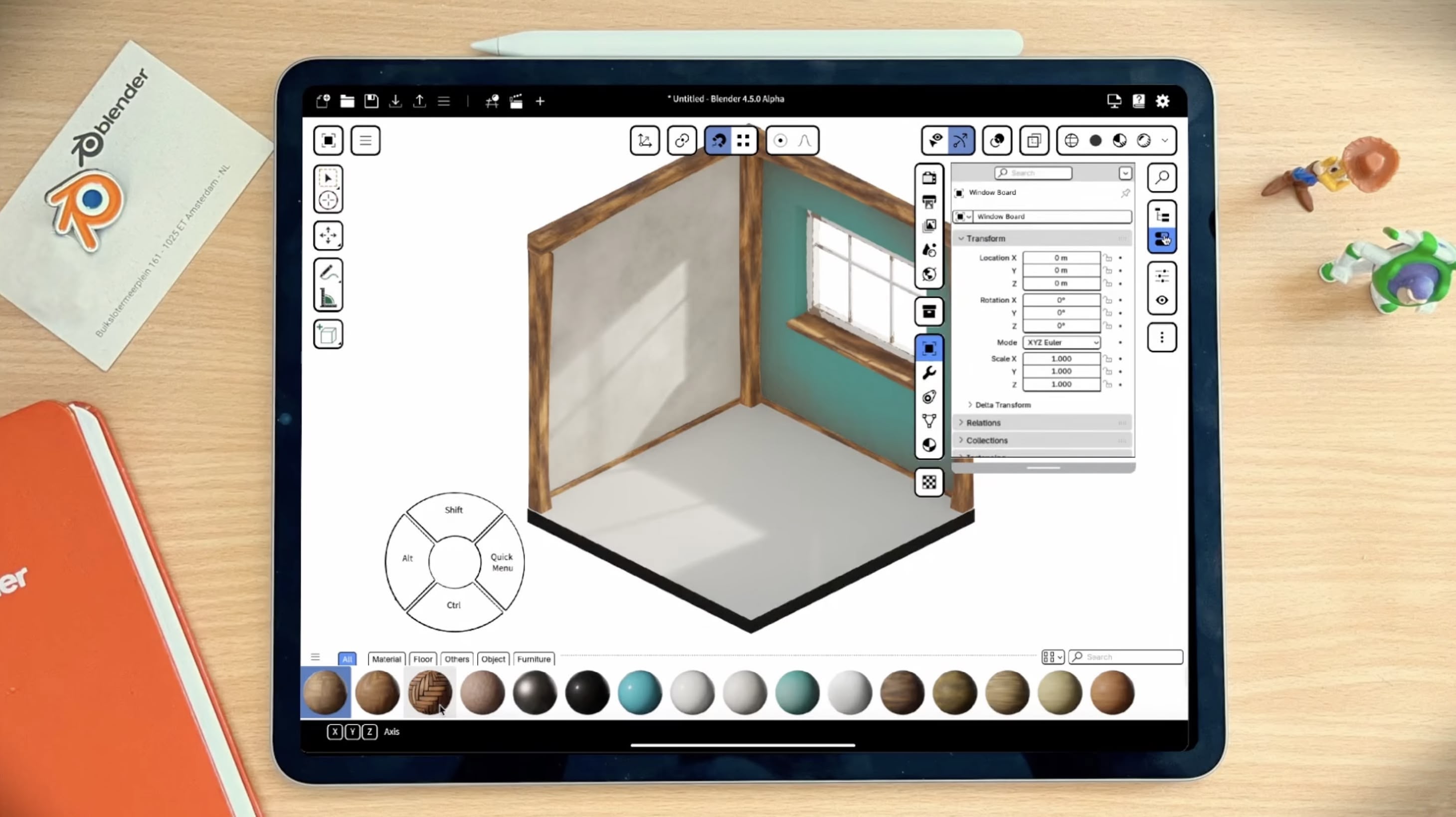
Back in July, Blender revealed that it was developing for iPad, with an iPad Pro version of its desktop software coming first, complete with a fully-featured multitouch interface and support for Apple Pencil Pro. No release date was announced at the time.
Now it doesn't look like that's about to happen anytime soon. In January, a status update appeared on Blender's GitHub page for iPad development saying that the project is on hold until further notice.
No reason for the halt in development was given in the notice. However, as spotted by YouTuber Brad Colbow, in a response to a comment offering help on the project, Blender developer Dalai Felinto said that the team was now focusing on Android tablets first instead.
During the fall at SIGGRAPH in Vancouver, Blender showed a live tech demo of the software running on iPad, so there's still hope that the project isn't completely dead and will resume at some point. We'll update this story if we learn anything more about a development timeline.
The latest Blender build for Apple silicon Macs can be downloaded for free from the Blender website.
This article, "Blender iPad App Development Halted as Android Tablets Get Priority" first appeared on MacRumors.com
Discuss this article in our forums
Back in July, Blender revealed that it was developing for iPad, with an iPad Pro version of its desktop software coming first, complete with a fully-featured multitouch interface and support for Apple Pencil Pro. No release date was announced at the time.
Now it doesn't look like that's about to happen anytime soon. In January, a status update appeared on Blender's GitHub page for iPad development saying that the project is on hold until further notice.
No reason for the halt in development was given in the notice. However, as spotted by YouTuber Brad Colbow, in a response to a comment offering help on the project, Blender developer Dalai Felinto said that the team was now focusing on Android tablets first instead.
During the fall at SIGGRAPH in Vancouver, Blender showed a live tech demo of the software running on iPad, so there's still hope that the project isn't completely dead and will resume at some point. We'll update this story if we learn anything more about a development timeline.
The latest Blender build for Apple silicon Macs can be downloaded for free from the Blender website.
Tag: Blender
This article, "Blender iPad App Development Halted as Android Tablets Get Priority" first appeared on MacRumors.com
Discuss this article in our forums
Recommended Comments
Join the conversation
You can post now and register later. If you have an account, sign in now to post with your account.