_811205.png)
_e196d8.png)
_32b3d9.png)
_1c53fe.png)

Kwikset today announced the Aura Reach, a smart lock that offers Matter over Thread and Bluetooth connectivity. With Matter, the lock is able to connect to HomeKit, allowing it to be controlled through Apple Home or with Siri voice commands.
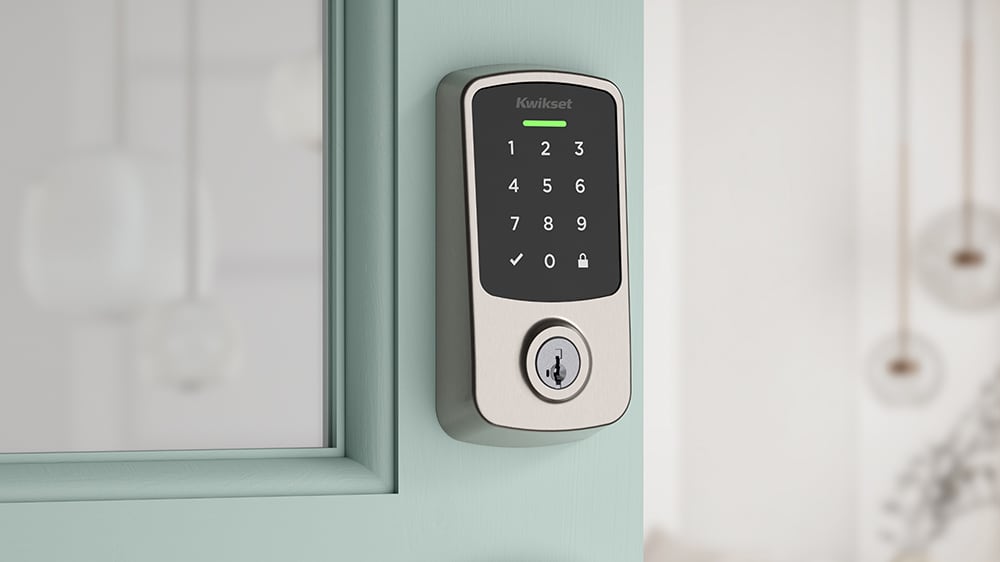
The Aura Reach supports hands-free auto unlock, proximity keypad wakeup, and a guided installation process for easy setup. It is able to be activated alongside other HomeKit and Matter devices using automations in the Apple Home app.
Users can set up temporary access codes for guests, track entry history, and get alerts if someone attempts to use an invalid code. The lock incorporates the Kwikset SmartKey Security, so it can be rekeyed in seconds. The lock is available in satin nickel and black color options.
Unlike some of the higher-end smart locks that have been coming out at CES, the Aura Reach does not include UWB, nor does it work with Apple's Home Key feature.
The Aura Reach is one of several Matter-enabled smart locks in Kwikset's lineup, including the Halo Select and Halo Select Plus. Compared to those locks, it lacks Wi-Fi, Home Key, and door sensing technology that's able to determine whether a door is open or closed.
The Aura Reach is priced at $189 and is available from major retailers like Amazon starting today.
This article, "CES 2026: Kwikset Launches $189 Aura Reach Smart Lock With Matter Integration" first appeared on MacRumors.com
Discuss this article in our forums
The Aura Reach supports hands-free auto unlock, proximity keypad wakeup, and a guided installation process for easy setup. It is able to be activated alongside other HomeKit and Matter devices using automations in the Apple Home app.
Users can set up temporary access codes for guests, track entry history, and get alerts if someone attempts to use an invalid code. The lock incorporates the Kwikset SmartKey Security, so it can be rekeyed in seconds. The lock is available in satin nickel and black color options.
Unlike some of the higher-end smart locks that have been coming out at CES, the Aura Reach does not include UWB, nor does it work with Apple's Home Key feature.
The Aura Reach is one of several Matter-enabled smart locks in Kwikset's lineup, including the Halo Select and Halo Select Plus. Compared to those locks, it lacks Wi-Fi, Home Key, and door sensing technology that's able to determine whether a door is open or closed.
The Aura Reach is priced at $189 and is available from major retailers like Amazon starting today.
Tag: CES 2026
This article, "CES 2026: Kwikset Launches $189 Aura Reach Smart Lock With Matter Integration" first appeared on MacRumors.com
Discuss this article in our forums
Recommended Comments
Join the conversation
You can post now and register later. If you have an account, sign in now to post with your account.