_811205.png)
_e196d8.png)
_32b3d9.png)
_1c53fe.png)

OpenAI today announced that its lower-priced ChatGPT Go subscription tier is now available worldwide, with U.S. pricing set at $8 per month.
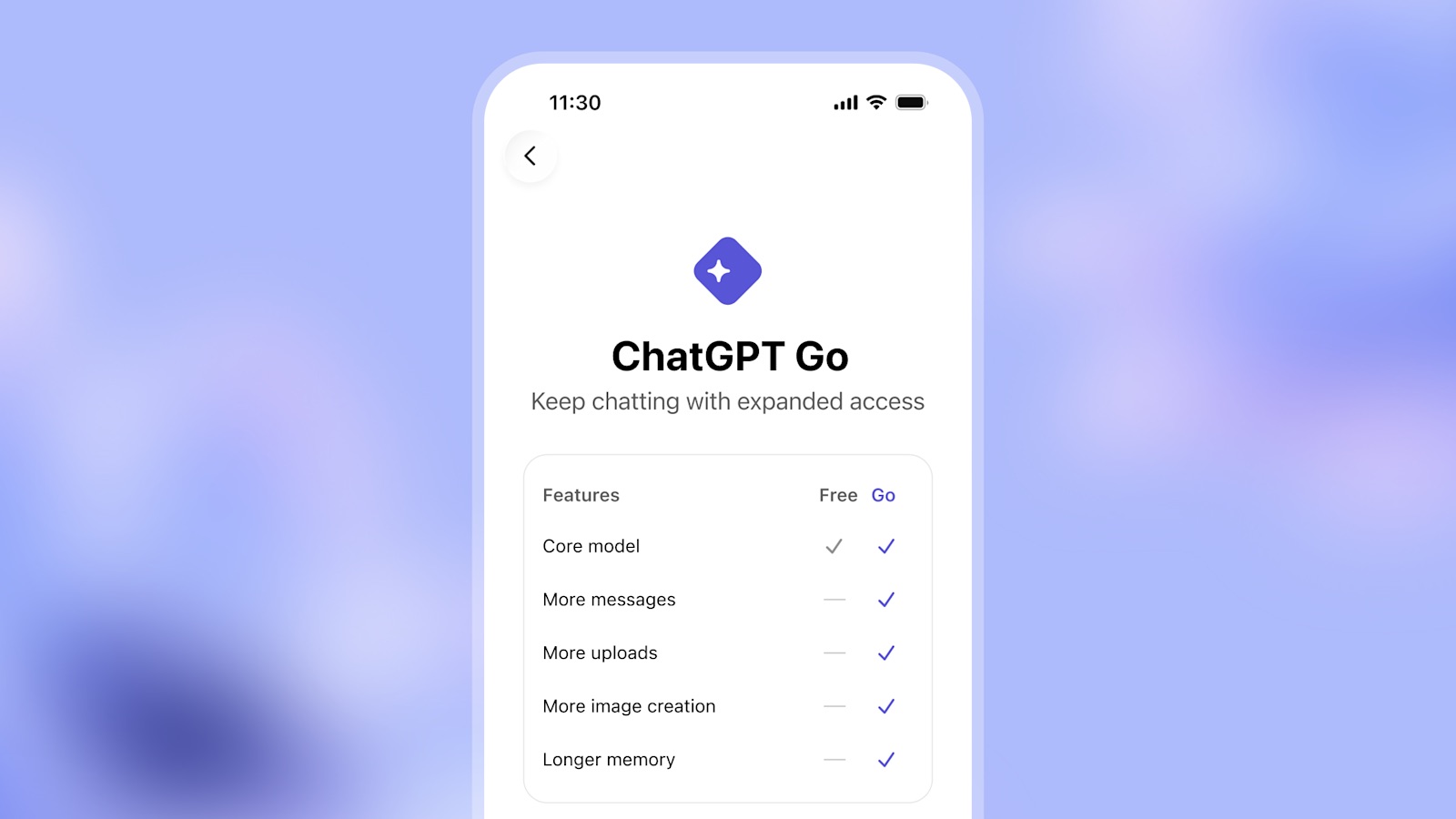
ChatGPT Go provides expanded access to ChatGPT's latest model, GPT‑5.2 Instant, with 10× more messages, file uploads, and image creation allowed compared to the free tier. ChatGPT Go also offers longer memory than the free tier, so that ChatGPT can remember more information about you for a longer period.
ChatGPT now offers three subscription tiers worldwide:
ChatGPT Go: $8/month
ChatGPT Plus: $20/month
ChatGPT Pro: $200/monthChatGPT's more advanced GPT‑5.2 Thinking model still requires ChatGPT Plus or ChatGPT Pro, for tasks that require deeper reasoning.
ChatGPT Go was already available in India and select other countries.
OpenAI also announced that it plans to begin testing ads in both the free and ChatGPT Go tiers in the U.S. soon. ChatGPT Plus and Pro will remain ad-free.
"Ads support our commitment to making AI accessible to everyone by helping us keep ChatGPT available at free and affordable price points," it said.
This article, "ChatGPT Introduces Lower-Priced Subscription Tier With These Features" first appeared on MacRumors.com
Discuss this article in our forums
ChatGPT Go provides expanded access to ChatGPT's latest model, GPT‑5.2 Instant, with 10× more messages, file uploads, and image creation allowed compared to the free tier. ChatGPT Go also offers longer memory than the free tier, so that ChatGPT can remember more information about you for a longer period.
ChatGPT now offers three subscription tiers worldwide:
ChatGPT Go: $8/month
ChatGPT Plus: $20/month
ChatGPT Pro: $200/monthChatGPT's more advanced GPT‑5.2 Thinking model still requires ChatGPT Plus or ChatGPT Pro, for tasks that require deeper reasoning.
ChatGPT Go was already available in India and select other countries.
OpenAI also announced that it plans to begin testing ads in both the free and ChatGPT Go tiers in the U.S. soon. ChatGPT Plus and Pro will remain ad-free.
"Ads support our commitment to making AI accessible to everyone by helping us keep ChatGPT available at free and affordable price points," it said.
This article, "ChatGPT Introduces Lower-Priced Subscription Tier With These Features" first appeared on MacRumors.com
Discuss this article in our forums
Recommended Comments
Join the conversation
You can post now and register later. If you have an account, sign in now to post with your account.