_811205.png)
_e196d8.png)
_32b3d9.png)
_1c53fe.png)

Apple is continuing to test the iOS 26.4 beta, and the latest update is now available for developers and public beta testers. As testing goes on, there are fewer new features in each beta, but today’s release adds new emoji characters and a few other changes.
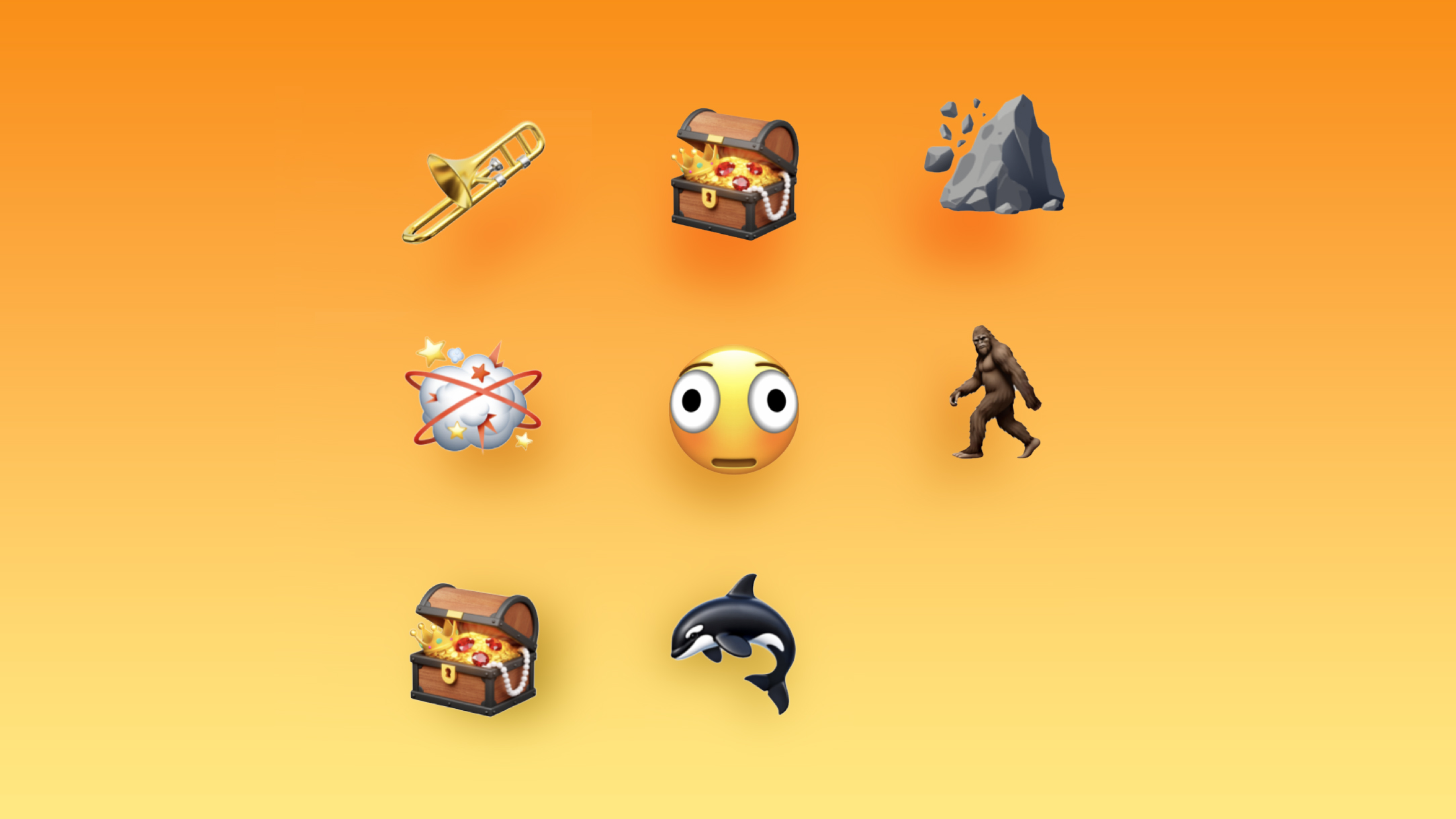
Apple added new emoji characters, including trombone, treasure chest, distorted face, hairy creature, fight cloud, orca, and landslide.
There are also new skin tone modifiers people wrestling and dancers with bunny ears, as well as a gender neutral option for the ballet dancer emoji.
Apple renamed the prior Reduce Highlighting Effects Accessibility setting to “Reduce Bright Effects,” and explained what it does.
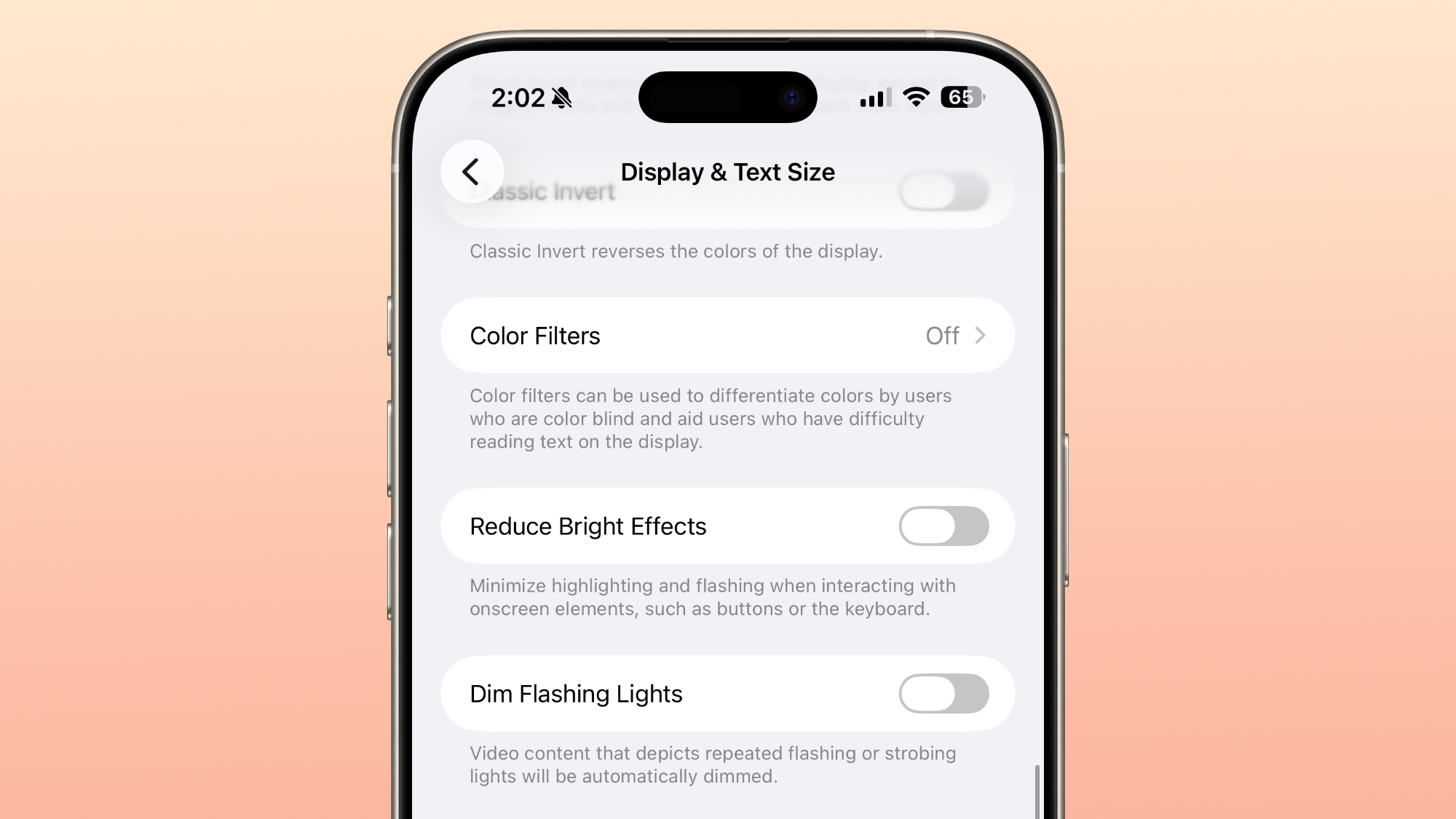
Apple says the feature "minimizes highlighting and flashing when interacting with onscreen elements, such as buttons or the keyboard.
Apple has removed the RCS end-to-end encryption beta in the fourth beta of iOS 26.4 after testing it in the prior three betas. Apple already said that end-to-end encryption for RCS would not launch in the iOS 26.4 update, and would instead be introduced in the future.
Apple tested end-to-end encryption for iPhone-to-iPhone RCS conversations, and iPhone-to-Android conversations. iMessage communications are already encrypted, but in a future iOS update, full implementation of RCS encryption will mean that iPhone-to-Android text message conversations have the same level of encryption.
iOS 26.4 and iPadOS 26.4 beta 4 are the first betas that are able to be installed on the new iPhone 17e and M4 iPad Air.
We have a list of all features found in prior betas in our iOS 26.4 feature guide.
This article, "Everything New in iOS 26.4 Beta 4" first appeared on MacRumors.com
Discuss this article in our forums
New Emoji
Apple added new emoji characters, including trombone, treasure chest, distorted face, hairy creature, fight cloud, orca, and landslide.
There are also new skin tone modifiers people wrestling and dancers with bunny ears, as well as a gender neutral option for the ballet dancer emoji.
Reduce Bright Effects
Apple renamed the prior Reduce Highlighting Effects Accessibility setting to “Reduce Bright Effects,” and explained what it does.
Apple says the feature "minimizes highlighting and flashing when interacting with onscreen elements, such as buttons or the keyboard.
RCS Encrypted Messaging
Apple has removed the RCS end-to-end encryption beta in the fourth beta of iOS 26.4 after testing it in the prior three betas. Apple already said that end-to-end encryption for RCS would not launch in the iOS 26.4 update, and would instead be introduced in the future.
Apple tested end-to-end encryption for iPhone-to-iPhone RCS conversations, and iPhone-to-Android conversations. iMessage communications are already encrypted, but in a future iOS update, full implementation of RCS encryption will mean that iPhone-to-Android text message conversations have the same level of encryption.
New Device Support
iOS 26.4 and iPadOS 26.4 beta 4 are the first betas that are able to be installed on the new iPhone 17e and M4 iPad Air.
More New Features
We have a list of all features found in prior betas in our iOS 26.4 feature guide.
Related Forum: iOS 26
This article, "Everything New in iOS 26.4 Beta 4" first appeared on MacRumors.com
Discuss this article in our forums
Recommended Comments
Join the conversation
You can post now and register later. If you have an account, sign in now to post with your account.