_811205.png)
_e196d8.png)
_32b3d9.png)
_1c53fe.png)

Chrome has been updated today with a Skills library that's designed to let Chrome users turn AI tasks into repeatable skills that can be used on any website.

Useful prompts you create for Gemini in Chrome can be saved as a Skill that can be accessed later with a single click. If you're shopping for skincare and ask Gemini about the ingredients in a product, for example, you can save the question as a Skill and then use it again later without needing to re-type the prompt.
Google provided the following examples of how testers have used the feature across different categories.
Skills can be saved directly from the chat history in Chrome (located in the side panel when Gemini is enabled), and recalled by typing a forward slash and the Skill name or clicking on the plus sign. The selected Skill will run on the page that's being viewed, along with other selected tabs.
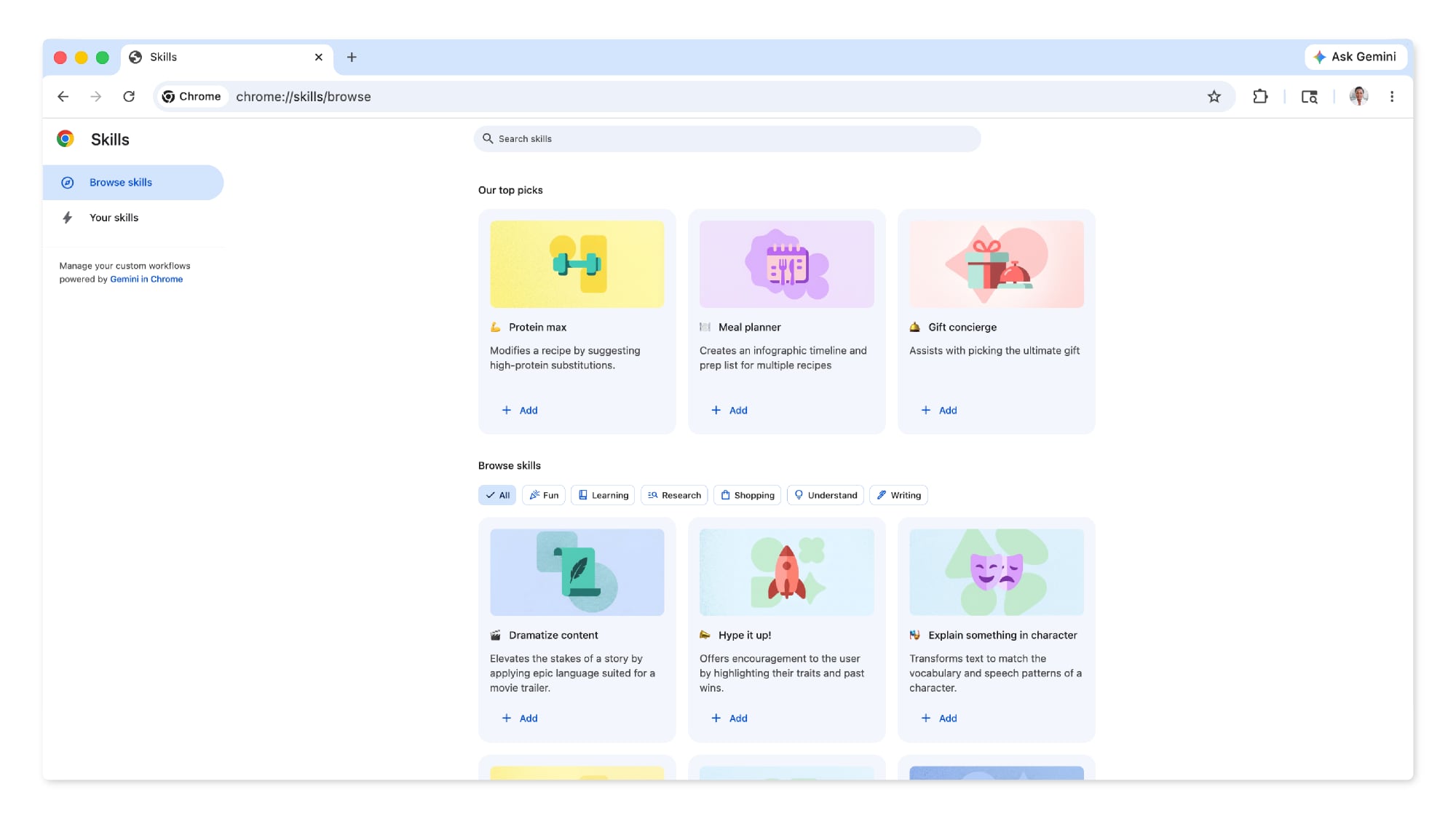
Google is debuting the feature with a library of pre-written Skills for common tasks and workflows like viewing ingredients, finding a gift for someone, or making substitutions in a recipe. Pre-prepared Skills can be customized as needed.
When using a Skills prompt, Gemini will confirm before taking actions like adding an event to the calendar or sending an email, similar to other Gemini actions in Chrome. Skills are rolling out for Gemini in the desktop version of Chrome when the browser's language is set to U.S. English.
This article, "Gemini in Google Chrome Gets a Skills Library for Saving Custom AI Prompts" first appeared on MacRumors.com
Discuss this article in our forums
Useful prompts you create for Gemini in Chrome can be saved as a Skill that can be accessed later with a single click. If you're shopping for skincare and ask Gemini about the ingredients in a product, for example, you can save the question as a Skill and then use it again later without needing to re-type the prompt.
Google provided the following examples of how testers have used the feature across different categories.
Health & Wellness: quickly calculating protein macros for any recipe
Shopping: generating side-by-side spec comparisons across multiple tabs
Productivity: scanning lengthy documents for important information
Skills can be saved directly from the chat history in Chrome (located in the side panel when Gemini is enabled), and recalled by typing a forward slash and the Skill name or clicking on the plus sign. The selected Skill will run on the page that's being viewed, along with other selected tabs.
Google is debuting the feature with a library of pre-written Skills for common tasks and workflows like viewing ingredients, finding a gift for someone, or making substitutions in a recipe. Pre-prepared Skills can be customized as needed.
When using a Skills prompt, Gemini will confirm before taking actions like adding an event to the calendar or sending an email, similar to other Gemini actions in Chrome. Skills are rolling out for Gemini in the desktop version of Chrome when the browser's language is set to U.S. English.
Tags: Google, Google Chrome
This article, "Gemini in Google Chrome Gets a Skills Library for Saving Custom AI Prompts" first appeared on MacRumors.com
Discuss this article in our forums
Recommended Comments
Join the conversation
You can post now and register later. If you have an account, sign in now to post with your account.