_811205.png)
_e196d8.png)
_32b3d9.png)
_1c53fe.png)

Luxury brand Hermès has a new series of MagSafe-compatible chargers for the iPhone and Apple Watch, with prices that are higher than the cost of an iPhone 17 Pro Max.
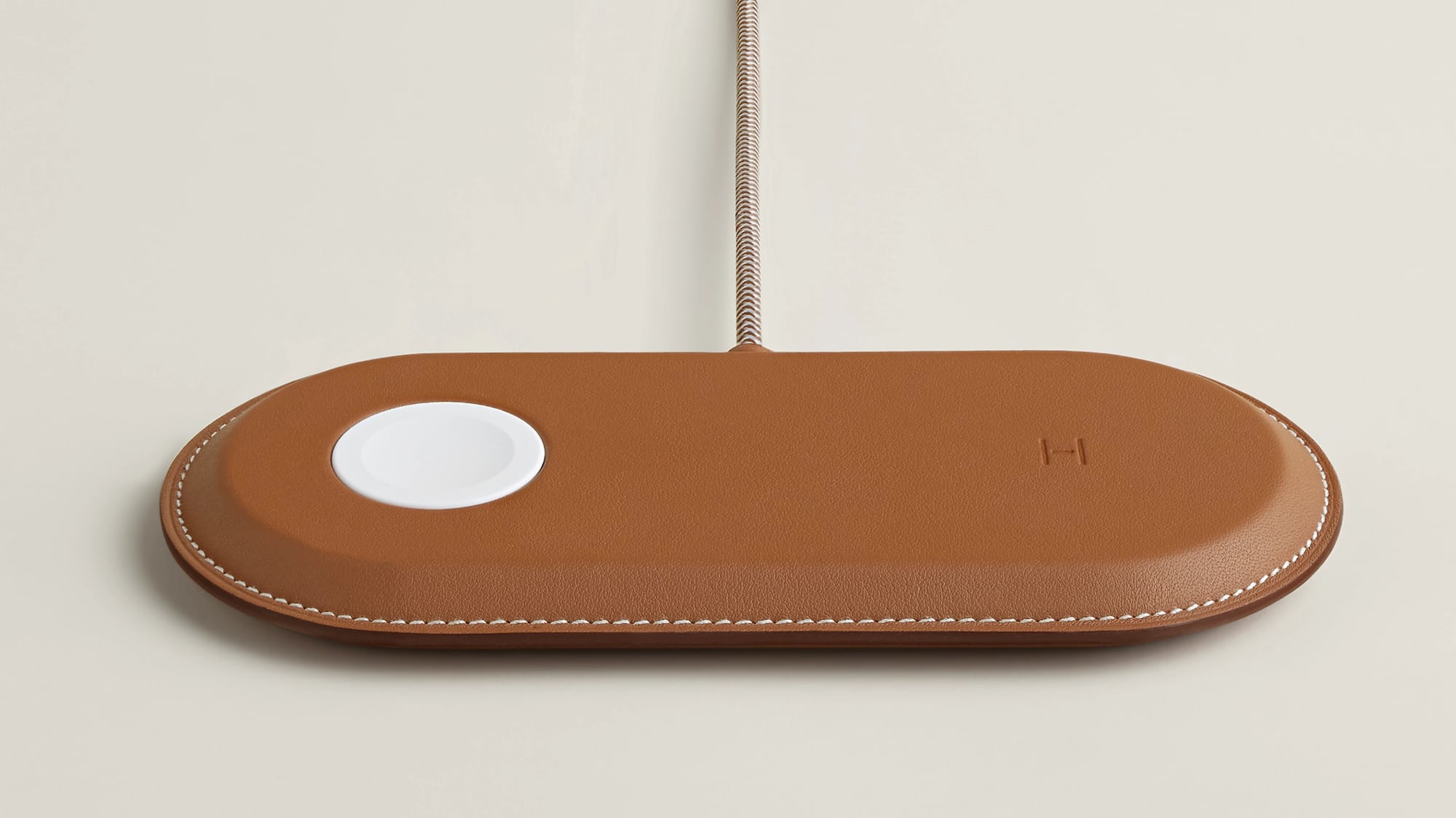
The $1,250 Paddock Solo Charger is a magnetic charger that works with a single device, while the $1,750 Paddock Duo can charge an Apple Watch and iPhone at the same time. The $1,750 Paddock Yoyo is also a dual charger, but it has a USB-C cable that wraps around the charger for travel purposes.
Hermès also has bundles that pair the chargers with a Grand Paddock or Petit Paddock case, with prices ranging from $3,725 to $5,150.
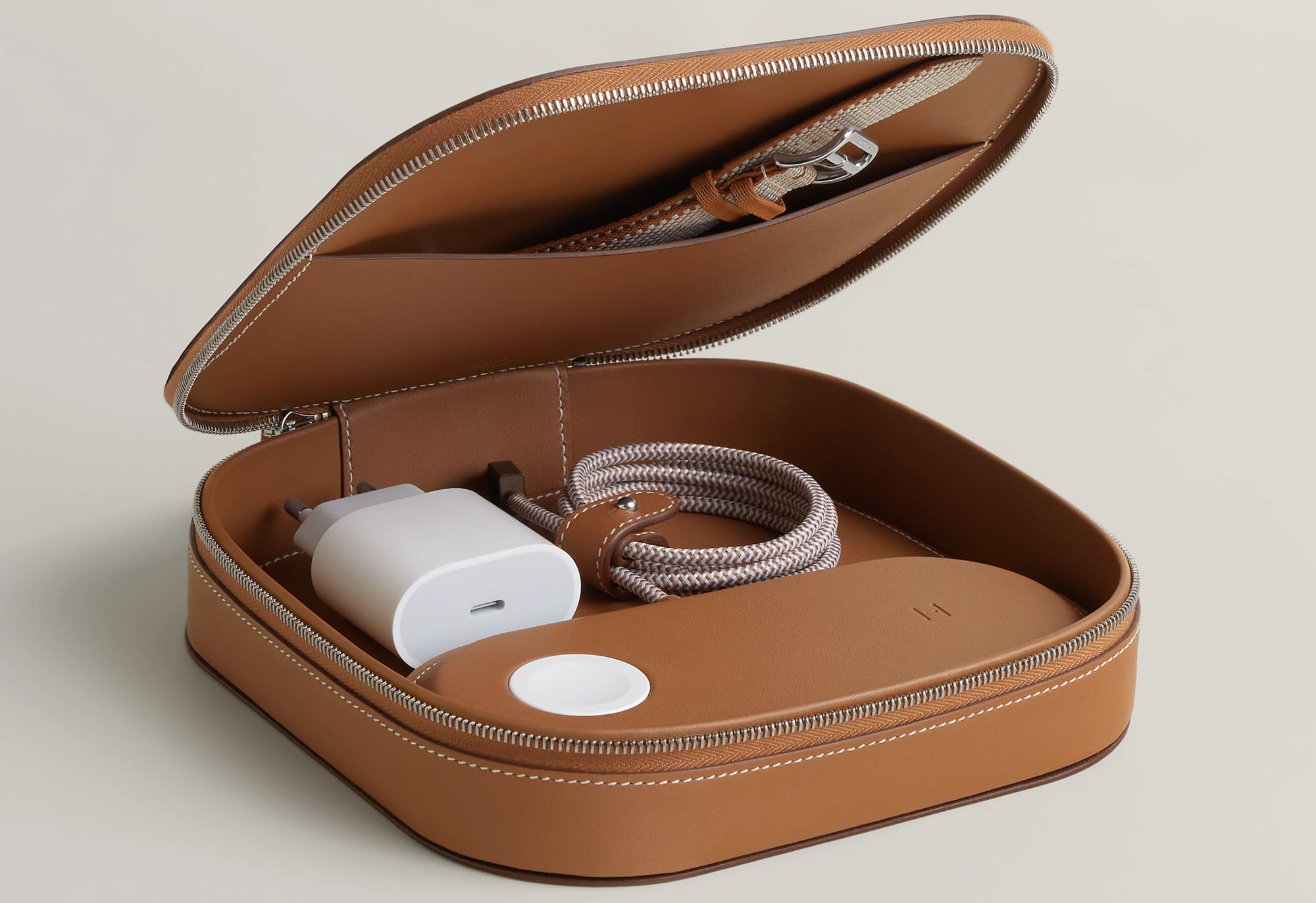
Each of the charging products has an H logo over the magnetic charging spot for alignment purposes, and they've been "meticulously encased in Swift calfskin" with saddle stitching.
While these chargers cost thousands of dollars, Hermès took a cue from Apple and did not bundle them with a power adapter. Each charger requires a 20W or higher power adapter, but the company does throw in a free 3.3-foot USB-C cable. Apple stopped offering power adapters starting in 2020.
Hermès is a longtime Apple partner, and has designed Apple Watch bands to be sold with the Hermès-branded Apple Watch models since 2015.
Apple sells Hermès Apple Watch models and bands, but it is not offering the new Hermès chargers.
This article, "Hermès Now Sells $1,250+ MagSafe Chargers Wrapped in Calfskin Leather" first appeared on MacRumors.com
Discuss this article in our forums
The $1,250 Paddock Solo Charger is a magnetic charger that works with a single device, while the $1,750 Paddock Duo can charge an Apple Watch and iPhone at the same time. The $1,750 Paddock Yoyo is also a dual charger, but it has a USB-C cable that wraps around the charger for travel purposes.
Hermès also has bundles that pair the chargers with a Grand Paddock or Petit Paddock case, with prices ranging from $3,725 to $5,150.
Each of the charging products has an H logo over the magnetic charging spot for alignment purposes, and they've been "meticulously encased in Swift calfskin" with saddle stitching.
While these chargers cost thousands of dollars, Hermès took a cue from Apple and did not bundle them with a power adapter. Each charger requires a 20W or higher power adapter, but the company does throw in a free 3.3-foot USB-C cable. Apple stopped offering power adapters starting in 2020.
Hermès is a longtime Apple partner, and has designed Apple Watch bands to be sold with the Hermès-branded Apple Watch models since 2015.
Apple sells Hermès Apple Watch models and bands, but it is not offering the new Hermès chargers.
Tags: Apple Watch Hermès, MagSafe
This article, "Hermès Now Sells $1,250+ MagSafe Chargers Wrapped in Calfskin Leather" first appeared on MacRumors.com
Discuss this article in our forums
Recommended Comments
Join the conversation
You can post now and register later. If you have an account, sign in now to post with your account.