_811205.png)
_e196d8.png)
_32b3d9.png)
_1c53fe.png)

While it appears that the iMac will not be updated in 2025, rumors indicate that Apple is planning some big changes for the all-in-one desktop computer.
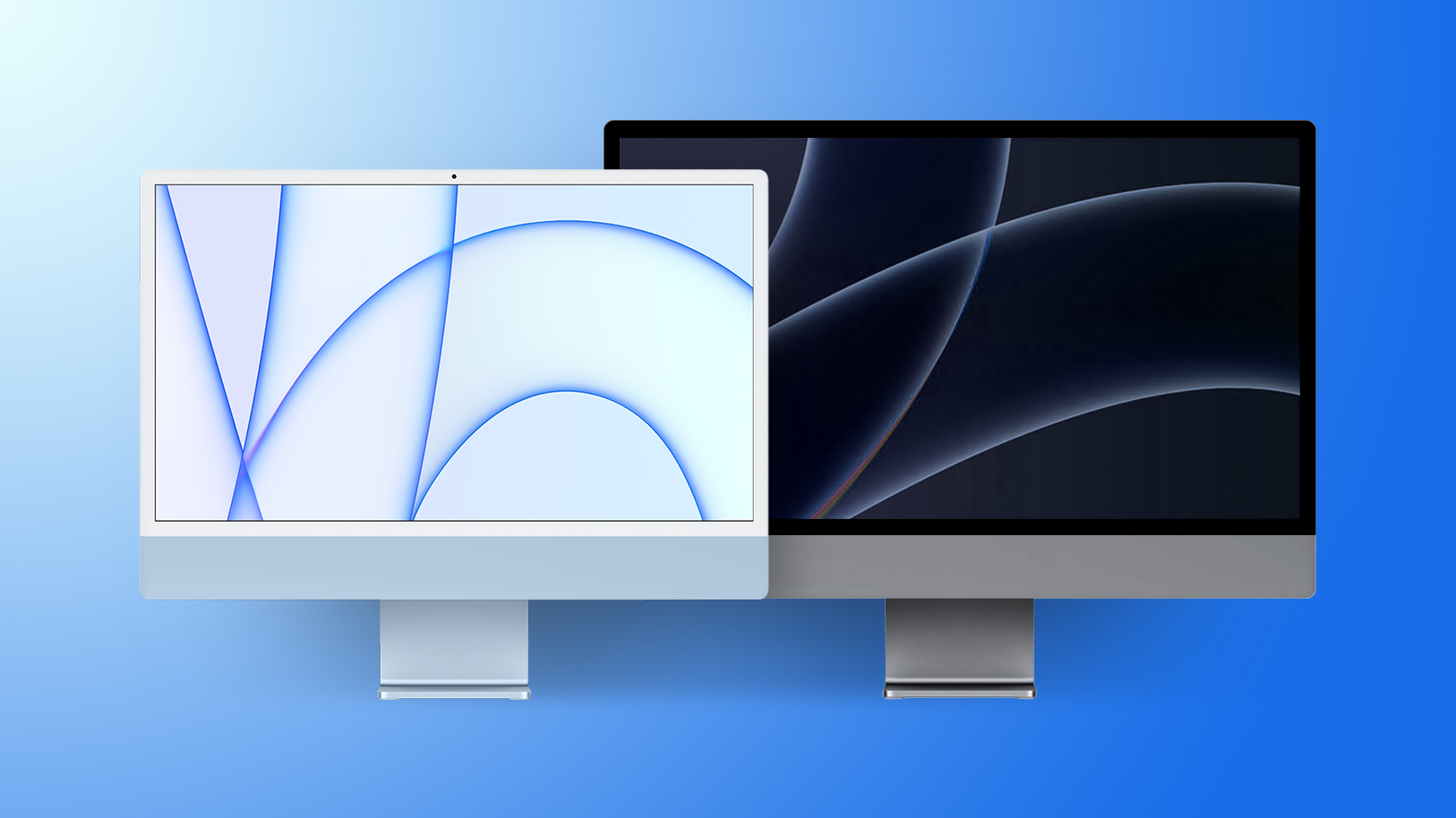
Below, we recap what has been rumored for the iMac over the next two to three years.
As a refresher, Apple last updated the 24-inch iMac in October 2024. Key upgrades included the M4 chip, up to 32GB of RAM, a 12-megapixel Center Stage camera, a nano-texture display option, Thunderbolt 4 ports, and new color options.
The overall design of the iMac has not changed since April 2021.
Apple will likely update the iMac with an M5 chip next year, but no other changes have been rumored yet, so expect a spec bump for now.
If the iMac receives some of the upgrades that the 14-inch MacBook Pro with the M5 chip did, the next iMac could be available with up to 4TB of storage (up from 2TB), and up to 2× faster SSD performance compared to the previous model.
Earlier this year, Apple accidentally released a macOS kernel debug kit that contained internal product codenames, including for what appears to be an iMac with an M5 Max chip. It is unclear if the 24-inch iMac would be updated with M5 and M5 Max chips simultaneously next year, or if Apple plans to re-release a separate, higher-end iMac Pro with the M5 Max. The previous Intel-based iMac Pro was discontinued in March 2021.
It has been nearly four years since Apple discontinued the 27-inch iMac, as part of its move away from Intel processors. Since then, the 24-inch iMac has been Apple's only all-in-one desktop computer, with no larger model available.
In October 2023, Apple supply chain analyst Ming-Chi Kuo predicted that a higher-end 32-inch iMac with mini-LED backlighting would be released in 2025, but it appears that rumor was wrong given that the year is nearly over. Kuo has not commented on a larger iMac in a long time, so it is unclear if Apple plans to release such a product.
In November 2023, Apple announced that it had no plans to release a new version of the 27-inch iMac with an Apple silicon chip at that time. Instead, Apple recommended pairing its standalone Studio Display with a Mac Studio or Mac mini. Perhaps this was Apple ruling out a larger iMac entirely, but only time will tell, and decisions can change.
Wishful thinking: a 32-inch iMac Pro with an M5 Max chip and mini-LED backlighting.
South Korean publication The Elec this week reported that Apple is planning to release a 24-inch iMac with an OLED display in 2027 or 2028.
The primary benefit of OLED technology compared to the current iMac's LCD is better overall image quality, with higher contrast ratio and deeper blacks.
Like the iPad Pro, the iMac could go from LCD to mini-LED to OLED over the years.
Bookmark our iMac roundup to stay up to date with the latest rumors.
This article, "iMac Rumor Recap: OLED Display, M5 Max, 32-Inch Model, and More" first appeared on MacRumors.com
Discuss this article in our forums
Below, we recap what has been rumored for the iMac over the next two to three years.
Current Model: M4 Chip
As a refresher, Apple last updated the 24-inch iMac in October 2024. Key upgrades included the M4 chip, up to 32GB of RAM, a 12-megapixel Center Stage camera, a nano-texture display option, Thunderbolt 4 ports, and new color options.
The overall design of the iMac has not changed since April 2021.
Next Model: M5 Chip
Apple will likely update the iMac with an M5 chip next year, but no other changes have been rumored yet, so expect a spec bump for now.
If the iMac receives some of the upgrades that the 14-inch MacBook Pro with the M5 chip did, the next iMac could be available with up to 4TB of storage (up from 2TB), and up to 2× faster SSD performance compared to the previous model.
iMac Pro With M5 Max Chip?
Earlier this year, Apple accidentally released a macOS kernel debug kit that contained internal product codenames, including for what appears to be an iMac with an M5 Max chip. It is unclear if the 24-inch iMac would be updated with M5 and M5 Max chips simultaneously next year, or if Apple plans to re-release a separate, higher-end iMac Pro with the M5 Max. The previous Intel-based iMac Pro was discontinued in March 2021.
32-Inch iMac?
It has been nearly four years since Apple discontinued the 27-inch iMac, as part of its move away from Intel processors. Since then, the 24-inch iMac has been Apple's only all-in-one desktop computer, with no larger model available.
In October 2023, Apple supply chain analyst Ming-Chi Kuo predicted that a higher-end 32-inch iMac with mini-LED backlighting would be released in 2025, but it appears that rumor was wrong given that the year is nearly over. Kuo has not commented on a larger iMac in a long time, so it is unclear if Apple plans to release such a product.
In November 2023, Apple announced that it had no plans to release a new version of the 27-inch iMac with an Apple silicon chip at that time. Instead, Apple recommended pairing its standalone Studio Display with a Mac Studio or Mac mini. Perhaps this was Apple ruling out a larger iMac entirely, but only time will tell, and decisions can change.
Wishful thinking: a 32-inch iMac Pro with an M5 Max chip and mini-LED backlighting.
OLED Display
South Korean publication The Elec this week reported that Apple is planning to release a 24-inch iMac with an OLED display in 2027 or 2028.
The primary benefit of OLED technology compared to the current iMac's LCD is better overall image quality, with higher contrast ratio and deeper blacks.
Like the iPad Pro, the iMac could go from LCD to mini-LED to OLED over the years.
Bookmark our iMac roundup to stay up to date with the latest rumors.
Related Roundup: iMac
Buyer's Guide: iMac (Caution)
Related Forum: iMac
This article, "iMac Rumor Recap: OLED Display, M5 Max, 32-Inch Model, and More" first appeared on MacRumors.com
Discuss this article in our forums
Recommended Comments
Join the conversation
You can post now and register later. If you have an account, sign in now to post with your account.