_811205.png)
_e196d8.png)
_32b3d9.png)
_1c53fe.png)

Apple is testing iOS 26.3, the next version of iOS 26 that will launch around January. Since iOS 26.3's testing is happening over the holidays, it is a smaller update with fewer features than we've seen in prior betas.
We've rounded up what's new so far, and we'll add to our list with subsequent betas if we come across any other features.
Apple is making it simpler for iPhone users to transition to an Android smartphone in iOS 26.3, introducing a new transfer tool that lets an iPhone user place their device next to an Android device to initiate a transfer process.
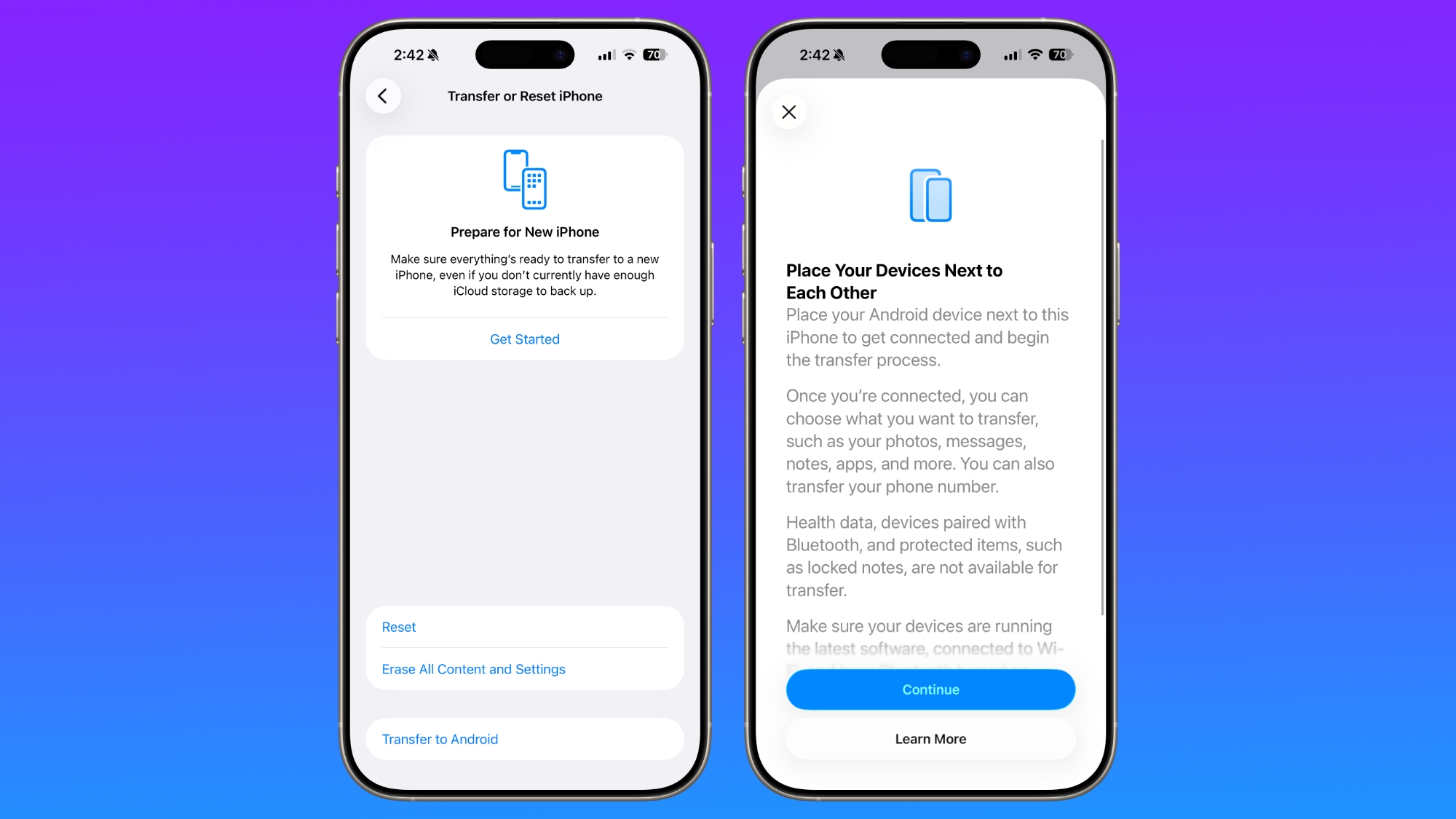
With the two smartphones connected, users can opt to move over photos, messages, notes, apps, passwords, phone number, and more. Data transfers occur with no need to download and use a separate app, making the process simpler.
Health data, devices paired with Bluetooth, and protected items like locked notes are not transferred over to the new device. Google has also implemented a similar feature for transferring data from an Android to an iPhone, so it is a two-way process between the two platforms.
iOS 26.3 has a new "Notification Forwarding" setting that allows incoming notifications on an iPhone to be forwarded to a third-party wearable device like an Android smartwatch.
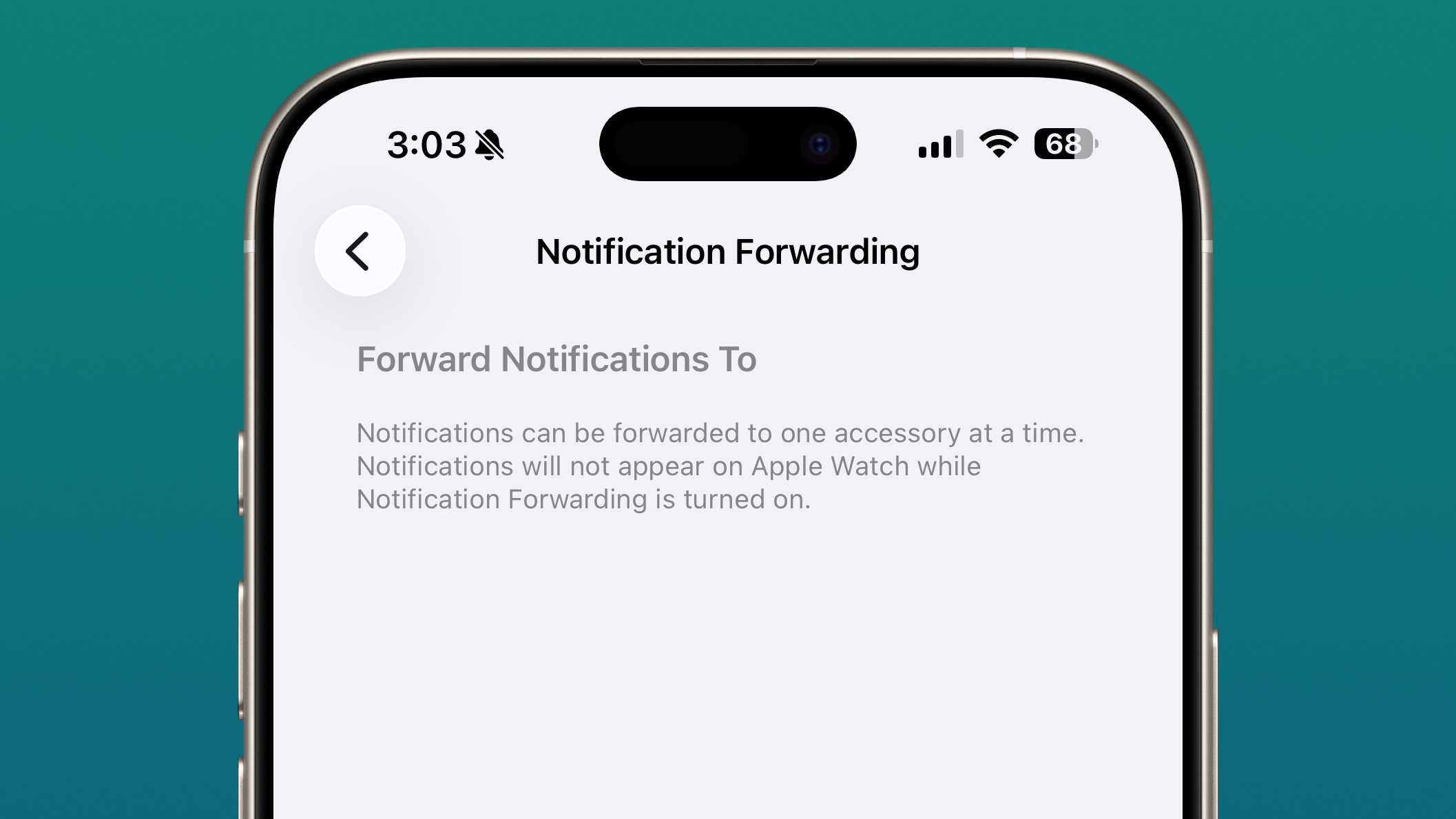
The setting is located in the Notification section of the Settings app under a new "Notification Forwarding" option. Apple says that notifications can only be forwarded to a single device at a time, so if Notification Forwarding is enabled with a third-party wearable, the Apple Watch won't be able to receive and display notifications.
Apple is adding this feature to address antitrust complaints suggesting that third-party wearables should have the same access to notifications and other features as the Apple Watch.
There is a new Weather wallpaper section in the Lock Screen customization options. Previously, Apple had a combined section for Weather and Astronomy, but Weather was split out into its own category.
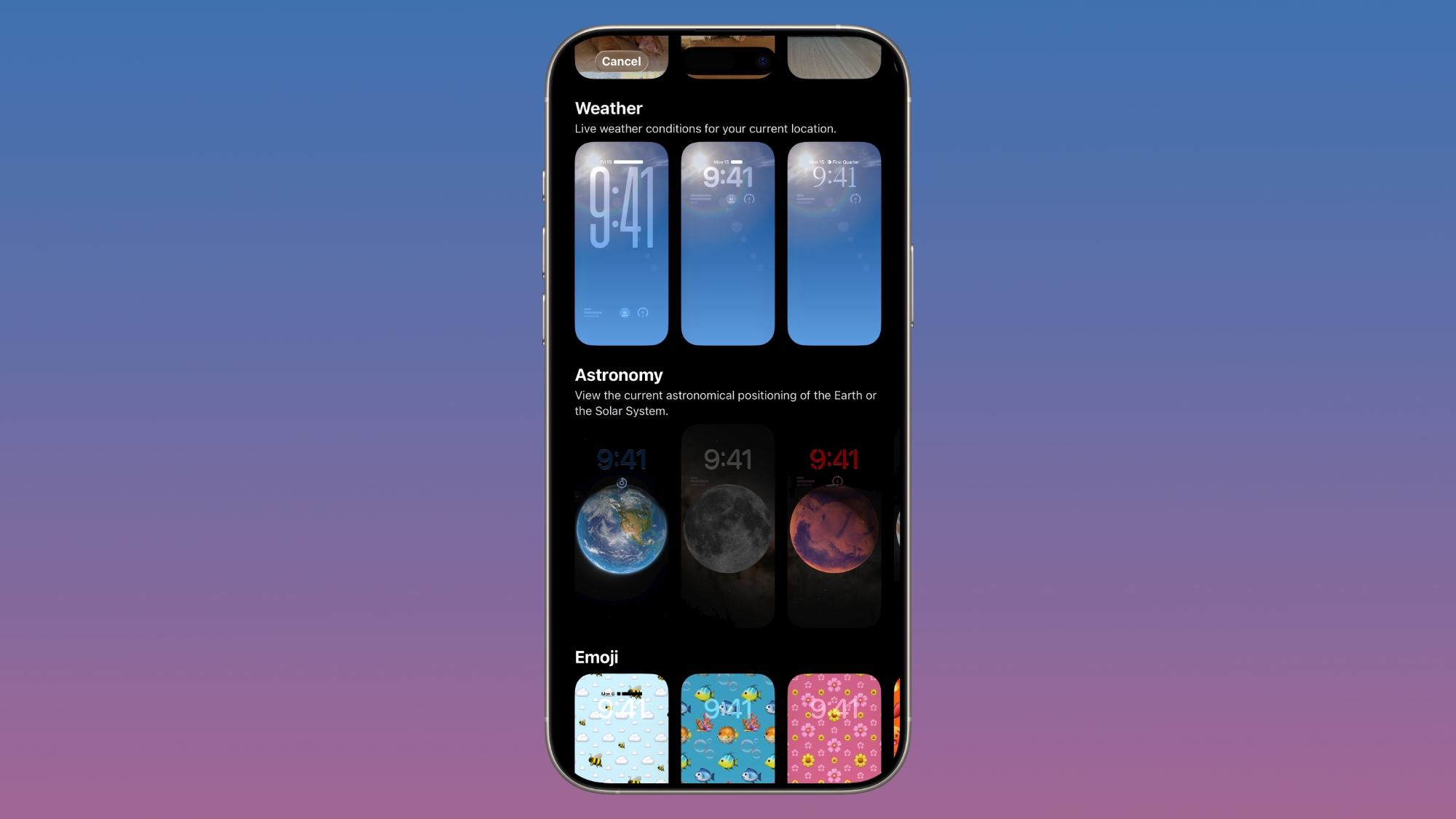
There are now three pre-designed Weather wallpapers with different fonts for the time and different weather widgets to give people a better idea of how the Weather wallpaper can be used.
Know of a feature we left out? Let us know in the comments below.
iOS 26.3 is available on all iPhones that support iOS 26.
We're expecting Apple to release iOS 26.3 in late January.
This article, "iOS 26.3 Beta 1 Features: What's New So Far" first appeared on MacRumors.com
Discuss this article in our forums
We've rounded up what's new so far, and we'll add to our list with subsequent betas if we come across any other features.
Transfer to Android
Apple is making it simpler for iPhone users to transition to an Android smartphone in iOS 26.3, introducing a new transfer tool that lets an iPhone user place their device next to an Android device to initiate a transfer process.
With the two smartphones connected, users can opt to move over photos, messages, notes, apps, passwords, phone number, and more. Data transfers occur with no need to download and use a separate app, making the process simpler.
Health data, devices paired with Bluetooth, and protected items like locked notes are not transferred over to the new device. Google has also implemented a similar feature for transferring data from an Android to an iPhone, so it is a two-way process between the two platforms.
Notification Forwarding
iOS 26.3 has a new "Notification Forwarding" setting that allows incoming notifications on an iPhone to be forwarded to a third-party wearable device like an Android smartwatch.
The setting is located in the Notification section of the Settings app under a new "Notification Forwarding" option. Apple says that notifications can only be forwarded to a single device at a time, so if Notification Forwarding is enabled with a third-party wearable, the Apple Watch won't be able to receive and display notifications.
Apple is adding this feature to address antitrust complaints suggesting that third-party wearables should have the same access to notifications and other features as the Apple Watch.
Weather Wallpaper
There is a new Weather wallpaper section in the Lock Screen customization options. Previously, Apple had a combined section for Weather and Astronomy, but Weather was split out into its own category.
There are now three pre-designed Weather wallpapers with different fonts for the time and different weather widgets to give people a better idea of how the Weather wallpaper can be used.
More Features
Know of a feature we left out? Let us know in the comments below.
Compatibility
iOS 26.3 is available on all iPhones that support iOS 26.
Release Date
We're expecting Apple to release iOS 26.3 in late January.
This article, "iOS 26.3 Beta 1 Features: What's New So Far" first appeared on MacRumors.com
Discuss this article in our forums
Recommended Comments
Join the conversation
You can post now and register later. If you have an account, sign in now to post with your account.