_811205.png)
_e196d8.png)
_32b3d9.png)
_1c53fe.png)

iOS 26.4 was released today, and it includes a couple of new features for CarPlay: an Ambient Music widget and support for voice-based chatbot apps.
To update your iPhone 11 or newer to iOS 26.4, open the Settings app and tap on General → Software Update. CarPlay will automatically offer the new features so long as the iPhone connected to your vehicle is running iOS 26.4 or later.
Below, we have outlined the two new CarPlay features.
CarPlay gained support for widgets on iOS 26. To view them, swipe right on CarPlay's interface until you reach the Dashboard screen, shown below.
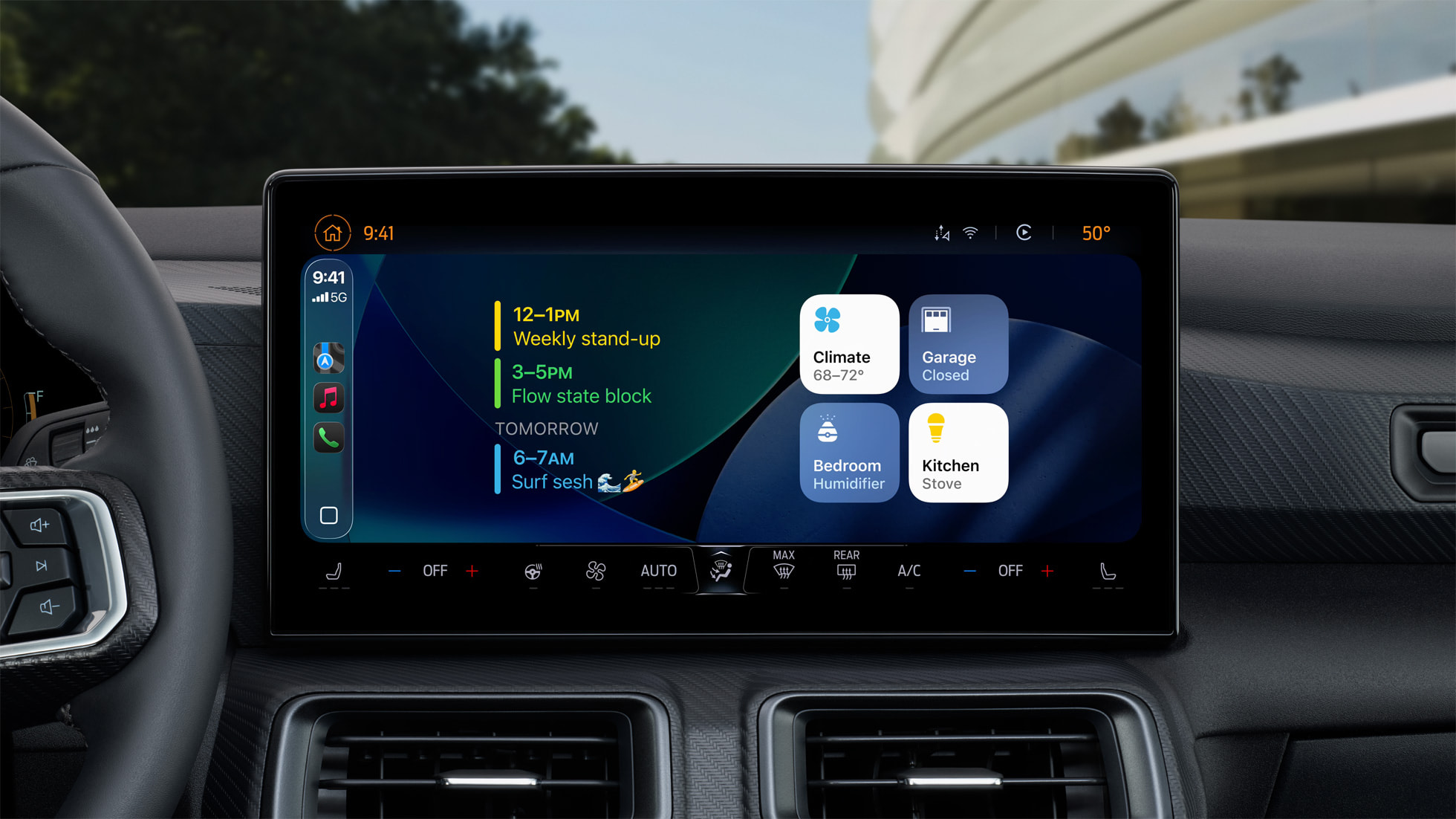
Starting with iOS 26.4, both the iPhone and CarPlay now have an Ambient Music widget option.
Apple introduced the Ambient Music feature on iOS 18.4 last year. It offers curated playlists based on themes such as Sleep, Chill, Productivity, and Wellbeing, with no Apple Music subscription required to listen to the songs.
To add the Ambient Music widget to a CarPlay widget stack, open the Settings app on your iPhone and tap on General → CarPlay → [Your Vehicle] → Widgets → Add Widget, select the Ambient Music option, and tap on the Add Widget button.
Starting with iOS 26.4, CarPlay supports voice-based conversational apps, according to Apple's CarPlay Developer Guide. This means that chatbot like OpenAI's ChatGPT, Google's Gemini, and Anthropic's Claude will be able to extend their iPhone apps to CarPlay for voice-based conversations, should any of them choose to do so.
Of course, Apple's own assistant Siri remains available on CarPlay, without needing to open an app. It was recently reported that Apple is testing a new Siri app for iOS 27 with chatbot-like functionality and conversation history, so it will be interesting to see if that Siri app is available on CarPlay in a voice-only state later this year.
This article, "iOS 26.4 Adds Two New Features to CarPlay" first appeared on MacRumors.com
Discuss this article in our forums
To update your iPhone 11 or newer to iOS 26.4, open the Settings app and tap on General → Software Update. CarPlay will automatically offer the new features so long as the iPhone connected to your vehicle is running iOS 26.4 or later.
Below, we have outlined the two new CarPlay features.
Ambient Music Widget
CarPlay gained support for widgets on iOS 26. To view them, swipe right on CarPlay's interface until you reach the Dashboard screen, shown below.
Starting with iOS 26.4, both the iPhone and CarPlay now have an Ambient Music widget option.
Apple introduced the Ambient Music feature on iOS 18.4 last year. It offers curated playlists based on themes such as Sleep, Chill, Productivity, and Wellbeing, with no Apple Music subscription required to listen to the songs.
To add the Ambient Music widget to a CarPlay widget stack, open the Settings app on your iPhone and tap on General → CarPlay → [Your Vehicle] → Widgets → Add Widget, select the Ambient Music option, and tap on the Add Widget button.
Chatbot Apps
Starting with iOS 26.4, CarPlay supports voice-based conversational apps, according to Apple's CarPlay Developer Guide. This means that chatbot like OpenAI's ChatGPT, Google's Gemini, and Anthropic's Claude will be able to extend their iPhone apps to CarPlay for voice-based conversations, should any of them choose to do so.
Of course, Apple's own assistant Siri remains available on CarPlay, without needing to open an app. It was recently reported that Apple is testing a new Siri app for iOS 27 with chatbot-like functionality and conversation history, so it will be interesting to see if that Siri app is available on CarPlay in a voice-only state later this year.
Related Forums: HomePod, HomeKit, CarPlay, Home & Auto Technology, iOS 26
This article, "iOS 26.4 Adds Two New Features to CarPlay" first appeared on MacRumors.com
Discuss this article in our forums
Recommended Comments
Join the conversation
You can post now and register later. If you have an account, sign in now to post with your account.