_811205.png)
_e196d8.png)
_32b3d9.png)
_1c53fe.png)

There is a long list of new features in the iOS 26.4 beta, many of which we highlighted yesterday, but we've since discovered several other smaller changes that Apple made in the software.
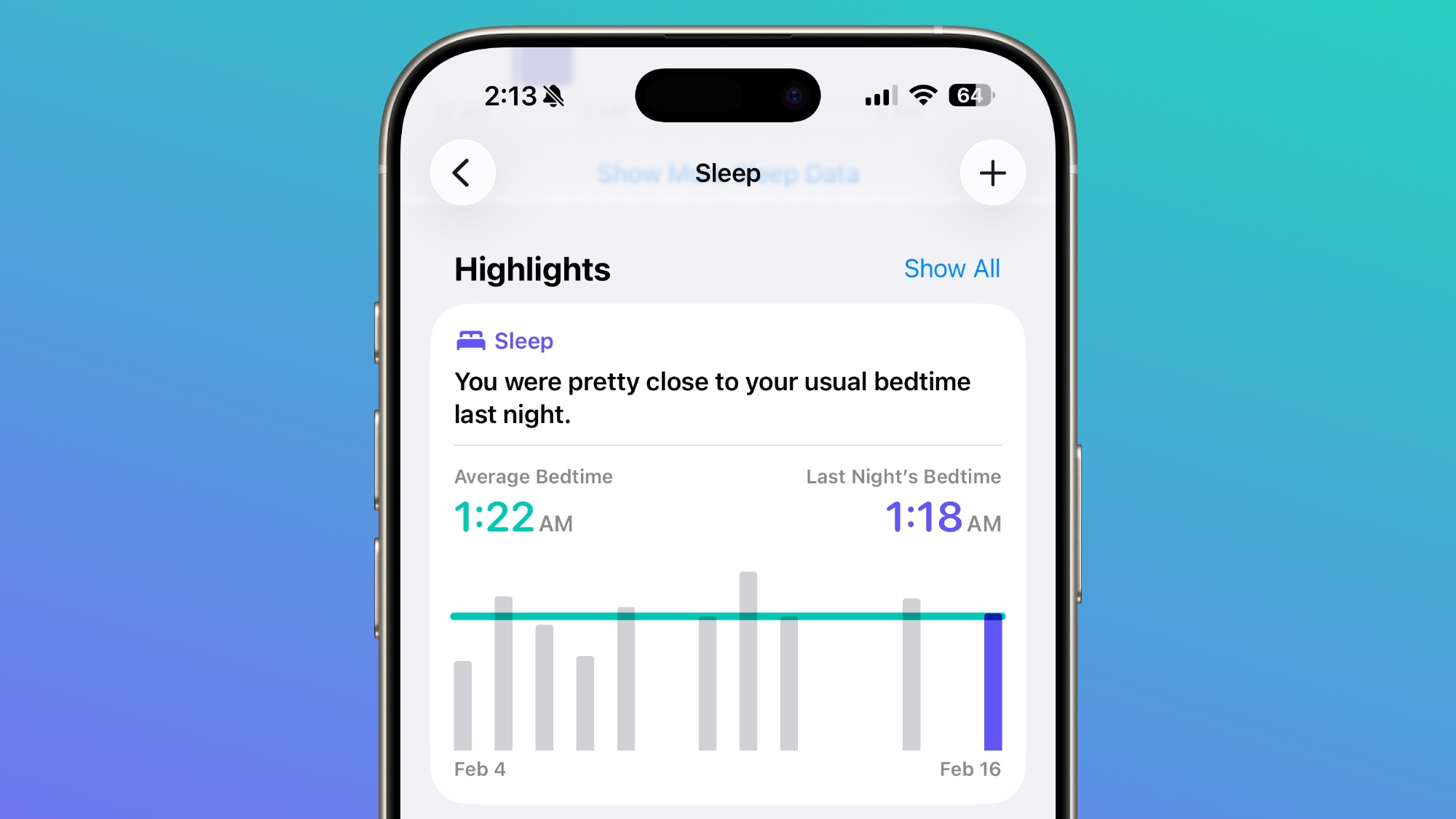
iOS 26.4 includes a new Average Bedtime metric for the sleep section of the Health app, providing a better idea of how bedtime can impact sleep quality.
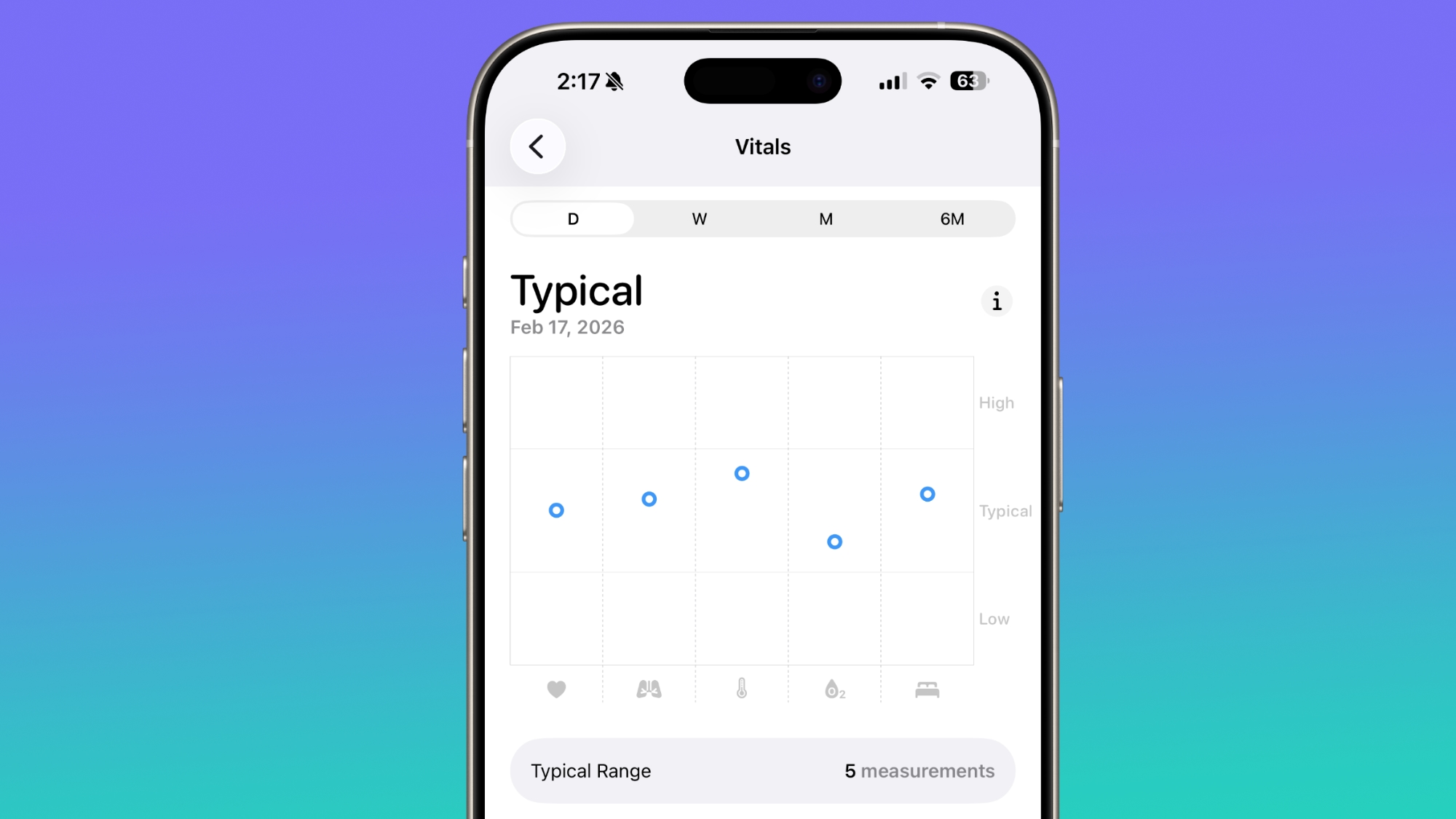
Apple also updated the Vitals section of the Health app in the U.S., and now includes blood oxygen level on the line graph overview that's available each day. In iOS 26.3 and earlier versions of iOS 26, there was a section for the blood oxygen level, but the graph did not include a blood oxygen measurement.
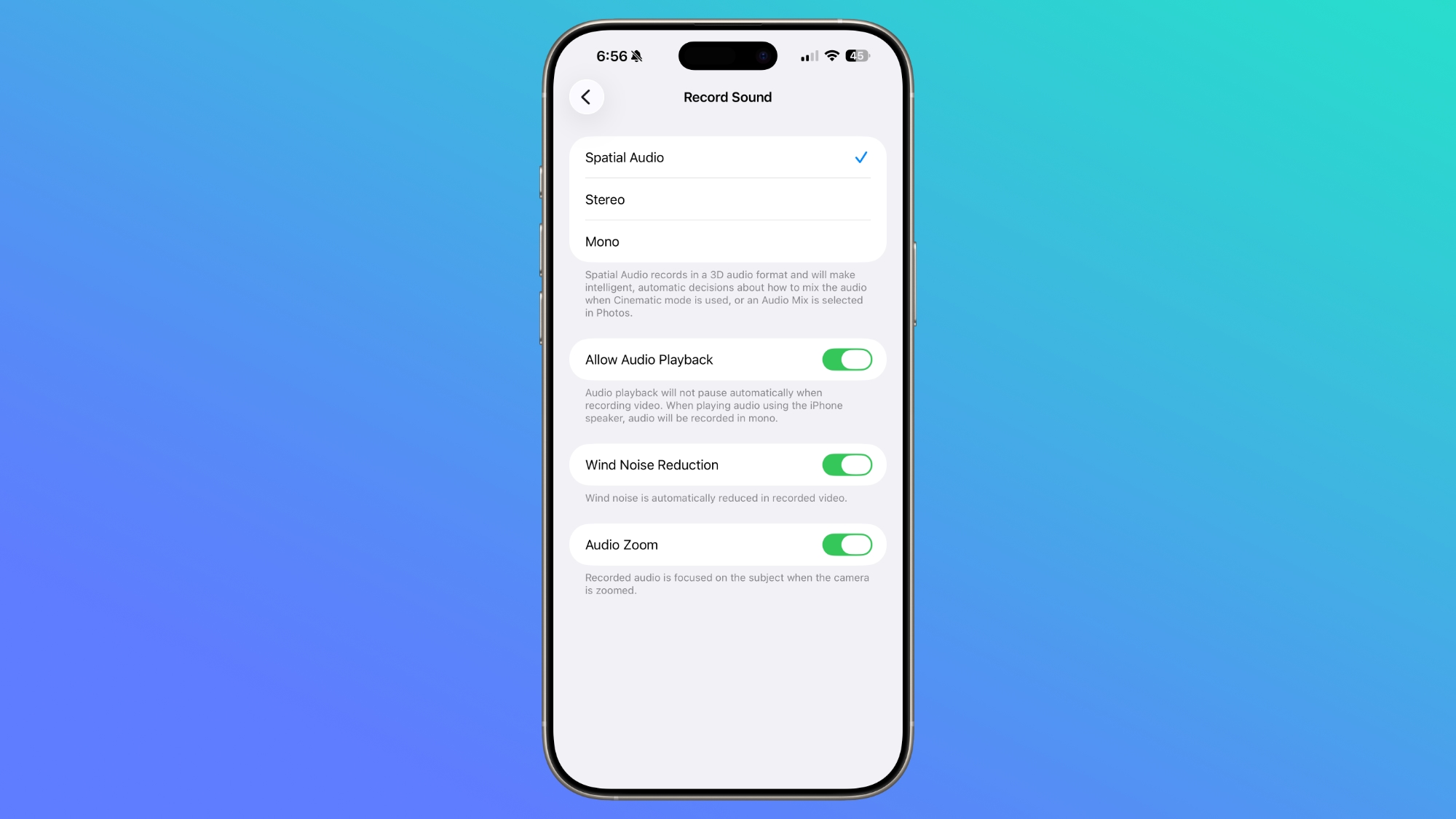
In the Settings section of the Camera app, there is a new "Audio Zoom" option. The feature causes recorded audio to focus on the subject when the camera is zoomed while recording a video. It can be turned on or off, depending on the audio settings you prefer.
We found mentions of Apple TV support for CarPlay, indicating that Apple will eventually allow users to watch Apple TV content through their car's dashboard when the vehicle is not in motion.
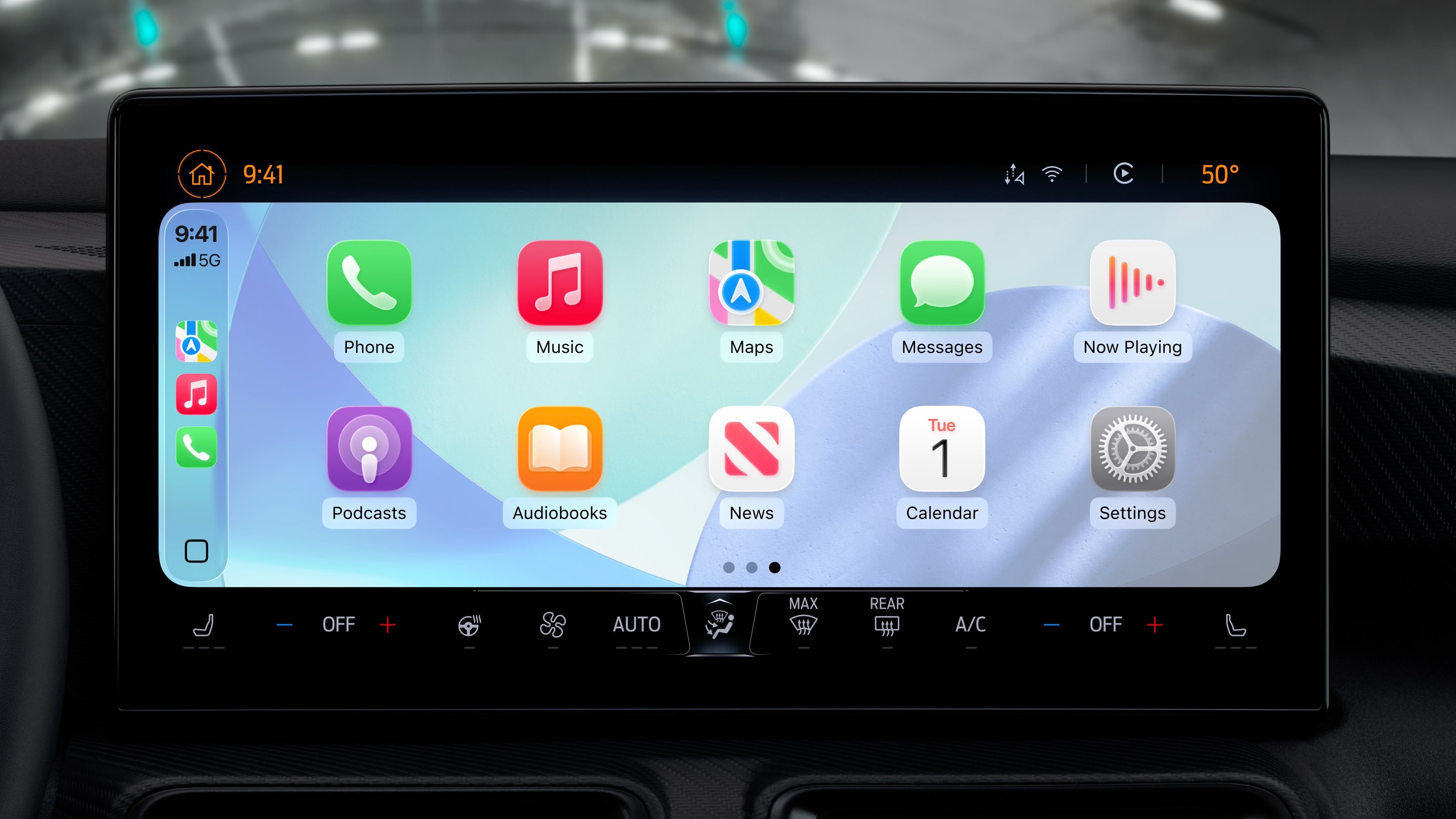
At WWDC 2025, Apple said that it would add support for AirPlaying video content to a CarPlay display, and it appears that feature could come in the near future.
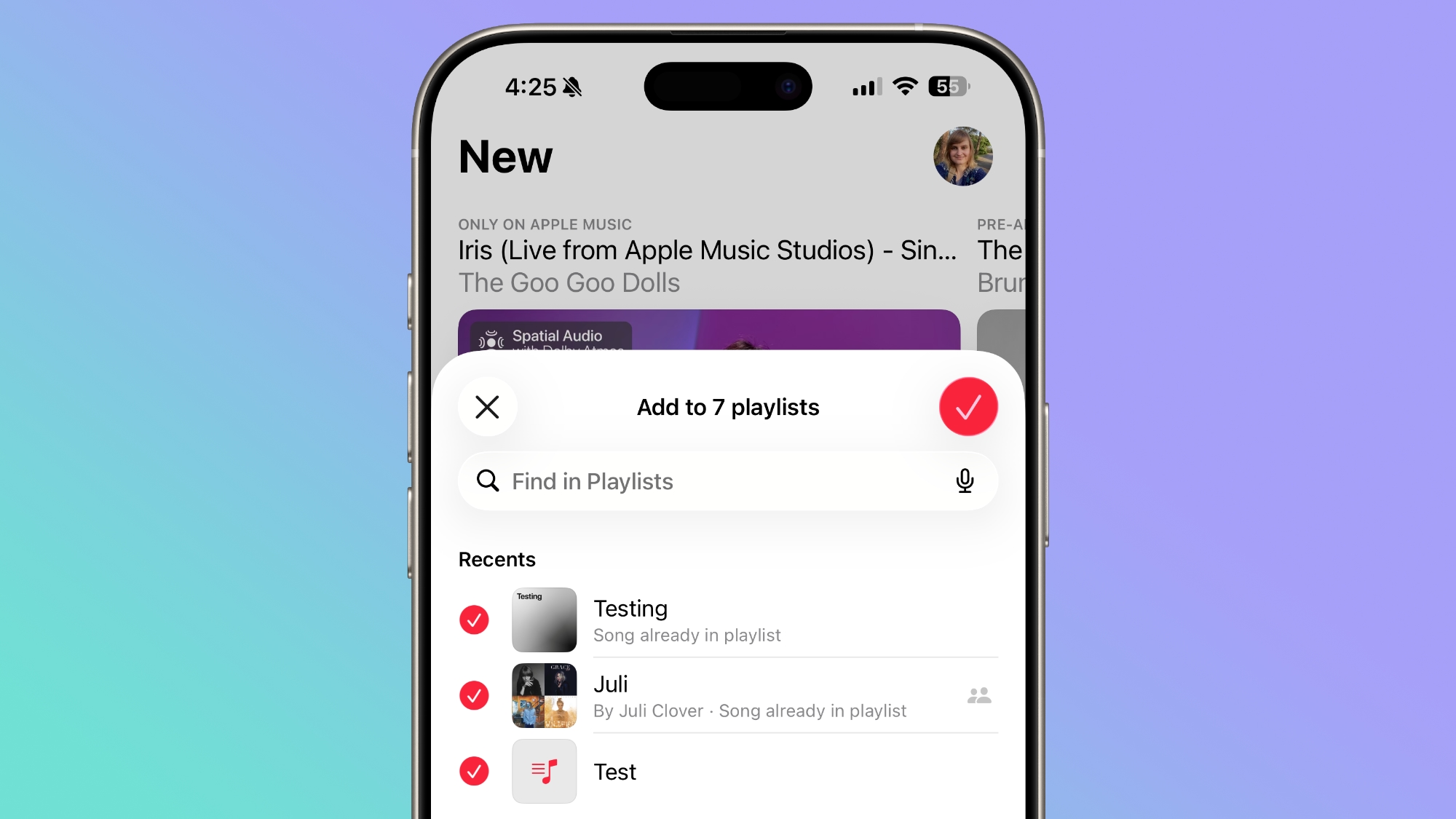
A song can be added to multiple playlists at the same time in the Apple Music app. In the add to playlist interface, there is a list button, and tapping it allows you to select multiple playlists at the same time.
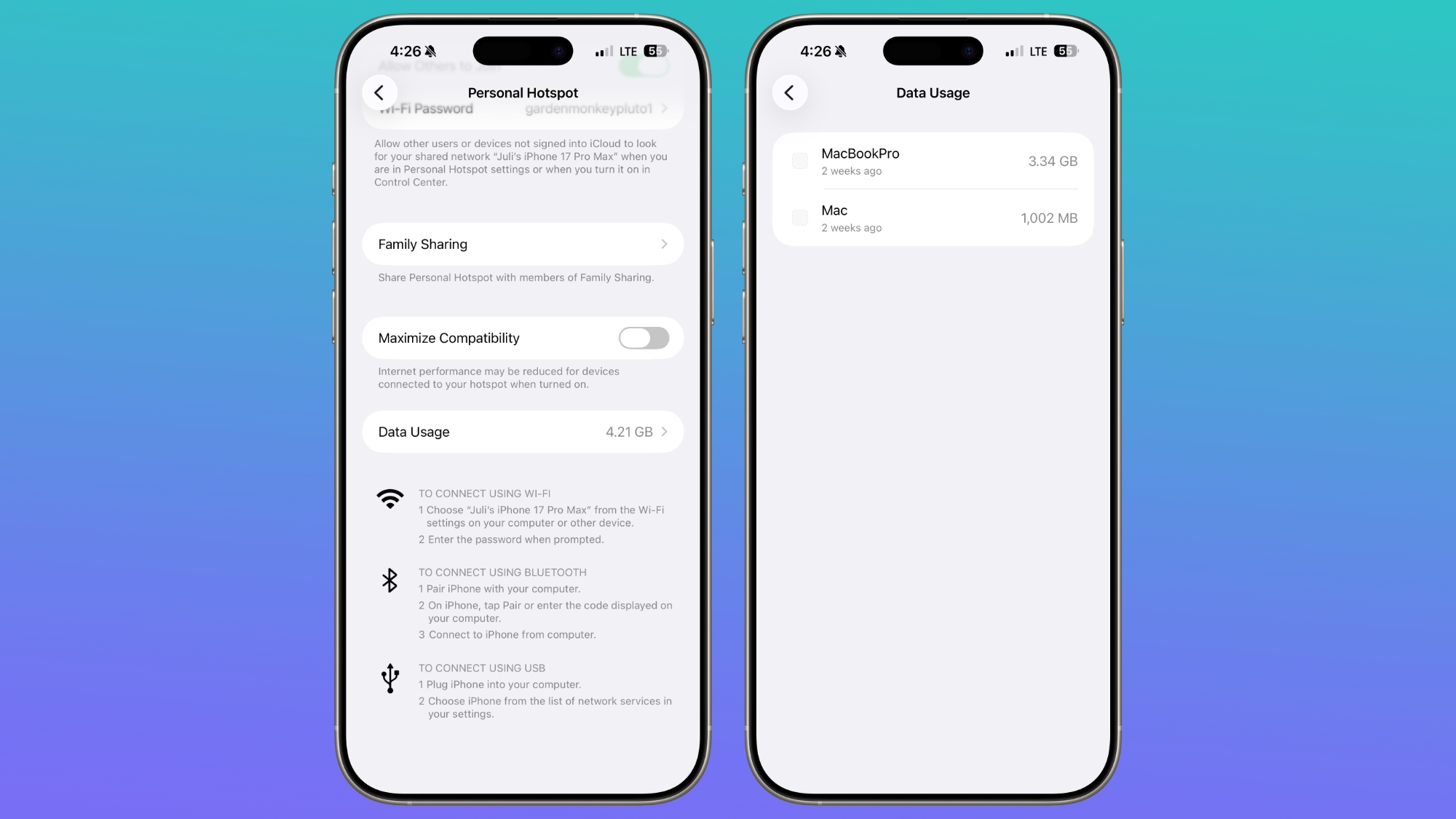
Apple moved the location of hotspot data usage. Rather than having data usage metrics tucked away under Cellular, you'll see how much data you've used right in the Personal Hotspot section.
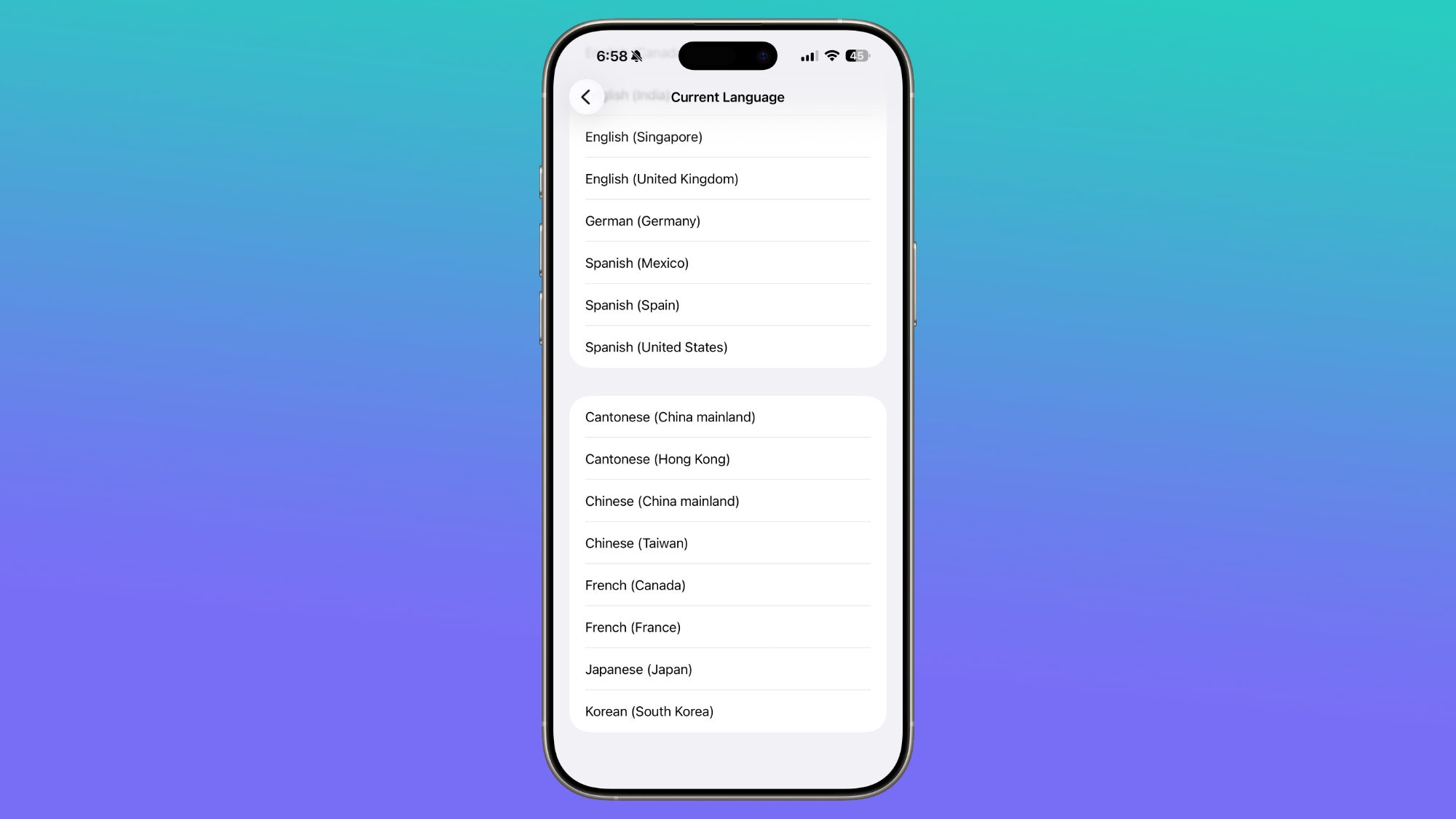
Chinese (Taiwan) is a new language option for Live Captions in the Accessibility section.
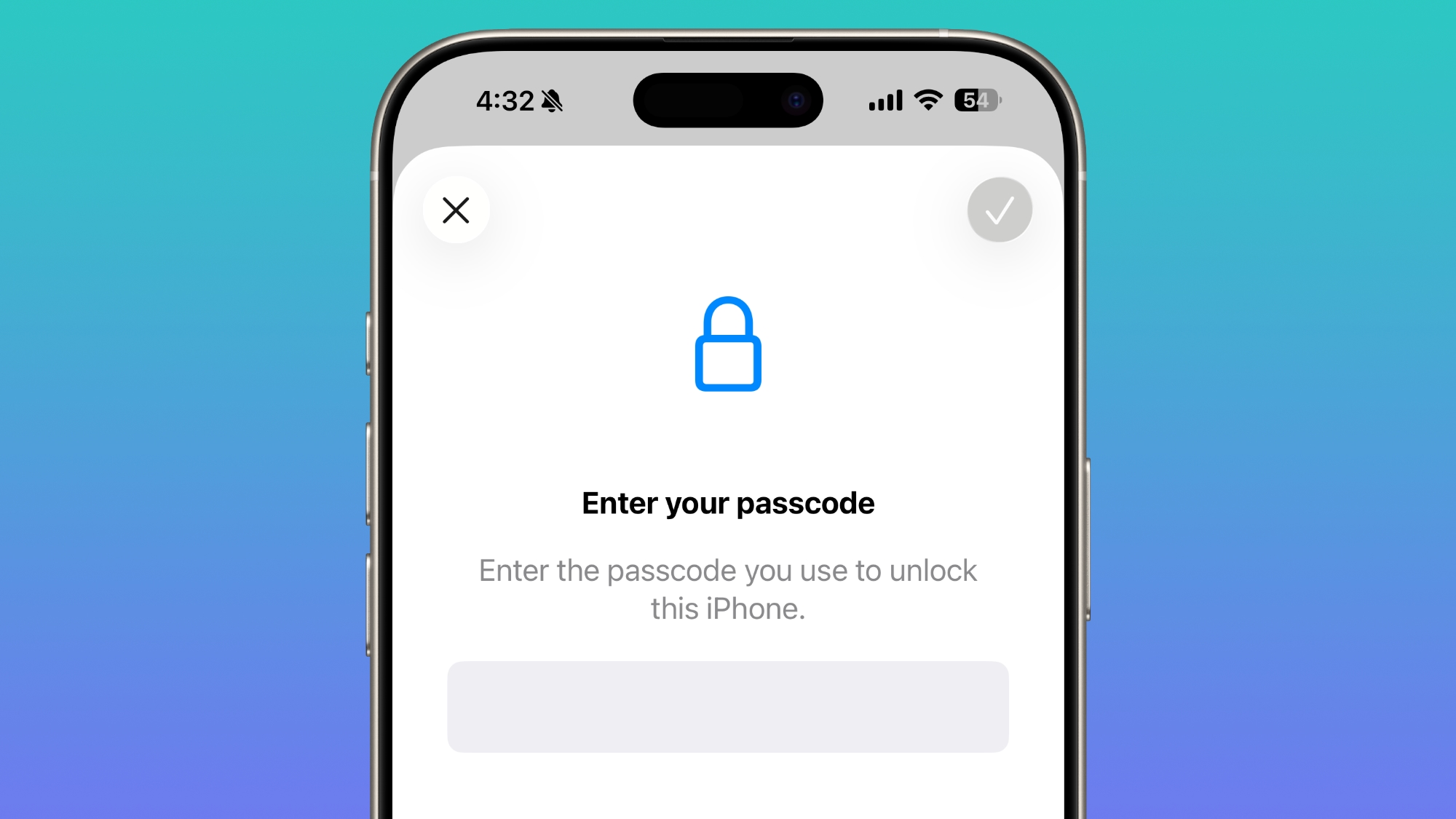
In the Face ID and Passcode section of the Settings app, when you enter a passcode to access your options, the text is now center aligned instead of left aligned.
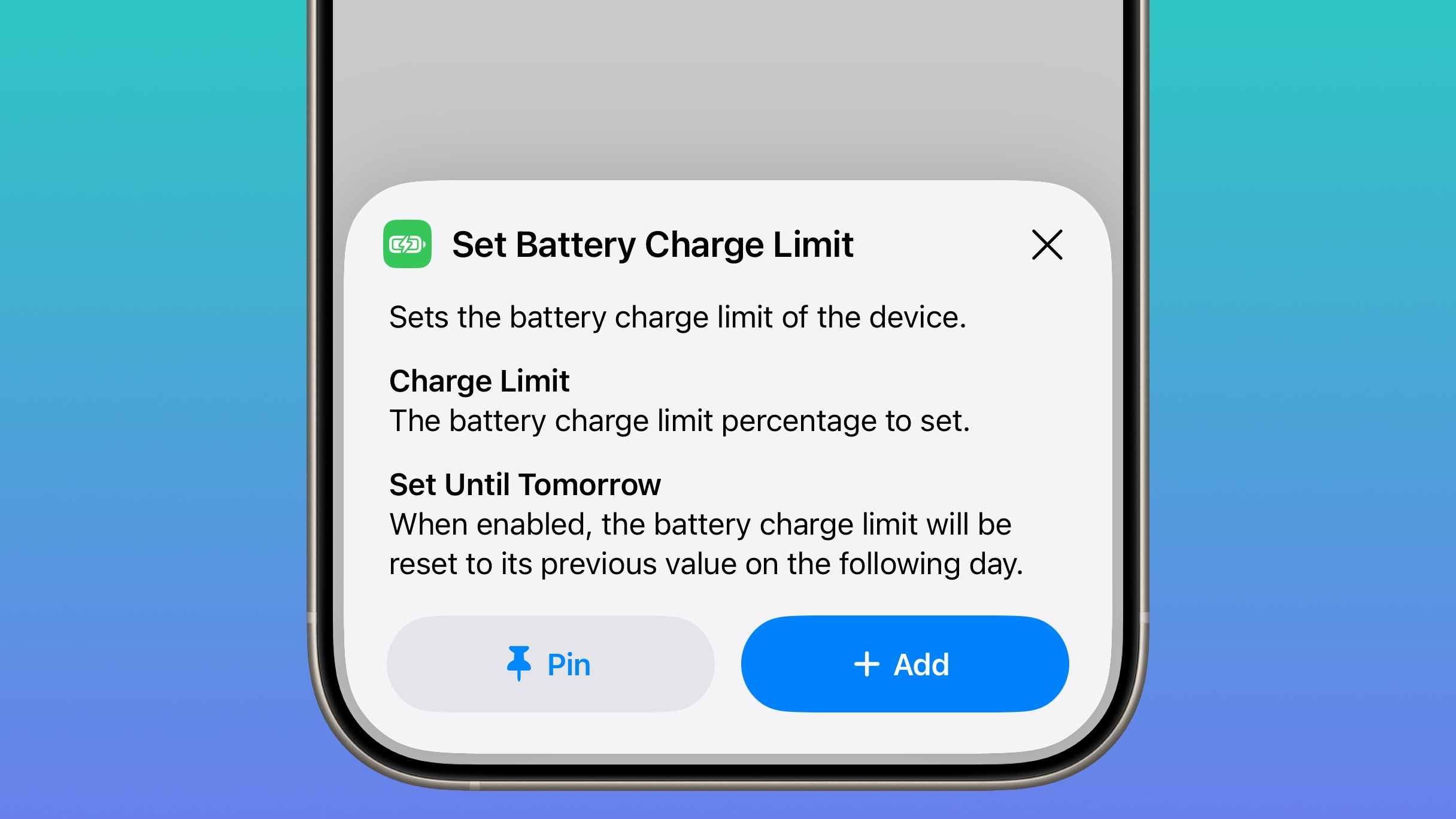
Apple added a Set Charge Limit action to the Shortcuts app. It sets a battery charge limit for the iPhone.
For more on all of the new features in iOS 26.4, we have a dedicated iOS 26.4 features guide.
This article, "iOS 26.4 Beta Tidbits: Hidden Features You May Have Missed" first appeared on MacRumors.com
Discuss this article in our forums
Health App
iOS 26.4 includes a new Average Bedtime metric for the sleep section of the Health app, providing a better idea of how bedtime can impact sleep quality.
Apple also updated the Vitals section of the Health app in the U.S., and now includes blood oxygen level on the line graph overview that's available each day. In iOS 26.3 and earlier versions of iOS 26, there was a section for the blood oxygen level, but the graph did not include a blood oxygen measurement.
Camera
In the Settings section of the Camera app, there is a new "Audio Zoom" option. The feature causes recorded audio to focus on the subject when the camera is zoomed while recording a video. It can be turned on or off, depending on the audio settings you prefer.
CarPlay
We found mentions of Apple TV support for CarPlay, indicating that Apple will eventually allow users to watch Apple TV content through their car's dashboard when the vehicle is not in motion.
At WWDC 2025, Apple said that it would add support for AirPlaying video content to a CarPlay display, and it appears that feature could come in the near future.
Apple Music
A song can be added to multiple playlists at the same time in the Apple Music app. In the add to playlist interface, there is a list button, and tapping it allows you to select multiple playlists at the same time.
Hotspot Data
Apple moved the location of hotspot data usage. Rather than having data usage metrics tucked away under Cellular, you'll see how much data you've used right in the Personal Hotspot section.
Live Captions
Chinese (Taiwan) is a new language option for Live Captions in the Accessibility section.
Passcode Settings
In the Face ID and Passcode section of the Settings app, when you enter a passcode to access your options, the text is now center aligned instead of left aligned.
Shortcuts
Apple added a Set Charge Limit action to the Shortcuts app. It sets a battery charge limit for the iPhone.
Read More
For more on all of the new features in iOS 26.4, we have a dedicated iOS 26.4 features guide.
Related Forum: iOS 26
This article, "iOS 26.4 Beta Tidbits: Hidden Features You May Have Missed" first appeared on MacRumors.com
Discuss this article in our forums
Recommended Comments
Join the conversation
You can post now and register later. If you have an account, sign in now to post with your account.