_811205.png)
_e196d8.png)
_32b3d9.png)
_1c53fe.png)

The upcoming iOS 27 update that Apple unveiled last week includes some new features and enhancements for Apple's Notes app on the iPhone.

iOS 27 is currently available as a developer beta, with a public beta to follow in July. The update is expected to be released to all users in September.
Below, we have outlined four additions to Apple's Notes app on iOS 27.

On the iPhone 15 Pro and newer, the more intelligent and personal version of Siri known as "Siri AI" can create notes with generated content. For example, you can ask Siri AI to create a note with a list of all iPhone models that are compatible with iOS 27, and it will do so after retrieving this information from the internet.
On iOS 26 and earlier, Siri can only create notes based on the words you actually say.
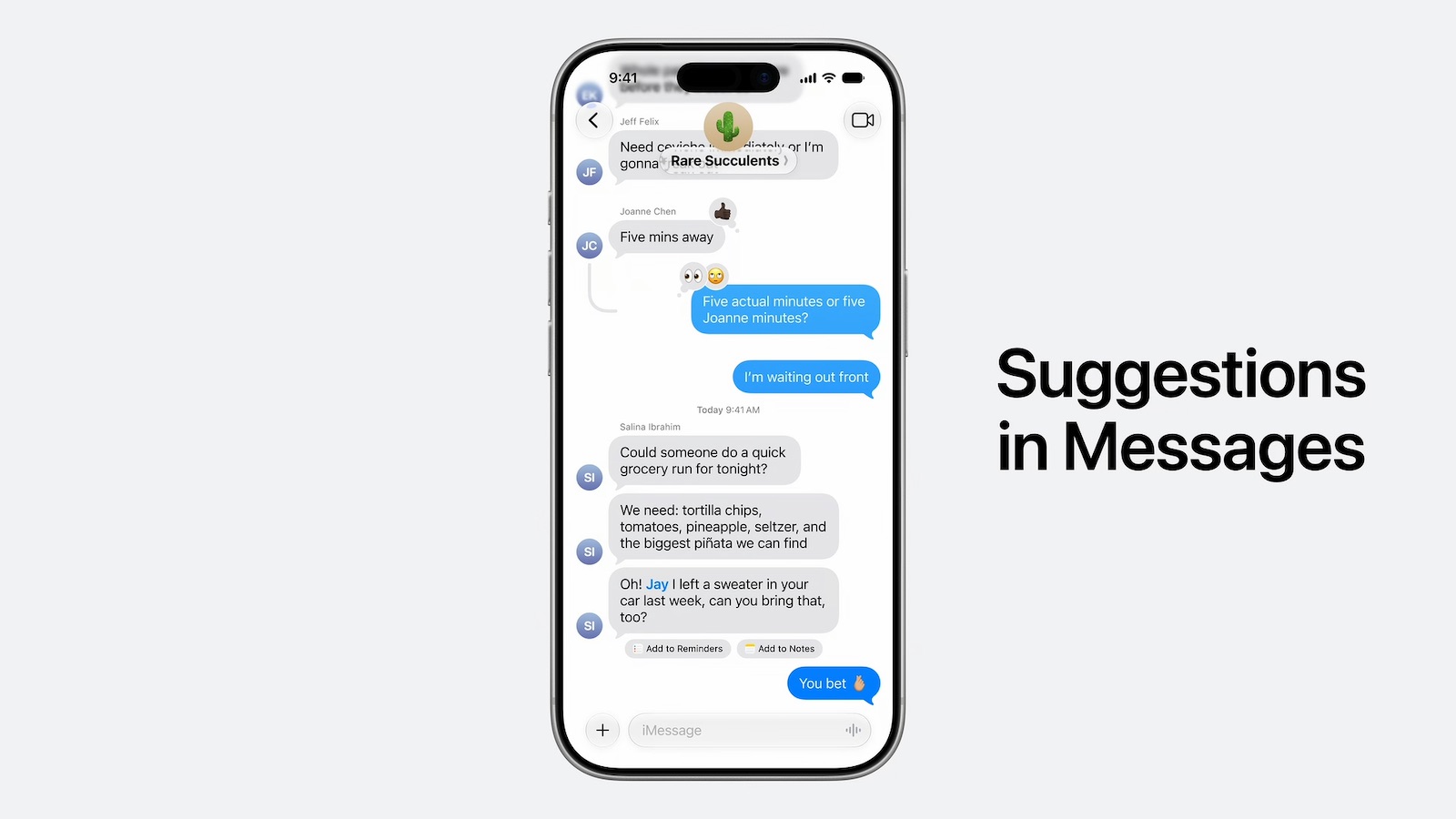
In addition, Siri AI will intelligently show an "Add to Notes" shortcut below certain messages in the Messages app based on the context of the conversation.

iOS 27 introduces the ability to copy and paste text that is formatted in the Markdown language, created by well-known Apple commentator John Gruber.
Markdown lets you add formatting to text without using HTML:
Bold text:
Italic text:
Linked text:
List item:
In reverse, if you select formatted text in the Notes app and tap on the right arrow in the Cut/Copy/Paste menu that pops open, there is a new "Copy as Markdown" option on iOS 27. If you tap on this option, any rich text formatting in your selection will automatically be converted to Markdown that can be pasted elsewhere.
Apple Notes already gained support for importing and exporting Markdown files on iOS 26.
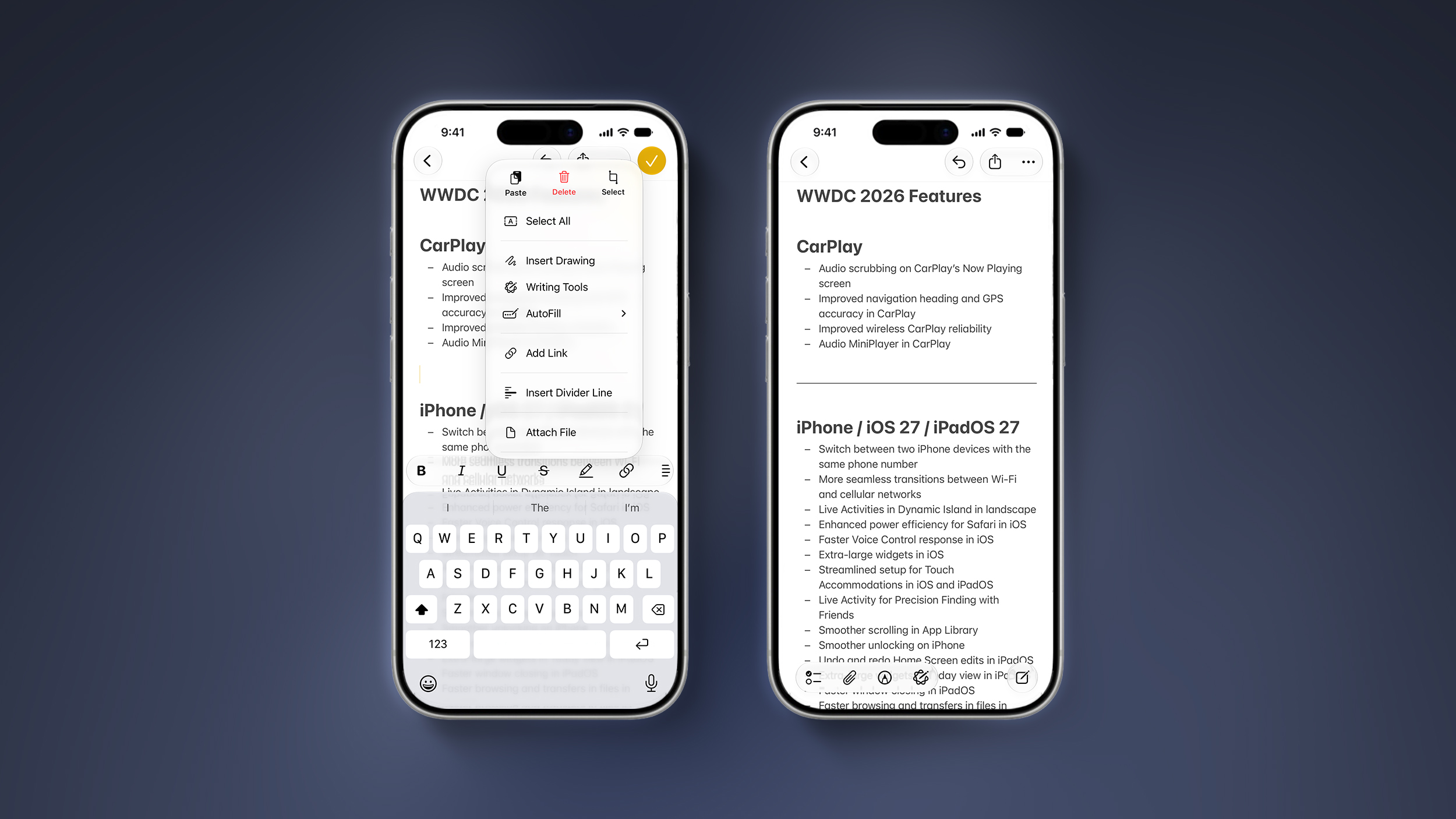
iOS 27 lets you organize notes with divider lines. Simply place the text cursor where you want the line to be inserted, tap on the right arrow in the Cut/Copy/Paste menu that pops open, and tap on the new "Insert Divider Line" option.
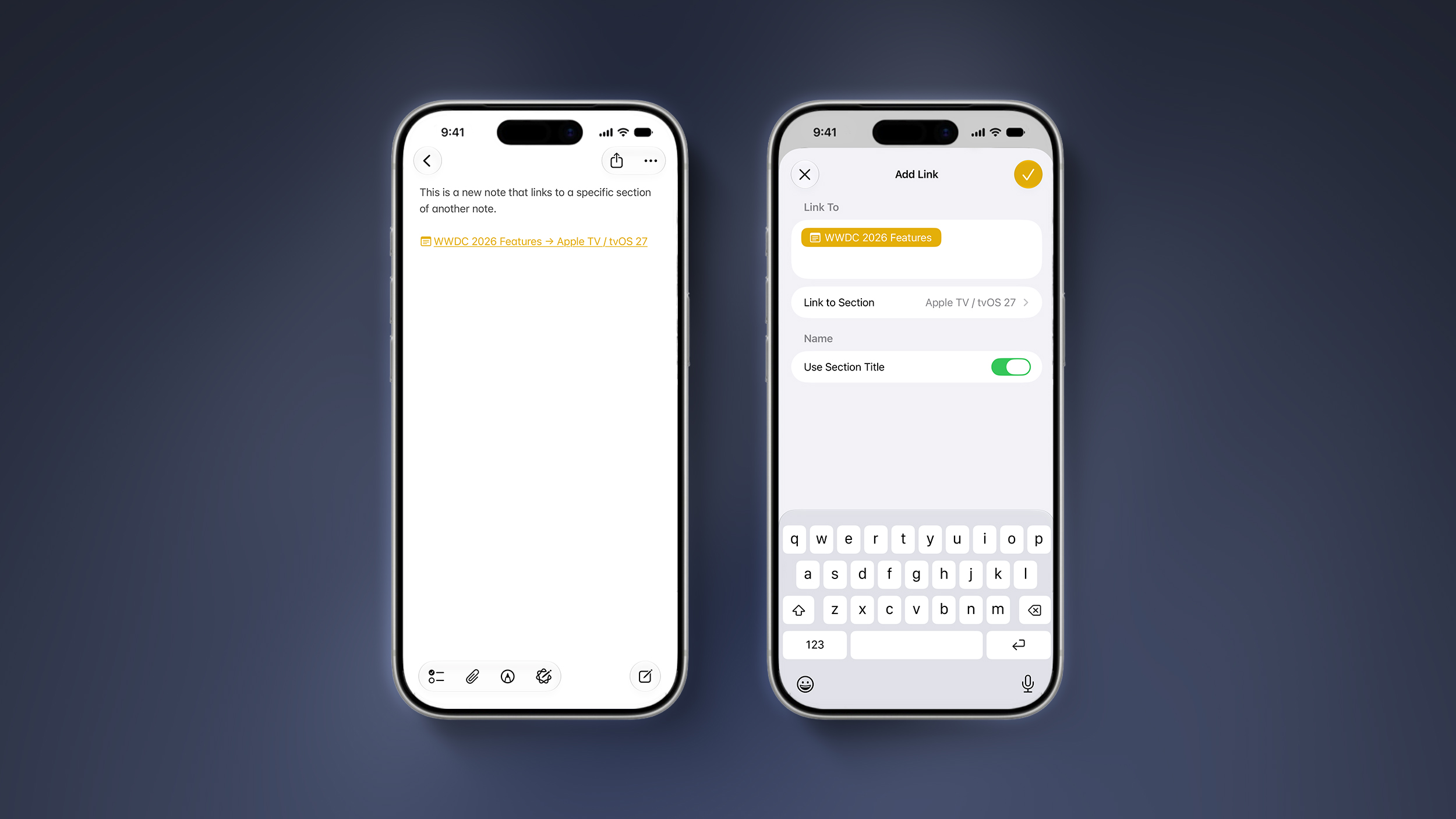
You can now add a link to a specific section of a note. When you tap on the link, the Notes app automatically jumps to that section of text.
For example, you could create a new note that links back to a section of a previous note.
This article, "iOS 27 Adds Four New Features to Notes App, Including Markdown Copy-and-Paste" first appeared on MacRumors.com
Discuss this article in our forums
iOS 27 is currently available as a developer beta, with a public beta to follow in July. The update is expected to be released to all users in September.
Below, we have outlined four additions to Apple's Notes app on iOS 27.
Siri AI
On the iPhone 15 Pro and newer, the more intelligent and personal version of Siri known as "Siri AI" can create notes with generated content. For example, you can ask Siri AI to create a note with a list of all iPhone models that are compatible with iOS 27, and it will do so after retrieving this information from the internet.
On iOS 26 and earlier, Siri can only create notes based on the words you actually say.
In addition, Siri AI will intelligently show an "Add to Notes" shortcut below certain messages in the Messages app based on the context of the conversation.
Copy and Paste in Markdown
iOS 27 introduces the ability to copy and paste text that is formatted in the Markdown language, created by well-known Apple commentator John Gruber.
Markdown lets you add formatting to text without using HTML:
Bold text:
**bold**
Italic text:
*italic*
Linked text:
[Apple](https://apple.com)
List item:
- ExampleFor example, if you paste "Apple's next CEO is **John Ternus**" into the Notes app on iOS 27, "John Ternus" will appear in bold text.
In reverse, if you select formatted text in the Notes app and tap on the right arrow in the Cut/Copy/Paste menu that pops open, there is a new "Copy as Markdown" option on iOS 27. If you tap on this option, any rich text formatting in your selection will automatically be converted to Markdown that can be pasted elsewhere.
Apple Notes already gained support for importing and exporting Markdown files on iOS 26.
Divider Lines
iOS 27 lets you organize notes with divider lines. Simply place the text cursor where you want the line to be inserted, tap on the right arrow in the Cut/Copy/Paste menu that pops open, and tap on the new "Insert Divider Line" option.
Section Links
You can now add a link to a specific section of a note. When you tap on the link, the Notes app automatically jumps to that section of text.
For example, you could create a new note that links back to a section of a previous note.
Tag: Apple Notes
This article, "iOS 27 Adds Four New Features to Notes App, Including Markdown Copy-and-Paste" first appeared on MacRumors.com
Discuss this article in our forums
Recommended Comments
Join the conversation
You can post now and register later. If you have an account, sign in now to post with your account.