_811205.png)
_e196d8.png)
_32b3d9.png)
_1c53fe.png)

The Maps app didn't get as many iOS 27 updates as some of Apple's other apps, but there are still several useful features worth knowing about.

Apple is upgrading Flyover in iOS 27, making it more detailed than before. It combines aerial imagery with Vision Intelligence models to add more texture and sharper visuals for trees, architecture, and more.
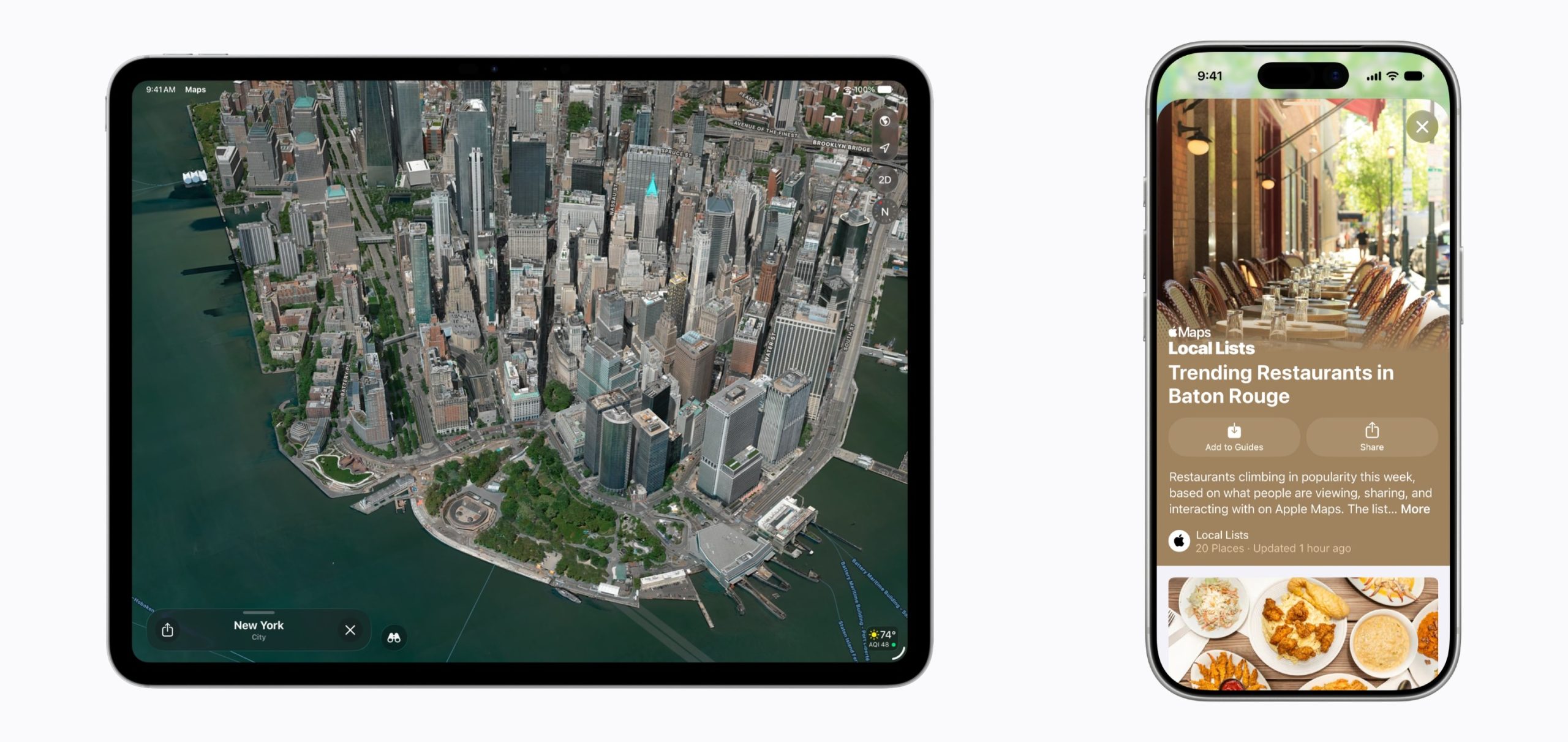
Apple says select cities around the world are rendered in sharper, more lifelike detail with improvements to everything from the "shapes of individual trees to the way light reflects off the glass of skyscrapers."
Flyover is an Apple Maps feature that offers detailed 3D landmarks, roads, parks, buildings, and more in more than 350 cities. The current version of Flyover uses aerial imagery captured by planes, but the new iOS 27 version improves the quality using AI.
Apple updated several of its Liquid Glass app icons in iOS 27 to add more glass-like layers. Icons have more depth, and the Maps app icon makes the difference especially clear.
Local Lists uses intelligent insights from what's trending around you for suggestions on places you should visit. Maps surfaces locally relevant collections of places to make it easier to find popular and interesting locations to visit.
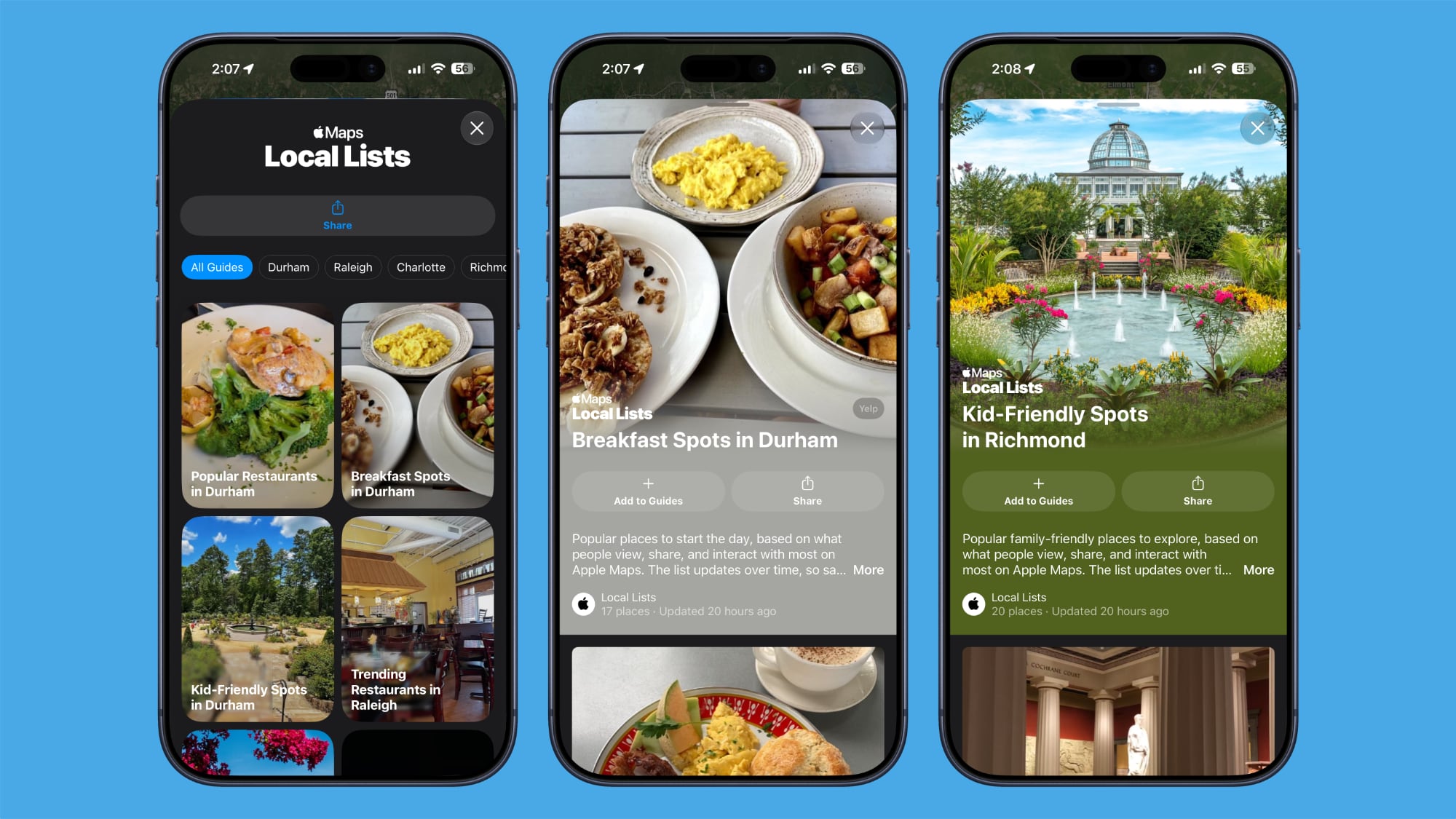
Local Lists is privacy-focused and does not use information tied to individual users. It is a U.S.-only feature.
In the Search interface, there's a Trending Restaurants section that shows you the top restaurants in the area you're in.

Natural language search in Maps now lets you ask for directions that avoid toll roads or highways.
On the Apple Watch, there's a new Parked Car widget in the Smart Stack so you can easily see your car's last known location, with info synced from the iPhone.
Apple says Offline Maps have improved in iOS 27. More locations are shown on the map, labels are darker and clearer, and there are icons that are easier to view at a glance. When you tap on a location, like a town, it will zoom into the area automatically so you can see what's there.
The Visited Places feature is more accurate in iOS 27 and less likely to miss locations. Visited Places keeps track of locations you've been to, organizing stops by category and location. It's accessible by tapping on your profile picture, choosing Places, and selecting Visited Places.
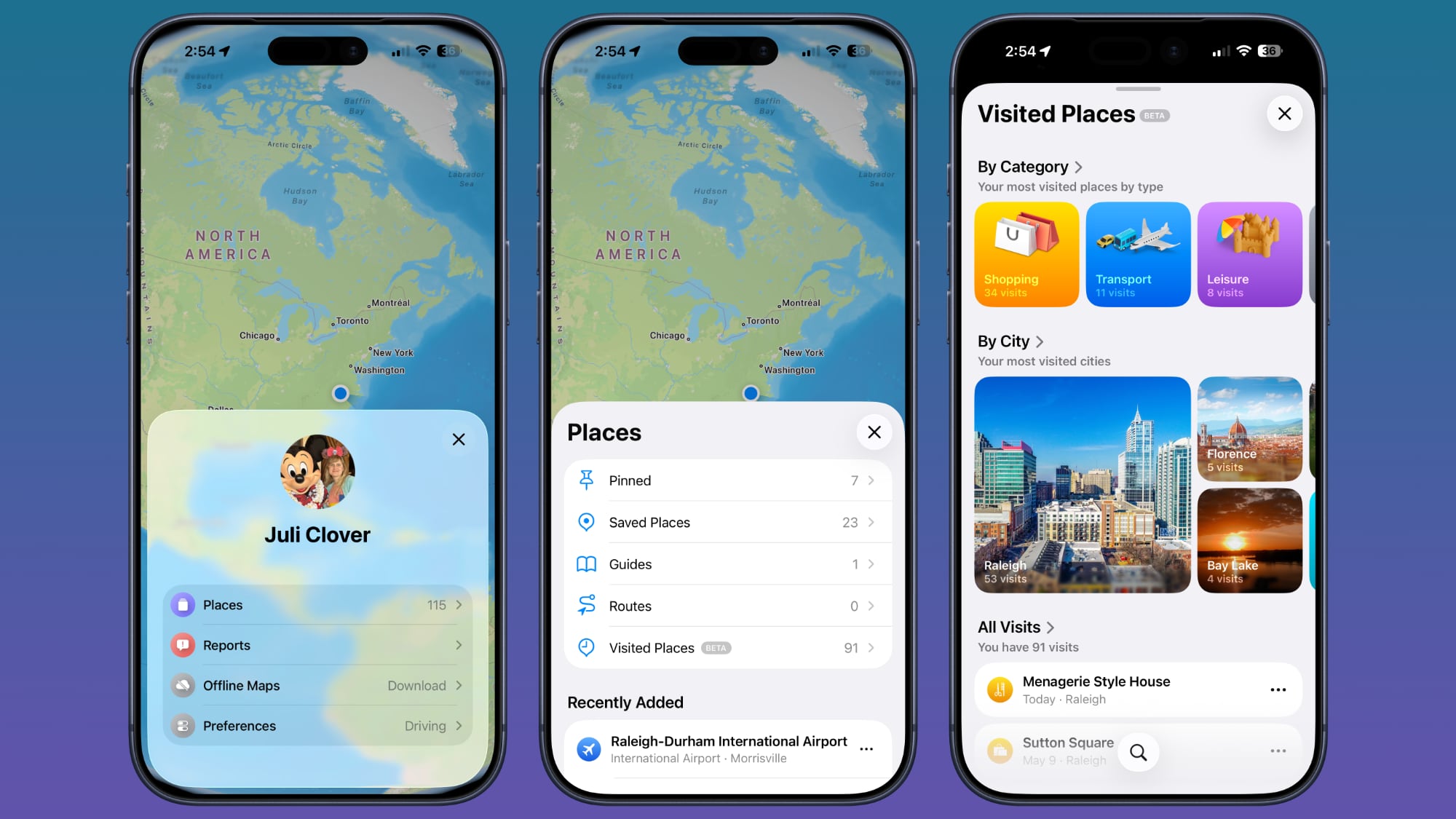
Visited Places is also expanding to more locations in iOS 27.
For more on what's new in iOS 27, we have a dedicated roundup.
This article, "iOS 27: All the New Apple Maps Features" first appeared on MacRumors.com
Discuss this article in our forums
Flyover Improvements
Apple is upgrading Flyover in iOS 27, making it more detailed than before. It combines aerial imagery with Vision Intelligence models to add more texture and sharper visuals for trees, architecture, and more.
Apple says select cities around the world are rendered in sharper, more lifelike detail with improvements to everything from the "shapes of individual trees to the way light reflects off the glass of skyscrapers."
Flyover is an Apple Maps feature that offers detailed 3D landmarks, roads, parks, buildings, and more in more than 350 cities. The current version of Flyover uses aerial imagery captured by planes, but the new iOS 27 version improves the quality using AI.
New Maps Icon
Apple updated several of its Liquid Glass app icons in iOS 27 to add more glass-like layers. Icons have more depth, and the Maps app icon makes the difference especially clear.
Local Lists
Local Lists uses intelligent insights from what's trending around you for suggestions on places you should visit. Maps surfaces locally relevant collections of places to make it easier to find popular and interesting locations to visit.
Local Lists is privacy-focused and does not use information tied to individual users. It is a U.S.-only feature.
Trending Restaurants
In the Search interface, there's a Trending Restaurants section that shows you the top restaurants in the area you're in.
Natural Language Search Expansion
Natural language search in Maps now lets you ask for directions that avoid toll roads or highways.
Widgets
On the Apple Watch, there's a new Parked Car widget in the Smart Stack so you can easily see your car's last known location, with info synced from the iPhone.
Offline Maps
Apple says Offline Maps have improved in iOS 27. More locations are shown on the map, labels are darker and clearer, and there are icons that are easier to view at a glance. When you tap on a location, like a town, it will zoom into the area automatically so you can see what's there.
Visited Places
The Visited Places feature is more accurate in iOS 27 and less likely to miss locations. Visited Places keeps track of locations you've been to, organizing stops by category and location. It's accessible by tapping on your profile picture, choosing Places, and selecting Visited Places.
Visited Places is also expanding to more locations in iOS 27.
More iOS 27 Features
For more on what's new in iOS 27, we have a dedicated roundup.
Tag: Apple Maps
This article, "iOS 27: All the New Apple Maps Features" first appeared on MacRumors.com
Discuss this article in our forums
Recommended Comments
Join the conversation
You can post now and register later. If you have an account, sign in now to post with your account.