_811205.png)
_e196d8.png)
_32b3d9.png)
_1c53fe.png)

Apple is redesigning Siri for iOS 27 to accommodate new artificial intelligence features and chatbot capabilities. Siri is getting a dedicated app, integration with the iPhone's Dynamic Island, and a new design scheme.
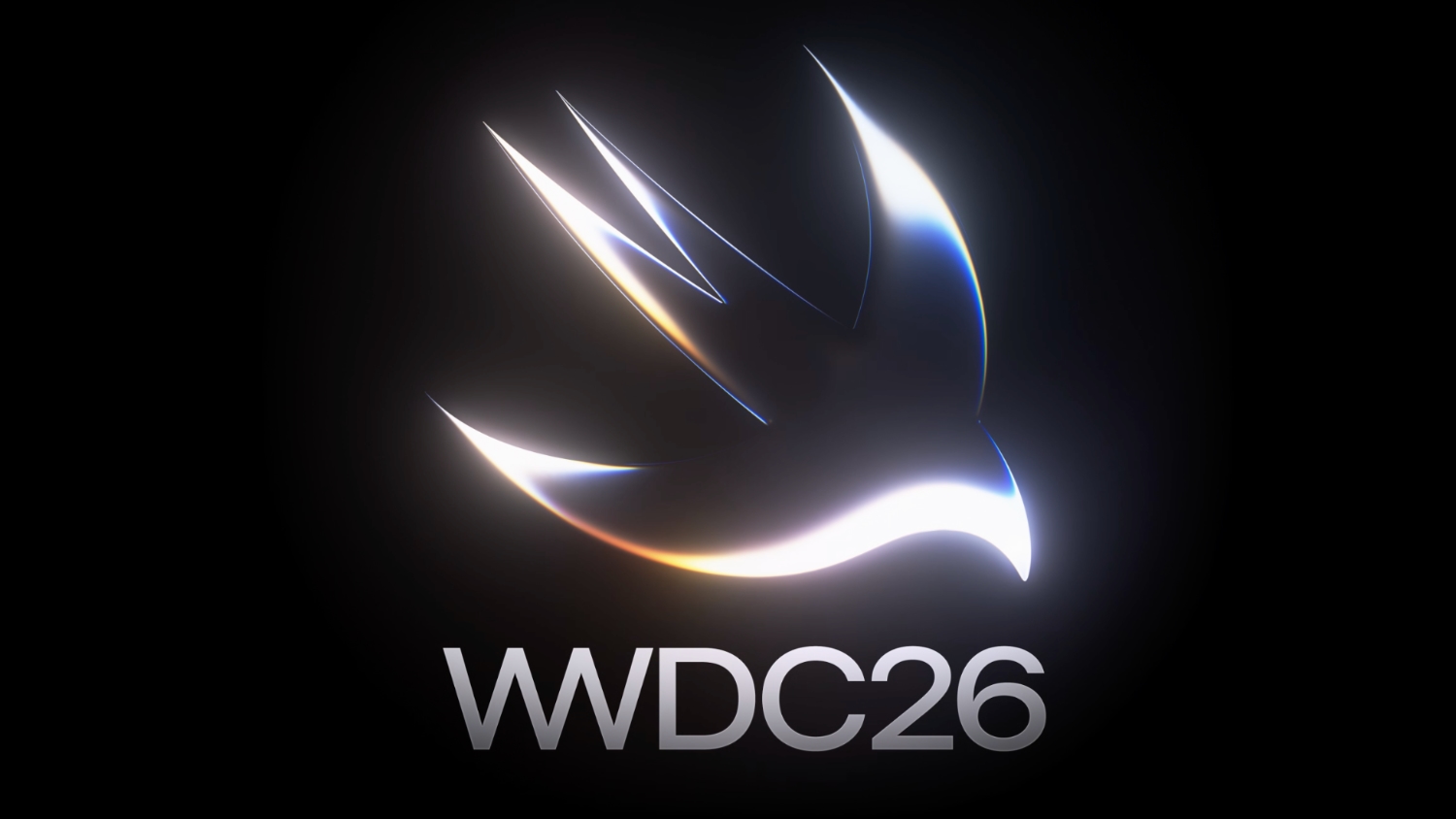
The graphics that Apple is using to promote WWDC hint at its design plans for Siri, according to Bloomberg's Mark Gurman. In this week's Power On newsletter, Gurman said the logo Apple uses for its WWDC website features the same colors it will use for Siri animations and input fields in iOS 27.
Apple's WWDC site features the Swift bird logo in white on a black background, with subtle highlights in pink, dark blue, purple, and orange. The colors are reminiscent of the current Siri animation that surrounds the iPhone's display when Siri is activated, but the shades are softer and not as saturated.
The Siri interface that Apple is testing uses all dark colors with no light mode available for now. Several of the new Siri UI elements will have a dark background with a cursor that blinks in those same colors.
Apple is creating a dedicated app for Siri for ongoing chatbot-style conversations, and it'll look similar to existing chatbot apps but with a Messages-style aesthetic. When Siri is activated, there will be a pill-shaped animation in the Dynamic Island and a glowing "searching" label while Siri is answering a query. Results are displayed in a translucent panel, and pulling down on the panel will initiate a conversation interface.
Swiping down from the top center of the display will activate a system-wide search interface with a Search or Ask bar for typing or speaking questions to Siri.
Apple plans to entirely overhaul Siri, and the personal assistant will be able to do far more than before. Apple has licensed Google's Gemini models to power Siri after its own AI models proved inadequate. With Gemini as Siri's backbone, Apple should be able to match many of the AI features that Google offers.
iOS 27 will be introduced at the WWDC 2026 keynote on June 8.
This article, "iOS 27 Siri Redesign Will Use Dark Color Scheme, Matching Apple's WWDC Art" first appeared on MacRumors.com
Discuss this article in our forums
The graphics that Apple is using to promote WWDC hint at its design plans for Siri, according to Bloomberg's Mark Gurman. In this week's Power On newsletter, Gurman said the logo Apple uses for its WWDC website features the same colors it will use for Siri animations and input fields in iOS 27.
Apple's WWDC site features the Swift bird logo in white on a black background, with subtle highlights in pink, dark blue, purple, and orange. The colors are reminiscent of the current Siri animation that surrounds the iPhone's display when Siri is activated, but the shades are softer and not as saturated.
The Siri interface that Apple is testing uses all dark colors with no light mode available for now. Several of the new Siri UI elements will have a dark background with a cursor that blinks in those same colors.
Apple is creating a dedicated app for Siri for ongoing chatbot-style conversations, and it'll look similar to existing chatbot apps but with a Messages-style aesthetic. When Siri is activated, there will be a pill-shaped animation in the Dynamic Island and a glowing "searching" label while Siri is answering a query. Results are displayed in a translucent panel, and pulling down on the panel will initiate a conversation interface.
Swiping down from the top center of the display will activate a system-wide search interface with a Search or Ask bar for typing or speaking questions to Siri.
Apple plans to entirely overhaul Siri, and the personal assistant will be able to do far more than before. Apple has licensed Google's Gemini models to power Siri after its own AI models proved inadequate. With Gemini as Siri's backbone, Apple should be able to match many of the AI features that Google offers.
iOS 27 will be introduced at the WWDC 2026 keynote on June 8.
Tag: Siri
Related Forum: Apple, Inc and Tech Industry
This article, "iOS 27 Siri Redesign Will Use Dark Color Scheme, Matching Apple's WWDC Art" first appeared on MacRumors.com
Discuss this article in our forums
Recommended Comments
Join the conversation
You can post now and register later. If you have an account, sign in now to post with your account.