_811205.png)
_e196d8.png)
_32b3d9.png)
_1c53fe.png)

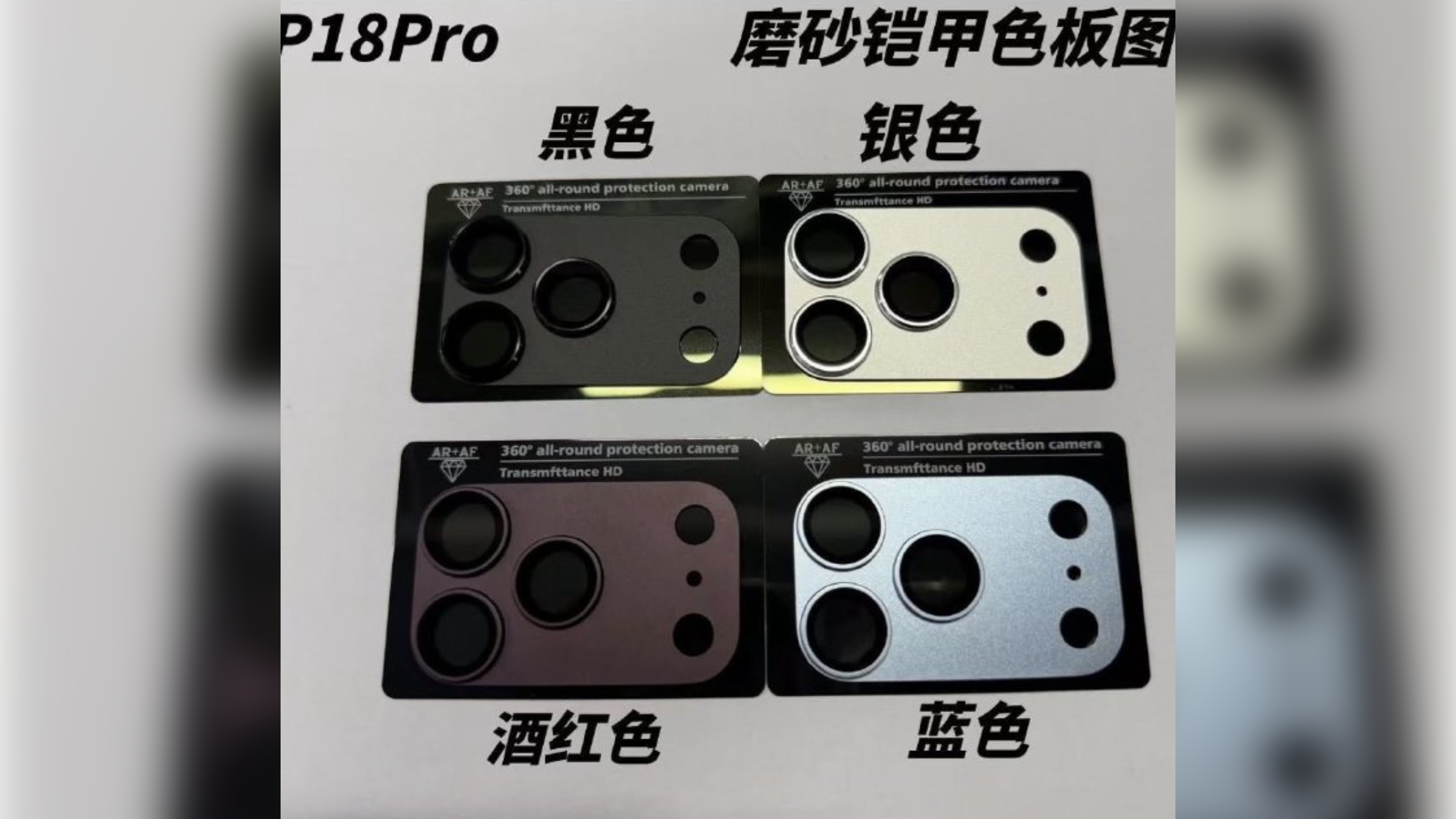
Chinese leaker Ice Universe has shared an image showing four camera plateau protection plates with finishes that appear to match the latest color rumors for Apple's iPhone 18 Pro models.
Last week, a Macworld report claimed Apple is working on four color options for the iPhone 18 Pro and iPhone 18 Pro Max: Light blue, dark cherry, dark gray, and silver.
The four anodized aluminum camera lens protector plates shown here are labeled as black, silver, wine red, and blue. Note that the accessories in the picture are not actual phone bodies but third-party camera covers designed to complement the rumored finishes, and we believe the "black" description refers to dark gray. According to Weibo-based leaker Instant Digital, Apple won't be offering its next-generation premium models in a black color option this year.
All four colors are said to be still in development, and Apple still has time to make changes.
The iPhone 18 Pro models are expected to be unveiled this September alongside Apple's first foldable iPhone, which will have its own set of color finishes that are likely to be more muted, with silver, white, and indigo rumored so far.
This article, "iPhone 18 Pro May Come in These Four Colors" first appeared on MacRumors.com
Discuss this article in our forums
Last week, a Macworld report claimed Apple is working on four color options for the iPhone 18 Pro and iPhone 18 Pro Max: Light blue, dark cherry, dark gray, and silver.
The four anodized aluminum camera lens protector plates shown here are labeled as black, silver, wine red, and blue. Note that the accessories in the picture are not actual phone bodies but third-party camera covers designed to complement the rumored finishes, and we believe the "black" description refers to dark gray. According to Weibo-based leaker Instant Digital, Apple won't be offering its next-generation premium models in a black color option this year.
All four colors are said to be still in development, and Apple still has time to make changes.
The iPhone 18 Pro models are expected to be unveiled this September alongside Apple's first foldable iPhone, which will have its own set of color finishes that are likely to be more muted, with silver, white, and indigo rumored so far.
Related Roundup: iPhone 18 Pro
Tag: Ice Universe
This article, "iPhone 18 Pro May Come in These Four Colors" first appeared on MacRumors.com
Discuss this article in our forums
Recommended Comments
Join the conversation
You can post now and register later. If you have an account, sign in now to post with your account.