_811205.png)
_e196d8.png)
_32b3d9.png)
_1c53fe.png)

For macOS 27 Golden Gate, coming this fall, Apple appears to be testing a new formatting bar for the Mail app's compose window that promotes Apple Intelligence's Writing Tools and Siri AI, based on findings in the latest beta.
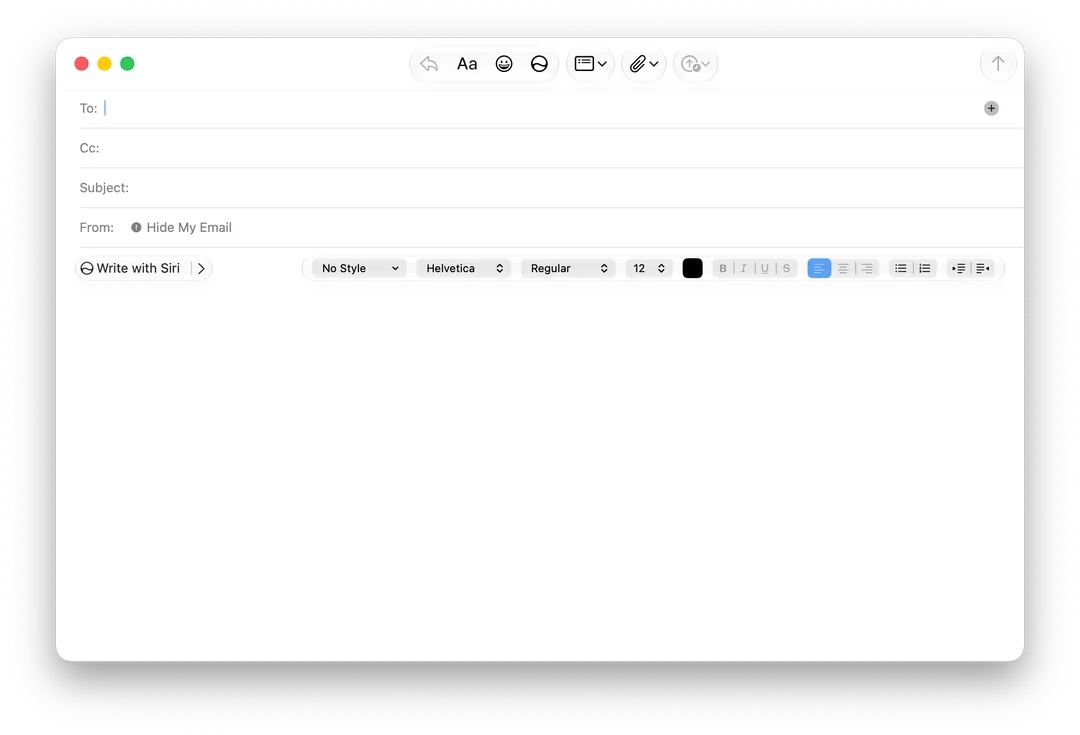
Feature flags discovered by MacRumors forum member "mactracker" – who this week also revealed the hidden Siri "voice pad" interface in beta 4 – show the reworked bar in Mail's message composer, which now features "Write with Siri" in the most prominent position.
In the current implementation, the classic formatting controls are automatically collapsed to the right edge of the composer and vanish completely once the user selects Write with Siri and starts typing a prompt.
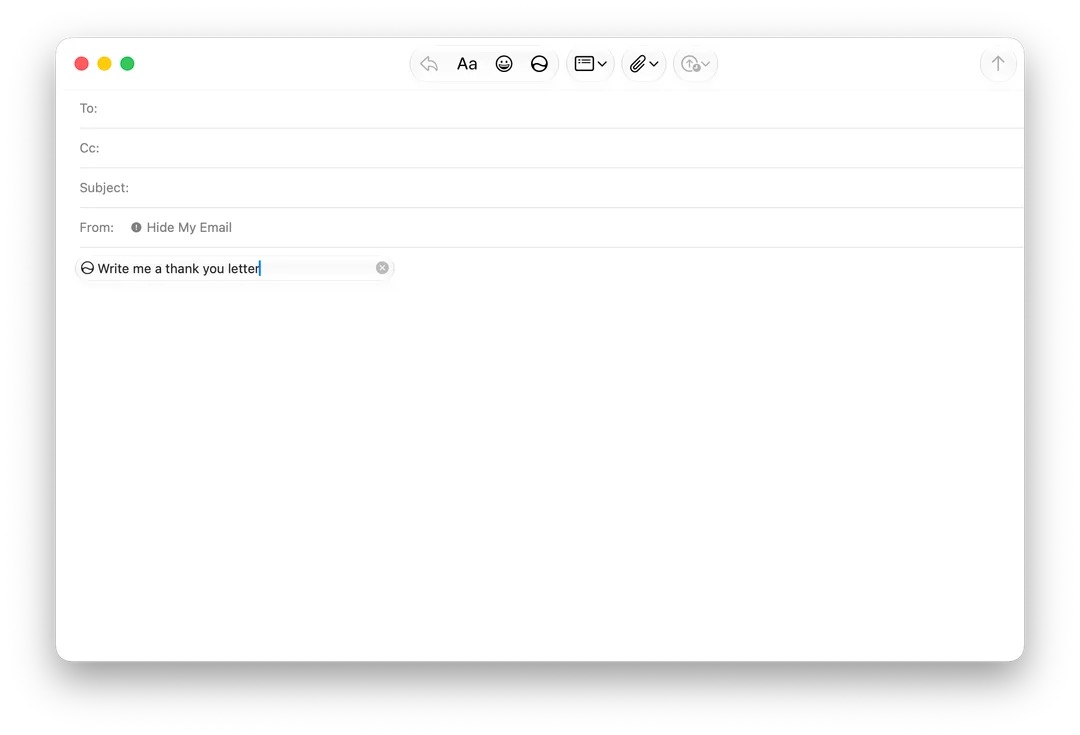
The redesigned bar adds the ability to display contextual Smart Reply suggestions from Siri AI without necessarily using them in your draft email. (macOS users will know that Smart Reply itself isn't new, having arrived with the first wave of Apple Intelligence features.) The new design lets you preview a suggested reply by hovering over it before inserting it, which is something the previous in-line design couldn't do.
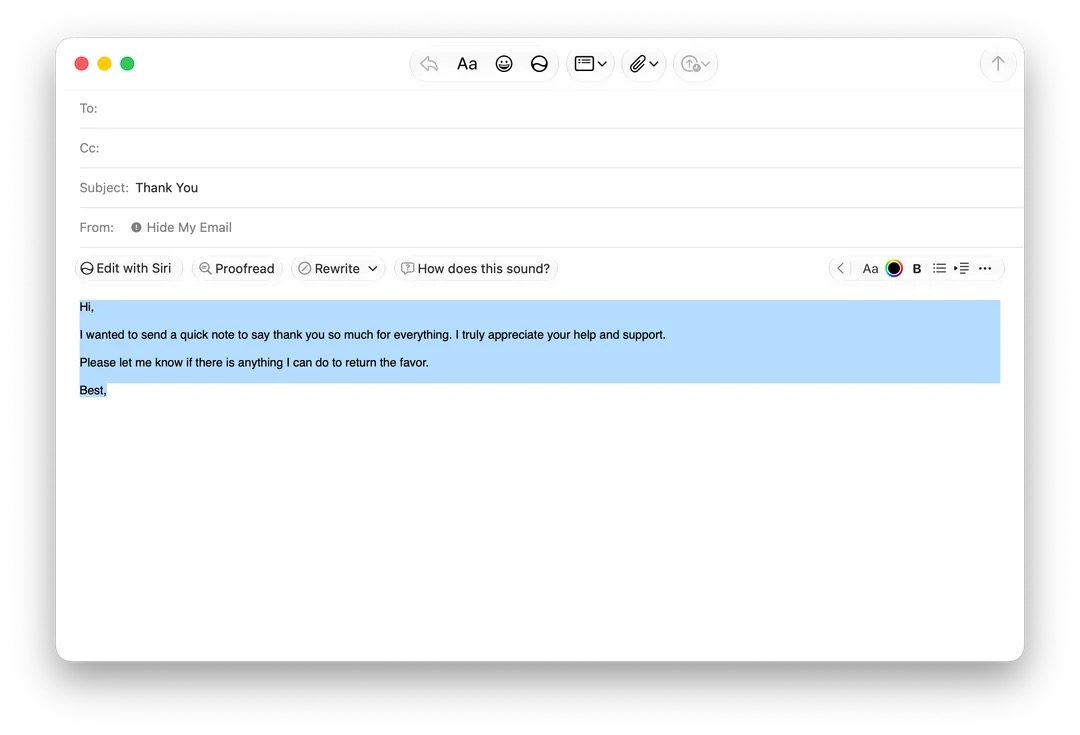
When a suggested composition is selected, the formatting bar shows "Edit with Siri," "Proofread," and "Rewrite" options, as well as "How does this sound?" with the traditional formatting controls minimized.
The new bar isn't switched on by default and remains hidden behind an internal feature flag, so most testers won't see it. It's also still buggy, suggesting this is a work in progress – in Beta 4, for example, the redesign only shows up when replying to a message, but composing a fresh email still brings up the old formatting bar.
Whether the redesign makes the general release of macOS 27 is anyone's guess at this point, but it fits the broader pattern of integrating the new contextually aware Siri AI across the system.
macOS 27 Golden Gate is expected to officially launch in September when Apple releases new iPhone 18 Pro models, alongside its first foldable iPhone.
This article, "macOS 27 Beta Reworks Mail's Compose Window Around Siri AI" first appeared on MacRumors.com
Discuss this article in our forums
Feature flags discovered by MacRumors forum member "mactracker" – who this week also revealed the hidden Siri "voice pad" interface in beta 4 – show the reworked bar in Mail's message composer, which now features "Write with Siri" in the most prominent position.
In the current implementation, the classic formatting controls are automatically collapsed to the right edge of the composer and vanish completely once the user selects Write with Siri and starts typing a prompt.
The redesigned bar adds the ability to display contextual Smart Reply suggestions from Siri AI without necessarily using them in your draft email. (macOS users will know that Smart Reply itself isn't new, having arrived with the first wave of Apple Intelligence features.) The new design lets you preview a suggested reply by hovering over it before inserting it, which is something the previous in-line design couldn't do.
When a suggested composition is selected, the formatting bar shows "Edit with Siri," "Proofread," and "Rewrite" options, as well as "How does this sound?" with the traditional formatting controls minimized.
The new bar isn't switched on by default and remains hidden behind an internal feature flag, so most testers won't see it. It's also still buggy, suggesting this is a work in progress – in Beta 4, for example, the redesign only shows up when replying to a message, but composing a fresh email still brings up the old formatting bar.
Whether the redesign makes the general release of macOS 27 is anyone's guess at this point, but it fits the broader pattern of integrating the new contextually aware Siri AI across the system.
macOS 27 Golden Gate is expected to officially launch in September when Apple releases new iPhone 18 Pro models, alongside its first foldable iPhone.
Tag: Siri
This article, "macOS 27 Beta Reworks Mail's Compose Window Around Siri AI" first appeared on MacRumors.com
Discuss this article in our forums
Recommended Comments
Join the conversation
You can post now and register later. If you have an account, sign in now to post with your account.