_811205.png)
_e196d8.png)
_32b3d9.png)
_1c53fe.png)

With the third beta of macOS 27, Apple added new Golden Gate-themed wallpaper options to the Mac.
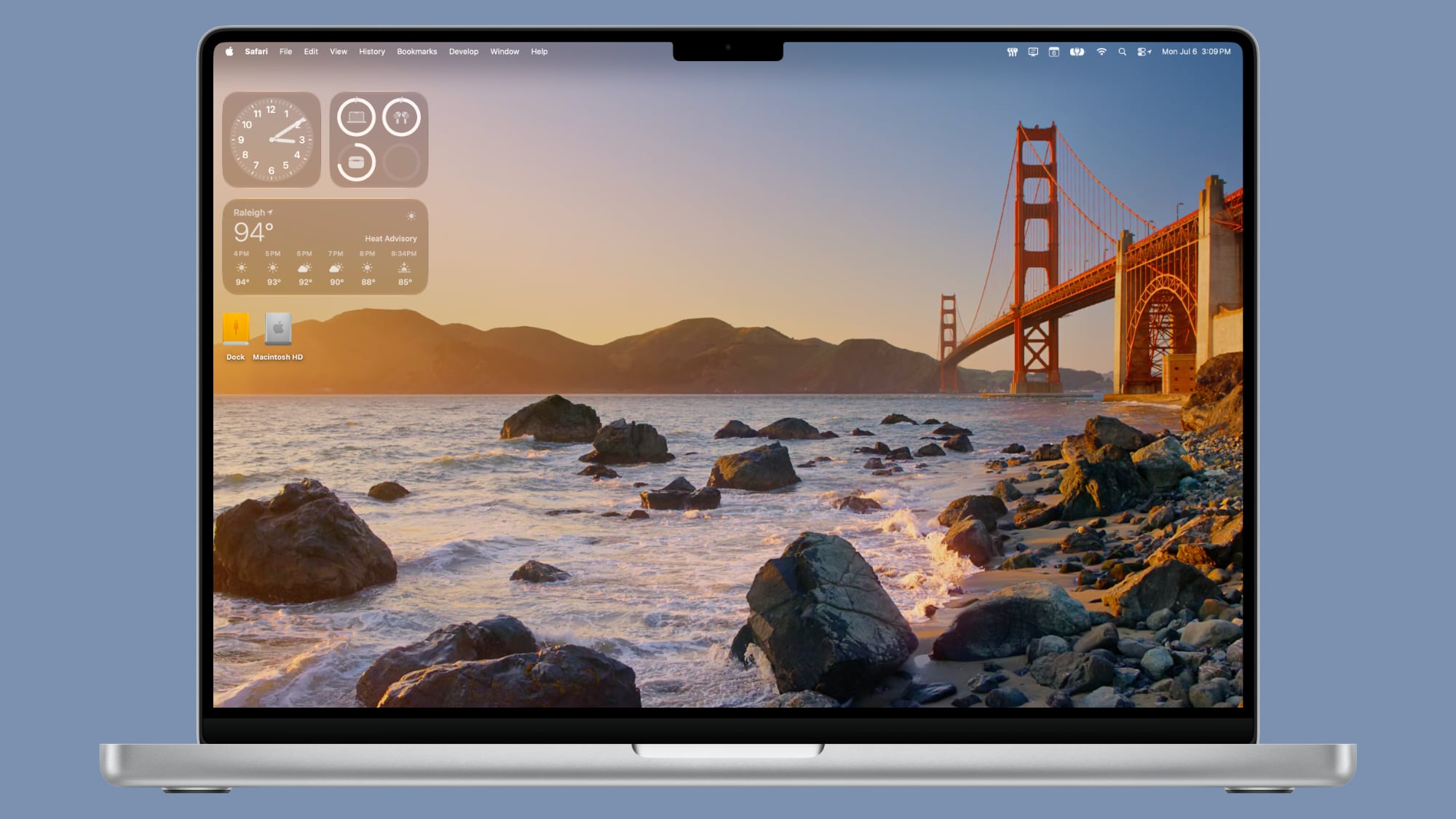
There are new Golden Gate Sunset and Golden Gate Night options, both of which join the prior Golden Gate abstract wallpaper that Apple introduced with the initial beta.
Golden Gate Sunset and Golden Gate Night animate when unlocking the Mac, and can be set as a screen saver. When used as a screen saver, the Golden Gate Sunset wallpaper features waves breaking on the rocks near the Golden Gate Bridge. The Golden Gate Night wallpaper shows cars driving across the bridge.
With past updates, Apple has included several themed wallpaper options, so more Golden Gate wallpapers could be added in the future. macOS Golden Gate is limited to developers right now, but we are expecting a public beta soon.
This article, "macOS Golden Gate Gets New Wallpaper" first appeared on MacRumors.com
Discuss this article in our forums
There are new Golden Gate Sunset and Golden Gate Night options, both of which join the prior Golden Gate abstract wallpaper that Apple introduced with the initial beta.
Golden Gate Sunset and Golden Gate Night animate when unlocking the Mac, and can be set as a screen saver. When used as a screen saver, the Golden Gate Sunset wallpaper features waves breaking on the rocks near the Golden Gate Bridge. The Golden Gate Night wallpaper shows cars driving across the bridge.
With past updates, Apple has included several themed wallpaper options, so more Golden Gate wallpapers could be added in the future. macOS Golden Gate is limited to developers right now, but we are expecting a public beta soon.
Related Roundup: macOS Golden Gate
This article, "macOS Golden Gate Gets New Wallpaper" first appeared on MacRumors.com
Discuss this article in our forums
Recommended Comments
Join the conversation
You can post now and register later. If you have an account, sign in now to post with your account.